7 Best A4 Photo Printers for Photographers in 2026
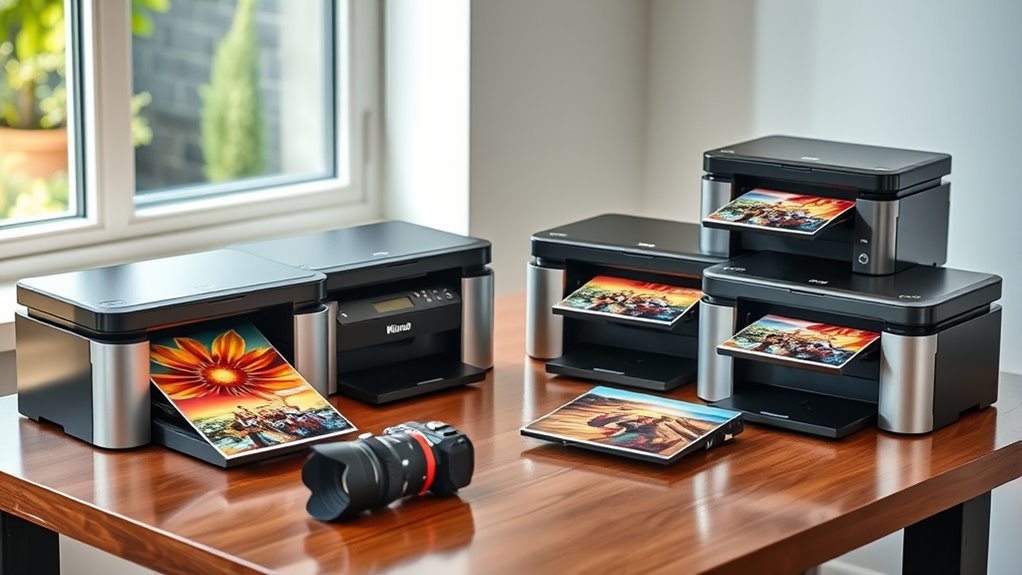
If you’re looking for the best A4 photo printers in 2026, you want vibrant and sharp prints that do justice to your photography. The Epson Expression Photo XP-980 and XP-15000 are standout choices, delivering stunning borderless images at a high resolution of up to 5760 x 1440 dpi. These printers are ideal for photographers who demand quality and detail in every print.
The Canon PIXMA TR8620a is another great option, especially if you need an all-in-one printer that offers wireless and mobile printing. It’s versatile and user-friendly, making it perfect for both home and professional use.
On the other hand, the Epson PM-400 shines when portability is key — it’s compact yet powerful.
All these printers handle specialty papers well and print quickly. Plus, they support mobile apps, making your workflow smooth and hassle-free. Take a closer look at these models to find the perfect A4 photo printer that matches your photography needs.
Epson Expression Photo XP-980 Wireless Wide-Format Printer
Experience professional-quality photo printing right at your desk with the Epson Expression Photo XP-980 Wireless Wide-Format Printer. This printer is designed to produce vibrant, borderless prints up to 11″ x 17″, solving the challenge of creating gallery-quality photos without trips to a print shop. Its 6-color Claria Photo HD ink system ensures sharp, rich images with accurate colors.
The printer’s versatile paper handling is ideal for photographers managing different media types. Separate trays for plain and photo paper plus a rear feed for specialty sheets mean you can switch materials without hassle. Fast printing speeds let you produce 4″ x 6″ photos in just 11 seconds, streamlining your workflow.
Operation is straightforward thanks to the 4.3-inch touchscreen and Easy Mode, making it accessible even for users new to photo printing. Wireless and mobile printing capabilities add convenience, allowing you to print directly from smartphones or tablets. Maintenance requires Epson Genuine Cartridges to keep print quality and avoid damage.
Best for: Photographers and creative professionals who need versatile, high-resolution photo printing combined with wireless convenience.
What We Like:
- Stunning borderless prints up to 11″ x 17″ at 5760 x 1440 dpi
- Separate paper trays plus rear feed for specialty media
- Quick 4″ x 6″ photo prints in 11 seconds
- Easy touchscreen interface and mobile printing options
Specification:
| Feature | Details |
|---|---|
| Manufacturer | Epson |
| Dimensions | Approx. 15.4″ (W) x 11.7″ (D) x 7.2″ (H) |
| Weight | Approx. 13.4 lbs (6.1 kg) |
| Ink System | 6-color Claria Photo HD |
| Maximum Print Size | 11″ x 17″ |
| Connectivity | Wireless, Mobile Printing |
| Display | 4.3-inch Touchscreen |
Epson Expression Photo HD XP-15000 Wireless Printer
Photographers seeking exceptional print quality and versatile media handling will find the Epson Expression Photo HD XP-15000 Wireless Printer a valuable tool. It produces sharp, borderless photos up to 13×19 inches, ideal for showcasing your best work in vivid detail. The wide color range from its 6-color Claria Photo HD ink system, including red and gray inks, enhances both color richness and black-and-white photo depth.
Designed for convenience, this compact printer fits neatly on a desktop without sacrificing performance. The rear tray supports specialty media such as cardstock, expanding your creative possibilities. Its quiet operation minimizes disruption, allowing you to focus on your projects.
Maintenance is simplified through Dash Replenishment, which monitors ink levels and automatically orders replacements, helping avoid unexpected interruptions. While it requires Epson Genuine Cartridges, this system ensures consistent print quality and reliable performance.
Best for: Professional photographers and enthusiasts who need high-quality, wide-format photo printing with flexible media handling and hassle-free ink management.
What We Like:
- Produces vivid, borderless prints up to 13×19 inches with a broad color spectrum.
- Supports specialty papers like cardstock via a rear 50-sheet tray.
- Dash Replenishment automates ink monitoring and ordering.
- Compact design fits well in limited workspace.
- Quiet operation suitable for focused work environments.
Specification:
| Feature | Description |
|---|---|
| Manufacturer | Epson |
| Dimensions (W×D×H) | Approximately 23.7 × 13.7 × 6.4 inches |
| Weight | Around 14.1 lb (6.4 kg) |
| Color Options | White |
| Ink System | 6-color Claria Photo HD |
| Max Print Size | 13 × 19 inches (A3+) |
Epson Expression Photo XP-8800 Wireless Printer
Capture your creativity with the Epson Expression Photo XP-8800 Wireless Printer, designed to deliver professional-quality, borderless photos quickly and easily. Its advanced 6-color Claria Photo HD ink system ensures vibrant, detailed prints that bring your images to life in as fast as 10 seconds per 4 x 6 print.
Navigating the printer’s functions is straightforward thanks to the 4.3-inch color touchscreen and Easy Mode. Wireless printing is hassle-free via Wi-Fi, Wi-Fi Direct, or the Epson Smart Panel app, letting you print directly from smartphones or laptops without cords.
This versatile device also features a built-in flatbed scanner and copier, adding more functionality for everyday tasks. It supports auto-duplex printing, which helps save paper when printing double-sided documents. The printer handles various media sizes up to 8.5″ x 11″, accommodating a range of creative projects.
Maintenance is simple but keep in mind the 120-sheet paper capacity may require refills during heavy use. Print speeds can vary with complex images or different media types, so plan accordingly for larger jobs.
Best for: photographers and creative professionals needing fast, high-quality borderless photo printing with versatile wireless options.
What We Like:
- Produces vivid, professional-grade photos rapidly with a 6-color ink system
- Multiple wireless printing options including Wi-Fi Direct and Epson Smart Panel app
- Built-in flatbed scanner with auto-duplex printing for added versatility
- Easy-to-use 4.3″ touchscreen with Easy Mode for quick setup and operation
Specification:
| Feature | Details |
|---|---|
| Manufacturer | Epson |
| Dimensions | Approx. 13.3 x 14.5 x 6.1 in |
| Weight | Approx. 12.4 lbs |
| Ink System | 6-color Claria Photo HD ink |
| Media Size | Up to 8.5″ x 11″ |
| Connectivity | Wi-Fi, Wi-Fi Direct, Epson Smart Panel app |
Canon PIXMA TR8620a All-in-One Printer Black
The Canon PIXMA TR8620a All-in-One Printer blends versatility with convenience, making it ideal for users who need more than just a photo printer. This wireless printer handles printing, scanning, copying, and faxing tasks seamlessly, helping to streamline your workflow at home or in a small office.
Its auto document feeder simplifies multi-page scanning and copying, saving you time on repetitive tasks. Connectivity options like AirPrint, Android compatibility, and Alexa voice commands keep you connected without hassle. You can print wirelessly from various devices with ease.
Designed with efficiency in mind, it prints up to 15 ppm in black and 10 ppm in color, with automatic double-sided printing to reduce paper waste. The large 200-sheet paper capacity minimizes frequent refills, while smart ink reordering through Alexa helps prevent unexpected supply shortages.
Energy-conscious users will appreciate the printer’s ENERGY STAR certification and EPEAT Silver rating, which support eco-friendly operation. Although it lacks some advanced photo-specific features and offers a standard 1-year warranty, its balance of functionality and smart features makes it a solid choice.
Best for: Home office users and photographers seeking an all-in-one wireless printer that combines ease of use with reliable multifunction performance.
What We Like:
- Voice command support and smart ink reordering via Alexa for hands-free operation
- Auto document feeder speeds up multi-page tasks
- ENERGY STAR certified and EPEAT Silver rated for energy-efficient use
Specification:
| Feature | Details |
|---|---|
| Manufacturer | Canon |
| Dimensions (inches) | Approx. 14.5 x 12.7 x 7.7 |
| Weight (lbs) | Around 15.7 |
| Color Options | Black |
| Paper Capacity | 200 sheets |
| Print Speed (Black) | Up to 15 ppm |
| Print Speed (Color) | Up to 10 ppm |
Epson PictureMate PM-400 Wireless Compact Color Photo Printer, white
Capture memories effortlessly with the Epson PictureMate PM-400, a compact and portable photo printer designed for quick, high-quality prints. Its lightweight, space-saving design allows you to carry it easily or place it anywhere at home or on the go. This printer delivers stunning borderless 4×6 and 5×7 inch photos in just 36 seconds, helping you preserve moments without delay.
Wireless printing simplifies your workflow by connecting seamlessly to iPads, iPhones, and other smart devices. You can print directly from your favorite gadgets without the hassle of cables or transfers. To ensure consistent output and protect your printer, use only Epson Genuine Cartridges, which maintain image quality and printer health.
This device is ideal for users focused on vibrant photo printing rather than general document tasks. Its specialized design emphasizes speed, vivid colors, and ease of use, making it a reliable companion for photographers and casual users alike.
Best for: photographers and casual users who need a portable, wireless photo printer for quick, high-quality borderless prints.
What We Like:
- Ultra-compact and lightweight for easy portability
- Fast print speeds, producing 4×6 photos in as little as 36 seconds
- Wireless connectivity for hassle-free printing from mobile devices
- Produces vibrant, borderless photos ideal for keepsakes
- Maintains print quality when using Epson Genuine Cartridges
Specification:
| Feature | Details |
|---|---|
| Manufacturer | Epson |
| Dimensions | Ultra-compact design |
| Weight | Lightweight |
| Color Options | White |
| Print Sizes | 4×6 inch, 5×7 inch photos |
| Connectivity | Wireless (Wi-Fi) |
Photo Glossy White A4 Paper 230gsm 20 Sheets
Bring your photos and artwork to life with Photo Glossy White A4 Paper 230gsm, featuring 20 sheets designed for inkjet printers. This premium paper solves common printing issues like dull colors and smudging, ensuring every image pops with vibrant, sharp detail.
Its glossy finish enhances color intensity and contrast, making your prints stand out whether for personal projects or professional portfolios. The sturdy 230gsm thickness provides a durable, high-quality feel that’s perfect for framing or display.
Maintenance is simple—print on the bright side and keep unused sheets sealed in a cool, dry place to preserve their quality. The acid-free, waterproof surface protects your prints from fading and water damage, extending their lifespan.
While this paper is tailored for inkjet printers only and limited to 20 sheets per pack, its quick-drying, smudge-resistant coating delivers reliable, professional results every time.
Best for: Photographers, artists, and professionals needing vibrant, durable photo prints from inkjet printers.
What We Like:
- Glossy finish boosts color vibrancy and image clarity
- Quick-drying and waterproof surface prevents smudges
- Thick 230gsm paper offers a premium, sturdy feel
- Acid-free coating helps photos stay vibrant over time
Specification:
| Feature | Details |
|---|---|
| Manufacturer | Not specified |
| Paper Size | A4 (8.27 x 11.69 in) |
| Weight | 230gsm |
| Sheets per Pack | 20 |
| Color | Glossy White |
| Printer Type | Inkjet only |
HP Envy Photo 7975 Wireless Inkjet Printer (B63K3A)
Experience versatility and quality with the HP Envy Photo 7975 Wireless Inkjet Printer. This all-in-one device is designed to solve common printing challenges by delivering high-quality, borderless photo prints alongside reliable document handling. It streamlines tasks like printing, scanning, and copying, making it an ideal companion for home offices and creative projects.
The printer’s automatic two-sided printing saves paper and time, while its dedicated photo tray ensures your images come out vibrant and precise. Wireless connectivity and a large touchscreen enhance ease of use, allowing you to print directly from smart devices without hassle. Additionally, AI-enabled web page formatting produces crisp, well-organized prints every time.
Maintenance is straightforward, with a 3-month Instant Ink trial helping to reduce running costs. Although print speeds of up to 10 ppm in color may not match office-grade models, this printer balances quality and convenience for light to moderate use. Its inkjet technology offers vivid prints but may require more frequent cartridge replacements compared to laser options.
Best for: Families and home users seeking an all-in-one printer that combines high-quality photo printing with efficient document management and simple wireless operation.
What We Like:
- Dedicated photo tray for borderless, vibrant photo prints
- Automatic two-sided printing to save paper and time
- Wireless connectivity and intuitive touchscreen for easy control
- AI-enabled web page formatting for sharper, well-organized prints
Specification:
| Feature | Details |
|---|---|
| Manufacturer | HP |
| Model | Envy Photo 7975 |
| Printer Type | Wireless Inkjet |
| Dimensions (W×D×H) | Approximately 17.3 × 14.5 × 5.6 inches (43.9 × 36.8 × 14.2 cm) |
| Weight | Around 11.4 lb (5.2 kg) |
| Color Options | Black |
Factors to Consider When Choosing an A4 Photo Printer for Photographers
You’ll want to focus on print quality resolution to guarantee your photos look sharp and vibrant. Consider ink type compatibility and paper handling options to match your workflow and media preferences.
Don’t forget connectivity, mobility, speed, and efficiency to keep your printing process smooth and hassle-free. These factors can really make a difference in your day-to-day photography work.
Print Quality Resolution
One key factor to take into account when choosing an A4 photo printer is print quality resolution, which directly impacts the sharpness and detail of your images. Look for printers offering high DPI ratings, like 5760 x 1440 dpi, to ensure crisp, detailed prints.
Resolution defines the smallest detail your printer can reproduce, affecting image clarity and smooth gradations. Professional photo printers usually support at least 1200 dpi, giving you the fine detail you need for stunning photos.
Also, think about a printer’s ability to produce borderless prints at high resolution; this ensures your images have edge-to-edge quality without distracting borders. Consistent resolution combined with accurate color reproduction guarantees your prints reflect the true essence of your photographs every time you print.
Ink Type Compatibility
Beyond print resolution, the type of ink your printer uses has a significant impact on the vibrancy and longevity of your photos. You’ll want a printer that uses dye-based or pigment-based inks specifically designed for high-quality photo printing.
Look for models supporting individual ink cartridges, including options like red, gray, or photo-specific inks, to enhance color accuracy and save on costs. Make sure the printer is compatible with genuine cartridges to avoid damage and maintain consistent quality.
For professional results, consider printers with six or more ink colors, offering a wider color gamut. Also, confirm your printer’s ink works well with your preferred media, especially specialty or glossy photo papers. That way, your prints come out just as vivid and detailed as you envision.
Paper Handling Options
Several key paper handling features can make a big difference when choosing an A4 photo printer for your photography needs. Look for printers with multiple paper trays or dedicated slots so you can switch easily between standard and specialty papers without interrupting your workflow.
Make sure it supports rear or manual feed options to handle thicker media like cardstock or glossy photo paper. Check if the printer offers auto paper type detection or adjustable guides, which help maintain perfect alignment and consistent quality.
Also, consider the maximum paper capacity to avoid frequent reloading during large print jobs. Finally, choose a printer that supports borderless printing on A4 sheets to produce professional, edge-to-edge photos without white margins—essential for delivering stunning final prints.
Connectivity and Mobility
Choosing the right connectivity and mobility options can greatly enhance your printing experience. Make sure the printer supports wireless connections like Wi-Fi, Wi-Fi Direct, or Bluetooth to print effortlessly from your smartphone, tablet, or laptop.
Check if it works with mobile printing apps such as Epson Smart Panel or Canon PRINT, which let you manage and edit photos remotely. Confirm compatibility with features like AirPrint or Google Cloud Print for direct mobile printing.
Opt for printers that support multiple devices, allowing several users to print wirelessly without cables. Additionally, look for cloud service integration or network-sharing capabilities to print from different locations and devices.
This gives you flexibility and convenience whether you’re at home or on the go. It really makes printing simple and hassle-free!
Speed and Efficiency
While having strong connectivity options makes printing convenient, speed and efficiency play a big role in keeping your workflow smooth. Faster print speeds reduce wait times when handling large photo batches, letting you focus on editing rather than waiting.
Look for high-resolution printers with 5760 x 1440 dpi to get sharp, detailed images quickly. Auto duplex printing saves time by printing on both sides without extra steps.
A dedicated rear feed for specialty media helps you switch between photo papers seamlessly, cutting down paper jams and delays. Efficient ink systems, like individual cartridges or automatic ink level tracking, ensure you won’t be caught off guard by ink shortages.
Prioritizing these features means you’ll boost productivity and maintain consistent photo quality. It’s all about working smarter, not harder!
Printer Size Portability
Because photographers often work on the go, having a compact and lightweight A4 photo printer can make a huge difference in convenience and flexibility. You’ll find that printers under 10 pounds are perfect for carrying between locations without strain.
Look for foldable or collapsible designs—they make storage and transport much easier, fitting snugly in your travel bag or small workspace. A smaller footprint means you won’t sacrifice precious desk space while still getting high-quality prints.
Wireless connectivity is another plus, letting you avoid bulky cables and stay mobile. Prioritizing portability guarantees your printer keeps up with your dynamic workflow, whether you’re shooting on location or working from tight setups.
Choosing the right size and weight enhances your efficiency without compromising on print quality. It really helps keep things smooth and hassle-free wherever you are.
Software and Editing Tools
When you pick an A4 photo printer, the software it comes with can make a huge difference in your workflow. Look for models featuring built-in editing tools like red-eye removal, color correction, and photo restoration to save time on post-processing.
Make sure the software supports high-resolution printing at 5760 x 1440 dpi or higher, so your photos come out vibrant and detailed. Mobile app integration is a plus, letting you edit and preview images directly from your smartphone or tablet.
Also, choose printers with user-friendly interfaces for cropping, brightness, contrast adjustments, and applying filters before printing. Finally, opt for printers compatible with advanced photo management software to help you achieve professional-quality finishes with ease.
Frequently Asked Questions
How Do I Properly Calibrate My Printer for Accurate Colors?
You calibrate your printer by using a color calibration tool or software, printing a test chart, then adjusting settings to match your monitor’s colors.
Regularly update profiles for consistent, accurate color reproduction. Don’t skip this step!
What Are the Best Software Options for Photo Editing Before Printing?
You’ll want to use Adobe Lightroom or Photoshop for powerful editing, Capture One for advanced color control, or Affinity Photo for affordability.
These tools give you precise adjustments to guarantee your prints look stunning and true to life.
They’re all great choices depending on what you need, whether it’s detailed retouching or easy batch edits.
Can I Print Borderless Photos on Standard A4 Paper?
Absolutely, you can print pristine, professional borderless photos on standard A4 paper if your printer supports borderless printing. Just adjust settings carefully, choose high-quality paper, and guarantee your image resolution suits the size perfectly.
Make sure to check your printer’s capabilities first. Not all printers can handle borderless printing, so it’s worth confirming before you start.
Also, picking the right paper makes a huge difference. High-quality photo paper will give you the best results, making your photos look sharp and vibrant.
And don’t forget about the image resolution! If the resolution is too low, your photo might come out pixelated or blurry when printed at A4 size. So, always use high-resolution images for the best outcome.
How Do Different Ink Types Affect Photo Longevity?
Different ink types impact photo longevity considerably. Dye-based inks offer vibrant colors but fade faster, while pigment-based inks last longer and resist water and UV damage better.
Choose pigment inks if you want prints that endure. They’re a great option for photos you want to keep looking fresh over time.
What Maintenance Routines Extend the Lifespan of Photo Printers?
You can’t always avoid maintenance, but regular cleaning, using quality ink, and running print head alignments will extend your photo printer’s lifespan.
Trust me, a little effort keeps your prints sharp and your printer lasting longer. It’s worth it to take those few extra minutes now and then.
Conclusion
Choosing the right A4 photo printer is like finding the perfect brush for your masterpiece. Each model here paints your memories with vibrant colors and sharp details, turning moments into lasting art.
Whether you prioritize speed, quality, or versatility, these printers are your trusted palette, ready to bring your vision to life. So, pick the one that feels like an extension of your creativity and watch your photos bloom off the page.
When selecting the best A4 photo printer, consider what matters most to you—whether it’s crisp image quality, fast printing speeds, or multifunction capabilities. The right printer will not only enhance your photography but also make printing an enjoyable part of your creative process.
In the end, the best A4 photo printers for photographers combine reliability and stunning results to ensure every print reflects your artistic intent perfectly. Choose wisely and let your photos shine with professional-grade quality every time.