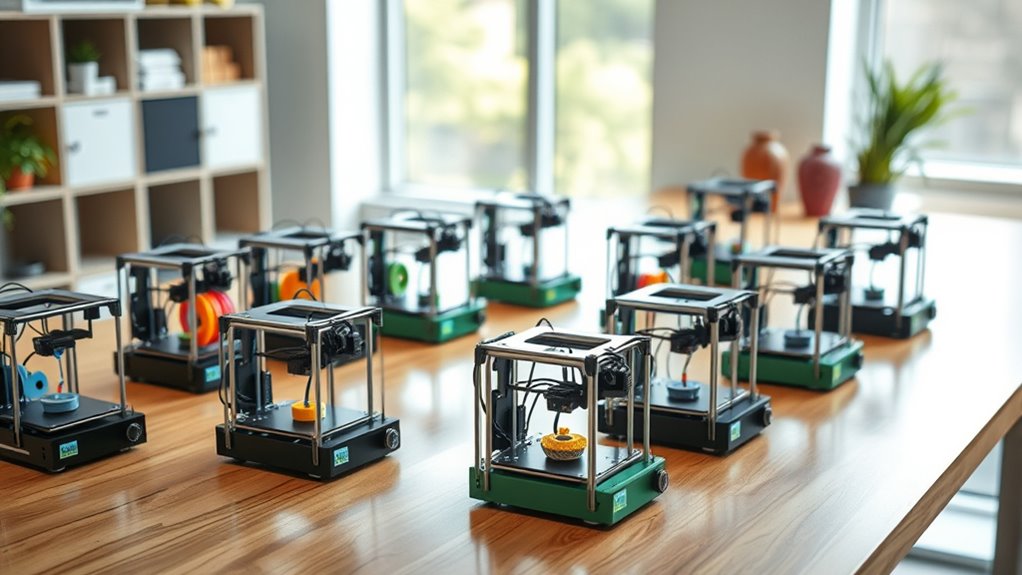
13 Best 3D Printers for Beginners in 2026 (Start Creating Today)
You’ll find that the 13 best 3D printers for beginners in 2026 make starting your creative journey effortless. These top beginner 3D printers come packed with user-friendly features like auto bed leveling, fast print speeds, wireless connectivity, and easy setup.
Whether you’re a hobbyist, student, or educator, these models are designed to get you printing quickly without the hassle.
Looking for a compact starter kit or a high-speed machine that supports multiple materials? There’s something on this list for everyone. These printers simplify the whole process, making 3D printing accessible and fun.
Keep exploring, and you’ll discover which option fits your needs perfectly. Ready to start creating today? Let’s dive in!
FLASHFORGE Adventurer 5M High-Speed 3D Printer
The FLASHFORGE Adventurer 5M transforms 3D printing into a smooth, efficient experience. Its one-click automatic printing and rapid 35-second warm-up reduce setup time, so you can focus on creating. This printer’s design minimizes complexity without sacrificing speed or quality.
With a CoreXY structure, it delivers ultra-fast printing speeds up to 600mm/s. The easy nozzle change system lets you switch between detailed and quick prints in just three seconds. Its compact 220x220x220mm build volume suits most hobbyist projects, while an all-metal frame ensures precise, durable results.
Maintenance is straightforward but essential. Regular cleaning of the nozzle and platform keeps print quality consistent. Remote monitoring through the mobile app offers convenience, allowing you to track progress from anywhere.
This 3D printer is ideal for users who want a balance of speed, ease, and reliability. It addresses common frustrations by simplifying setup and offering versatile printing options, making it a smart choice for creative projects at home or school.
Best for: Beginners and hobbyists seeking a fast, user-friendly 3D printer with reliable performance and convenient remote monitoring.
What We Like:
- Quick 35-second warm-up and one-click printing streamline setup
- Ultra-fast CoreXY printing at up to 600mm/s with rapid nozzle changes
- Durable all-metal frame supports precision and long-term use
Specification:
| Feature | Details |
|---|---|
| Manufacturer | FLASHFORGE |
| Build Volume | 220 x 220 x 220 mm |
| Printing Speed | Up to 600 mm/s |
| Frame Material | All-metal |
| Warm-up Time | 35 seconds |
| Nozzle Change | 3 seconds |
Entina Tina2C Mini 3D Printer for Beginners
The Entina Tina2C Mini 3D Printer is a compact and user-friendly device designed to make 3D printing accessible to beginners and children. Its intuitive setup through the Poloprint Cloud app allows users to start printing in just 8 minutes, removing the usual complexities of getting started. This printer’s design focuses on simplicity and ease of use.
Maintenance is straightforward thanks to an auto-leveling bed and a self-cleaning nozzle. These features reduce the effort needed to keep the printer in good condition and ensure consistent print quality. The small footprint also makes it easy to fit into various environments like homes, classrooms, or offices.
Connectivity options include 2.4G WiFi and offline TF card support, enabling printing from different devices and software platforms such as Cura. The accompanying app adds value by offering AI search, photo-to-print functionality, and STEM courses, encouraging learning and creativity.
While the compact build limits the size of printable models, this printer excels in delivering a safe, quiet, and straightforward experience tailored to educational and beginner use.
Best for: Beginners, kids, and educators seeking an easy-to-use, compact 3D printer for learning, creativity, and STEM projects.
What We Like:
- Quick guided setup via Poloprint Cloud app.
- Auto-leveling bed and self-cleaning nozzle enhance reliability.
- Supports multiple platforms through WiFi and TF card.
- Includes educational features like STEM courses and photo-to-print.
- Compact size suitable for small spaces.
Specification:
| Feature | Details |
|---|---|
| Manufacturer | Entina |
| Dimensions | 3.9 × 3.9 × 3.9 inches |
| Connectivity | 2.4G WiFi, TF card |
| Supported Platforms | Cura and others |
| Special Features | Auto-leveling, self-cleaning nozzle, Poloprint Cloud app |
Creality Ender 3 V3 SE 3D Printer Upgrade
The Creality Ender 3 V3 SE is designed to dramatically cut your print times while maintaining high-quality results. Its fast printing speeds of up to 250mm/s and acceleration of 2500mm/s² let you complete projects more quickly without sacrificing detail.
This 3D printer’s upgraded Sprite full metal dual-geared extruder ensures smooth and reliable filament feeding. It handles various materials like PLA, TPU, and PETG, making it versatile for different printing needs. Auto leveling with CR Touch and dual Z-axis lead screws improve printing precision and stability, reducing errors and enhancing output quality.
Maintenance is straightforward, thanks to its quick 20-minute assembly and user-friendly design. The printer’s build volume of 8.66×8.66×9.84 inches suits most hobbyist projects, though very large prints may require different equipment.
Overall, the Ender 3 V3 SE offers a balance of speed, accuracy, and ease of use, making it suitable for both beginners and experienced users who want efficient, dependable 3D printing.
Best for: hobbyists and professionals seeking a fast, reliable, and easy-to-use 3D printer with advanced features and versatile material compatibility.
What We Like:
- High-speed printing reduces project time by up to 73%
- Dual-geared extruder supports multiple filament types smoothly
- Auto leveling and dual Z-axis enhance print accuracy and stability
- Quick assembly makes setup easy for beginners
Specification:
| Feature | Details |
|---|---|
| Manufacturer | Creality |
| Build Volume | 8.66 x 8.66 x 9.84 inches |
| Print Speed | Up to 250 mm/s |
| Acceleration | 2500 mm/s² |
| Extruder Type | Sprite full metal dual-geared |
| Auto Leveling | CR Touch |
| Z-Axis Configuration | Dual lead screws |
Mini 3D Printer Starter Kit for Kids (Green)
The Mini 3D Printer Starter Kit for Kids (Green) is designed to make 3D printing accessible and enjoyable for young creators. Its fully assembled setup simplifies the learning curve, allowing beginners to start printing quickly without technical frustrations. The compact design fits easily on desks, making it perfect for home, school, or dorm use.
With features like auto-leveling and one-touch filament loading, the printer ensures smooth operation and reduces the need for constant adjustments. The magnetic build plate allows easy removal of prints, minimizing mess and damage. It supports WiFi printing, so users can send designs wirelessly, enhancing convenience.
Maintenance is straightforward thanks to the user-friendly interface and pre-installed software compatible with MAC, Windows, and Linux. The included 10M PLA filament offers a safe, eco-friendly material choice ideal for educational projects. However, it works best with specific filaments like PLA and TPU, which may limit advanced material experiments.
While the print volume and speed are modest compared to professional models, this starter kit focuses on accessibility and ease of use, making it a practical tool for learning and creativity.
Best for: young beginners and students eager to explore 3D printing in an easy-to-use, compact format suitable for educational and creative projects.
What We Like:
- Fully assembled with auto-leveling and one-touch filament loading for hassle-free printing
- Compact, lightweight design with a magnetic build plate for easy print removal
- Compatible with multiple operating systems and supports WiFi printing
- Pre-installed software and included filament simplify setup and use
Specification:
| Feature | Details |
|---|---|
| Manufacturer | Not specified |
| Dimensions | Compact size (exact not provided) |
| Weight | Lightweight (exact not provided) |
| Material | PLA filament included |
| Color Options | Green |
Bambu Lab A1 Mini 3D Printer with LED Lamp Kit
Experience the ease of 3D printing with the Bambu Lab A1 Mini 3D Printer with LED Lamp Kit, designed to streamline your creative process. This compact and lightweight printer takes the hassle out of setup with full-auto calibration and active flow rate compensation, ensuring consistent, high-quality prints every time.
Its quiet operation at ≤48 dB makes it ideal for use in homes or studios without disruption. The integration with the MakerWorld model library and Bambu Handy app simplifies both printing and troubleshooting, giving you more time to focus on your projects.
Maintenance is straightforward, thanks to its user-friendly design and automated features that reduce manual adjustments. The included LED lamp enhances visibility, making it easier to monitor your prints as they develop.
Perfect for producing decorative lights, toys, and functional tools, this printer supports fast and reliable creation on a smaller scale. Its compact build means it fits well in limited spaces, though larger projects may require a bigger printer.
Best for: Beginners and hobbyists seeking a quiet, easy-to-use 3D printer with seamless app integration for creative and functional designs.
What We Like:
- Full-auto calibration and active flow rate compensation improve print quality with minimal effort
- Quiet operation suitable for home or studio environments
- Seamless integration with MakerWorld model library and Bambu Handy app
- Compact, lightweight design fits easily in small workspaces
- LED lamp included for enhanced print visibility
Specification:
| Feature | Details |
|---|---|
| Manufacturer | Bambu Lab |
| Dimensions | Compact (exact size not specified) |
| Weight | Lightweight (exact weight not specified) |
| Color Options | Not specified |
| Noise Level | ≤48 dB |
FLASHFORGE Adventurer 5M High-Precision 3D Printer
The FlashForge Adventurer 5M redefines ease and precision in 3D printing. Designed to tackle common issues like slow print speeds and complex setup, it delivers fast, accurate results right out of the box. Its Core XY all-metal structure accelerates printing by over 70%, saving valuable time on every project.
Maintenance is simple thanks to one-click automatic bed leveling and a dual-sided PEI platform. These features ensure perfect first layers and make model removal hassle-free. The printer supports a variety of filaments, including PLA, ABS, and composite materials, offering flexibility for different creative needs.
Built-in vibration compensation enhances print quality by reducing distortions, even during high-speed operations. While the maximum nozzle temperature limits some high-temperature filaments, this model excels in everyday printing tasks with consistent reliability.
For remote control, the optional Flash Maker app paired with a camera kit allows monitoring from anywhere. This makes the Adventurer 5M a practical choice for home users and educational settings where supervision and convenience are priorities.
Best for: beginners and educators seeking a fast, precise, and user-friendly 3D printer ideal for home and classroom use.
What We Like:
- High-speed Core XY mechanism reduces print time significantly
- Automatic one-click bed leveling simplifies setup
- Dual-sided PEI platform ensures easy model removal
- Supports diverse filament types including composites
- Optional remote monitoring with Flash Maker app and camera kit
Specification:
| Feature | Details |
|---|---|
| Manufacturer | FlashForge |
| Build Volume | 220 × 220 × 220 mm |
| Maximum Nozzle Temp | 200°C |
| Structure | Core XY all-metal |
| Bed Leveling | Automatic one-click |
| Supported Filaments | PLA, ABS, composites |
| Weight | Not specified |
TINA2 Plus WiFi 3D Printer for Beginners
Discover the ease of 3D printing with the TINA2 Plus WiFi 3D Printer, designed for beginners and hobbyists who want a smooth start. This printer solves common setup frustrations by arriving fully assembled and ready to use. Its compact build fits neatly into small spaces, making it practical for home or classroom use.
Speed and precision matter, and this printer offers high-speed printing up to 250mm/s. The auto bed leveling feature ensures each print adheres perfectly, reducing the time spent on manual adjustments. This means you get quality results faster and with less hassle.
Maintenance is straightforward thanks to its simple design and open-source firmware. Whether you’re a beginner or a young enthusiast, you can focus on creating rather than troubleshooting. The wireless connection via the Poloprint Cloud app adds convenience by allowing you to print directly from your phone or tablet.
Accessing over 3,000 models and customizing designs is seamless, encouraging creativity and exploration. However, for optimal print quality, it’s advised to adjust printing speeds to 150mm/s. Keep in mind, the reliance on a proprietary app may limit integration with other software.
Best for: Beginners, kids, and hobbyists seeking a fast, user-friendly, and compact WiFi-enabled 3D printer that works right out of the box.
What We Like:
- Fully assembled with compact design for immediate use
- High-speed printing combined with auto bed leveling for consistent results
- Wireless printing through Poloprint Cloud app with vast model access
- Open-source software encourages customization and learning
- Simple maintenance suitable for novices and young users
Specification:
| Feature | Details |
|---|---|
| Manufacturer | – |
| Dimensions | Compact (exact size not specified) |
| Weight | Not specified |
| Material | Not specified |
| Color Options | Not specified |
Creality Ender 3 V3 SE High-Speed 3D Printer
Experience fast and reliable 3D printing with the Creality Ender 3 V3 SE, designed to meet the needs of beginners and hobbyists. This printer reaches speeds up to 250mm/s without compromising print quality, making your projects quicker and more efficient.
Its simple three-step assembly and CR Touch auto-leveling system reduce setup time and eliminate common bed leveling frustrations. You can start printing in around 20 minutes, ensuring a smooth introduction to 3D printing.
The Sprite Direct Extruder supports common filaments like PLA, PETG, and TPU, delivering consistent extrusion for detailed models. With a dual Z-axis and sturdy steel shafts, the printer maintains stability and precision throughout each print.
Maintenance is straightforward thanks to the quiet 32-bit mainboard and a flexible spring steel build plate, which also makes removing finished models easier. Occasional calibration may be needed to keep prints perfect, but overall, it combines speed, accuracy, and ease of use in one solid package.
Best for: Beginners and hobbyists seeking a fast, dependable 3D printer that balances ease of use with high-quality output.
What We Like:
- Fast printing speeds up to 250mm/s with reliable quality
- Easy bed leveling with CR Touch and strain sensors
- Stable prints thanks to dual Z-axis and steel shafts
- Quiet operation with a 32-bit mainboard
- Flexible spring steel plate simplifies model removal
Specification:
| Feature | Details |
|---|---|
| Manufacturer | Creality |
| Dimensions | Not specified |
| Weight | Not specified |
| Material | Steel shafts, spring steel build plate |
| Color Options | Not specified |
Hephi3d TINA2 Plus High-Speed 3D Printer
The Hephi3d TINA2 Plus High-Speed 3D Printer is designed to enhance your 3D printing experience by combining speed and ease of use. It heats up quickly, reaching printing temperature in just 40 seconds, allowing you to start projects without delay. This efficiency helps you save valuable time while maintaining quality in every print.
Its auto bed leveling feature ensures precise first layers, reducing common setup frustrations. The printer’s WiFi connectivity, managed through the Poloprint Cloud app, enables wireless control and monitoring, making it easy to operate from anywhere. This convenience suits users who want a smooth and modern printing workflow.
The printer supports a wide range of popular slicing software and comes with access to a large library of over 3,000 models. This flexibility encourages creativity and rapid prototyping, making it suitable for both beginners and educators. The compact, fully assembled design means setup takes only minutes, minimizing downtime and simplifying maintenance.
However, the open-frame structure may limit temperature stability compared to enclosed models. The heated bed maxes out at 80°C, which may not accommodate all advanced filaments. Despite these points, it delivers a reliable and user-friendly printing experience for everyday needs.
Best for: Beginners, kids, and educators looking for a fast, easy-to-use 3D printer ideal for learning and quick prototyping.
What We Like:
- Fast hotend heating (40 seconds) and high-speed printing up to 250mm/s
- Auto bed leveling for hassle-free setup
- WiFi connectivity with Poloprint Cloud app for wireless control
- Extensive model library and slicing software compatibility
- Compact, fully assembled design for quick setup
Specification:
| Feature | Details |
|---|---|
| Manufacturer | Hephi3d |
| Dimensions | Compact size (exact size not provided) |
| Weight | Not specified |
| Material | Not specified |
| Color Options | Not specified |
Portable Compact FDM 3D Printer with Removable Plate
Discover the convenience of the Portable Compact FDM 3D Printer designed for easy use and fast setup. Its compact design fits small spaces effortlessly, making it ideal for users with limited room. The removable build plate simplifies print removal, reducing frustration and saving time.
This 3D printer supports both PLA and flexible TPU filaments, allowing for creative versatility. With a build volume of 100x100x100mm and a 0.4mm nozzle, it produces detailed prints with layer thickness from 0.05 to 0.3mm, balancing precision with efficiency. The printer’s modular assembly and step-by-step video tutorials make maintenance and setup straightforward.
Ideal for beginners, students, and hobbyists, this printer supports various STEM projects and educational purposes. The included 10m PLA filament lets you start printing immediately, ensuring a smooth creative experience. Its design emphasizes functionality and ease of use without complex setup or maintenance.
While the build volume suits small-scale projects, it may not accommodate larger prints. Additionally, the layer thickness range might not meet needs for ultra-fine detail, and power and connectivity options are basic compared to advanced models.
Best for: beginners, educators, and hobbyists seeking a compact, easy-to-use 3D printer for small projects and learning.
What We Like:
- Removable build plate for hassle-free print removal.
- Supports PLA and flexible TPU filaments for versatile printing.
- Quick modular assembly with clear video tutorials.
- Compact footprint ideal for limited workspace.
- Includes 10m PLA filament for immediate use.
Specification:
| Feature | Details |
|---|---|
| Manufacturer | Not specified |
| Build Volume | 100 x 100 x 100 mm |
| Nozzle Diameter | 0.4 mm |
| Layer Thickness | 0.05 – 0.3 mm |
| Supported Filaments | PLA, TPU |
| Assembly | Modular, video-guided |
| Included Filament | 10 meters PLA |
| Weight | Not specified |
| Dimensions | Compact (exact size n/a) |
Flashforge Adventurer 5M Beginner 3D Printer
The Flashforge Adventurer 5M is designed to transform your 3D printing experience with impressive speed and precision. Its ultra-fast printing capability, reaching up to 600mm/s, cuts project times significantly, letting you complete prints faster without sacrificing quality. This is ideal for users who need quick turnarounds on detailed models.
This printer’s auto bed leveling system fine-tunes the build platform with 25-point detection and 0.01mm calibration. This ensures perfect first layers, reducing failed prints and improving reliability. The sturdy CoreXY frame minimizes vibrations, enhancing print accuracy for finer details.
Maintenance is straightforward thanks to the quick-change Nozzle X system and the magnetic MagSwitch PEI build plate. These features make cleaning and nozzle swaps hassle-free, keeping downtime low and productivity high. While the nozzle temperature maxes out at 200°C, it supports a wide range of common materials suitable for beginners.
Optional enclosure upgrades offer added versatility but require extra setup, making this printer adaptable to various projects. Overall, the Adventurer 5M balances speed, precision, and ease of use for those starting out or progressing toward professional-quality prints.
Best for: Beginners and hobbyists seeking a fast, reliable 3D printer with user-friendly features and versatile material support.
What We Like:
- Rapid printing speeds reduce project turnaround times.
- Precise auto bed leveling ensures consistent print quality.
- Easy maintenance with quick nozzle changes and removable build plate.
- Sturdy CoreXY frame enhances print stability and accuracy.
Specification:
| Feature | Details |
|---|---|
| Manufacturer | Flashforge |
| Dimensions | Not specified |
| Weight | Not specified |
| Frame Type | CoreXY |
| Max Nozzle Temperature | 200°C |
| Build Plate | Magnetic MagSwitch PEI |
| Nozzle System | Quick-change Nozzle X |
Anycubic Kobra X 4-Color Multicolor 3D Printer
The Anycubic Kobra X 4-Color Multicolor 3D Printer transforms how beginners approach multicolor and multi-material projects. It helps users create vibrant prints without complex setups. This printer’s native 4-color capability allows seamless color blending, while an optional expansion supports up to 19 colors for more intricate designs.
Its large 260mm³ build volume accommodates diverse creations, making it suitable for home, education, and makerspaces. The hardened steel nozzle and vibration compensation system ensure smooth, precise layers, even at high speeds up to 600mm/s. This means faster prints without sacrificing quality.
Maintenance is straightforward thanks to the LeviQ 3.0 auto bed leveling system. It guarantees flawless first layers and reduces calibration time. The integrated AI camera monitoring and remote control via the Anycubic App add convenience, enabling users to manage prints remotely and troubleshoot easily.
While expanding to 19 colors requires additional units, this flexible setup encourages creativity and experimentation. The printer’s size demands a dedicated workspace but offers robust performance for multicolor printing enthusiasts.
Best for: Beginners, educators, and makers looking for an easy-to-use multicolor 3D printer with versatile filament support and smart features.
What We Like:
- Native 4-color printing with expansion up to 19 colors
- Precise, fast printing with hardened steel nozzle and vibration compensation
- LeviQ 3.0 auto bed leveling for quick, reliable setup
- AI camera monitoring and remote control for hassle-free operation
Specification:
| Feature | Details |
|---|---|
| Manufacturer | Anycubic |
| Build Volume | 260mm × 260mm × 260mm |
| Printing Speed | Up to 600 mm/s |
| Nozzle Material | Hardened Steel |
| Filament Compatibility | PLA, TPU, and others |
| Color Options | 4-color native, expandable to 19 colors |
| Weight | Not specified |
ANYCUBIC Photon Mono 4 Resin 3D Printer
Experience precision resin printing with the ANYCUBIC Photon Mono 4, designed to deliver exceptional detail in every model. Its advanced 7-inch 10K Mono LCD screen offers ultra-high resolution with 17×17μm pixels, producing smooth and intricate prints that meet professional standards. This printer addresses common resin printing challenges by minimizing visible layer lines through its stable LightTurbo matrix light source, ensuring consistent illumination for flawless surfaces.
The printer’s generous build volume of 6.04″ x 3.42″ x 6.49″ lets you create a wide variety of projects, while the enhanced platform design simplifies adhesion and removal. Fast printing speeds up to 70mm per hour improve efficiency, helping you complete projects quickly without sacrificing quality. Setup and maintenance are straightforward with a user-friendly four-point leveling system.
Handling resin and post-processing is typical for this type of printer, so expect some cleanup and curing steps after printing. The printer does not support the Anycubic app, which means remote monitoring or app-based control is not available, but its reliable performance and ease of use make it suitable for beginners.
Best for: Beginners and hobbyists seeking accurate, high-resolution resin 3D printing with fast speeds and easy setup.
What We Like:
- Ultra-high resolution 7″ 10K Mono LCD for detailed, smooth prints
- Stable LightTurbo matrix light source for even curing and minimal layer lines
- Large build volume with enhanced platform for easy print removal
- Fast printing speeds up to 70mm/h
- Simple four-point leveling for quick setup
Specification:
| Feature | Details |
|---|---|
| Manufacturer | ANYCUBIC |
| LCD Screen Size | 7 inches |
| Resolution | 10K Mono LCD (17×17μm pixels) |
| Build Volume | 6.04″ x 3.42″ x 6.49″ |
| Printing Speed | Up to 70 mm/h |
| Light Source | LightTurbo matrix |
| Leveling System | Four-point leveling |
Factors to Consider When Choosing a 3D Printer for Beginners
When picking your first 3D printer, focus on how easy it is to set up and use right away. You’ll also want to check print speed options, safety features, and what materials it supports.
Don’t forget to think about if the software is user-friendly and accessible for beginners like you. It really makes a difference when you’re just starting out!
Ease of Setup
Although setting up a 3D printer might seem intimidating at first, choosing one with guided tutorials and automatic features can make the process much smoother for you. Look for printers that offer clear, step-by-step assembly instructions or tutorial videos to guide you through setup.
Automatic bed leveling considerably cuts down on manual calibration, saving you time and hassle. Opt for models that come either fully assembled or with minimal pre-assembly to get started faster.
User-friendly interfaces, like touchscreens or simple controls, help you navigate setup without confusion. Additionally, features such as quick hotend heating and simplified filament loading streamline the initial steps, letting you launch your first print sooner.
Prioritizing these ease-of-setup factors will make your 3D printing journey enjoyable and stress-free. So, don’t worry too much—there are plenty of options designed to help you get going without a hitch!
Print Speed Options
Choosing the right print speed can make a big difference in your 3D printing experience. Faster speeds, like 250mm/s or more, cut down your printing time, perfect when you want quick results.
However, printing too fast might reduce detail and surface quality, so having adjustable speed settings is vital. Look for printers with advanced extruders and stable frames, as they handle speeds above 200mm/s while keeping accuracy intact.
Many high-speed models also include features like auto-leveling and quick filament loading, making your process smoother. As a beginner, you’ll benefit most from a printer that lets you control speed, so you can balance efficiency and quality as you develop your skills.
Safety Features
Since you’ll be learning as you go, prioritizing safety features in your 3D printer can prevent accidents and protect your equipment. Look for models with auto shut-off and enclosed designs to reduce risks of burns or fire.
Filament sensors and clear user alerts, like filament runout notifications, keep you informed and prevent print failures. Auto-leveling beds minimize manual setup errors, enhancing safety during operation.
Low-voltage power supplies and thermal protections help avoid electrical hazards and overheating. Built-in safety mechanisms such as lid sensors and emergency stop buttons let you respond quickly if something goes wrong.
Choosing a printer with these features guarantees a safer, more user-friendly experience, letting you focus on creating without worrying about potential dangers.
Material Compatibility
After making sure your 3D printer has solid safety features, you’ll want to contemplate the materials it can accommodate. Look for printers that support a variety of filaments like PLA, ABS, PETG, and TPU to match your project needs.
Check the maximum nozzle temperature to ensure compatibility with high-temperature filaments such as ABS and PETG. Consider the hotend design and extruder type—direct or Bowden—as these affect how easily different materials feed through the printer.
Auto-calibration features like auto bed leveling help maintain reliable adhesion across filament types, reducing print failures. Also, confirm if the printer supports specialty filaments like flexible or composite materials, which open up more creative possibilities as you gain experience.
Choosing the right material compatibility sets you up for success. It’s definitely worth taking the time to get this part right!
Software Accessibility
Exploring software options can make or break your 3D printing experience, especially if you’re just starting out. You’ll want a printer compatible with user-friendly slicing programs like Cura or Simplify3D, or proprietary apps such as Poloprint Cloud.
These tools simplify design preparation, letting you focus on creating rather than troubleshooting. Cloud-based control and model libraries let you access and print designs without complicated setups.
Wireless printing via WiFi or app integration lets you operate and monitor your printer remotely, adding convenience. While open-source software offers customization, it can overwhelm beginners without clear tutorials.
Also, check that the software supports your device’s operating system—be it Windows, macOS, Linux, or Chromebook—to guarantee smooth installation and operation. Prioritizing software accessibility sets you up for success from the start.
Size and Portability
One key factor to take into account when choosing a 3D printer for beginners is its size and portability. If you have limited space or plan to move your printer frequently, a compact and lightweight model is your best bet.
Printers with small build volumes, like 100x100x100mm, fit easily on desks and won’t overwhelm your workspace. Look for foldable or modular designs that make transportation simpler, especially if you want to take your projects on the go.
Also, consider printers with integrated handles or carrying cases—they make moving your printer hassle-free. Finally, choose one with minimal setup and quick assembly to save time and avoid frustration, so you can focus on creating rather than struggling with the hardware.
Frequently Asked Questions
What Materials Can Beginner 3D Printers Typically Use?
You can typically use PLA and ABS filaments with beginner 3D printers. These materials are easy to print, affordable, and widely available.
Some printers also handle PETG and TPU for more flexibility and durability. So, if you want a bit more strength or flexibility, those are good options to try out.
How Do I Maintain and Clean a Beginner 3D Printer?
Think of your 3D printer as a garden: you’ll want to regularly clean the nozzle, lubricate moving parts, and remove debris.
Keep the bed level and firmware updated to guarantee your creations bloom beautifully every time.
Are There Any Safety Precautions for Using Resin vs. FDM Printers?
Yes, you should wear gloves and a mask when handling resin to avoid skin contact and fumes. Resin can be pretty harsh, so protecting yourself is really important.
For FDM printers, you’ll want to make sure there’s good ventilation. That way, the melted filament fumes don’t build up and cause any issues.
Always follow the manufacturer’s safety guidelines for both types of printers. It’s the best way to stay safe and get great results.
What Software Is Recommended for Beginners to Design 3D Models?
You should try Tinkercad or Fusion 360; both are beginner-friendly. Tinkercad is super simple and web-based, while Fusion 360 offers more advanced tools as you grow.
They’ll help you design your 3D models easily. Give them a shot, and see which one clicks with you!
How Long Does It Usually Take to Learn Basic 3D Printing Skills?
Learning basic 3D printing skills usually takes a couple of weeks, like planting seeds and watching them sprout.
With consistent practice, you’ll soon turn ideas into tangible creations, feeling confident and ready to explore more.
Conclusion
Choosing your first 3D printer can feel overwhelming, but it doesn’t have to be. With options like the Flashforge Adventurer 5M and Creality Ender 3 V3 SE, you’re set to start creating quickly and confidently.
Did you know that over 60% of beginners report faster learning curves when using user-friendly printers? So, pick one that fits your needs, jump in, and watch your ideas come to life.
Starting with the right 3D printer means a smoother experience and more fun along the way. Whether you want to make prototypes, gifts, or just explore your creativity, the best 3D printers for beginners will help you get there.
Your 3D printing journey starts today—grab a beginner-friendly printer and start turning your imagination into reality!