13 Best 3D Printers for Beginners in 2026 to Start Creating
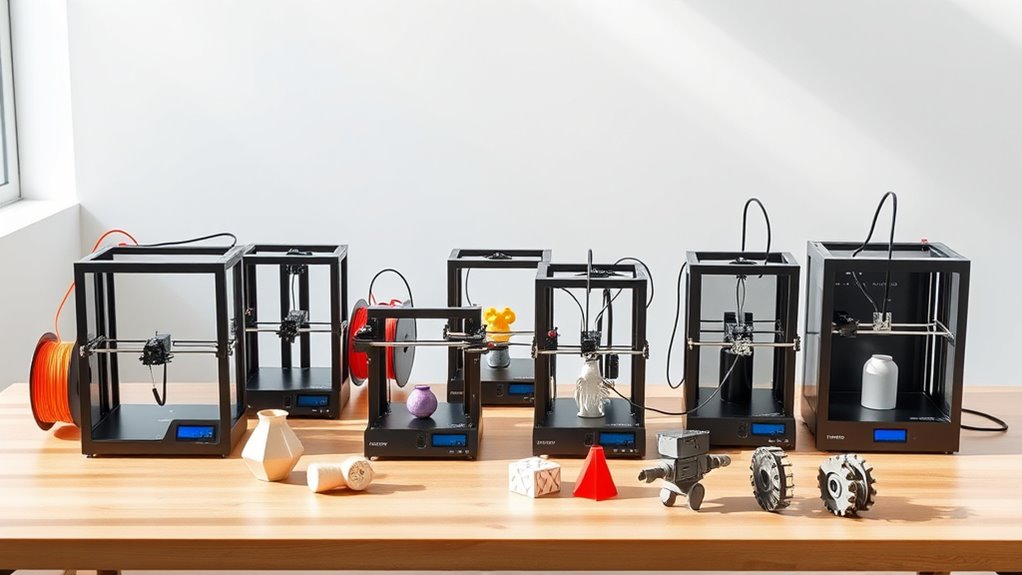
You’ll find beginner 3D printers in 2026 that excel in easy setup, reliable performance, and creative versatility. These models are perfect for anyone just starting out with 3D printing and want to dive into making cool projects without hassle.
Whether you’re a hobbyist or an educator, there’s something here for you.
Models like the Anycubic Kobra X offer multicolor options, letting you add more flair to your prints. Compact kits such as the Bambu Lab A1 Mini provide quick assembly and user-friendly features, so you can get printing faster.
With smart auto-calibration, quiet operation, and flexible material compatibility, these printers are designed to make your creative journey smooth and enjoyable.
Keep exploring to discover which printer perfectly fits your creative projects and skill level. You’re just a few clicks away from starting your 3D printing adventure!
Anycubic Kobra X Multicolor 3D Printer
The Anycubic Kobra X Multicolor 3D Printer offers an innovative solution for creating vibrant, multicolor models with ease. It supports native 4-color printing and can expand up to 19 colors, allowing for detailed and eye-catching designs without the complexity of manual filament changes.
This printer features a large 260mm cube build volume, giving you space to work on diverse projects from prototypes to artistic creations. The LeviQ 3.0 auto bed leveling system with 49-point calibration ensures your prints start perfectly, saving time and reducing frustration.
Maintenance is straightforward with a hardened steel nozzle designed for durability and consistent extrusion. Vibration compensation contributes to smooth, precise layers, enhancing print quality. Smart functions like AI camera monitoring and remote app control help you oversee prints conveniently, reducing the need for constant supervision.
While the large build area requires ample space, and expanding beyond four colors involves additional hardware, the Kobra X Multicolor balances versatility with user-friendly features. It is designed to simplify multicolor printing for enthusiasts and makers alike.
Best for: Beginners and hobbyists seeking an accessible multicolor 3D printer with smart features and reliable precision.
What We Like:
- Native 4-color printing expandable to 19 colors for creative flexibility
- LeviQ 3.0 auto bed leveling delivers consistent first layers
- Hardened steel nozzle ensures durability and smooth extrusion
- AI camera monitoring and remote control enhance user convenience
Specification:
| Feature | Details |
|---|---|
| Manufacturer | Anycubic |
| Build Volume | 260 x 260 x 260 mm |
| Color Printing | Native 4 colors, expandable to 19 |
| Bed Leveling | LeviQ 3.0 auto bed leveling (49-point calibration) |
| Nozzle | Hardened steel nozzle |
| Monitoring | AI camera monitoring |
| Remote Control | Via dedicated mobile app |
Bambu Lab A1 Mini 3D Printer Kit
Discover the ease of 3D printing with the Bambu Lab A1 Mini 3D Printer Kit, designed to simplify your creative process. Its full-auto calibration removes the usual setup frustrations, letting you start printing quickly and smoothly. This feature is perfect for beginners who want reliable results without constant adjustments.
The printer operates quietly at 48 dB or less, making it suitable for use at home or in small offices where noise can be distracting. Its compact and lightweight design fits comfortably in tight spaces, ideal for hobbyists with limited workspace.
Integration with the MakerWorld library and the Bambu Handy app offers a vast selection of ready-to-print models and easy device control. This connection reduces the learning curve and keeps your projects organized and accessible.
Maintenance is straightforward, with minimal hands-on calibration needed thanks to the automated system. While its smaller build size limits large projects, it excels at producing detailed prints like decorative items or toys. Its quieter operation and ease of use make it a practical choice for everyday printing needs.
Best for: Beginners and hobbyists seeking a compact, user-friendly 3D printer for creative projects in home or small workspace settings.
What We Like:
- Full-auto calibration for hassle-free setup
- Quiet operation (≤48 dB) ideal for noise-sensitive environments
- Seamless integration with MakerWorld library and Bambu Handy app
- Compact, lightweight design fits small spaces
- Produces high-quality prints suitable for decorative and functional items
Specification:
| Feature | Details |
|---|---|
| Manufacturer | Bambu Lab |
| Dimensions | Compact size (exact dimensions not specified) |
| Weight | Lightweight (exact weight not specified) |
| Material | Not specified |
| Color Options | Not specified |
Mini 3D Printer Starter Kit for Kids & Beginners
Step into the world of 3D printing with the Mini 3D Printer Starter Kit designed specifically for kids and beginners. This compact printer arrives fully assembled, eliminating setup hassles and allowing users to jump straight into creating. Its intuitive controls help users focus on learning and creativity rather than complicated adjustments.
The printer’s one-button auto-leveling and one-touch filament loading simplify operation, making it easy to maintain consistent print quality. Automatic nozzle cleaning reduces downtime and keeps the machine running smoothly. These user-friendly features are designed to minimize frustration and make 3D printing accessible.
With a precise 0.01mm resolution and a fast 250mm/s speed, this mini printer produces detailed models quickly. The heated PEI bed ensures prints release effortlessly, which is especially helpful for young users. An included SD card with pre-sliced files inspires creativity and jumpstarts projects without needing advanced software skills.
While it supports only PLA filament out of the box and has a smaller build volume, it perfectly suits educational purposes and simple creative tasks. This printer is an excellent introduction to 3D printing for children and beginners eager to explore hands-on learning.
Best for: Kids and beginners seeking an easy-to-use, fully assembled mini 3D printer for educational and creative projects.
What We Like:
- Fully assembled, ready to print with minimal setup
- One-button auto-leveling and one-touch filament loading for ease of use
- Precise 0.01mm resolution and fast 250mm/s printing speed
- Heated PEI bed for easy model removal
- Includes SD card with pre-sliced files to start printing immediately
Specification:
| Feature | Details |
|---|---|
| Manufacturer | Not specified |
| Dimensions | Not specified |
| Weight | Not specified |
| Material | Not specified |
| Color Options | Not specified |
| Print Speed | Up to 250 mm/s |
| Print Precision | 0.01 mm |
| Filament Type | PLA (included) |
| Bed Type | Heated PEI bed |
FLASHFORGE Adventurer 5M 3D Printer CoreXY
The FLASHFORGE Adventurer 5M 3D Printer CoreXY delivers impressive speed and precision, helping you finish projects faster without compromising quality. Its CoreXY design allows printing speeds up to 600mm/s, making it ideal for users eager to see quick results. The printer’s intuitive one-click automatic printing and bed leveling simplify setup, so you can focus on creativity instead of technical hurdles.
With a generous 220x220x220mm build volume and multiple nozzle sizes, this printer adapts to a wide range of project types. Quick warm-up times of just 35 seconds and easy 3-second nozzle swaps reduce downtime, keeping your workflow smooth. The all-metal frame and vibration compensation ensure your prints maintain sharp detail and consistency throughout.
Maintenance is straightforward but important; regular cleaning of the nozzle and platform helps sustain optimal performance. While the printer offers advanced settings for customization, beginners might need some time to get comfortable with troubleshooting. Remote monitoring through the Flash Maker app adds convenience, allowing you to oversee prints anytime.
Best for: Beginners and hobbyists who want a fast, reliable 3D printer with user-friendly features and remote control capability.
What We Like:
- Fast printing speeds up to 600mm/s with CoreXY architecture
- One-click automatic printing and quick bed leveling
- Large build volume and versatile nozzle options
- Rapid warm-up and easy nozzle changes
- Remote print monitoring via Flash Maker app
Specification:
| Feature | Details |
|---|---|
| Manufacturer | FLASHFORGE |
| Build Volume | 220 x 220 x 220 mm |
| Printing Speed | Up to 600 mm/s |
| Frame Material | All-metal |
| Warm-up Time | 35 seconds |
| Nozzle Swap Time | 3 seconds |
| Monitoring | Flash Maker app (remote) |
Hephi3d TINA2 Plus High-Speed 3D Printer
The Hephi3d TINA2 Plus is designed to get you printing quickly without hassle. Its compact and lightweight design means you can set it up and start creating in minutes, even if you’re new to 3D printing. The fully assembled frame reduces the need for complex installation, letting you focus on your projects right away.
This 3D printer excels in delivering high-speed prints up to 250mm/s, saving you time on every model. The fast-heating filament system minimizes wait times, so you can move from idea to finished product faster. Its auto bed leveling and adjustable heat bed reaching 80°C ensure reliable adhesion, although the bed’s temperature limit might restrict printing with some specialty filaments.
Maintenance is straightforward thanks to its open design, which also allows easy access to moving parts for cleaning or adjustments. The Hephi3d TINA2 Plus supports popular slicing software like Cura and PrusaSlicer, and its WiFi and USB connectivity give you flexible control options. The included Poloprint Cloud app offers access to thousands of models, making it a great tool for learning and creative exploration.
Best for: Beginners, hobbyists, and young makers looking for a user-friendly, fast 3D printer with simple setup and reliable performance.
What We Like:
- Compact, fully assembled design for quick and easy setup
- High-speed printing with rapid filament heating
- Auto bed leveling for consistent print quality
- WiFi and USB connectivity for flexible control
- Access to 3,000+ models via Poloprint Cloud app
Specification:
| Feature | Details |
|---|---|
| Manufacturer | Hephi3d |
| Dimensions | Compact, lightweight design |
| Weight | 5.68 lb (2.58 kg) |
| Heat Bed Max Temp | 80°C |
| Print Speed | Up to 250 mm/s |
| Connectivity | WiFi, USB |
| Compatible Software | Cura, PrusaSlicer |
Entina Tina2 Basic Mini 3D Printer for Beginners
Experience hassle-free 3D printing with the Entina Tina2 Basic Mini 3D Printer, designed for beginners and educational use. This compact printer arrives fully assembled, letting you start printing immediately without complex setup. Its user-friendly interface, including a 2.4-inch LCD screen and Wiibulider slicer software, supports offline printing via MicroSD card, simplifying your workflow.
The printer’s automatic bed leveling and magnetic build plate ensure consistent, high-quality prints while reducing maintenance time. Dual Z-axis rails enhance stability and precision, crucial for detailed projects. Its lightweight design makes it easy to move and ideal for home, classroom, or small workspaces.
Loading filament is straightforward, and the printer supports resume printing, preventing loss of progress during power interruptions. Open-source compatibility allows for creative flexibility, though the modest build volume (100x105x100mm) limits larger prints. While basic, it’s a durable and safe machine tailored to those starting their 3D printing journey.
Best for: Beginners, educators, and hobbyists seeking an accessible and compact 3D printer for small-scale creative projects.
What We Like:
- Fully assembled with easy-to-use controls and offline printing capability
- Automatic bed leveling and magnetic build plate for reliable prints
- Dual Z-axis rails provide enhanced stability and precision
- Supports resume printing to avoid print failures
- Compatible with open-source software for flexible use
Specification:
| Feature | Details |
|---|---|
| Manufacturer | Entina |
| Build Volume | 100 x 105 x 100 mm |
| Weight | Lightweight (exact weight not specified) |
| Display | 2.4-inch LCD screen |
| Software | Wiibulider slicer, open-source compatible |
| Printing Method | Offline via MicroSD card |
Bambu Lab A1 Beginner-Friendly Quiet 3D Printer
Looking for a 3D printer that’s both easy to use and quietly efficient? The Bambu Lab A1 is designed to simplify your 3D printing experience. Its intuitive touchscreen and MakerWorld Model Library make finding and printing models effortless, even for beginners.
This printer delivers fast, precise prints with acceleration up to 10,000 mm/s², helping you complete projects quickly without sacrificing detail. Maintenance is straightforward thanks to the 1-Clip quick swap nozzle, which lets you change parts without hassle.
Calibration is fully automatic, ensuring your prints come out flawless every time without manual adjustments. The optional AMS lite accessory enables multi-color printing, adding creative flexibility to your projects. Plus, active motor noise canceling keeps the printing process peaceful, ideal for home or classroom settings.
The Bambu Lab A1 is perfect for those new to 3D printing looking for a quiet, reliable machine that balances speed and precision with user-friendly features.
Best for: Beginners, kids, and hobbyists seeking a quiet, easy-to-maintain 3D printer with multi-color capabilities.
What We Like:
- Fast, high-precision printing with smooth acceleration.
- Fully automatic calibration for consistent quality.
- Quiet operation thanks to active motor noise canceling.
- Easy nozzle maintenance with 1-Clip quick swap system.
- Access to a large model library for quick project starts.
Specification:
| Feature | Details |
|---|---|
| Manufacturer | Bambu Lab |
| Dimensions | Not specified |
| Weight | Not specified |
| Material | Not specified |
| Color Options | Not specified |
| Acceleration | Up to 10,000 mm/s² |
| Interface | Touchscreen |
| Multi-color Printing | Supported via AMS lite accessory |
Bambu Lab P1S FDM 3D Printer with MakerWorld
Discover how the Bambu Lab P1S FDM 3D Printer transforms your 3D printing experience with fast, precise, and versatile performance. Designed for ease of use, it eliminates common setup frustrations so you can start printing quality projects quickly. Its fully enclosed CoreXY design enhances print stability and supports a wide range of filaments, improving your creative possibilities.
Maintenance is straightforward with an automatic bed leveling system that reduces print failures and saves time. Assembly is quick, taking about 15 minutes, letting you focus more on designing and less on setup. The printer handles popular materials like PLA, PETG, TPU, and ABS, offering flexibility for various applications.
For those interested in multi-material printing, the P1S supports up to 16 colors with the optional AMS accessory, enabling vibrant, complex creations. However, it is not suitable for carbon or glass fiber reinforced filaments, which limits some advanced material options.
Best for: Beginners and hobbyists seeking a reliable, user-friendly FDM 3D printer with multi-material capabilities and minimal setup.
What We Like:
- Fast print speeds up to 500mm/s for efficient project completion
- Fully enclosed CoreXY design enhances print quality and filament compatibility
- Quick 15-minute assembly and automatic bed leveling reduce setup and errors
- Supports multiple filaments including PLA, PETG, TPU, and ABS
- Optional AMS accessory enables multi-color printing for creative versatility
Specification:
| Feature | Details |
|---|---|
| Manufacturer | Bambu Lab |
| Dimensions (WxDxH) | Not specified |
| Weight | Not specified |
| Material | Various filament types supported |
| Color Options | Not specified |
ENTINA TINA2C Mini 3D Printer for Beginners
Step into the world of 3D printing with the ENDTINA TINA2C Mini 3D Printer, designed to simplify your creative journey. This compact printer allows beginners to start printing quickly thanks to its pre-assembled design and easy one-click auto-leveling system. You can produce detailed models with precision up to ±0.1 mm, making it ideal for miniatures and prototypes.
The printer supports PLA and TPU filaments and includes a heated bed with a magnetic build plate, which makes removing prints easy and reduces the risk of damage. Its quiet operation and safe design allow it to fit comfortably in home or classroom environments without disruption.
Maintenance is straightforward due to the durable brass-hardened steel nozzle that withstands temperatures up to 245°C. While the build volume is limited to 100×100×100 mm, it perfectly suits small-scale projects. Connectivity options include USB, Wi-Fi cloud, and TF cards, offering flexible file transfer methods.
Best for: Beginners and hobbyists looking for a reliable, easy-to-use 3D printer for small-scale designs and prototypes.
What We Like:
- Quick setup with pre-assembled parts and one-click auto-leveling
- High print accuracy with a durable brass-hardened steel nozzle
- Supports flexible filaments like PLA and TPU
- Quiet operation suitable for indoor use
- Heated bed with magnetic build plate for easy print removal
Specification:
| Feature | Details |
|---|---|
| Manufacturer | ENDTINA |
| Dimensions | Compact size (exact size not specified) |
| Build Volume | 100 × 100 × 100 mm |
| Nozzle Material | Brass-hardened steel |
| Nozzle Temperature | Up to 245°C |
| Filament Compatibility | PLA, TPU |
| Connectivity | USB, Wi-Fi cloud, TF card |
Flashforge Adventurer 5M 3D Printer for Beginners
The Flashforge Adventurer 5M is designed to bring speed and precision to your 3D printing projects without the usual hassle. Its fast printing speeds and stable CoreXY frame help you complete detailed models quickly, making it easier to meet tight deadlines or explore new ideas. Beginners will find the setup straightforward thanks to auto bed leveling and a quick-change nozzle system that reduces downtime.
Maintenance is simple and efficient. The printer’s components are easy to access, and remote monitoring via the Flashforge App lets you track progress from anywhere. This means fewer interruptions and more time spent creating. The quiet operation also ensures a comfortable workspace, ideal for home or studio use.
This 3D printer supports multiple materials, allowing you to experiment with different filaments and build larger or more complex prototypes. You can even customize it with multi-material nozzles and add your own enclosure to protect prints and maintain temperature stability.
While the 200°C nozzle temperature limits some advanced materials, the Adventurer 5M’s combination of speed, precision, and user-friendly features makes it a versatile tool for passionate beginners and hobbyists.
Best for: Beginners and hobbyists looking for a fast, accurate, and easy-to-maintain 3D printer with room for customization.
What We Like:
- High-speed printing up to 600mm/s with CoreXY stability
- Simple setup with auto bed leveling and quick nozzle changes
- Remote print monitoring via dedicated app
- Quiet operation suitable for home and office
- Multi-material support and customizable enclosure options
Specification:
| Feature | Details |
|---|---|
| Manufacturer | Flashforge |
| Printing Speed | Up to 600 mm/s |
| Frame Type | CoreXY |
| Max Nozzle Temp | 200°C |
| Features | Auto bed leveling, quick-change nozzle, remote monitoring |
| Dimensions | Not specified |
| Weight | Not specified |
Mini 3D Printer Starter Kit for Kids (Green)
Step into the world of 3D printing with the Mini 3D Printer Starter Kit for Kids (Green), designed to make creativity accessible for beginners and children. This kit delivers a smooth start by coming fully assembled, so users can focus on printing rather than setup. Its compact design fits easily into homes, classrooms, or dorm rooms without sacrificing essential features.
The printer supports multiple operating systems, including MAC, Windows, and Linux, ensuring broad compatibility with popular slicing software such as Cura and Simplify3d. Easy filament loading and WiFi connectivity simplify the printing process, reducing frustration and improving the overall experience. Its magnetic build plate and auto-leveling feature help maintain print quality with minimal effort.
Maintenance remains straightforward with its user-friendly design. However, the included 10M PLA filament may require replenishment for extended projects. The compact size limits the build volume, so it’s best suited for smaller, detailed prints. Users should also be cautious with non-metal platform plates, which can interfere with the proximity sensor.
This starter kit balances reliability and ease of use, making it an excellent tool to introduce young minds to 3D printing.
Best for: Beginners and children seeking an easy-to-use, compact 3D printer for educational or home use.
What We Like:
- Fully assembled for quick setup and immediate use.
- Compatible with major OS and popular slicing software.
- User-friendly features like auto-leveling and wireless connectivity.
- Magnetic build plate enhances print adhesion and ease of removal.
Specification:
| Feature | Details |
|---|---|
| Manufacturer | Not specified |
| Dimensions | Compact size (exact size not provided) |
| Weight | Not specified |
| Material | Not specified |
| Color Options | Green |
Geeetech Mini 3D Printer for Kids and Beginners
The Geeetech Mini 3D Printer is designed to make 3D printing simple and accessible for kids and beginners. Its fully assembled design means you can start printing right away, without any complicated setup. This reduces frustration and helps users focus on creativity and learning.
With a print area of 3.94×4.33×3.94 inches, it is ideal for small projects and school assignments. The 16-point auto-leveling system ensures each print starts perfectly flat, while the flexible magnetic build plate makes removing prints quick and effortless. This helps maintain smooth printing results with minimal maintenance.
Loading filament is straightforward with a one-button system, and the 2.4″ LCD screen provides clear controls for easy operation. The dual-drive metal gear extruder offers precise filament feeding, supporting materials like PLA and TPU for versatile printing options.
Overall, this printer balances ease of use with reliable performance, making it a practical tool for introducing 3D printing at home or in the classroom.
Best for: Kids, beginners, and educators looking for a hassle-free, compact 3D printer for small-scale projects.
What We Like:
- Fully assembled for immediate use with simple controls
- 16-point auto-leveling ensures accurate prints
- Flexible magnetic build plate for easy print removal
- Supports PLA and TPU filaments with precise extrusion
- Compact size suitable for home or school settings
Specification:
| Feature | Details |
|---|---|
| Manufacturer | Geeetech |
| Print Area | 3.94 × 4.33 × 3.94 inches |
| Display | 2.4-inch LCD screen |
| Filament Types | PLA, TPU |
| Extruder | Dual-drive metal gear |
| Auto-Leveling | 16-point auto-leveling |
FLASHFORGE Adventurer 5M High-Speed 3D Printer
The FLASHFORGE Adventurer 5M High-Speed 3D Printer is designed to help beginners and educators bring their ideas to life quickly and with ease. Its plug-and-play setup and intuitive touchscreen allow users to start printing within minutes, eliminating complex configurations. This printer’s high-speed capabilities, reaching up to 600mm/s, significantly reduce print times without compromising print quality.
Maintenance is made simple with features like auto bed leveling, which ensures perfect first layers every time and removes the need for manual adjustments. The sturdy CoreXY frame minimizes vibrations, producing smooth, professional-quality prints. Tool-free nozzle swaps streamline material changes, saving time and effort during projects.
This printer’s smart functions, including filament detection and power failure resume, prevent print failures and protect your work, making it ideal for learning environments. However, the maximum hotend temperature of 200°C may limit printing some high-temperature filaments, and a DIY enclosure is recommended for materials like ABS or Carbon Fiber.
Best for: Beginners and educators looking for a fast, reliable 3D printer that balances ease of use with professional print quality.
What We Like:
- Quick plug-and-play setup with user-friendly touchscreen
- High-speed printing at 600mm/s reduces wait times
- Auto bed leveling ensures consistent print quality
- Tool-free nozzle swaps simplify material changes
- Filament detection and power failure resume improve print success
Specification:
| Feature | Details |
|---|---|
| Manufacturer | FLASHFORGE |
| Dimensions | Not specified |
| Weight | Not specified |
| Frame Type | CoreXY |
| Max Print Speed | 600 mm/s |
| Max Hotend Temperature | 200°C |
| Bed Leveling | Automatic |
| Touchscreen | Yes |
Factors to Consider When Choosing a 3d Printer for Beginners 2026
When choosing a 3D printer as a beginner, you’ll want to focus on ease of setup and consistent print quality to avoid frustration. Speed and efficiency matter too, especially if you want quick results without sacrificing accuracy.
Don’t forget to check material compatibility and make certain the software and connectivity options match your needs. It’s all about finding a balance that works for you, so you can enjoy the process right from the start.
Ease of Setup
Since getting started quickly matters most to beginners, you’ll want a 3D printer that requires minimal setup. Look for models with automatic bed leveling and pre-calibrated components to cut down on tedious adjustments.
Plug-and-play printers with clear instructions and little assembly let you start printing faster. Plus, user-friendly interfaces like touchscreens or simple knobs make setup less intimidating.
Features such as auto-nozzle cleaning and quick filament loading help you avoid common startup frustrations. Also, printers compatible with open-source slicing software and offering wireless connectivity simplify initial configuration and ongoing use.
Print Quality Consistency
Although beginners often focus on ease of setup, consistent print quality is just as crucial for successful 3D printing. To achieve this, look for printers with precise calibration and stable mechanical parts that reduce errors and layer defects.
Auto-leveling systems using multiple calibration points help ensure an even first layer, which sets the foundation for consistent results. A reliable extrusion system with active flow rate compensation prevents under- or over-extrusion, maintaining uniform filament flow.
Good thermal management, including heated beds and accurate temperature sensors, prevents warping and keeps printing conditions steady. Also, high-quality nozzles and stable filament feeds contribute to uniform layer thickness and smooth surfaces.
Prioritizing these features means you’ll get reliable, high-quality prints every time you hit start. It’s all about setting yourself up for success from the very first layer.
Speed and Efficiency
Choosing a 3D printer that balances speed and efficiency can drastically improve your printing experience. Look for printers with high print speeds, ideally 250mm/s or more, so you finish projects faster without sacrificing quality.
Auto-calibration features like auto bed leveling reduce setup time and help your first layer stick perfectly, boosting reliability. Fast hotend heating—usually under 35 seconds—means less waiting before you start printing.
High acceleration rates above 10,000 mm/s² keep the print head moving smoothly and swiftly, increasing productivity. Additionally, multi-material and multi-color printing lets you complete complex projects without constantly swapping filaments, saving you valuable time.
Prioritizing these features ensures you get efficient, hassle-free printing as a beginner. It’s all about making your 3D printing journey smoother and more enjoyable!
Material Compatibility Range
When you pick a 3D printer, make sure it supports common beginner-friendly filaments like PLA, TPU, and ABS to keep your project options versatile. Check if the printer handles a wide temperature range, typically between 180°C and 250°C, ensuring compatibility with various materials.
Also, look for printers that accept both 1.75mm and 3mm filament diameters, so you’re not limited by size. It’s pretty handy if the printer can auto-detect and adjust settings for different filament types, which helps reduce errors and simplifies your workflow.
Don’t forget to consider the availability of specialty filaments such as composites or biodegradable options. Those really broaden your creative possibilities. Choosing a printer with a broad material compatibility range lets you experiment and grow as you learn 3D printing.
Software and Connectivity
Since smooth communication between your computer and 3D printer is essential, you’ll want a model that offers reliable connectivity options like Wi-Fi, USB, or Ethernet for easy file transfers and remote control.
Make sure the printer is compatible with popular slicing software such as Cura or Simplify3D, or comes with its own user-friendly app to simplify setup.
Auto-calibration features reduce manual adjustments, letting you start printing faster. Many beginner-friendly printers include remote monitoring and camera integration, so you can oversee your prints and troubleshoot issues without being right next to the machine.
Also, look for support of cloud-based platforms and model libraries to access a wide variety of projects and manage your prints seamlessly.
These software and connectivity features make your 3D printing experience smoother and more enjoyable.
Safety and Noise Levels
Beyond software and connectivity, paying attention to safety and noise levels can make your 3D printing experience much more comfortable and secure. Look for printers that operate under 50dB to keep your workspace quiet, especially if you’re printing at home or in a classroom.
Safety features like enclosed designs and automatic shutoff mechanisms protect you from burns and accidents. Printers with filament detection and automatic pause functions prevent overheating and jams, reducing risk during long prints.
Also, consider using non-toxic, eco-friendly filaments to minimize exposure to harmful fumes or particles. Prioritizing these factors is especially important if you’re new to 3D printing or have children around, ensuring a safer, quieter, and more enjoyable creative process.
Frequently Asked Questions
What Safety Precautions Should Beginners Follow When Using 3D Printers?
You should always wear safety goggles and keep the area well ventilated.
Avoid touching hot parts, as they can cause burns.
It’s important to supervise the printer while it’s running to catch any issues early.
Handle materials carefully and always follow your printer’s safety guidelines.
This helps prevent accidents and ensures safe printing every time.
How Do I Troubleshoot Common 3D Printing Errors?
When your print fails, check your nozzle for clogs and make sure the bed’s level.
You’ll find that adjusting temperature settings and re-slicing the model often fixes errors, so don’t get discouraged—you’re learning!
What Software Is Best for Designing Beginner 3D Models?
You’ll love Tinkercad for its simplicity and web-based access, perfect for beginners. It’s super easy to get started with, even if you’ve never done 3D modeling before.
Fusion 360 offers more advanced tools as you grow. Both let you quickly design and export models ready for printing. So, you can start simple and then level up when you’re ready!
Can 3D Printers Be Used for Educational Purposes in Schools?
Yes, you can definitely use 3D printers in schools to enhance learning. They help you explore STEM topics hands-on, encourage creativity, and make complex concepts easier to understand through tangible models and projects.
It’s a great way to bring ideas to life and get students more engaged. Plus, working with 3D printers teaches valuable skills like problem-solving and design thinking.
How Do Filament Types Affect Print Quality and Durability?
Filament types affect print quality and durability like different paints affect a canvas’s finish. You’ll find PLA offers smooth prints but less strength, while ABS is tougher yet trickier.
Choosing wisely guarantees your creations last and look great. It’s all about matching the filament to your project’s needs.
Conclusion
Choosing the right 3D printer as a beginner can feel like finding a needle in a haystack. But with the options listed here, you’re well on your way to turning your creative ideas into reality.
Whether you want something simple for kids or a high-speed model for more detailed projects, there’s a perfect fit waiting. Jump in, start experimenting, and watch your skills grow—after all, practice makes perfect!
Starting with one of the best 3D printers for beginners in 2026 will make your introduction to 3D printing smoother and more enjoyable. These models offer ease of use, reliability, and great results, helping you build confidence as you learn. So go ahead, pick your ideal printer, and begin creating amazing projects right away!