14 Best 3D Printers for Beginners Under $500 in 2026
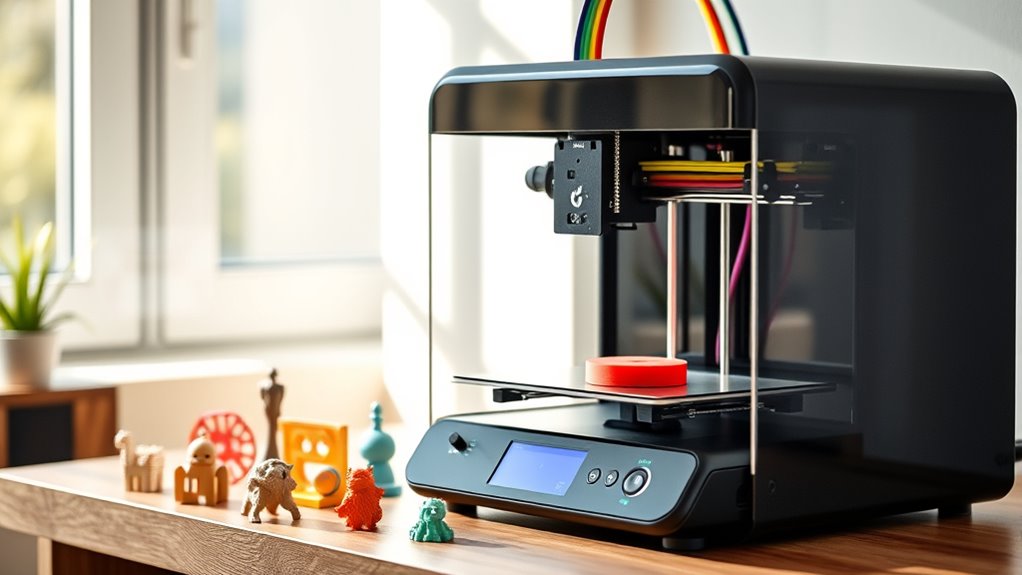
If you’re diving into 3D printing and want to keep things budget-friendly, there are some great beginner-friendly printers under $500 you should check out. Models like the FLASHFORGE Adventurer 5M, Entina Tina2 Mini, and TINA2 Plus WiFi make starting out easy and affordable.
These printers offer quick setup with features like auto bed leveling, ensuring your prints start right. Plus, they operate quietly and support multiple materials, which is perfect whether you’re a kid, educator, or hobbyist.
Their compact size means they fit nicely on any desk or workspace. With reliable, high-speed printing, these models help you bring your creative ideas to life without the hassle. Keep reading to find out which one suits your projects best!
FLASHFORGE Adventurer 5M High-Speed 3D Printer
The FLASHFORGE Adventurer 5M High-Speed 3D Printer brings ease and efficiency to your 3D printing projects. Its one-click automatic printing with bed leveling eliminates common setup frustrations, ensuring your first layers are flawless every time. This makes it ideal for those new to 3D printing or anyone looking for a smoother start.
This printer heats up quickly, reaching operating temperature in just 35 seconds. You can also swap nozzles in as little as three seconds, allowing you to adapt swiftly to different materials and project needs. These features help reduce downtime and keep your workflow moving.
Designed with a CoreXY motion system, the Adventurer 5M supports printing speeds up to 600mm/s. This innovative design balances speed with precision, delivering detailed prints on a 220x220x220mm build platform. It’s suited for a variety of projects, from prototypes to creative models.
Maintenance is straightforward but important. Regular cleaning of the nozzle and platform is necessary to maintain print quality and reliability. While the CoreXY system offers performance benefits, it may require some initial learning for users unfamiliar with this setup.
Best for: Beginners and hobbyists seeking a fast, reliable 3D printer that simplifies printing with automatic features and high-speed performance.
What We Like:
- One-click automatic printing with bed leveling for easy setup
- Fast warm-up time of 35 seconds for quicker project starts
- CoreXY design enables speeds up to 600mm/s with accurate results
- Quick 3-second nozzle changes for flexible material use
- Compact 220x220x220mm build volume suitable for most prints
Specification:
| Feature | Details |
|---|---|
| Manufacturer | FLASHFORGE |
| Build Volume | 220 x 220 x 220 mm |
| Printing Speed | Up to 600 mm/s |
| Warm-up Time | 35 seconds |
| Nozzle Change | 3 seconds |
| Motion System | CoreXY |
Mini 3D Printer Starter Kit for Kids (Green)
Discover the Mini 3D Printer Starter Kit for Kids (Green), a compact and ready-to-use solution for introducing young creators to 3D printing. This fully assembled printer ships with everything needed to start printing immediately, including 10 meters of PLA filament and a microSD card preloaded with models and slicing software.
Its user-friendly design simplifies maintenance with features like auto-leveling and one-touch filament loading, reducing setup time and printing errors. The compact size fits neatly in small spaces, making it ideal for homes and classrooms with limited room.
This 3D printer supports MAC, Windows, and Linux, and works seamlessly with popular slicers such as Cura and Simplify3d. WiFi connectivity enables wireless printing, allowing users to send projects effortlessly from their devices.
While the kit is perfect for beginners and kids, it requires magnetically attachable metal or TINA2S platform plates for optimal sensor performance. The included filament length suits small projects, though additional filament may be needed for extended use.
Best for: Kids, beginners, and educators seeking a simple, space-saving 3D printer kit with wireless capabilities.
What We Like:
- Fully assembled with included filament and preloaded software for quick startup
- Compact design with auto-leveling and easy filament loading for smooth operation
- Compatible with multiple OS and slicers, plus WiFi for convenient wireless printing
Specification:
| Feature | Details |
|---|---|
| Manufacturer | Not specified |
| Dimensions | Compact size (exact not provided) |
| Weight | Not specified |
| Material | Not specified |
| Color Options | Green |
Entina Tina2 Basic Mini 3D Printer for Beginners
The Entina Tina2 Basic Mini is designed to make 3D printing accessible and straightforward for beginners. Its fully assembled setup and automatic bed leveling reduce the hassle of initial configuration, letting users start printing quickly. The magnetic build plate makes removing finished models simple and clean.
This compact printer fits well in homes, classrooms, or offices, offering stable and precise results thanks to its dual Z-axis rails. Maintenance is easy, and the device supports resume printing after power outages, protecting your projects from unexpected interruptions.
Users can rely on the included Wiibulider slicer software or print offline using a MicroSD card, allowing flexible workflow options. While the build volume is limited to 100x105x100mm, this size suits many beginner projects without overwhelming complexity or space.
Though it lacks advanced features for power users, the Tina2 Basic Mini excels at delivering reliable prints with minimal effort. Its simple design and thoughtful functionality make it an ideal choice for those new to 3D printing.
Best for: Beginners, kids, and educators seeking an easy-to-use, compact 3D printer for learning and small-scale projects.
What We Like:
- Fully assembled with automatic bed leveling for easy startup
- Magnetic build plate simplifies model removal
- Dual Z-axis rails ensure stable, precise prints
- Supports resume printing after power loss
- Includes Wiibulider slicer and offline MicroSD printing
Specification:
| Feature | Details |
|---|---|
| Manufacturer | Entina |
| Build Volume | 100 x 105 x 100 mm |
| Assembly | Fully assembled |
| Bed Leveling | Automatic |
| Build Plate | Magnetic |
| Print Recovery | Resume after power outage |
| Software | Wiibulider slicer |
| Printing Mode | Offline MicroSD printing |
| Dimensions | Compact (exact not specified) |
| Intended Use | Beginner, home, school, office |
TINA2 Plus WiFi 3D Printer for Beginners
The TINA2 Plus WiFi 3D Printer offers a fast and reliable printing experience ideal for beginners. Its lightning-fast speeds up to 250mm/s help you complete projects quickly, saving time without sacrificing quality. The printer arrives fully assembled, so you can start creating right away without complex setup.
This compact device fits easily in a home or classroom, making it a practical choice for small spaces. The auto bed leveling feature ensures consistent, smooth prints by simplifying calibration. Wireless printing via the Poloprint Cloud app lets you send designs directly from your phone or tablet, adding convenience and flexibility.
Maintenance is straightforward with its user-friendly design, designed to reduce downtime and keep your projects moving smoothly. Access to over 3,000 models and AI-generated designs expands your creative possibilities, helping you bring ideas to life without needing advanced skills.
While the printer excels with PLA filament included in the kit, users should note it may require some tuning for complex models. Its focus on ease of use makes it less customizable for advanced users but perfect for beginners and hobbyists.
Best for: Beginners and hobbyists seeking a fast, simple, and versatile 3D printer with wireless functionality and creative design options.
What We Like:
- High-speed printing up to 250mm/s for quick project completion
- Fully assembled with auto bed leveling for hassle-free setup
- Wireless printing via mobile app for added convenience
- Access to a large library of models and AI-generated designs
Specification:
| Feature | Details |
|---|---|
| Manufacturer | Poloprint |
| Dimensions | Compact size suitable for home/classroom |
| Weight | Lightweight for easy placement |
| Included Filament | PLA (beginner’s kit) |
| Connectivity | WiFi (Poloprint Cloud app) |
Portable Compact FDM 3D Printer with Removable Plate
Discover the convenience of a portable compact FDM 3D printer designed to fit snugly into tight spaces like classrooms or small workshops. This printer addresses common challenges by offering a user-friendly experience that simplifies 3D printing for beginners and hobbyists alike. Its removable build plate makes taking prints off hassle-free, reducing the risk of damaging your projects.
The printer supports PLA and flexible TPU filaments, expanding your creative possibilities without complicating maintenance. With a nozzle diameter of 0.4mm and adjustable layer thickness from 0.05 to 0.3mm, it balances detail and speed effectively. The modest build volume of 100x100x100mm is ideal for small-scale models and educational tasks.
Assembly is straightforward thanks to modular components and guided video tutorials, making setup quick and accessible. Regular maintenance is simple due to its compact design, allowing users to focus on printing rather than troubleshooting. This printer is particularly suited for educational environments and personal use where space and ease of use are priorities.
Best for: Beginners, students, and hobbyists seeking a compact, easy-to-maintain 3D printer suitable for small projects and educational settings.
What We Like:
- Removable build plate simplifies print removal and cleaning
- Supports versatile filaments like PLA and flexible TPU
- Easy modular assembly with clear video tutorials
- Compact design fits well in limited spaces
Specification:
| Feature | Details |
|---|---|
| Manufacturer | Not specified |
| Build Volume | 100 x 100 x 100 mm |
| Nozzle Diameter | 0.4 mm |
| Layer Thickness | 0.05–0.3 mm |
| Filament Compatibility | PLA, TPU |
| Included Filament | 10 m PLA |
| Design | Portable, compact, removable plate |
Bambu Lab A1 Mini 3D Printer Kit
The Bambu Lab A1 Mini 3D Printer Kit offers a compact and efficient solution for those new to 3D printing. Its full-auto calibration ensures setup is quick and easy, reducing the need for troubleshooting. This allows users to start creating projects with minimal delay and frustration.
Designed for quiet operation, the printer runs at noise levels below 48 dB, making it suitable for home or studio use without disrupting the environment. Its lightweight and small footprint make it easy to place on a desk or shelf without taking up much space.
Managing prints is straightforward with the Bambu Handy app, which supports seamless project control and access to ready-to-print models through MakerWorld. This integration helps users focus more on creativity and less on technical details.
While its compact design limits print size, the A1 Mini delivers high-speed, high-quality prints ideal for everyday decorative or functional objects. Maintenance is simple, further enhancing its appeal for beginners.
Best for: Beginners and hobbyists seeking a reliable, quiet, and easy-to-use 3D printer for small-scale creative projects.
What We Like:
- Full-auto calibration simplifies setup and reduces errors
- Quiet printing at noise levels suitable for indoor environments
- Handy app integration for easy print management and access to models
- Compact design fits well in small spaces
- Produces high-quality prints quickly
Specification:
| Feature | Details |
|---|---|
| Manufacturer | Shenzhen Tuozhu Technology Co., Ltd. |
| Dimensions | Compact size (exact dimensions not specified) |
| Weight | Lightweight (exact weight not specified) |
| Material | Not specified |
| Color Options | Not specified |
Creality Ender 3 V3 SE 3D Printer Upgrade
The Creality Ender 3 V3 SE 3D printer is designed to significantly reduce printing times while maintaining high-quality results. Its fast speeds of up to 250mm/s and accelerated motion cut print durations by nearly 73%, helping users complete projects more efficiently. This makes it a practical choice for those who want to speed up their creative process without compromising detail.
Assembly is simple and quick, typically taking about 20 minutes, making it accessible even for beginners. The integrated CR Touch auto-leveling feature ensures prints start perfectly aligned every time, reducing the chance of errors and failed prints. Its dual Z-axis lead screws and steel linear shafts provide enhanced stability and precision during printing.
Maintenance is straightforward, with an extruder designed to handle a broad range of filaments smoothly thanks to its Sprite full metal dual-geared design. While it supports many common materials, users should note it may not accommodate some specialty filaments. The printer’s build volume of 8.66 x 8.66 x 9.84 inches is ideal for medium-sized projects but may be limiting for larger prints.
Overall, the Ender 3 V3 SE balances speed, stability, and ease of use, making it a solid upgrade for hobbyists looking to improve their 3D printing experience.
Best for: Beginners and hobbyists seeking a fast, reliable 3D printer with user-friendly features and versatile filament compatibility.
What We Like:
- Fast printing speeds with significant time savings
- Easy 20-minute assembly and hassle-free auto leveling
- Stable and precise printing due to dual Z-axis and steel shafts
- Smooth filament handling with full metal dual-geared extruder
Specification:
| Feature | Details |
|---|---|
| Manufacturer | Creality |
| Build Volume | 8.66 x 8.66 x 9.84 inches |
| Print Speed | Up to 250 mm/s |
| Acceleration | 2500 mm/s² |
| Assembly Time | Approximately 20 minutes |
| Extruder Type | Sprite full metal dual-geared |
| Frame Stability | Dual Z-axis lead screws, dual steel linear shafts |
Flashforge Adventurer 5M 3D Printer for Beginners
The Flashforge Adventurer 5M is designed to meet the needs of beginners who want fast and accurate 3D printing. Its advanced Klipper engine enables printing speeds up to 600mm/s, significantly reducing project turnaround times without compromising quality. This printer helps users complete prototypes quickly, enhancing productivity and creativity.
Maintenance is straightforward with the MagSwitch PEI build plate and the Nozzle X quick-change system, allowing for easy cleaning and nozzle swaps. The sturdy CoreXY frame minimizes vibrations, ensuring each print remains precise and reliable across multiple sessions.
This model automatically levels the bed through a 25-point detection system, guaranteeing excellent first-layer adhesion and consistent print quality. While it supports multi-material printing and offers optional enclosure upgrades, the maximum nozzle temperature of 200°C limits some high-temperature materials. The enclosure, however, is sold separately and requires assembly.
Best for: Beginners and hobbyists seeking fast, precise, and user-friendly 3D printing for rapid prototyping and versatile material use.
What We Like:
- High-speed printing at 600mm/s with powerful acceleration reduces print times.
- Reliable auto bed leveling with 25-point detection for superior adhesion.
- Easy maintenance thanks to the MagSwitch PEI build plate and quick nozzle changes.
- Sturdy CoreXY frame enhances print consistency by reducing vibrations.
Specification:
| Feature | Details |
|---|---|
| Manufacturer | Flashforge |
| Dimensions (W×D×H) | 15.2 × 15.2 × 14.9 inches |
| Weight | 12.5 kg (27.6 lbs) |
| Frame Type | CoreXY |
| Max Nozzle Temperature | 200°C |
| Build Plate | MagSwitch PEI |
| Bed Leveling | Auto, 25-point detection |
| Material Compatibility | Multi-material support |
TINA2 Mini 3D Printer for Beginners with Auto Leveling
The TINA2 Mini 3D Printer is designed to make 3D printing accessible and stress-free for beginners. Its automatic bed leveling feature removes the hassle of manual calibration, ensuring your first prints come out smooth and accurate. This means less time troubleshooting and more time creating.
This compact printer arrives fully assembled, so you can start printing immediately with the included sample PLA filament and preloaded Micro SD card. The dual Z and Y-axis rails enhance stability, reducing vibrations and improving print quality without complicated setups.
Maintenance is straightforward with a magnetic build plate that makes removing finished prints quick and simple. The printer supports popular slicing software and materials like PLA, PLA Pro, and TPU, providing versatility for various projects. Additionally, the resume print function helps prevent wasted prints by continuing after unexpected power outages.
While its small size limits print dimensions, the TINA2 Mini’s user-friendly design and reliable features make it ideal for those new to 3D printing. Occasional adjustments to the build plate adhesion might be needed depending on the filament used.
Best for: Beginners and kids seeking an easy-to-use, fully assembled 3D printer with automatic leveling and flexible material options.
What We Like:
- Automatic bed leveling simplifies setup and boosts print accuracy
- Resume function protects prints during power interruptions
- Supports multiple filament types including PLA and TPU
- Stable dual-axis rails enhance print quality
- Magnetic build plate allows effortless print removal
Specification:
| Feature | Details |
|---|---|
| Manufacturer | TINA2 |
| Dimensions | Mini form factor (exact size not specified) |
| Weight | Not specified |
| Material Support | PLA, PLA Pro, TPU |
| Color Options | Not specified |
ENTINA TINA2C Mini 3D Printer for Beginners
Step confidently into the world of 3D printing with the ENTA TINA2C Mini 3D Printer, designed to simplify your creative process from the start. This compact printer arrives fully assembled and pre-calibrated, allowing you to start printing within minutes without the usual setup headaches.
Its user-friendly features include one-click 9-point auto leveling and automatic nozzle cleaning, which reduce maintenance time and ensure consistent print quality. The build plate detection further streamlines operation, making it ideal for beginners who want hassle-free use.
With a precision of ±0.1 mm and a brass-hardened steel nozzle that reaches temperatures up to 245°C, this printer can handle detailed prints with ease. It operates quietly under 45 dB, making it suitable for home or classroom environments where noise can be a distraction.
The ENTA TINA2C supports PLA and TPU filaments and offers Wi-Fi cloud slicing compatibility along with popular slicer software integration. While its build volume is modest at 100×100×100 mm, it perfectly fits small-scale projects and learning applications.
Best for: Beginners and hobbyists seeking an easy-to-use, reliable, and quiet 3D printer for home or educational projects.
What We Like:
- Fully assembled and pre-calibrated for immediate use
- One-click auto leveling and auto nozzle cleaning for low maintenance
- High precision (±0.1 mm) with support for PLA and TPU filaments
- Quiet operation below 45 dB ideal for shared spaces
Specification:
| Feature | Details |
|---|---|
| Manufacturer | ENTA |
| Dimensions | Not specified |
| Weight | Not specified |
| Material | Brass-hardened steel nozzle |
| Max Nozzle Temperature | 245°C |
| Build Volume | 100 × 100 × 100 mm |
| Filament Compatibility | PLA, TPU |
| Connectivity | USB, Wi-Fi |
Geeetech Mini 3D Printer for Kids and Beginners
The Geeetech Mini 3D Printer is designed to bring creativity to life with ease. Its compact size and fully assembled setup make it perfect for beginners and kids who want to start 3D printing without hassle. This printer tackles common challenges like uneven prints with its 16-point auto-leveling system.
Maintenance is simple thanks to the heated platform and flexible magnetic build plate, which reduce print warping and make removing finished models effortless. The intuitive controls, including a one-button filament loading and a clear 2.4″ color LCD, help users manage printing smoothly.
Ideal for small projects, its print area of 3.94×4.33×3.94 inches fits well in home or classroom settings. The printer supports various filament types and prints at speeds up to 250mm/sec, offering flexibility and efficiency for beginners.
While the small print volume limits larger creations, its straightforward design keeps the learning curve gentle. The compact interface may feel basic to advanced users but ensures accessibility for new learners.
Best for: Kids, beginners, and educators seeking an easy-to-use, compact 3D printer for home or school projects.
What We Like:
- Fully assembled with simple controls and one-button filament loading
- 16-point auto-leveling and magnetic build plate for smooth prints
- Supports multiple filament types with fast print speeds
Specification:
| Feature | Details |
|---|---|
| Manufacturer | Geeetech |
| Print Area | 3.94 × 4.33 × 3.94 inches |
| Auto-leveling | 16-point |
| Build Plate | Heated, flexible magnetic |
| Display | 2.4″ color LCD |
| Print Speed | Up to 250 mm/sec |
FLASHFORGE Adventurer 5M High-Speed 3D Printer
Discover the ease of 3D printing with the FLASHFORGE Adventurer 5M, designed to get you creating quickly. Its simple setup means you can start printing in minutes, without the stress of complex assembly or calibration. The vibrant 4.3-inch touchscreen makes operation intuitive, ideal for home use, classrooms, or family projects.
This printer boosts productivity with speeds up to 600mm/s and a hotend that reaches 200°C in just 35 seconds, saving you time without compromising print quality. Automatic bed leveling ensures your prints start perfectly every time, reducing failed attempts and material waste.
Maintenance is straightforward with tool-free nozzle changes and filament detection, preventing interruptions mid-print. A sturdy CoreXY frame combined with vibration compensation delivers consistent, professional results. However, the maximum hotend temperature of 200°C limits some advanced materials, and printing high-temp filaments may require an additional enclosure.
Best for: Beginners, educators, and home users seeking a fast, easy-to-use 3D printer that delivers reliable, professional-quality results.
What We Like:
- Quick plug-and-play setup with an intuitive touchscreen interface
- High-speed printing and rapid hotend heating for efficient workflows
- Auto bed leveling and filament detection enhance print reliability
- Robust CoreXY frame and vibration compensation improve print accuracy
Specification:
| Feature | Details |
|---|---|
| Manufacturer | FLASHFORGE |
| Build Volume | Moderate size (exact size not specified) |
| Max Hotend Temperature | 200°C |
| Print Speed | Up to 600mm/s |
| Touchscreen | 4.3 inches |
| Frame Type | CoreXY |
| Weight | Not specified |
Bambu Lab A1 Beginner-Friendly Quiet FDM 3D Printer
The Bambu Lab A1 is designed to simplify 3D printing for beginners and hobbyists. Its beginner-friendly ecosystem and intuitive setup make it easy to start printing right away. The machine’s full-auto calibration removes guesswork, so users spend less time adjusting and more time creating.
This 3D printer delivers fast and precise prints with acceleration up to 10,000 mm/s². Its active flow rate compensation ensures consistent extrusion for smooth, high-quality results. The Bambu Lab A1 also operates quietly, thanks to active motor noise canceling, making it ideal for home or classroom use where noise can be a distraction.
Maintenance is straightforward with the 1-Clip quick swap nozzle, allowing easy changes without complex tools. While multi-color printing requires an additional AMS Lite or A1 Combo, this printer excels as a reliable single-color FDM machine. It suits those who prioritize ease of use and quiet operation over advanced industrial features.
Best for: Beginners, kids, and hobbyists seeking a quiet, easy-to-maintain, and precise FDM 3D printer with a supportive model library.
What We Like:
- Full-auto calibration for effortless setup
- Fast printing with accurate flow control
- Quiet operation with active noise canceling
- Easy nozzle swaps via 1-Clip system
- Access to a vast MakerWorld Model Library
Specification:
| Feature | Description |
|---|---|
| Manufacturer | Bambu Lab |
| Dimensions | Compact desktop size |
| Weight | Lightweight for portability |
| Material | Durable plastic and metal |
| Color Options | Standard neutral tones |
Sovol SV06 ACE High-Speed Open Source 3D Printer
The Sovol SV06 ACE is designed for those who need speed and simplicity in 3D printing. It delivers a rapid printing speed of up to 600mm/s, allowing you to complete projects faster without sacrificing quality. Its one-click auto leveling feature removes the hassle of manual adjustments, so you can start printing within 15 minutes, even if you’re new to 3D printing.
This model features an open-source 64-bit Klipper controller, giving you the flexibility to customize settings and work with a variety of filaments like PLA, TPU, and ABS. The upgraded dual-axis frame and planetary dual gear extruder provide stability and smooth filament feeding, minimizing print failures.
Maintenance is straightforward thanks to its robust design and easy-to-access components. The nozzle heats up to 300℃, letting you experiment with different materials while ensuring consistent extrusion. The build volume is compact but sufficient for most hobby projects, making it ideal for personal use or small-scale production.
While the SV06 ACE excels in speed and usability, its moderate build size may not suit very large prints. Some users have noted occasional reliability concerns, reflecting its focus on the consumer market rather than industrial use.
Best for: Beginners and hobbyists seeking a fast, user-friendly 3D printer with flexible material compatibility.
What We Like:
- Fast printing speed up to 600mm/s for efficient project completion
- One-click auto leveling simplifies setup for novice users
- Open-source Klipper controller supports extensive customization
- Dual-axis frame and planetary gear extruder enhance print quality
- 300℃ nozzle allows use with diverse filament types
Specification:
| Feature | Details |
|---|---|
| Manufacturer | Sovol |
| Build Volume | 8.66 x 8.66 x 9.84 inches |
| Printing Speed | Up to 600 mm/s |
| Nozzle Temperature | Up to 300℃ |
| Controller | 64-bit Klipper (open-source) |
| Frame | Upgraded dual-axis |
| Extruder | Planetary dual gear |
Factors to Consider When Choosing a 3d Printer for Beginners Under $500
When choosing a 3D printer under $500, you’ll want to focus on ease of setup and consistent print quality to avoid frustration. Make sure the printer supports the filament types you plan to use and offers a simple user interface for smooth operation.
Also, consider the build volume to ensure it fits the size of your projects. It’s all about finding a balance between features and ease of use. That way, you’ll get the best experience as a beginner.
Ease of Setup
Because ease of setup can make or break your first 3D printing experience, choosing a beginner-friendly printer under $500 means prioritizing models that come fully assembled or require minimal assembly. Look for printers with auto-leveling beds and automatic calibration features to skip manual adjustments and get your first print right away.
Intuitive interfaces like touchscreens or simple control panels help you navigate settings without frustration. Clear, step-by-step instructions or tutorials are essential—they guide you through assembly, bed leveling, filament loading, and software setup quickly.
Also, consider compact, lightweight designs that fit easily in your workspace and are simple to move if needed. Prioritizing these factors guarantees you spend less time troubleshooting and more time enjoying 3D printing.
Print Quality Consistency
Although beginners might focus on ease of setup, guaranteeing consistent print quality is equally important for a satisfying 3D printing experience under $500. Look for printers with stable hardware like dual Z-axis rails and rigid frames to minimize vibrations that affect print accuracy.
Reliable auto bed leveling systems help you maintain uniform first-layer adhesion, reducing defects caused by uneven surfaces. Precise extrusion control and well-calibrated nozzles ensure smooth layers and sharp details throughout each print.
High-quality filament management mechanisms prevent under-extrusion and jams, keeping your prints consistent. Remember, regular maintenance—such as nozzle cleaning and bed leveling checks—is essential to sustain print quality over time.
Prioritizing these features will help you achieve reliable, professional-looking prints from your budget-friendly 3D printer. It’s definitely worth paying attention to these details to get the best results!
Filament Compatibility Options
Since filament choice directly impacts your print quality and project versatility, you’ll want a 3D printer that supports common materials like PLA, ABS, TPU, and PETG. Make sure the printer uses 1.75mm filament, as it’s widely available and easier to source.
Check the hotend’s maximum temperature to ensure it can handle specialty filaments requiring higher heat without issues. Also, confirm the extruder’s compatibility with different materials to prevent jams and maintain smooth extrusion.
Don’t forget to research filament brand availability to avoid difficulties finding spools that work well with your printer model. By focusing on these compatibility options, you’ll enjoy a wider range of projects and smoother printing experiences right from the start.
User Interface Simplicity
When you’re just starting out, a simple, intuitive touchscreen can make a huge difference in how quickly you get comfortable with your 3D printer. A straightforward interface with clear menu navigation helps you set up and operate the printer confidently without feeling overwhelmed.
Visual prompts and on-screen instructions guide you through troubleshooting and maintenance, so you won’t be stuck guessing what to do next. It’s like having a helpful assistant right there with you.
Look for printers that support pre-loaded models and offer easy file transfer options. These features streamline the printing process and save you time.
Build Volume Capacity
Along with a user-friendly interface, the build volume capacity plays a big role in choosing the right 3D printer for your needs. This factor determines the maximum size of objects you can print, typically ranging from 100x100x100mm to 220x220x220mm in budget models.
If you plan to create miniatures or small prototypes, a smaller build volume is more cost-effective and easier to manage. However, if your projects require larger prints, you’ll want a bigger build area, though this can increase complexity and cost.
For beginners under $500, a build volume around 120x120x120mm offers a good balance—enough versatility for most projects without overwhelming complexity. Remember, exceeding your printer’s capacity means splitting models or upgrading later, so choose wisely based on your typical needs.
Connectivity and Software
Although build volume is essential, connectivity and software features greatly impact your overall 3D printing experience. You’ll want a printer compatible with popular slicing software like Cura or Simplify3D, giving you flexibility in preparing models.
Built-in WiFi or Ethernet lets you control and monitor prints remotely, saving you time and effort. Offline options like SD card or USB support guarantee you can print without keeping your computer connected.
Many beginner-friendly printers include mobile apps or cloud platforms for easy model management and real-time updates. Additionally, open-source firmware and software support make customization and troubleshooting simpler, helping you learn and adapt quickly.
Prioritizing these connectivity and software features will streamline your 3D printing journey and enhance convenience. It really makes the whole process smoother and more enjoyable.
Frequently Asked Questions
What Materials Are Best for Beginner 3D Printing Projects?
You’ll want to start with PLA because it’s easy to print, non-toxic, and affordable.
PETG is another good choice since it’s durable and beginner-friendly.
Avoid ABS at first—it’s trickier to handle and needs a heated bed.
How Do I Maintain and Clean a Beginner 3D Printer?
You’ll want to wipe the workspace weekly, watch for wear, and wipe away waste. Keep your nozzle neat by nudging out residue and lubricate moving parts lightly.
Regularly review settings to retain reliable results. It’s all about staying on top of things so your prints come out great every time!
Are There Safety Tips for Kids Using 3D Printers?
Yes, you should always supervise kids and make sure they wear safety glasses. It’s also important to keep hair and clothing away from moving parts.
Try to use the printer in a well-ventilated area. And definitely teach them to avoid touching hot surfaces. Safety first!
Can Beginner 3D Printers Be Upgraded Later?
Imagine upgrading your beginner printer like Jake did—yes, you can!
Many models let you add better nozzles or enhanced build plates later, so your skills and projects grow without buying a whole new machine.
What Software Is Recommended for 3D Printing Beginners?
You should try Cura or PrusaSlicer—they’re user-friendly and free. These slicers help you prepare your models for printing with ease.
Tinkercad is great for designing simple models. It’s super beginner-friendly and runs right in your browser.
These programs make learning 3D printing easier. They help you create and customize your prints confidently. Give them a shot!
Conclusion
Choosing the right 3D printer under $500 can kickstart your creative journey without breaking the bank. Did you know that over 60% of beginners find high-speed printing features essential for rapid prototyping?
Whether you want a compact model for easy setup or a versatile printer with WiFi, there’s something here for you. With these options, you’ll be turning your ideas into reality in no time—making 3D printing both fun and accessible.
Getting started with a budget-friendly 3D printer doesn’t mean you have to compromise on quality or features. From user-friendly interfaces to reliable print quality, these printers are designed to help beginners learn the ropes quickly. So, if you’re looking for the best 3D printer for beginners under $500, you’re in the right place to find the perfect match that balances price and performance.