13 Best Beginner 3D Printers Under $400 for 2026 (Top Picks)
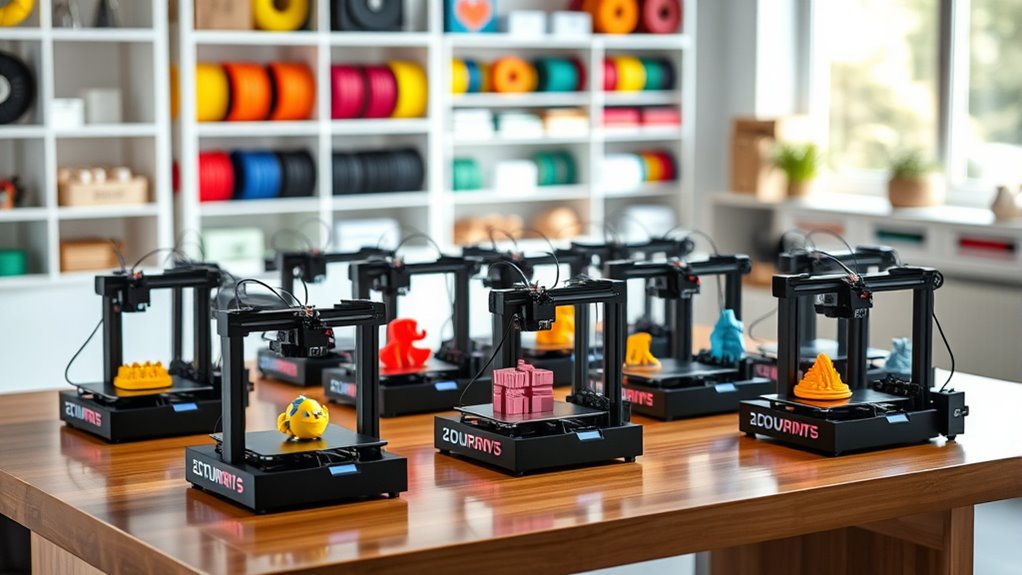
If you’re searching for an easy-to-use 3D printer under $400, you’ve got some great options. Models like the FLASHFORGE Adventurer 5M, Bambu Lab A1 Mini, and Creality Ender 3 V3 SE stand out. These beginner-friendly 3D printers offer compact designs, quiet operation, and quick setup to get you started without hassle.
They support popular filaments like PLA and flexible materials, making your projects versatile. Plus, features like auto bed leveling and removable build plates simplify the printing process.
Whether you’re just starting out or a hobbyist looking for reliable gear, these printers help you print fast and smoothly.
Keep exploring these options, and you’ll find the perfect fit for your creative goals. It’s all about making 3D printing accessible and enjoyable right from the start!
FLASHFORGE Adventurer 5M 3D Printer CoreXY
The FLASHFORGE Adventurer 5M CoreXY is designed to make 3D printing faster and more accessible. It solves common setup frustrations with its one-click automatic printing and bed leveling, ensuring your first layers stick perfectly every time.
Its CoreXY structure allows for ultra-fast printing speeds up to 600mm/s, significantly reducing project times without sacrificing quality. The printer heats up quickly—reaching 200°C in just 35 seconds—so you can start printing without long waits.
Maintenance is straightforward, with quick 3-second nozzle changes and dual-fan nozzles that help maintain print precision. Regular cleaning of the nozzle and platform is recommended to keep your prints consistent and flawless.
While the 220x220x220mm build volume suits most models, it may limit very large projects. Some advanced features, like remote monitoring, might require a brief learning curve for new users but add valuable control once mastered.
Best for: Beginners and hobbyists who want a fast, user-friendly 3D printer with reliable, high-quality results.
What We Like:
- One-click automatic printing with bed leveling for hassle-free setup
- CoreXY design enables high-speed printing up to 600mm/s
- Rapid heat-up time cuts waiting before printing
- Quick nozzle changes and dual-fan system enhance precision
- Vibration compensation improves print quality
Specification:
| Feature | Details |
|---|---|
| Manufacturer | FLASHFORGE |
| Build Volume | 220 x 220 x 220 mm |
| Printing Speed | Up to 600 mm/s |
| Heat-up Time | 35 seconds to 200°C |
| Nozzle Change | 3 seconds |
| Printer Type | CoreXY |
ENTINA TINA2C Mini 3D Printer for Beginners
Getting started with 3D printing can be daunting, but the ENTINA TINA2C Mini 3D Printer makes it simple and accessible. This compact printer comes fully pre-assembled and pre-calibrated, allowing you to begin printing in just minutes. Its one-click 9-point auto leveling and auto nozzle cleaning simplify setup and routine maintenance, reducing printer downtime.
Designed for precision, it delivers ±0.1 mm accuracy and supports versatile filaments such as PLA and TPU. The heated bed ensures good adhesion, while the quiet operation under 45 dB creates a comfortable environment at home or in classrooms. Its magnetic build plate and quick-swap print head further enhance ease of use.
Connectivity options include USB and Wi-Fi cloud slicing, enabling smooth file transfers and remote printing. Despite its limited build volume of 100×100×100 mm, the TINA2C is ideal for small-scale projects and learning purposes. Its compact size and user-friendly features make it less suited for industrial or highly complex tasks.
Overall, the ENTINA TINA2C Mini 3D Printer solves common beginner challenges by offering a straightforward, reliable printing experience with minimal setup and maintenance.
Best for: Beginners and hobbyists seeking an easy-to-use, quiet 3D printer with versatile filament support and hassle-free operation.
What We Like:
- Fully pre-assembled with one-click auto leveling and auto nozzle cleaning for quick setup
- High precision (±0.1 mm) supporting PLA and TPU filaments
- Quiet operation under 45 dB, suitable for home and educational settings
- Magnetic build plate and quick-swap print head for easy maintenance
- Wi-Fi cloud slicing and USB connectivity for flexible file management
Specification:
| Feature | Details |
|---|---|
| Manufacturer | ENTINA |
| Build Volume | 100 × 100 × 100 mm |
| Precision | ±0.1 mm |
| Supported Filaments | PLA, TPU |
| Noise Level | <45 dB |
| Connectivity | USB, Wi-Fi Cloud Slicing |
| Build Plate | Magnetic |
| Size | Compact |
Entina Tina2 Basic Mini 3D Printer for Beginners
The Entina Tina2 Basic Mini 3D Printer offers a straightforward solution for those new to 3D printing. Its fully assembled design means you can start printing immediately without complicated setup. The simple knob controls and one-button filament loading reduce the learning curve and help you focus on your creative projects.
Maintenance is easier thanks to automatic bed leveling and a magnetic build plate. These features ensure smoother prints and allow for quick removal of finished models, saving you time and frustration. The compact and lightweight frame makes it convenient to move or store the printer, fitting well in small workspaces or classrooms.
With a build volume of 100x105x100mm, this mini printer is ideal for small to medium projects. It supports open-source software, giving you flexibility to experiment and grow your skills. The printer also resumes printing automatically after power interruptions, protecting your work from being lost.
The Entina Tina2 Basic Mini focuses on simplicity and reliability, making 3D printing accessible and practical for beginners. Its limitations in size and advanced features mean it’s best suited for hobbyists and educational use rather than professional tasks.
Best for: Beginners, students, and hobbyists seeking a compact, easy-to-use 3D printer for small creative projects.
What We Like:
- Fully assembled with user-friendly controls for quick startup
- Automatic bed leveling and magnetic plate simplify print maintenance
- Compact, portable design with power outage resume feature
Specification:
| Feature | Details |
|---|---|
| Manufacturer | Entina |
| Build Volume | 100 x 105 x 100 mm |
| Weight | Lightweight |
| Frame | Compact and portable |
| Software | Open-source |
Bambu Lab A1 Mini 3D Printer with LED Lamp Kit
The Bambu Lab A1 Mini 3D Printer with LED Lamp Kit is designed to simplify 3D printing for beginners. Its full-auto calibration helps you start printing without complex setup, reducing frustration. The printer operates quietly, minimizing noise distractions during your creative process.
Its compact size and lightweight design make it easy to place in small workspaces. The built-in LED lamp enhances visibility, allowing precise monitoring of prints. Maintenance is straightforward, supported by the Bambu Handy app, which connects you to the MakerWorld model library and guides troubleshooting.
With active flow rate compensation, the printer ensures consistent, high-quality prints at fast speeds. This makes it ideal for producing decorative lights, toys, and practical tools. While the build volume is smaller due to its mini size, it remains a reliable choice for hobbyists seeking convenience and functionality in a compact package.
Best for: Beginners and hobbyists needing an easy-to-use, quiet 3D printer for small creative projects.
What We Like:
- Full-auto calibration simplifies setup and reduces errors.
- Quiet operation (≤48 dB) fits home or studio environments.
- LED lamp improves print visibility.
- Easy app integration with MakerWorld model library.
- Active flow rate compensation ensures print quality.
Specification:
| Feature | Details |
|---|---|
| Manufacturer | Bambu Lab |
| Dimensions | Compact (exact size not specified) |
| Weight | Lightweight (exact weight not specified) |
| Material | Not specified |
| Color Options | Not specified |
Portable Compact FDM 3D Printer with Removable Plate
Discover the convenience of a compact 3D printer designed to fit seamlessly into small spaces like classrooms or home workshops. This portable FDM 3D printer features a removable build plate, making it easy to manage prints and reduce downtime between projects. Its 100x100x100mm build volume is perfect for creating detailed prototypes and small models efficiently.
The printer supports PLA and flexible TPU filaments, allowing users to experiment with different materials without hassle. It includes 10 meters of PLA filament to get started immediately, so you can jump right into your creative projects. The 0.4mm nozzle and layer thickness between 0.05 to 0.3mm offer a balance between print quality and speed, ideal for beginners and hobbyists.
Maintenance is straightforward thanks to the modular design and removable plate, which simplifies cleaning and part replacement. Assembly is guided with clear video tutorials and comes with all necessary tools, making it accessible for users with little to no prior experience. Online resources further support learning and troubleshooting.
This compact 3D printer suits educational environments and small-scale creative tasks, enhancing STEM learning and personal projects. However, its limited build volume may not meet the needs of users requiring larger prints or ultra-fine detail.
Best for: Beginners, students, and educators seeking an easy-to-use, portable 3D printer for small projects and learning environments.
What We Like:
- Compact, portable design fits limited spaces with ease
- Removable build plate simplifies print removal and maintenance
- Supports PLA and flexible TPU filaments for versatile printing
- Clear assembly guidance through video tutorials and included tools
Specification:
| Feature | Details |
|---|---|
| Manufacturer | Not specified |
| Build Volume | 100 x 100 x 100 mm |
| Nozzle Diameter | 0.4 mm |
| Layer Thickness | 0.05 – 0.3 mm |
| Supported Filaments | PLA, TPU |
| Included Filament | 10 m PLA |
| Design | Portable, modular |
Hephi3d TINA2 Plus High-Speed 3D Printer
The Hephi3d TINA2 Plus is a compact 3D printer designed for speed and ease of use. It tackles the common frustration of long setup times by arriving fully assembled and ready to print right out of the box. Its lightweight frame fits neatly on your desk, making it ideal for small workspaces.
This printer excels in efficiency with a maximum printing speed of 250mm/s and a filament heating time of just 40 seconds. These features help you complete projects faster without compromising quality. The auto bed leveling combined with an adjustable heated bed ensures accurate prints, reducing the need for manual adjustments.
Maintenance is straightforward thanks to its open-source platform, which supports popular slicers, simplifying software updates and troubleshooting. You can control the printer wirelessly through the Poloprint Cloud app, giving you access to over 3,000 ready-to-print models, which is great for beginners and educators.
While the heated bed reaches only up to 80°C, which may limit some advanced filaments, its design suits everyday printing needs. The open frame allows easy access but requires a clean environment to avoid dust interference.
Best for: Beginners, educators, and hobbyists looking for a compact, fast 3D printer with wireless management and a large model library.
What We Like:
- Fully assembled for immediate use
- Fast printing speed and quick filament heating
- Wireless control with extensive model access
- Auto bed leveling for precise prints
- Open-source compatibility with popular slicers
Specification:
| Feature | Details |
|---|---|
| Manufacturer | Hephi3d |
| Dimensions | Compact (specific size not provided) |
| Weight | Lightweight (specific weight not provided) |
| Printing Speed | Up to 250mm/s |
| Heated Bed Max Temp | 80°C |
| Connectivity | WiFi, USB |
| Software Platform | Poloprint Cloud app, open-source slicers |
Creality Ender 3 V3 SE 3D Printer Upgrade
When speed and simplicity are essential, the Creality Ender 3 V3 SE offers a reliable solution for 3D printing enthusiasts. This printer significantly cuts printing times by reaching speeds up to 250mm/s, allowing you to complete projects faster without losing detail.
Its design focuses on ease of use, featuring a quick setup process that gets you printing in just 20 minutes. The upgraded Sprite full metal dual-geared extruder handles different filament types smoothly, reducing jams and improving print consistency.
Maintenance is straightforward thanks to the CR Touch auto leveling system and dual Z-axis screws, which ensure precise calibration and stable printing. The printer also includes convenient features like automatic filament loading, making it user-friendly for beginners.
While the build volume of 8.66 x 8.66 x 9.84 inches suits most small to medium-sized projects, it may limit larger prints. This model strikes a balance between performance and accessibility, ideal for hobbyists who want dependable results without complex setup or tuning.
Best for: Beginners and hobbyists seeking a fast, easy-to-use 3D printer with reliable precision and versatile material compatibility.
What We Like:
- High-speed printing reduces project time without quality loss
- Quick 20-minute assembly and intuitive operation
- Stable printing ensured by dual Z-axis screws and precise auto leveling
- Versatile filament compatibility with upgraded extruder
- Convenient auto filament loading simplifies workflow
Specification:
| Feature | Details |
|---|---|
| Manufacturer | Creality |
| Build Volume | 8.66 x 8.66 x 9.84 inches |
| Print Speed | Up to 250 mm/s |
| Extruder Type | Sprite full metal dual-geared |
| Auto Leveling | CR Touch sensor |
| Assembly Time | Approximately 20 minutes |
Mini 3D Printer Starter Kit for Kids (Green)
Designed with young creators in mind, the Mini 3D Printer Starter Kit for Kids (Green) makes 3D printing accessible and enjoyable. It arrives fully assembled, so kids and beginners can start printing projects immediately without complicated setup. This ease of use encourages creativity and hands-on learning right from the start.
The compact design fits neatly in small spaces, ideal for home desks or classrooms. It supports MAC, Windows, and Linux, ensuring compatibility across various computers. The kit includes a pre-installed microSD card loaded with model designs and slicing software, simplifying the printing process.
Maintenance is straightforward thanks to features like auto-leveling and a magnetic build plate, which reduce common printing errors. One-touch filament loading streamlines material changes, although it requires specific 1.75mm PLA, PLA Pro, or TPU filaments. Users must use the included magnetically attachable platform plate to prevent sensor issues.
Wireless printing is possible through WiFi connectivity, allowing projects to be sent without cables. While its print size and material options are limited compared to larger printers, it remains a practical tool for educational and creative purposes in compact environments.
Best for: Kids, beginners, and educators seeking an easy-to-use, compact 3D printer for creative learning and projects in small spaces.
What We Like:
- Fully assembled and ready to use out of the box
- Auto-leveling and magnetic build plate improve print reliability
- One-touch filament loading simplifies operation
- Compatible with multiple operating systems and WiFi-enabled
- Compact size fits small desks and classrooms
Specification:
| Feature | Details |
|---|---|
| Manufacturer | – |
| Dimensions | Compact (exact size not specified) |
| Weight | – |
| Material | PLA filament (1.75mm) |
| Color Options | Green |
TINA2 Plus WiFi 3D Printer for Beginners
The TINA2 Plus WiFi 3D Printer is designed to make 3D printing simple and accessible. Its fully assembled design means you can start printing immediately without frustration or delay. This compact machine fits nicely in small spaces, ideal for home or classroom use.
With auto bed leveling and a max speed of 250mm/s, it ensures consistent, high-quality prints with less time spent on adjustments. The included beginner’s kit with PLA filament helps users avoid compatibility issues and makes setup smooth.
Wireless connectivity via the Poloprint Cloud app allows you to print directly from your phone or tablet. This feature eliminates the need for cables and gives you freedom to manage prints remotely. Plus, access to over 3,000 models and support for popular software like Cura adds creative flexibility.
Maintenance is straightforward thanks to its user-friendly design. While the printer is best suited for PLA filament, it offers a reliable introduction to 3D printing for kids, teens, and hobbyists. Its small footprint balances workspace efficiency with printing capability.
Best for: Beginners and hobbyists seeking an easy-to-use, compact 3D printer with wireless features and a broad model library.
What We Like:
- Fully assembled for quick setup and use
- Auto bed leveling ensures reliable print quality
- Wireless printing via Poloprint Cloud app
- Compatible with popular slicing software
- Compact design fits limited workspaces
Specification:
| Feature | Details |
|---|---|
| Manufacturer | TINA |
| Dimensions | Compact (exact size not specified) |
| Weight | Not specified |
| Material | Plastic (frame and parts) |
| Color Options | Not specified |
Geeetech Mini 3D Printer for Kids and Beginners
The Geeetech Mini 3D printer is designed to make 3D printing accessible and hassle-free for beginners and kids. Its fully assembled setup eliminates complex assembly, allowing users to start printing quickly and confidently. The simple knob interface and one-button filament loading reduce common frustrations and speed up the printing process.
This compact printer features a 16-point auto-leveling system and a flexible magnetic build plate, which work together to deliver smooth prints with minimal warping. It supports TPU and PLA filaments, offering versatility for different project types. The dual-drive metal gear extruder ensures precise filament feeding for consistent results.
Maintenance is straightforward thanks to the magnetic build plate’s easy removal and the printer’s intuitive controls. Its small print volume limits larger projects but fits perfectly for educational use, hobbyists, and small-scale creations. The 2.4″ LCD screen makes navigation and control simple, ideal for users new to 3D printing.
Best for: Beginners, kids, and educators seeking a user-friendly, fully assembled 3D printer with reliable performance and easy maintenance.
What We Like:
- Fully assembled with simple knob control and one-button filament loading
- 16-point auto-leveling and flexible magnetic build plate for smooth prints
- Supports TPU and PLA filaments with a dual-drive metal gear extruder
- Compact design suitable for educational and small projects
Specification:
| Feature | Description |
|---|---|
| Manufacturer | Geeetech |
| Print Area | 3.94 × 4.33 × 3.94 inches |
| Supported Filaments | TPU, PLA |
| Control Interface | Knob and 2.4″ LCD screen |
| Build Plate | Flexible magnetic |
| Auto-Leveling | 16-point |
Creality Ender 3 V3 SE High-Speed 3D Printer
Experience faster, high-quality 3D printing with the Creality Ender 3 V3 SE. Designed to help beginners and enthusiasts complete projects quicker, it delivers impressive speeds up to 250mm/s. This means you spend less time waiting and more time creating.
Setup is straightforward and user-friendly. The printer features CR Touch auto-leveling and strain sensors, ensuring the first layer is perfect every time. This reduces print failures and saves material, making maintenance easier and less time-consuming.
The robust dual Z-axis design minimizes wobble for precise results, while the Sprite Direct Extruder smoothly handles popular filaments like PLA, PETG, and TPU. Its silent 32-bit board ensures quiet operation, so you can print without distraction.
A flexible spring steel plate simplifies print removal and extends the build platform’s life. Though it suits a variety of standard filament types, it may not meet advanced users’ needs for specialized materials. Its build volume fits most hobby projects but may be limited for larger prints.
Best for: Beginners and hobbyists seeking a fast, reliable 3D printer with easy setup and versatile filament compatibility.
What We Like:
- Fast printing speeds up to 250mm/s with smooth acceleration
- Easy setup with CR Touch and strain sensors for flawless first layers
- Stable dual Z-axis and quiet 32-bit mainboard for precise, quiet prints
- Flexible spring steel plate for hassle-free print removal
Specification:
| Feature | Details |
|---|---|
| Manufacturer | Creality |
| Dimensions | Not specified |
| Weight | Not specified |
| Material | Metal frame, spring steel plate |
| Color Options | Not specified |
FLASHFORGE Adventurer 5M 3D Printer, Multi-Material
Experience the freedom to create with the FLASHFORGE Adventurer 5M, designed to make multi-material 3D printing accessible and efficient. Its advanced Core XY all-metal frame allows printing speeds up to 600mm/s, significantly reducing your wait times and boosting productivity. This means you can complete projects faster without sacrificing quality.
Maintenance is straightforward with the one-click automatic bed leveling and a dual-sided PEI platform, ensuring your prints start perfectly every time. These features reduce setup frustrations and minimize failed prints. The printer supports a variety of filament types and nozzle sizes, adapting smoothly to different project requirements.
Remote control is possible through a smart app, providing convenience and flexibility when managing your prints from anywhere. Although the remote monitoring feature requires the separate Flashforge 3D Printer 5M Camera Kit, it adds valuable oversight for busy users. The build volume of 220x220x220mm suits most standard projects, though larger prints may be limited.
The combination of speed, precision, and user-friendly design makes the Adventurer 5M a practical choice for beginners and educators eager to explore multi-material printing without complexity.
Best for: Beginners, hobbyists, and educators seeking a fast, reliable multi-material 3D printer with remote monitoring capabilities.
What We Like:
- High-speed printing up to 600mm/s reduces project time.
- One-click automatic bed leveling simplifies setup.
- Dual-sided PEI platform enhances print adhesion.
- Supports various filament types and nozzle sizes.
- Smart app enables convenient remote control.
Specification:
| Specification | Details |
|---|---|
| Manufacturer | FLASHFORGE |
| Build Volume | 220 x 220 x 220 mm |
| Printing Speed | Up to 600 mm/s |
| Structure | Core XY all-metal |
| Bed Leveling | Automatic, one-click |
| Platform | Dual-sided PEI |
| Remote Monitoring | Optional (camera kit) |
FLASHFORGE Adventurer 5M High-Speed 3D Printer
The FLASHFORGE Adventurer 5M High-Speed 3D Printer is designed to make 3D printing simple and efficient from the start. Its plug-and-play setup means no complicated assembly is required, allowing you to begin printing right away. The intuitive 4.3-inch touchscreen offers straightforward control, helping you manage your projects with ease.
This printer excels in speed, with a maximum print speed of 600mm/s and a hotend that heats up to 200°C in just 35 seconds. This rapid heating and printing capability significantly reduce wait times without compromising the quality of your prints. The auto bed leveling feature ensures consistent first layers, which is critical for avoiding print failures.
Maintenance is streamlined thanks to smart features like filament detection and power failure resume, which protect your work from interruptions and material issues. Its sturdy CoreXY frame provides reliable stability, producing professional-grade results while supporting smooth operation.
While the maximum hotend temperature limits some high-temperature materials, a DIY enclosure kit can expand its material versatility. However, the build volume is best suited for small to medium-sized projects rather than very large prints.
Best for: Beginners, educators, and professionals seeking a fast, reliable, and user-friendly 3D printer for home or professional use.
What We Like:
- Easy plug-and-play design with an intuitive touchscreen interface
- High-speed printing and rapid hotend heating save time
- Auto bed leveling and filament detection improve print reliability
- Power failure resume helps avoid project loss
- Stable CoreXY frame ensures precise, consistent results
Specification:
| Feature | Details |
|---|---|
| Manufacturer | FLASHFORGE |
| Build Volume | Limited (small to medium) |
| Max Print Speed | 600 mm/s |
| Hotend Max Temp | 200°C |
| Touchscreen | 4.3-inch |
| Frame Type | CoreXY |
| Special Features | Auto bed leveling, filament detection, power failure resume |
Factors to Consider When Choosing a Beginner 3D Printer Under $400 2026
When choosing a beginner 3D printer under $400, you’ll want to focus on print quality, ease of setup, and the build volume size.
Don’t forget to check filament compatibility and how fast the printer completes jobs.
These factors will help you find a reliable and efficient machine that fits your needs.
Print Quality Essentials
Although many factors affect your 3D printing experience, prioritizing print quality essentials will help you get the best results from a beginner 3D printer under $400. Focus on high print resolution, typically measured in microns, to achieve detailed, smooth models.
Consistent filament extrusion and strong layer adhesion are vital for durable prints. Look for printers with auto bed leveling to guarantee a perfectly flat surface, minimizing defects and improving first-layer success.
The ability to handle various nozzle sizes and filament types lets you customize resolution and surface finish. Don’t overlook precise temperature control and efficient cooling systems; they reduce issues like warping, stringing, and layer misalignment.
Keeping these essentials in mind will guarantee your prints come out clean and professional-looking every time.
Ease of Setup
Getting premium print quality is only part of the equation; how quickly you can get your 3D printer up and running makes a big difference too. Look for models that come pre-assembled or require minimal setup, ideally under 20 minutes.
Automatic bed leveling and nozzle cleaning features save you time and reduce manual calibration headaches. Clear, step-by-step instructions or guided tutorials help you confidently prepare your printer for its first job.
Choose a machine with a straightforward user interface—like a touchscreen or simple control panel—to avoid confusion and mistakes during setup. Finally, confirm compatibility with common slicing software and plug-and-play capabilities so you can start printing right away without wrestling with complex configurations.
This ease of setup makes your entry into 3D printing smooth and enjoyable.
Build Volume Size
Build volume size directly affects the maximum dimensions of the objects you can print, shaping the range of projects you can tackle. If you want to create larger models, you’ll need a printer with a bigger build volume. But keep in mind, this can increase cost and complexity.
For beginners under $400, typical build volumes range from 100x100x100mm to 220x220x220mm. This offers a good balance between size and affordability. Smaller volumes work well if you plan to print detailed miniatures or use the printer for educational purposes.
Think about the typical size of your projects to choose a build volume that aligns with your creative needs. This way, you won’t overspend or limit your printing possibilities.
Filament Compatibility
Choosing a 3D printer that supports a wide range of filament types gives you the flexibility to explore various materials like PLA, ABS, PETG, and TPU. Make sure the printer’s extruder can reach temperatures between 200°C and 280°C to handle these filaments effectively.
Check if it supports standard filament diameters, typically 1.75mm or 2.85mm, to ensure easy sourcing. Also, verify that the firmware and hardware accommodate flexible filaments like TPU, which need specific extrusion settings and a compatible hotend.
Don’t overlook how simple it is to load, unload, and switch filaments—this feature makes experimenting with different colors and materials much easier. Prioritizing filament compatibility means you’ll have more creative freedom as you grow your 3D printing skills.
Speed and Efficiency
While speed isn’t the only factor to contemplate, a faster 3D printer can save you valuable time and keep your projects moving. Look for printers that reach up to 250mm/s, as they considerably cut down print times. But remember, speed alone won’t help if the frame isn’t stable—a rigid build ensures precision without layer misalignment when printing fast.
Features like auto bed leveling speed up setup and guarantee consistent first layers, boosting efficiency. Also, consider how quickly the hotend heats; models that reach 200°C in about 35 seconds get you printing sooner.
Finally, printers with high flow rate nozzles (around 32mm³/s) can extrude filament faster without sacrificing print quality. These combined factors make your printing experience smoother and more productive.
Safety Features Included
Speed and efficiency matter, but safety should never take a back seat when picking your first 3D printer. Look for models with auto shut-off and filament run-out detection to prevent accidents and avoid wasting materials.
Enclosed or semi-enclosed designs are a smart choice since they limit your exposure to hot parts and moving components. Features like automatic bed leveling and easy-to-reach emergency stop buttons help minimize risks during setup and printing.
It’s also a good idea to prioritize printers with low-voltage power supplies and stable electrical systems to reduce the chance of electrical hazards. Lastly, make sure to check for built-in safety certifications and compliance with home-use regulations.
These safety features guarantee you can focus on creating while staying protected throughout your 3D printing journey. Safety first, creativity second—that’s the way to go!
Connectivity Options
Three key connectivity options—USB, Wi-Fi, and SD card support—give you flexible ways to transfer files and control your 3D printer. USB ports offer direct, reliable connections, perfect for precise file transfers from your computer.
Wi-Fi lets you print wirelessly and monitor progress remotely, adding convenience by eliminating cables. If you prefer offline use or don’t have network access, SD card slots let you manage and print files easily.
Some beginner models even connect to cloud-based platforms or apps, streamlining slicing, uploading, and remote operation. Choosing a printer with multiple connectivity options means you can pick the method that suits your workflow best, ensuring smooth and hassle-free printing every time.
Maintenance and Support
When choosing a beginner 3D printer under $400, you’ll want to prioritize models that make maintenance easy and provide solid support. Look for printers with readily available replacement parts and consumables to keep upkeep simple.
Opt for devices featuring auto-calibration, like auto bed leveling, to minimize manual adjustments. A printer with robust build quality will reduce repair needs and ensure long-term reliability.
Extensive customer support, detailed user manuals, and troubleshooting resources are essential to help you quickly resolve issues. Also, choose printers compatible with various filaments and equipped with easy-to-clean components.
This helps maintain consistent performance. Prioritizing these maintenance and support factors will save you time and frustration, making your 3D printing experience smoother and more enjoyable.
Frequently Asked Questions
What Are the Common Maintenance Tasks for Beginner 3D Printers?
You’ll regularly clean the print bed, lubricate moving parts, check belt tension, and update firmware.
Don’t forget to level the bed before prints and replace the nozzle or filament when needed to keep prints smooth and accurate.
How Do I Troubleshoot Common 3D Printing Errors?
As they say, “an ounce of prevention is worth a pound of cure.” You’ll want to check your bed leveling, clean the nozzle, adjust print settings, and make certain filament quality to troubleshoot common 3D printing errors effectively.
Start by making sure your bed is perfectly level. It’s a simple step but can save you a lot of headaches down the line.
Next, keep that nozzle clean. A clogged nozzle is a common culprit behind print failures.
Don’t forget to fine-tune your print settings. Sometimes, just tweaking temperature or speed can make a huge difference.
Lastly, always use good quality filament. Cheap or old filament can cause jams and poor print quality.
With these tips, you’ll be well on your way to smoother 3D printing sessions!
What Software Is Best for Beginners to Design 3D Models?
You’ll find Tinkercad is perfect for beginners—it’s free, user-friendly, and web-based.
If you want more features, try Fusion 360; it’s powerful but still accessible.
Both help you design 3D models quickly and easily.
How Safe Are 3D Printers for Indoor Home Use?
3D printers are generally safe indoors if you use them in well-ventilated spaces and follow safety guidelines. You should avoid inhaling fumes, keep kids away during printing, and never leave the printer unattended while it’s running.
Just make sure the room has good airflow, and maybe crack a window open if you can. It’s all about keeping the air fresh and safe while your printer does its thing.
Can I Use Third-Party Filament With These Printers?
You can use third-party filament with these printers like swapping toppings on your favorite pizza—totally customizable. Just make certain the filament matches your printer’s specs to avoid clogs or poor prints, and you’ll be printing smoothly in no time.
Conclusion
Choosing the right beginner 3D printer under $400 can really transform your creative projects. Imagine Sarah, a hobbyist who picked the Creality Ender 3 V3 SE for its speed and ease of use. She quickly mastered printing detailed models without breaking the bank.
With options like the FLASHFORGE Adventurer 5M and Bambu Lab A1 Mini, you’ll find a reliable printer that fits your needs and budget. These printers make your entry into 3D printing smooth and exciting.
Whether you’re just starting out or looking to upgrade, these beginner 3D printers under $400 offer great value. They combine user-friendly features with quality results, helping you bring your ideas to life without overwhelming complexity. So, dive into the world of 3D printing with confidence and enjoy the journey of creating your own models easily and affordably!