7 Best Affordable Printers for Cricut Fans in 2026
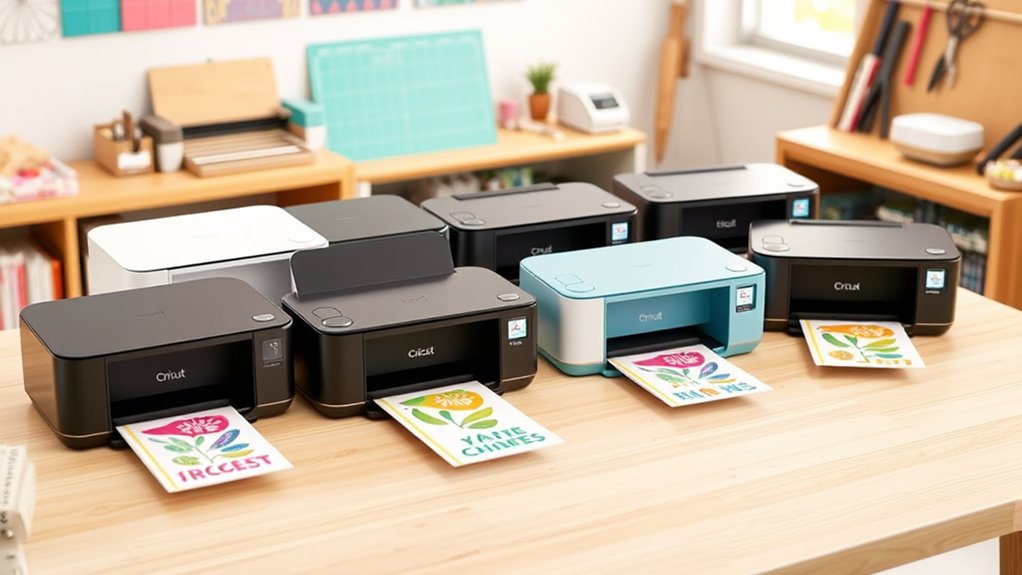
If you’re hunting for an affordable printer that handles Cricut projects smoothly, you’re in the right place. Compact, wireless all-in-one printers like the HP DeskJet 2855e or Canon PIXMA TS4320 are fantastic choices. They deliver sharp color prints and support versatile media types such as vinyl and cardstock, which is perfect for your crafting needs.
These models also offer easy mobile connectivity, so you can print directly from your phone or tablet without any hassle.
Plus, eco-friendly features and refillable ink tanks help keep your printing costs low.
Choosing the right printer can really simplify your craft workflow. With so many options packed with features, you’ll find the perfect fit for your creative space in no time.
HP DeskJet 2855e Wireless All-in-One Printer
The HP DeskJet 2855e Wireless All-in-One Printer is designed to simplify your home printing tasks. Whether you’re working on Cricut projects or everyday documents, this compact printer handles printing, scanning, and copying with ease. Its wireless connectivity lets you print from your phone or laptop without hassle.
Maintenance is straightforward thanks to the included Instant Ink subscription, which automatically delivers ink to your door. This means fewer interruptions and more time for your creative projects. The printer’s 60-sheet input tray suits light to moderate use, but frequent refills may be necessary for larger jobs.
Its print speeds of up to 5.5 ppm in color and 7.5 ppm in black help you get tasks done efficiently. The device supports 2.4 GHz Wi-Fi for stable connections, though it does not work with 5 GHz networks. The HP app makes setup and troubleshooting simple, improving your overall experience.
Best for: Cricut enthusiasts and home users who need a versatile, wireless all-in-one printer with easy maintenance and app support.
What We Like:
- Combines printing, scanning, and copying with reliable color output.
- Convenient wireless printing via 2.4 GHz Wi-Fi and user-friendly app.
- Includes 3 months of Instant Ink for automatic ink replenishment.
- Compact design fits well in home workspaces.
- Efficient print speeds suitable for home projects.
Specification:
| Feature | Details |
|---|---|
| Manufacturer | HP |
| Dimensions | Approx. 16.85 x 6.02 x 11.81 in (W x H x D) |
| Weight | Approx. 5.29 lb |
| Connectivity | Wireless (2.4 GHz Wi-Fi) |
| Input Tray Capacity | 60 sheets |
| Print Speed | Up to 5.5 ppm (color), 7.5 ppm (black) |
| Color Options | Yes |
Canon PIXMA TS4320 Wireless Color Inkjet Printer
The Canon PIXMA TS4320 Wireless Color Inkjet Printer is designed to deliver sharp, vibrant prints without the hassle of complex setups. Its compact and stylish design fits neatly into any workspace, making it an ideal choice for home offices and creative projects. Setting up is straightforward with support for the Canon PRINT App, Apple AirPrint, and Mopria Print Service, allowing you to print directly from your smartphone or computer.
This printer uses a 2-cartridge hybrid ink system that produces crisp text and vivid colors on documents and photos up to 8.5” x 11”. It supports automatic two-sided printing, helping to reduce paper usage and streamline your workflow. In addition to printing, it offers scanning and copying functions, adding versatility for everyday tasks.
Maintenance is simple thanks to its efficient ink system, although frequent color printing may require more regular cartridge replacements. The printer’s dual-band Wi-Fi connection ensures a stable wireless experience, but it lacks a document feeder, which could slow down multi-page scanning or copying jobs.
Overall, this printer balances functionality and ease of use, making it a practical option for users who value compact design and reliable wireless printing.
Best for: Cricut enthusiasts and home users seeking a compact, easy-to-use wireless printer that delivers vibrant, high-quality prints and versatile functionality.
What We Like:
- Compact, stylish design fits easily in small spaces
- Simple wireless setup with smartphone and computer compatibility
- Automatic two-sided printing saves paper and time
- All-in-one functionality with scanning and copying
- Reliable dual-band Wi-Fi connection
Specification:
| Feature | Details |
|---|---|
| Manufacturer | Canon |
| Dimensions (W x D x H) | 14.5 x 11.5 x 5.0 inches |
| Weight | Approx. 9.7 lbs (4.4 kg) |
| Ink System | 2-cartridge hybrid ink system |
| Maximum Print Size | 8.5” x 11” (Letter) |
| Connectivity | Dual-band Wi-Fi, USB |
| Color Options | Black |
Canon PIXMA TS6520 Wireless Color Inkjet Printer
Step up your home printing with the Canon PIXMA TS6520 Wireless Color Inkjet Printer. This all-in-one device handles printing, scanning, and copying with ease, perfect for those who want sharp, vibrant results without cluttering their workspace. Its compact design fits neatly on any desk, helping you stay organized while delivering professional-quality prints.
This printer’s 2-cartridge hybrid ink system produces crisp text and vivid colors on a variety of media up to 8.5” x 11”. Automatic duplex printing saves time and paper by printing on both sides without manual effort. The integrated scanner expands its versatility for digitizing documents or crafting projects.
Maintaining the PIXMA TS6520 is straightforward, but heavy use may require more frequent ink cartridge replacements. Its 1.42” OLED display provides essential information at a glance, although it offers limited space for detailed menu navigation. Dual-band Wi-Fi and mobile app support keep your devices connected effortlessly.
Best for: Home crafters and hybrid workers needing a compact and versatile all-in-one printer that delivers vibrant prints and efficient workflow.
What We Like:
- Compact, stylish design fits any workspace.
- Automatic duplex printing saves time and paper.
- Dual-band Wi-Fi and mobile printing for easy connectivity.
- Sharp text and vibrant color output on various media.
- Integrated scanner enhances functionality.
Specification:
| Feature | Details |
|---|---|
| Manufacturer | Canon |
| Dimensions (W×D×H) | Compact size (exact not specified) |
| Weight | Not specified |
| Ink System | 2-cartridge hybrid ink |
| Maximum Media Size | 8.5” x 11” |
| Display | 1.42” OLED |
| Connectivity | Dual-band Wi-Fi, mobile app |
HP DeskJet 4355 Wireless All-in-One Printer (AJ4Y0A)
The HP DeskJet 4355 Wireless All-in-One Printer is designed to simplify your printing, scanning, copying, and faxing needs all in one compact device. It’s perfect for home users and small projects who want reliable performance without hassle. The built-in 35-sheet auto document feeder helps you save time by handling multi-page tasks efficiently.
With sharp color prints at up to 4800 x 1200 dpi, your Cricut designs and documents will come out vibrant and clear. The wireless dual-band Wi-Fi and HP mobile app support make printing from smartphones and tablets easy and convenient. This flexibility fits today’s on-the-go lifestyles.
Maintaining this printer is straightforward thanks to its refillable ink tank and an HP Instant Ink trial, helping you reduce ink costs and avoid frequent cartridge changes. Its eco-friendly design uses 70% recycled plastics and meets ENERGY STAR standards, making it a responsible choice for the environment.
While the print speed is moderate with 8.5 ppm for black and 5.5 ppm for color, and the 60-sheet input tray may require refilling during heavy use, it balances functionality and sustainability well for daily tasks.
Best for: Home users and Cricut enthusiasts looking for an eco-friendly, versatile all-in-one printer with wireless connectivity and affordable ink options.
What We Like:
- Efficient multi-functionality with auto document feeder
- High-quality color prints at 4800 x 1200 dpi
- Convenient wireless printing via HP app
- Eco-friendly build using recycled materials
- Cost-saving refillable ink tank with Instant Ink trial
Specification:
| Feature | Details |
|---|---|
| Manufacturer | HP |
| Model | DeskJet 4355 |
| Dimensions (W×D×H) | Approx. 17.2 × 14.5 × 7.5 inches |
| Weight | Approx. 7.5 lbs |
| Color Options | White |
| Functions | Print, Scan, Copy, Fax |
| Input Tray Capacity | 60 sheets |
| Auto Document Feeder | 35 sheets |
| Print Resolution | Up to 4800 × 1200 dpi |
| Connectivity | Wireless dual-band Wi-Fi |
HP DeskJet 2955 Wireless All-in-One Printer (A24HJA)
Experience hassle-free home printing with the HP DeskJet 2955 Wireless All-in-One Printer (A24HJA). This compact device is designed to fit perfectly into small spaces while supporting your everyday printing, copying, and scanning needs. Its eco-conscious build uses 70% recycled plastics and meets ENERGY STAR standards, helping reduce environmental impact without sacrificing performance.
The printer offers sharp output with resolutions up to 4800 x 1200 dpi, ideal for crisp documents and vibrant color prints. Connectivity is seamless thanks to dual-band Wi-Fi and Apple AirPrint compatibility, making wireless printing from multiple devices effortless. The intuitive icon LCD ensures quick navigation through functions, simplifying routine tasks.
Maintenance is straightforward with a 3-month Instant Ink trial included, allowing you to manage ink costs and get automatic cartridge deliveries. While print speeds are moderate, this printer suits users with light to moderate printing demands. Keep in mind, duplex printing is manual, and copy jobs max out at 9 pages per run.
Best for: individuals needing a compact, eco-friendly all-in-one printer for basic home printing, scanning, and copying with wireless convenience.
What We Like:
- Eco-friendly design using recycled plastics and ENERGY STAR certification
- Reliable wireless connectivity with dual-band Wi-Fi and AirPrint support
- User-friendly icon LCD for easy operation
- Convenient 3-month Instant Ink trial for cost-effective ink management
Specification:
| Feature | Details |
|---|---|
| Manufacturer | HP |
| Dimensions (in) | Approx. 16.5 x 12.0 x 5.7 |
| Weight (lb) | Around 6.2 |
| Material | 70% recycled plastics |
| Color Options | White with black accents |
Epson EcoTank ET-2400 Wireless Color All-in-One Printer
Experience hassle-free, eco-friendly printing with the Epson EcoTank ET-2400 Wireless Color All-in-One Printer. Designed to reduce waste, it replaces traditional cartridges with refillable EcoFit ink bottles, saving you money and providing up to 2 years of ink in the box. This setup helps you avoid frequent cartridge changes and lowers ongoing ink expenses.
The printer delivers crisp text and vibrant colors using advanced Micro Piezo technology. Beyond printing, it handles scanning and copying efficiently, making it a versatile tool for everyday tasks. Its wireless connectivity lets you print directly from multiple devices, adding convenience and reducing cable clutter.
Maintenance is straightforward thanks to high-capacity ink tanks that require fewer refills, though care is needed when handling the refill bottles to prevent spills. While it lacks features like an automatic document feeder or duplex printing, its simplicity suits users prioritizing ease of use and sustainability.
Best for: environmentally conscious home users and small offices seeking cost-effective, high-quality color printing and multifunctional use with low maintenance.
What We Like:
- Cartridge-free printing cuts waste and ink costs
- High ink yield reduces refill frequency
- Wireless design supports multiple device connections
- Sharp print quality with Micro Piezo technology
- Simple maintenance with large ink tanks
Specification:
| Feature | Details |
|---|---|
| Manufacturer | Epson |
| Dimensions (W×D×H) | 14.8 × 12.2 × 7.5 inches |
| Weight | 7.7 lb (3.5 kg) |
| Ink System | Refillable EcoFit ink bottles |
| Connectivity | Wireless (Wi-Fi) |
| Functions | Print, Scan, Copy |
| Color Options | Color printer |
HP DeskJet 2923 Wireless All-in-One Printer
The HP DeskJet 2923 Wireless All-in-One Printer offers a simple solution for everyday home printing, scanning, and copying needs. Its compact design fits neatly into small spaces, making it ideal for those with limited room. The device is easy to set up and operate, helping you manage essential tasks quickly and without hassle.
With a 60-sheet input tray and print speeds up to 7.5 ppm for black and 5.5 ppm for color, this printer handles light to moderate workloads efficiently. Wireless dual-band Wi-Fi and the HP app allow you to print and scan directly from your smartphone, removing the need for cables and making printing more flexible.
Maintenance is straightforward with the included 6-month Instant Ink trial, which automates ink delivery and can reduce running costs. The printer’s design incorporates recycled plastics and meets energy efficiency standards, supporting eco-conscious users.
The AI-enabled formatting feature enhances print quality by cleaning up web pages and emails for clearer output. However, the smaller paper capacity and moderate speeds may not suit heavy-duty printing demands.
Best for: individuals or families needing an affordable, compact, and user-friendly all-in-one printer for basic home use with wireless convenience.
What We Like:
- Compact, eco-friendly design with recycled plastic and energy certifications
- Wireless dual-band Wi-Fi and HP app for mobile printing and scanning
- AI-enabled formatting improves clarity of printed web and email content
Specification:
| Feature | Details |
|---|---|
| Manufacturer | HP |
| Dimensions (W×D×H) | Approximately 16.5 × 12.1 × 5.8 inches (42 × 30.7 × 14.7 cm) |
| Weight | About 5.15 lb (2.34 kg) |
| Material | Recycled plastic |
| Color Options | White with black accents |
Factors to Consider When Choosing an Affordable Printer for Cricut
When choosing an affordable printer for your Cricut projects, you’ll want to focus on print quality, connectivity options, and how much ink costs to replace.
Make sure the printer supports the types of materials you usually work with and fits comfortably in your workspace.
Keeping these factors in mind will help you find a printer that matches both your creative needs and budget.
Print Quality Essentials
Although affordable printers vary widely, choosing one with excellent print quality is crucial for your Cricut projects to stand out. Look for a high print resolution, like 4800 x 1200 dpi, to ensure sharp, detailed images and crisp text.
Vibrant color accuracy and consistency matter, so your decals and crafts match your designs perfectly. Make sure the printer supports various media types and sizes, including specialty papers and printable vinyl, to boost your creative options.
Precise color management and minimal color bleeding are key for professional-looking results. Also, pick a printer compatible with high-quality ink systems, such as dye or pigment inks, to get durable, fade-resistant prints that maintain their brilliance over time.
These essentials guarantee your projects look polished and impressive. So, investing in a good printer really pays off when you want your crafts to shine!
Connectivity Options Available
Since seamless connectivity can make or break your printing experience, choosing a printer with versatile options is essential for Cricut projects. Look for wireless features like Wi-Fi and Bluetooth to print easily from multiple devices without messy cables.
Dual-band Wi-Fi support (2.4GHz and 5GHz) ensures a stronger, faster connection, reducing frustrating delays. Mobile printing services such as Apple AirPrint or Mopria let you print directly from your smartphone or tablet, which adds convenience.
Don’t overlook USB ports, offering a reliable wired alternative if wireless isn’t an option. Some printers even detect and fix connection issues automatically, so you can focus on crafting rather than troubleshooting.
Prioritizing these connectivity features guarantees smoother, more efficient printing for all your Cricut creations. It’s all about making your creative process as hassle-free as possible!
Ink Cost Efficiency
Beyond connectivity, managing your ink expenses plays a big role in keeping your Cricut projects affordable. You’ll want a printer with refillable ink tanks or high-yield cartridges to lower the cost per page and print more between refills.
Subscription services like Instant Ink can also save you money by automatically delivering ink at discounted rates. If you’re open to third-party cartridges, they offer cheaper alternatives, but be cautious as they might impact print quality or void your warranty.
Always check the printer’s ink consumption rate and page yield to ensure you’re choosing a model that balances cost and performance. By focusing on these factors, you can keep your long-term printing expenses manageable without sacrificing quality in your craft projects.
Media Compatibility Range
Choosing a printer that handles a wide range of media types and sizes is essential for your Cricut projects. Make sure it supports standard letter, legal, photo paper, and specialty sheets often used with Cricut machines.
You’ll want a model that can print on cardstock, transfer vinyl, and iron-on sheets without trouble. Check the maximum media thickness or weight it can handle, especially for thicker materials like specialty papers.
Printers offering borderless printing help you achieve full-bleed designs, making your cuts seamless and professional-looking. Also, confirm the printer feeds different media types smoothly without jams or misalignments—precision is key for crafting.
Choosing a printer with broad media compatibility ensures your creative possibilities stay wide open.
Printer Size Suitability
When setting up your Cricut workspace, you’ll want a printer that fits comfortably without crowding your area. Choose a compact model that matches your designated space, making sure it’s easy to store and move if needed.
A lightweight printer simplifies handling and lets you position it exactly where you want during projects. Don’t overlook the input tray capacity—pick one that suits your typical printing volume, especially if you tackle larger Cricut designs.
Aim for a small footprint without sacrificing essential features required for Cricut-compatible printing. By considering these size factors, you’ll ensure your printer blends seamlessly into your crafting setup, keeping your work area organized and efficient.
This balance helps you focus more on creativity and less on managing bulky equipment.
Ease of Use
Although affordability is important, you’ll want a printer that’s easy to operate to keep your Cricut projects running smoothly. Look for one with a straightforward control panel or touchscreen to simplify setup and daily use.
Clear instructions and minimal steps for wireless or USB connectivity help you avoid frustration during installation. Make sure the printer works seamlessly with popular design software and mobile apps, so you can print directly from your Cricut device.
Features like automatic document feeders and simple paper loading save you time and hassle. An intuitive display that monitors ink or toner levels lets you manage supplies without guesswork, ensuring your projects don’t stall unexpectedly.
Prioritizing ease of use lets you focus more on crafting and less on troubleshooting. It’s all about making your creative process as smooth as possible!
Durability and Warranty
Ease of use keeps your creative process smooth, but durability guarantees your printer stands up to regular Cricut projects without breaking down. You want a printer with a sturdy build that handles frequent use and movement.
Check for reliable hardware components and positive reviews highlighting long-lasting performance. Warranty coverage is equally important; aim for at least a one-year warranty to protect against defects.
Extended warranties or service plans offer extra security, especially if you plan ongoing crafting. A solid warranty often reflects the manufacturer’s confidence in their product’s durability.
Frequently Asked Questions
Can These Printers Handle Cricut Iron-On Transfer Paper?
Yes, these printers can handle Cricut iron-on transfer paper. You’ll want to use the correct settings—usually a mirror image print on compatible paper.
Make sure your printer supports the transfer material to get the best results every time. Taking these steps will help your designs come out just right!
Are These Printers Compatible With Macos and Windows?
Think of these printers like universal adapters—they work seamlessly with both macOS and Windows.
You’ll never feel stuck, just like plugging in your phone anywhere and knowing it’ll charge without a hitch.
Do Any of These Printers Support Borderless Printing?
Yes, some of these printers do support borderless printing, letting you create full-bleed designs without white edges.
You’ll find models compatible with both MacOS and Windows that offer this feature for your Cricut projects.
What Type of Ink Is Best for Cricut Project Durability?
Back in the day of quills, you’d want pigment-based ink for Cricut projects because it’s waterproof and fade-resistant.
You’ll get durable, vibrant prints that last, unlike dye-based ink, which can smudge or fade quickly.
Can These Printers Print High-Resolution Images for Detailed Cricut Cuts?
Yes, these printers can print high-resolution images perfect for detailed Cricut cuts.
You’ll get sharp, vibrant prints that help your machine easily detect intricate designs.
This ensures your projects come out crisp and professional every time.
Conclusion
You might worry that affordable printers won’t deliver the quality or reliability you need for your Cricut projects, but these options prove otherwise. They offer vibrant colors, crisp details, and wireless convenience without breaking the bank.
Whether you’re crafting personalized gifts or intricate designs, these printers make your creative process smooth and enjoyable. So go ahead—choose one that fits your budget and watch your Cricut creations come to life with ease and precision.
Finding the best affordable printer for Cricut fans means balancing cost with quality. Luckily, these printers deliver excellent print results and reliable performance, making them perfect for all your crafting needs. With vibrant colors and sharp details, your DIY projects will look professional every time.
Plus, wireless features add convenience to your workflow, letting you print directly from your devices without hassle. In short, these budget-friendly printers are the perfect match for Cricut enthusiasts who want stunning results without overspending.