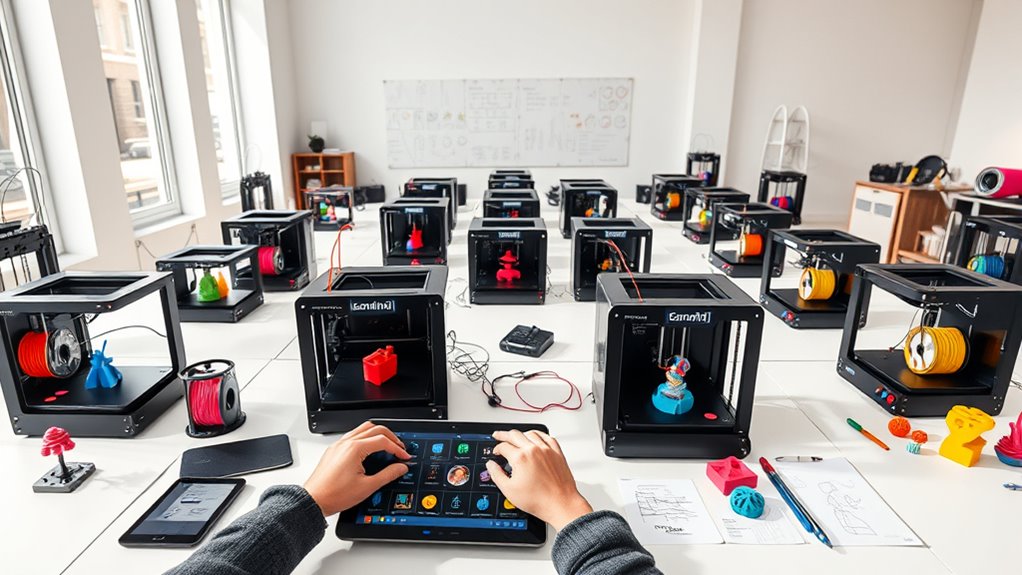
13 Best 3D Printers for 2026 That Creators Can’t Stop Using
You’ll find the 13 best 3D printers for 2026 offer blazing speeds, multi-material precision, and smart automation to help you create fast and flawlessly.
Whether you want vibrant multi-color projects with tool changers or large builds with durable frames, these printers are designed for smooth setups and reliable operation.
Looking for 3D printers that combine high performance with ease of use? These top picks are perfect for creators who want precision and speed without the hassle.
Want to know exactly how they’ll fit your needs? Keep exploring to discover the standout features that make these models the go-to choice for innovative 3D printing in 2026.
FLASHFORGE Adventurer 5M High-Speed 3D Printer
Experience faster, more precise 3D printing with the FLASHFORGE Adventurer 5M. Designed to reduce wait times, it heats up in just 35 seconds and prints at speeds up to 600mm/s. This means you can complete projects quickly without sacrificing quality.
The printer’s one-click automatic printing and bed leveling simplify setup, ensuring your first layers are perfect every time. Its all-metal design supports a spacious 220x220x220mm build volume, accommodating a variety of project sizes. Quick nozzle changes—taking only three seconds—allow seamless transitions between detailed and rapid prints.
Maintenance is straightforward but essential. Regular nozzle and platform cleaning keep the printer running smoothly and maintain print quality. Dual fans and vibration compensation further enhance precision by stabilizing prints during high-speed operation.
With remote monitoring through the Flash Maker app, you can track your prints anytime, anywhere. This combination of speed, ease of use, and reliability makes the Adventurer 5M ideal for users who need efficient, high-quality 3D printing.
Best for: Professionals and hobbyists seeking a high-speed 3D printer that balances precision with easy operation and remote control.
What We Like:
- Fast warm-up and print speeds boost productivity.
- Automatic bed leveling ensures consistent first layers.
- Quick nozzle swaps enable versatile printing.
- Dual fans and vibration control improve print sharpness.
- Remote monitoring adds convenience and oversight.
Specification:
| Feature | Details |
|---|---|
| Manufacturer | FLASHFORGE |
| Build Volume | 220 x 220 x 220 mm |
| Print Speed | Up to 600 mm/s |
| Warm-up Time | 35 seconds |
| Frame Material | All-metal |
| Nozzle Change | 3 seconds |
| Cooling System | Dual fans |
Snapmaker U1 3D Printer Multi-Color with Toolchanger
The Snapmaker U1 3D Printer is designed to simplify multi-color and multi-material printing. It eliminates the need for manual filament changes, letting you focus on your creative projects. Its large 270x270x270mm build volume supports sizable prints, while the fast CoreXY motion system reaches speeds up to 500mm/s, reducing your production time.
This printer features four independent toolheads and a quick 5-second SnapSwap toolchanger, enabling smooth transitions between colors and materials like PETG, TPU, and PLA. Automatic calibration and vibration compensation ensure each print is precise and consistent with minimal setup effort.
Maintenance is straightforward thanks to its modular design. The SnapSwap toolchanger makes toolhead replacement quick, which minimizes downtime. Its touchscreen and app control offer intuitive operation suitable for both beginners and experienced users.
By cutting filament waste up to five times, the U1 not only saves costs but also supports more sustainable printing practices. This makes it an efficient and versatile choice for various applications.
Best for: users who need fast, precise multi-color 3D printing with easy toolhead swapping and reduced filament waste.
What We Like:
- Large build volume with high-speed CoreXY motion system.
- Four toolheads with quick SnapSwap toolchanger for seamless multi-material printing.
- Automatic calibration and vibration compensation for accurate prints.
- User-friendly touchscreen and app control.
- Significant reduction in filament waste for cost and environmental benefits.
Specification:
| Feature | Details |
|---|---|
| Manufacturer | Snapmaker |
| Build Volume | 270 x 270 x 270 mm |
| Print Speed | Up to 500 mm/s |
| Toolheads | 4 independent toolheads |
| Toolchanger | SnapSwap, 5 seconds |
| Compatible Materials | PETG, TPU, PLA |
| Control Interface | Touchscreen and app |
Bambu Lab P1S Combo Multi-Color 3D Printer
The Bambu Lab P1S Combo is designed for creators who demand vibrant, multi-color 3D printing without sacrificing speed. It enables up to 16 colors when used with the AMS system, making complex, colorful projects simpler to achieve. This printer tackles the challenge of slow production times with true high-speed printing at 500mm/s and fast acceleration, helping you complete jobs faster.
Its fully enclosed design stabilizes the printing environment, which improves quality and supports advanced filaments like PA and PC. Setup is straightforward, taking about 15 minutes, and automatic bed leveling ensures every print starts perfectly aligned. This reduces the need for manual adjustments and maintenance, letting you focus on your creative process.
While multi-color printing requires the additional AMS system, the overall system is designed for ease of use and reliable, detailed results. Note that it is not compatible with carbon or glass fiber reinforced polymers, which may limit some material choices.
Best for: Creators and professionals seeking fast, vibrant, multi-color and multi-material 3D printing with ease of use and high-quality results.
What We Like:
- Supports up to 16 colors with AMS for detailed prints
- High-speed printing at 500mm/s with rapid acceleration
- Fully enclosed design enhances print stability and quality
- Automatic bed leveling for consistent results
Specification:
| Feature | Details |
|---|---|
| Manufacturer | Bambu Lab |
| Dimensions | Not specified |
| Weight | Not specified |
| Color Options | Multi-color (up to 16 with AMS) |
| Supported Filaments | PA, PC, and standard filaments (excluding carbon/glass fiber reinforced) |
Entina Tina2C 3D Printer for Kids & Beginners
The Entina Tina2C 3D Printer offers a simple and effective way to dive into 3D printing. Designed to eliminate common frustrations, it helps kids and beginners get started quickly with minimal setup. Using the Poloprint Cloud app, users can launch their first print in just eight minutes, making it convenient for classrooms and homes.
Maintenance is straightforward thanks to auto-leveling and a self-cleaning nozzle, which reduce the risk of errors and downtime. Its compact size and quiet operation make it suitable for small spaces without disturbing the environment. The printer supports both WiFi and offline modes, adding flexibility to how and where you print.
This 3D printer encourages creativity by providing access to over 3,000 models and STEM educational content. It supports multiple platforms and slicing software, making it versatile for various learning projects. While its build volume is limited, it’s perfectly tailored for beginner-friendly materials and small-scale prints.
Best for: Kids, beginners, and educators looking for a user-friendly 3D printer that promotes creativity and STEM learning in home or classroom settings.
What We Like:
- Quick start with Poloprint Cloud app in under 10 minutes
- Auto-leveling and self-cleaning nozzle simplify upkeep
- WiFi and offline printing with broad software compatibility
- Compact and quiet, ideal for shared spaces
- Includes extensive educational content and model library
Specification:
| Feature | Details |
|---|---|
| Manufacturer | Entina |
| Dimensions | Compact (exact size not specified) |
| Weight | Not specified |
| Material | Suitable for beginner filaments |
| Color Options | Not specified |
QIDI Max4 Combo Large Volume Multi-Material 3D Printer
The QIDI Max4 Combo is designed for those who tackle large, detailed 3D printing projects. Its 390×390×340mm build volume allows users to print sizable parts or molds all at once, reducing assembly time. This makes it ideal for professionals who need precision without the hassle of piecing together smaller prints.
Maintaining print quality is easier thanks to the heated bed and active heated chamber. These features stabilize temperature, helping to prevent warping, especially when working with challenging materials like carbon fiber-reinforced nylon. This consistency improves the reliability of every print.
The printer supports multi-material and multi-color printing with the optional QIDI BOX add-on, expanding creative possibilities. An AI camera monitors the print process in real-time, catching errors early to save material and time. These intelligent functions reduce failure rates and improve workflow efficiency.
Routine upkeep is straightforward, but note that the Polar Cooler, essential for optimal printing with high-temperature materials, is sold separately. While the Max4 Combo offers advanced features, it may require some learning for beginners due to its size and capabilities.
Best for: Professionals and enthusiasts who need large-volume, high-precision 3D printing with multi-material options.
What We Like:
- Large build volume for printing big, complex parts in one go
- Heated bed and active chamber reduce warping on high-temp materials
- AI camera and filament management help minimize print failures
- Supports multi-material and multi-color printing with add-ons
Specification:
| Feature | Details |
|---|---|
| Manufacturer | QIDI |
| Build Volume | 390 × 390 × 340 mm |
| Heated Bed | Yes |
| Active Heated Chamber | Yes |
| Multi-Material Support | With QIDI BOX accessory |
| AI Camera | Included |
| Polar Cooler | Sold separately |
FLASHFORGE Creator 5 Multi-Material 3D Printer
The FLASHFORGE Creator 5 Multi-Material 3D Printer is designed for users who need precise multi-color and multi-material prints without the usual complications. Its four independent toolheads eliminate color mixing and clogging, ensuring consistent results every time. This system simplifies complex projects by allowing seamless transitions between materials.
Tool changes are fast and efficient, taking only seven seconds thanks to the FlashSwap system, which preheats toolheads in the background. This feature also minimizes filament waste by up to 80%, helping reduce material costs and environmental impact. The printer’s CoreXY frame provides a sturdy build that supports high-speed printing up to 600mm/s with precise vibration control for sharp details.
Maintenance is straightforward despite the advanced multi-tool setup. The dedicated support filament head makes removing supports easy, leaving ultra-smooth finishes without extra cleanup effort. This balance of functionality and ease of use makes the Creator 5 a reliable choice for complex multi-material printing.
Best for: professionals and hobbyists needing fast, accurate multi-material 3D printing with efficient filament use and simplified support removal.
What We Like:
- Four independent toolheads prevent clogging and color mixing
- FlashSwap enables rapid tool changes and reduces filament waste
- Rigid CoreXY frame supports fast, precise printing
- Dedicated support filament head ensures easy support removal
Specification:
| Feature | Details |
|---|---|
| Manufacturer | FLASHFORGE |
| Printer Type | Multi-Material 3D Printer |
| Toolheads | 4 Independent |
| Max Print Speed | Up to 600 mm/s |
| Frame Type | CoreXY |
| Special System | FlashSwap Preheating |
| Support Filament Head | Dedicated Toolhead |
FLASHFORGE AD5X Multi-Color High-Speed 3D Printer
Experience the ease of creating vibrant, multi-color 3D prints with the FLASHFORGE AD5X Multi-Color High-Speed 3D Printer. Designed to handle complex projects, it prints up to four colors at once, expanding your creative range.
Its ultra-fast speed of 600mm/s and high acceleration enable quick prototyping without sacrificing quality. The CoreXY structure provides steady and precise movements, ensuring smooth results. A build volume of 220x220x220mm accommodates a variety of project sizes, balancing versatility with compactness.
Maintenance is simple with features like 1-Click Auto Leveling and automatic filament feeding, which reduce setup time and user error. If power is interrupted, the printer can resume printing seamlessly, preventing material waste. Multiple nozzle sizes and a dual-cooling system allow customization for detailed and high-resolution prints.
This printer is ideal for professionals and creatives who need a reliable tool to speed up multi-color printing without compromising on detail and finish.
Best for: Creatives and professionals seeking fast, precise multi-color 3D printing for detailed prototypes and versatile designs.
What We Like:
- Prints up to four colors simultaneously for enhanced design possibilities
- High-speed printing with CoreXY design ensures stability and efficiency
- Easy maintenance with auto leveling and filament feeding
- Resume printing after power outages minimizes material waste
- Dual-cooling system and multiple nozzle options for tailored print quality
Specification:
| Feature | Details |
|---|---|
| Manufacturer | FlashForge |
| Build Volume | 220 x 220 x 220 mm |
| Maximum Print Speed | 600 mm/s |
| Acceleration | 20,000 mm/s² |
| Nozzle Sizes | Multiple (manual change) |
| Cooling System | Dual-cooling |
| Design | CoreXY |
Creality K2 Combo 3D Printer with Auto Leveling
Experience vibrant multicolor 3D printing like never before with the Creality K2 Combo 3D Printer. Designed to simplify complex projects, it supports up to 16 colors using four CFS units, eliminating tedious post-processing. This innovation helps users bring intricate, colorful designs to life efficiently.
The printer’s 260×260×260mm build volume suits most creative and professional needs, while the next-gen direct drive extruder ensures smooth, precise filament control. Setup is straightforward with 95% pre-assembly and plug-and-play operation, making it accessible for users at various skill levels.
Maintenance is made easy thanks to the smart auto-leveling system featuring an AI camera. This technology quickly calibrates the print bed, reducing errors and print failures. Real-time monitoring further protects your work by catching issues early.
Enjoy quiet, high-speed printing up to 600mm/s, supported by a robust frame and dynamic torque adjustment that maintain consistent quality throughout long print runs. While the multicolor setup adds some complexity and cost, it offers unmatched versatility for detailed projects.
Best for: Professionals and hobbyists aiming for high-quality, multicolor 3D printing with advanced automation and reliable performance.
What We Like:
- Supports up to 16 colors with four CFS units for seamless multicolor output
- AI-powered auto-leveling for fast, accurate bed calibration
- High-speed printing up to 600mm/s with quiet operation
- Dynamic torque adjustment ensures consistent filament feeding
- Mostly pre-assembled for quick and easy setup
Specification:
| Feature | Details |
|---|---|
| Manufacturer | Creality |
| Build Volume | 260 × 260 × 260 mm |
| Color Support | Up to 16 colors (4 CFS units) |
| Extruder Type | Next-gen direct drive |
| Auto Leveling | AI camera-based |
| Max Printing Speed | 600 mm/s |
| Assembly | 95% pre-assembled |
Creality K2 Plus Combo 3D Printer 2026 Upgraded
Experience the next level of multi-color 3D printing with the Creality K2 Plus Combo 3D Printer 2026 Upgraded. Designed to handle complex projects, it supports up to 16 colors, allowing creators to bring intricate designs to life with precise color control. The printer’s innovative FOC step-servo motors ensure smooth, accurate movements for exceptional detail.
With a spacious 13.78-inch cubic build volume, this printer accommodates larger prints without sacrificing precision. Its high-temp direct drive extruder, featuring a hardened steel nozzle that reaches 350℃, works alongside an actively heated chamber up to 60℃. This combination enables the use of advanced, heat-sensitive materials for durable and functional parts.
Maintenance is simplified with intelligent filament management and dual AI cameras that monitor prints in real time. These features reduce errors and ensure consistent results. The smart belt tensioning system and cooling design support printing speeds up to 600mm/s, balancing speed with quality.
This printer is ideal for professional and advanced users who require multi-color versatility and industrial-grade reliability in their workflow.
Best for: Industrial designers, engineers, and advanced hobbyists seeking high-precision, multi-color 3D printing with robust material compatibility and smart automation features.
What We Like:
- Supports 16 colors with intelligent filament management and dual AI cameras for improved print consistency
- High-temp extruder and heated chamber enable advanced material use
- Fast printing speeds up to 600mm/s with smart belt tensioning for stable performance
- Large build volume accommodates sizable projects without quality loss
Specification:
| Feature | Details |
|---|---|
| Manufacturer | Creality |
| Build Volume | 13.78 in³ (350 × 350 × 350 mm) |
| Weight | 112.4 lb (51 kg) |
| Nozzle Temperature | Up to 350℃ |
| Chamber Temperature | Up to 60℃ |
| Motor Type | FOC Step-Servo |
| Color Support | Up to 16 colors |
Creality Ender 3 V3 SE 3D Printer Upgrade
Experience faster 3D printing without compromising quality with the Creality Ender 3 V3 SE upgrade. It tackles the common challenge of long print times by boosting speeds up to 250mm/s, cutting project durations by nearly three-quarters. This makes it ideal for users who need quick results while maintaining detail.
The printer’s Sprite full metal dual-geared extruder ensures consistent filament feeding and supports a variety of materials like PLA, TPU, and PETG. This flexibility lets you experiment with different filaments for diverse projects. However, occasional maintenance is advisable to avoid filament jams with certain materials.
Precision is enhanced by the CR Touch auto leveling sensor and dual Z-axis lead screws, which provide stable, accurate prints every time. Setup is straightforward, with a quick 20-minute assembly and features like auto filament loading that simplify operation and reduce downtime.
While the build volume of approximately 8.66 x 8.66 x 9.84 inches suits most standard projects, it may limit very large prints. Some advanced functions may require time to master, especially for beginners, but the overall design supports smooth and reliable 3D printing.
Best for: hobbyists and professionals seeking a fast, precise 3D printer with versatile material compatibility and easy setup.
What We Like:
- High-speed printing up to 250mm/s reduces wait times significantly
- Full metal dual-geared extruder supports multiple filament types
- CR Touch auto leveling and dual Z-axis lead screws ensure print accuracy
- Quick assembly and auto filament loading simplify user experience
Specification:
| Feature | Details |
|---|---|
| Manufacturer | Creality |
| Build Volume | 8.66 x 8.66 x 9.84 inches |
| Printing Speed | Up to 250 mm/s |
| Extruder Type | Full metal dual-geared |
| Auto Leveling Sensor | CR Touch |
| Assembly Time | Approximately 20 minutes |
FLASHFORGE AD5X Multi-Material 3D Printer
Experience the power of rapid, precise multicolor printing with the FLASHFORGE AD5X Multi-Material 3D Printer. Designed to handle complex projects, it brings your ideas to life quickly without compromising detail. This printer tackles slow print speeds and limited material options, giving you freedom to work with diverse filaments.
Its Intelligent Filament System enables simultaneous printing with multiple colors and materials like PLA, TPU, and carbon fiber blends. This flexibility helps create vibrant, intricate designs in a single run. The sturdy CoreXY all-metal frame combined with vibration control ensures each layer aligns perfectly, producing smooth, high-quality surfaces every time.
Maintenance is simplified with full auto-leveling and one-click printing, reducing setup hassle. Its compact modular design saves workspace while allowing easy filament changes thanks to side-by-side spools. However, achieving the best print quality at ultrafast speeds may require some fine-tuning, and the multi-material setup might take time for beginners to master.
Best for: Professionals and designers needing fast, precise multicolor and multi-material 3D printing with easy setup and space-saving design.
What We Like:
- Ultrafast print speeds up to 600mm/s with precise vibration control
- Supports multiple materials and colors simultaneously, including specialty filaments
- Full auto-leveling and one-click operation streamline workflow
- Compact modular build optimizes workspace without sacrificing functionality
Specification:
| Feature | Details |
|---|---|
| Manufacturer | FLASHFORGE |
| Dimensions | Compact modular design (exact size not specified) |
| Weight | Not specified |
| Supported Materials | PLA, TPU, Carbon fiber blends |
| Printing Speed | Up to 600 mm/s |
| Frame | CoreXY all-metal |
| Filament System | Intelligent multi-material with side-by-side spools |
Hephi3d TINA2 Plus High-Speed 3D Printer
Experience rapid prototyping like never before with the Hephi3d TINA2 Plus High-Speed 3D Printer. This compact and lightweight machine is designed to get you printing fast, solving the common hassle of long setup times. It arrives fully assembled so you can start your projects within minutes.
Its advanced features include rapid heating and an adjustable heat bed, ensuring smooth and precise prints. The auto bed leveling function takes the guesswork out of calibration, delivering consistent, high-speed printing at up to 250mm/s. This makes it ideal for users needing quick turnaround without sacrificing quality.
Maintenance is straightforward due to its open-frame design, allowing easy access to components for cleaning and adjustments. The printer supports WiFi control through the Poloprint Cloud app, enabling wireless slicing and printing directly from your mobile device. This flexibility enhances workflow efficiency.
Open-source compatibility and an extensive model library provide a versatile platform for beginners and hobbyists to explore creative ideas. However, the heat bed temperature maxes out at 80°C, which may limit some filament choices. Additionally, the open design might not suit environments requiring enclosed printing.
Best for: Beginners, students, and hobbyists seeking a fast, easy-to-use 3D printer with wireless control and versatile features.
What We Like:
- Fully assembled, enabling printing within minutes
- Auto bed leveling for precise, high-speed prints up to 250mm/s
- WiFi control via Poloprint Cloud app for wireless operation
- Open-source compatibility with a broad model library
Specification:
| Feature | Details |
|---|---|
| Manufacturer | Hephi3d |
| Dimensions | Compact (exact size not specified) |
| Weight | 5.68 lb (2.58 kg) |
| Heat Bed Max Temp | 80°C |
| Printing Speed | Up to 250 mm/s |
| Connectivity | WiFi via Poloprint Cloud app |
| Design | Open-frame |
Bambu Lab A1 Mini Combo 3D Printer & AMS Lite
Looking for a 3D printer that balances speed, precision, and ease of use? The Bambu Lab A1 Mini Combo with AMS Lite is designed to deliver fast, detailed prints while simplifying multi-color projects. Its high acceleration, up to 10,000 mm/s², means you can produce models quickly without losing sharpness.
The included AMS Lite system makes printing in multiple colors straightforward, expanding your creative options without complicated setups. With full-auto calibration and flow control, the printer ensures consistent quality while minimizing manual adjustments.
Maintenance is hassle-free thanks to features like the 1-Clip nozzle swap, allowing quick changes without downtime. The printer operates quietly at under 48 dB, making it suitable for home or office environments where noise is a concern.
Compact and efficient, this mini-sized printer fits smaller workspaces but may limit build volume for larger projects. While setup is quick, new users might need some time to become comfortable with advanced functions.
Best for: Enthusiasts and professionals seeking a fast, precise 3D printer with easy multi-color printing and minimal setup.
What We Like:
- Rapid printing with high acceleration for efficient production
- Simple multi-color printing via AMS Lite
- Easy maintenance with 1-Clip nozzle swap
- Quiet operation under 48 dB for comfortable use
- Automatic calibration and flow control for consistent results
Specification:
| Feature | Details |
|---|---|
| Manufacturer | Bambu Lab |
| Dimensions | Compact mini form factor |
| Weight | Lightweight design |
| Material | High-quality components |
| Color Options | Standard |
Factors to Consider When Choosing a 3d Printer in 2026
When choosing a 3D printer in 2026, you’ll want to focus on print speed and efficiency to save time on projects. Consider if multi-color printing and a large build volume fit your creative needs.
Don’t forget to check material compatibility and features like calibration or auto-leveling for hassle-free setup. These little details can make a big difference when you’re getting started.
Print Speed and Efficiency
Although print speed isn’t the only factor to contemplate, choosing a 3D printer that offers high speeds—such as 600mm/s—and rapid accelerations up to 20,000mm/s² can dramatically cut your production time. These features let you prototype faster and handle complex prints with quick start-stop motions.
Look for printers with optimized motion systems like CoreXY architecture, which maintain quality even at high speeds. Faster heating and nozzle switching also minimize setup delays, making your workflow smoother.
Automated calibration and bed leveling save you from constant manual tweaks, ensuring consistent performance without slowing down your process. By prioritizing print speed and efficiency, you’ll boost productivity and spend less time waiting on your prints, giving you more freedom to focus on your creative projects.
Multi-Color Printing Support
Since multi-color printing support lets you create vibrant, detailed models with smooth color shifts, it’s a key feature to take into account for 2026 3D printers. When choosing your printer, consider models with multiple extruders or advanced tool changers to handle various filaments seamlessly.
These systems automate filament switching, saving you time and reducing manual errors. Keep in mind, multi-material printing opens up creative possibilities by combining different filament properties in one print.
However, this capability requires precise calibration and flow control to maintain consistent quality across all colors and materials. While printers with multi-color support may cost more and be more complex, the enhanced visual appeal and versatility they offer often outweigh these challenges.
Build Volume and Size
Choosing the right build volume is essential because it directly affects the size of projects you can print and how many items you can produce at once.
If you need to create large models or multiple parts simultaneously, a printer with a bigger build area—like 390x390x340mm—offers the versatility and productivity you want. However, larger volumes usually mean higher costs and require more workspace.
On the other hand, compact printers with smaller build volumes, such as 220x220x220mm, fit well in limited spaces and are perfect for smaller projects or classroom use.
To pick the best fit, consider the typical size of your projects and your available workspace, balancing your printing needs with the printer’s physical size and build dimensions.
Material Compatibility Range
When you want to explore a variety of creative projects, having a 3D printer that supports a wide range of materials is essential. A printer compatible with filaments like PLA, ABS, PETG, TPU, and specialty options such as PVA or nylon expands what you can create.
Multi-material support lets you print complex parts with different properties in one go, cutting down on assembly time. Check the hotend temperature and heated bed capabilities to ensure you can handle high-temp or specialty filaments effectively.
If you plan to use flexible, composite, or filled filaments, look for extruders with direct drive and hardened steel nozzles. A versatile material range means your printer adapts to anything—from prototypes and engineering parts to educational or artistic projects.
Calibration and Auto-Leveling
Expanding your material options means you’ll want a printer that maintains accuracy and reliability throughout each print. Automatic bed leveling plays a vital role here by ensuring consistent first-layer adhesion and cutting down on manual calibration time.
Many modern 3D printers come equipped with sensors like strain gauges or inductive probes that complete calibration within seconds. They detect uneven beds and compensate for surface irregularities automatically.
This feature not only boosts print precision but also minimizes user error, making setup easier—especially if you’re new to 3D printing. Advanced auto-leveling systems offer multiple point measurements, mesh bed leveling, and even real-time adjustments during printing.
User Interface and Controls
Although 3D printing technology has advanced rapidly, having a user interface and controls that are easy to navigate remains essential for a smooth printing experience. You’ll appreciate intuitive touchscreens or app controls that simplify operation, whether you’re a beginner or an expert.
Automatic features like bed leveling and calibration minimize manual setup, saving you time and effort. Clear visual indicators and step-by-step prompts guide you through troubleshooting without needing technical know-how.
Plus, compatibility with popular slicing software and seamless cloud integration give you flexible control and customization options. Real-time monitoring and adjustments through mobile apps help you keep tabs on your print jobs efficiently.
Prioritizing user-friendly interfaces guarantees your 3D printing process stays hassle-free and productive. It just makes the whole experience a lot more enjoyable!
Connectivity and Remote Access
Since 3D printing often requires long hours, having reliable connectivity and remote access lets you monitor and control your printer from anywhere, boosting convenience and efficiency. Look for printers with WiFi or app connectivity that provide real-time status updates, notifications, and remote troubleshooting.
Compatibility with mobile apps and cloud platforms ensures you stay connected through your smartphone, tablet, or desktop. Secure network connections and user authentication protect your data and prevent unauthorized access during remote operation.
Advanced models often support multi-user accounts and remote file uploads, making collaboration and flexible printing schedules easier. Prioritize connectivity options that seamlessly integrate with your devices and software, so you can manage print jobs effortlessly without being tied to the printer’s physical location.
Maintenance and Reliability
When choosing a 3D printer for 2026, you’ll want one that minimizes maintenance while maximizing reliability. Regular cleaning of nozzles, build plates, and filament pathways is essential to prevent clogs and maintain print quality, but a reliable printer reduces how often you need to do this.
Look for models with automatic calibration features like auto bed leveling to cut down on manual adjustments and ensure strong first-layer adhesion. High-quality components—such as enclosed chambers, stable motion systems, and precise temperature controls—help sustain consistent performance and lower failure rates.
Additionally, built-in cameras, sensors, and remote alerts let you spot and fix problems early, saving time and material. Durable hardware with robust frames and premium extruders will keep your printer running smoothly for years.
Frequently Asked Questions
How Do 3D Printers Impact Environmental Sustainability?
You can reduce waste with 3D printers by creating precise parts and using recycled materials. They cut transportation emissions by enabling local production, which is a huge plus.
But, you should manage energy use and plastic waste carefully to keep sustainability in check. It’s all about balancing the benefits with mindful practices.
What Software Is Best for 3D Printing Design in 2026?
Imagine sculpting your ideas with Fusion 360 or Blender—both top picks for 3D printing design in 2026.
You’ll find their intuitive tools help you bring creations to life quickly and precisely, no matter your skill level.
These programs make designing fun and accessible, whether you’re a beginner or a pro.
Are There Any Health Risks Associated With 3D Printing?
Yes, 3D printing can release fumes and fine particles that might irritate your lungs or skin. You should always work in a well-ventilated area, wear protective gear, and follow safety guidelines to minimize health risks.
It’s a good idea to be cautious because these tiny particles can be sneaky. Taking these steps helps keep you safe while you’re creating cool things with 3D printing.
How Do 3D Printers Compare in Energy Consumption?
Energy consumption varies like a candle’s flame—some 3D printers burn bright, others flicker gently.
You’ll find that newer models balance power and efficiency, letting you create without draining your resources or the planet’s spirit.
Can 3D Printers Be Used for Educational Purposes Effectively?
Yes, you can use 3D printers effectively in education. They help you engage students with hands-on learning, enhance creativity, and teach design and engineering concepts practically.
This makes lessons interactive and memorable. Plus, students get to see their ideas come to life, which is pretty exciting! It really brings a new dimension to how subjects are taught.
Conclusion
Choosing the right 3D printer in 2026 is like picking the perfect wand in a world full of magic—each one offers unique powers to bring your creations to life. Whether you’re a beginner or a seasoned creator, these top models are your gateway to endless possibilities.
Don’t just dream it—print it. Your next masterpiece is just a click away, waiting for you to open the magic and start building your future today.
With the best 3D printers for 2026 at your fingertips, you can unleash your creativity like never before. From intricate designs to functional prototypes, these printers make every idea possible. So why wait? Dive into the world of 3D printing and watch your visions come alive with precision and ease. Your creative journey starts now!