15 Best Conference Room Cameras for Microsoft Teams in 2027
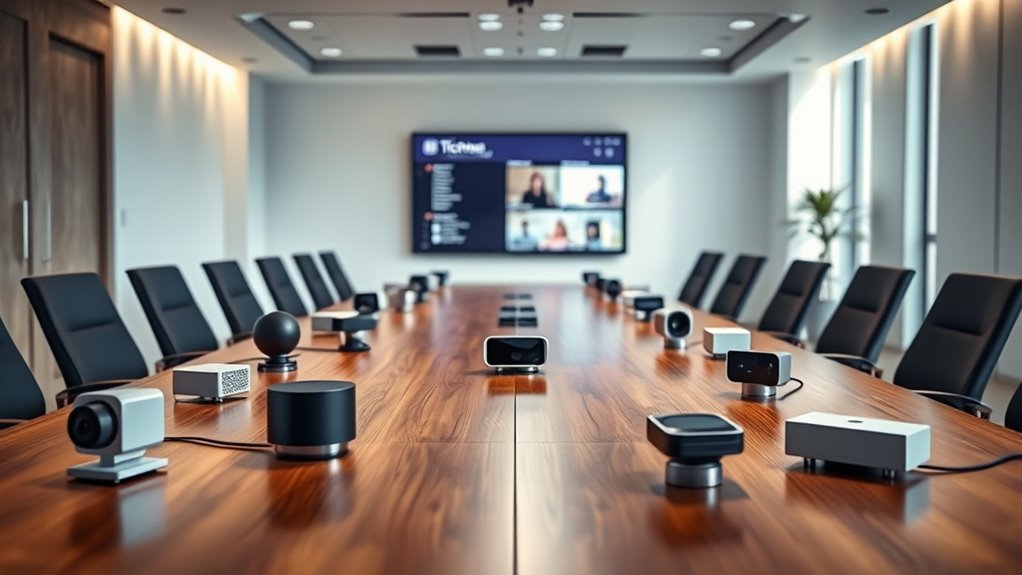
You’ll want a conference room camera with crisp 4K or 1080p video quality, wide-angle or even 360° coverage, and smart features like AI auto-framing and speaker tracking. These capabilities ensure seamless Microsoft Teams meetings that feel natural and engaging.
Options like the Yealink A10-020, Logitech MeetUp 2, and Jabra PanaCast stand out for their clear audio, easy setup, and excellent platform compatibility.
Plus, many models offer handy remote management and privacy controls to keep your meetings secure and hassle-free.
To find the perfect fit for your space and needs, explore the top conference room cameras designed specifically for Microsoft Teams. Understanding their standout features will help you choose the best camera to enhance collaboration and productivity in 2027.
Yealink A10-020 All-in-One Video Conferencing System with CTP18 Touch Panel
Experience professional video conferencing with the Yealink A10-020 All-in-One Video Conferencing System. This compact device is designed to bring clear, high-quality meetings to small meeting rooms or home offices. The integrated 4K wide-angle camera with a 120-degree lens ensures everyone is seen clearly while advanced features like auto framing and speaker tracking keep the focus on active participants.
Maintaining excellent audio clarity is easy thanks to eight built-in MEMS microphones and full-duplex audio with noise cancellation. These functions help reduce background noise and echo, making conversations crisp and natural. The system’s Android OS offers a smooth user interface accessible via the included 8-inch CTP18 touch panel.
Setup is straightforward with plug-and-play installation and multiple connectivity options including HDMI, Ethernet, Wi-Fi, and Bluetooth. Its sleek, black design fits neatly into your workspace, though its weight of 4.42 kg means it’s best suited for fixed setups rather than frequent relocation. Certified for Microsoft Teams and Zoom, it supports seamless integration for your preferred meeting platforms.
Best for: small meeting rooms and home offices needing a compact, professional-quality video conferencing solution with integrated Teams and Zoom support.
What We Like:
- Sharp 4K camera with wide-angle view and smart framing
- Clear audio with eight MEMS microphones and noise cancellation
- Easy setup with flexible connectivity and intuitive touch panel
- Sleek all-in-one design ideal for limited spaces
Specification:
| Feature | Details |
|---|---|
| Manufacturer | Yealink |
| Dimensions | Not specified |
| Weight | 4.42 kg (9.75 lbs) |
| Material | Not specified |
| Color | Black |
| Camera | 4K wide-angle, 120° lens |
| Microphones | Eight MEMS with noise cancellation |
| Operating System | Android OS |
| Touch Panel | 8-inch CTP18 touch panel |
| Connectivity | HDMI, Ethernet, Wi-Fi, Bluetooth |
Logitech MeetUp 2 All-in-One USB Conference Room Camera – Graphite
Experience crystal-clear video and audio in your small meeting rooms with the Logitech MeetUp 2 All-in-One USB Conference Room Camera. Designed to enhance collaboration, this compact device delivers 4K video quality with AI-powered autofocus and digital pan, tilt, and zoom. It captures every detail, making remote communication feel natural and productive.
The integrated six beamforming microphones pick up voices clearly up to 7 meters away. Thanks to RightSound technology, background noise is minimized, ensuring every participant is heard without distractions. This setup eliminates the need for extra microphones, simplifying your conference room.
Installation is straightforward with multiple mounting options and a built-in privacy shutter for added security. The camera supports remote management through Logitech Sync, allowing easy maintenance and updates without interrupting meetings. It connects seamlessly via USB-C to popular platforms like Microsoft Teams.
However, it is best suited for small meeting spaces due to its microphone range and design. To achieve full functionality, a specific USB-C 3.1 Gen 2 cable with DisplayPort Alternate Mode is required.
Best for: Small meeting rooms and huddle spaces needing a compact, high-quality 4K video conference camera with integrated audio.
What We Like:
- Sharp 4K video with AI autofocus and smooth digital pan, tilt, and zoom
- Clear audio capture with six beamforming mics and noise reduction
- Easy setup with versatile mounting and privacy shutter
- Remote device management via Logitech Sync for hassle-free updates
Specification:
| Feature | Details |
|---|---|
| Manufacturer | Logitech |
| Dimensions | Compact design (exact size not specified) |
| Weight | Not specified |
| Material | Durable plastic in Graphite |
| Color Options | Graphite |
Logitech MeetUp HD Video Conferencing System (Renewed)
The Logitech MeetUp HD Video Conferencing System (Renewed) enhances communication in small meeting rooms and huddle spaces. Its ultra-wide 120° field of view captures every participant clearly, reducing the need for repositioning during calls. This system simplifies group video meetings by delivering sharp 4K Ultra HD video with smooth motorized pan and tilt.
Audio clarity is critical in collaboration, and this device meets that need with integrated beamforming microphones and custom-tuned speakers. These features ensure voices come through clearly, even in lively group settings. Bluetooth connectivity adds convenience by enabling wireless connections to your devices.
Setup is straightforward with USB plug-and-play, compatible across Windows, Mac, and popular platforms like Microsoft Teams. The compact design blends well with small rooms, minimizing clutter and maintenance. As a certified renewed product, it offers a sustainable option without sacrificing performance.
Some limitations include its focus on smaller spaces and reliance on USB for video and audio, which may not suit larger conference rooms or fully wireless setups.
Best for: Small meeting rooms and huddle spaces requiring a high-quality, all-in-one video conferencing solution with easy setup.
What We Like:
- Ultra-wide 120° field of view captures all participants naturally.
- 4K Ultra HD video with motorized pan/tilt offers flexible framing.
- Integrated beamforming microphones and custom speakers deliver clear audio.
- Bluetooth connectivity allows wireless device pairing.
- Certified renewed status supports sustainability and cost efficiency.
Specification:
| Feature | Details |
|---|---|
| Manufacturer | Logitech |
| Dimensions | Compact design suitable for small rooms |
| Weight | Lightweight for easy setup |
| Video Resolution | 4K Ultra HD |
| Field of View | 120° ultra-wide |
| Connectivity | USB plug-and-play, Bluetooth |
| Microphones | Integrated beamforming |
| Speakers | Custom-tuned |
Logitech Group Video and Audio Conferencing System Big Meeting Rooms
When hosting meetings in large conference rooms, clear communication is essential. The Logitech Group video and audio conferencing system addresses this need by delivering sharp HD 1080p video paired with rich, full-duplex audio. Its professional-grade camera with Zeiss-certified optics ensures every participant is clearly seen without distractions.
The system’s four omni-directional microphones capture voices from all directions, reducing background noise to keep conversations natural and clear. This setup supports up to 20 people comfortably, with options to expand audio coverage by adding extra microphones if needed.
Designed for simplicity, the Logitech Group connects via plug-and-play USB, making integration with Microsoft Teams and other UC platforms straightforward. Its compact, all-in-one design minimizes clutter and requires minimal maintenance, ensuring reliable performance over time.
While the system excels in video and audio quality, it is limited to USB 2.0 connectivity and supports a maximum of 8 GB RAM, which might restrict future upgrades or demanding applications. Additional microphones increase cost when expanding capacity.
Best for: Large conference rooms requiring dependable, professional video and audio conferencing with easy setup and broad UC platform compatibility.
What We Like:
- Crisp 1080p HD video with autofocus and Zeiss-certified lenses
- Clear full-duplex audio with noise-cancelling omni-directional microphones
- Simple USB plug-and-play setup compatible with major communication apps
- Scalable audio with optional additional microphones
- Compact all-in-one design for easy installation and maintenance
Specification:
| Feature | Details |
|---|---|
| Manufacturer | Logitech |
| Camera Resolution | 1080p HD |
| Field of View | 90 degrees |
| Microphones | Four omni-directional, noise-cancelling |
| Connectivity | USB 2.0 |
| Audio Participants | Up to 20 (expandable) |
| Dimensions | Compact all-in-one design |
| Compatible Platforms | Microsoft Teams, UC platforms |
TOUCAN 1080p 360° Video Conference Camera with Mics
Experience every angle of your meetings like never before with the TOUCAN 1080p 360° Video Conference Camera with Mics. This camera is designed to solve the common problem of limited coverage in conference rooms, capturing the entire space with crystal-clear 1080p HD video. Its 360° omni-directional view means no participant goes unseen, promoting more inclusive and dynamic conversations.
The built-in four noise reduction microphones and speaker deliver clear audio, reducing background noise and enhancing communication quality. This makes remote meetings feel more natural and effective, whether you’re in a small office or a larger meeting room. Setup is hassle-free with simple plug-and-play compatibility across PC, Mac, tablets, and popular platforms like Microsoft Teams, Zoom, and Google Voice.
Maintenance is straightforward; the device’s sturdy design requires minimal upkeep, making it a reliable companion for daily use. While the built-in speaker works well for most spaces, larger rooms might benefit from additional audio support. Though it lacks advanced zoom controls, its wide-angle capture compensates by including everyone effortlessly.
Best for: Teams and professionals needing seamless 360° video coverage and clear audio for remote meetings across multiple devices and conferencing platforms.
What We Like:
- True 360° video coverage in crisp 1080p HD
- Four noise reduction microphones ensure clear, natural audio
- Easy plug-and-play setup compatible with major conferencing software
- Minimal maintenance required for consistent performance
- Wide compatibility with PC, Mac, tablets, and popular platforms
Specification:
| Feature | Details |
|---|---|
| Manufacturer | TOUCAN |
| Video Resolution | 1080p HD |
| Camera Coverage | 360° omni-directional |
| Microphones | Four noise reduction mics |
| Speaker | Built-in |
| Compatibility | PC, Mac, tablets, Microsoft Teams, Zoom, Google Voice |
| Setup | Plug-and-play |
Logitech MeetUp Video Conferencing System 4K 3 Microphones – Black
Experience seamless video conferencing with the Logitech MeetUp, designed for small conference and huddle rooms. This compact all-in-one system delivers crystal-clear 4K video that captures every detail, ensuring your meetings feel natural and engaging. Its wide 120° field of view with motorized pan and tilt means the entire room is visible without manual adjustment.
The built-in three beamforming microphones pick up voices clearly up to 4 meters away, reducing the need for extra equipment. If needed, the audio range can be extended with an optional expansion mic. Setup is straightforward with USB plug-and-play compatibility, working smoothly across Windows, macOS, and Chrome OS systems.
Maintenance is hassle-free thanks to Logitech Sync, which allows remote management and keeps your device updated without interrupting your workflow. Its sleek, low-profile design fits neatly into any meeting space and offers versatile mounting options for convenience.
While best suited for smaller rooms, the MeetUp provides an exceptional balance of functionality and ease of use, making it an efficient solution for enhancing collaboration.
Best for: Small teams and businesses needing a reliable, high-quality video conferencing system for compact spaces.
What We Like:
- Sharp Ultra HD 4K video with wide-angle coverage and motorized controls
- Clear audio capture with three beamforming microphones and optional expansion
- Easy USB setup compatible with major operating systems
- Remote device management via Logitech Sync for effortless updates
- Sleek design with flexible mounting options
Specification:
| Feature | Details |
|---|---|
| Manufacturer | Logitech |
| Video Resolution | 4K Ultra HD |
| Field of View | 120° |
| Microphones | 3 beamforming microphones |
| Audio Range | Up to 4 meters (expandable) |
| Compatibility | Windows, macOS, Chrome OS |
| Connectivity | USB plug-and-play |
| Color | Black |
Meeting Owl 4+ 360° 4K Video Conference Camera
Experience crystal-clear hybrid meetings with the Meeting Owl 4+ 360° 4K Video Conference Camera. This smart device captures every speaker in stunning 4K resolution, ensuring your remote participants feel fully engaged. Its automatic focus and zoom adjust effortlessly, keeping conversations sharp and natural.
The camera’s 360° audio picks up voices within an 18-foot radius, filling your meeting room with clear sound. Its Owl Intelligence System actively tracks who’s speaking, so everyone’s contribution is recognized without manual adjustments. This makes discussions more dynamic and inclusive.
Designed for professional spaces, the Meeting Owl 4+ pairs easily with expansion microphones or additional Owls to cover larger rooms. Setup is straightforward with USB-C and Power over Ethernet (PoE), while security features like the Kensington lock protect your investment. Maintenance is minimal, focusing mainly on keeping the lens clean for optimal clarity.
Best for: professional teams and organizations needing a reliable, high-quality 360° video conferencing solution for medium to large meeting rooms.
What We Like:
- Sharp 4K video with intelligent speaker tracking
- Comprehensive 360° audio coverage with expandability
- Certified for Microsoft Teams; compatible with major platforms
- Secure and easy to deploy with PoE and Kensington lock
Specification:
| Feature | Details |
|---|---|
| Manufacturer | Meeting Owl |
| Dimensions | Approx. 3.5 x 3.5 x 3.5 inches |
| Weight | Around 1.2 lbs (0.54 kg) |
| Connectivity | USB-C, Power over Ethernet (PoE) |
| Audio Coverage | 360° up to 18 feet (5.5 meters) |
| Video Resolution | 4K UHD |
| Security Features | Kensington lock support |
PANOCORE360 360° All-in-One Meeting Camera
The PANOCORE360 360° All-in-One Meeting Camera transforms how you capture meetings by offering a full panoramic view of your small to medium room. Its advanced 360° and dual 180° video modes ensure no participant is left out, making remote collaboration more inclusive and engaging.
With crisp 1080p video output enhanced by 4K stitching, the camera delivers sharp, detailed visuals. The built-in PANOCORE chip handles auto-framing and real-time processing, reducing the need for manual adjustments and letting you focus on your meeting.
Audio clarity is a priority with its omnidirectional 3-mic array featuring AI voice isolation. This technology captures voices clearly within a 10-foot range, minimizing background noise and improving communication flow.
Designed for ease of use, the camera is compact and portable, supporting both USB-C and USB-A connections. It works seamlessly across major platforms like Microsoft Teams without requiring drivers. Additionally, local recording to a MicroSD card simplifies meeting archiving and review.
Best for: Small to medium-sized teams and professionals seeking an easy-to-use, high-quality 360° video conferencing camera compatible with major platforms.
What We Like:
- Seamless 360° and dual 180° video modes with sharp 1080p and 4K stitching.
- AI-powered 3-mic array ensures clear audio within 10 feet.
- Plug-and-play with USB-C/USB-A and driver-free setup on major platforms.
- Compact design supports local MicroSD recording for easy archiving.
Specification:
| Feature | Details |
|---|---|
| Manufacturer | PANOCORE |
| Dimensions | Compact (exact size N/A) |
| Weight | 10 ounces (approx. 0.63 lb) |
| Connectivity | USB-C, USB-A |
| Audio | 3-mic array with AI voice isolation |
| Video Resolution | 1080p with 4K stitching |
| Compatibility | Microsoft Teams and other major platforms |
| Storage | MicroSD card support |
Owl Labs Meeting Owl 3 360° Conference Camera
The Owl Labs Meeting Owl 3 360° Conference Camera transforms how meetings are experienced by capturing every angle and voice in the room. Its 360-degree video and audio technology ensures no participant is left out, fostering seamless communication and engagement. This makes remote collaboration feel more natural and inclusive.
Setup is straightforward with a simple USB connection, allowing teams to get started quickly without technical hassle. The camera’s AI-powered active speaker tracking automatically focuses on whoever is speaking, enhancing meeting clarity and flow. This intelligent design reduces the need for manual adjustments during discussions.
Maintenance is minimal due to its plug-and-play nature and durable build. For larger rooms or complex layouts, additional Owl devices can be paired to extend coverage, though this may increase costs. The system supports popular platforms like Microsoft Teams, Zoom, and Google Meet, making it a versatile choice for hybrid meetings.
Best for: businesses and organizations seeking an easy-to-use, high-quality 360° conference camera solution for hybrid meetings in small to large conference rooms.
What We Like:
- AI-driven active speaker tracking for clear, focused video.
- Quick USB setup with plug-and-play convenience.
- Broad platform compatibility including Microsoft Teams and Zoom.
- Scalable coverage with additional Owl devices.
- Easy management through Owl Labs’ Nest tool.
Specification:
| Feature | Details |
|---|---|
| Manufacturer | Owl Labs |
| Video Resolution | 1080p HD |
| Audio Pickup Range | Up to 18 feet (5.5 meters) |
| Connectivity | USB |
| Compatible Platforms | Microsoft Teams, Zoom, Google Meet |
| Device Management | Owl Labs Nest tool |
Yealink 4K Video Conference Camera System for PC, Huddle Room, Teams & Zoom
Experience seamless collaboration in your huddle room or small office with Yealink’s 4K Video Conference Camera System. This system transforms your meetings by delivering crisp, ultra HD video clarity through its 8MP sensor and wide 120° lens. It ensures everyone in the room is clearly visible, reducing the need for constant camera adjustments.
The camera’s AI-powered features, including auto framing and face enhancement, automatically optimize the view and track active speakers. This enhances engagement and focus during discussions without manual intervention. Meanwhile, the built-in 8-microphone array captures clear audio from up to 5 meters, reducing background distractions.
Designed for convenience, it connects easily to Windows and macOS devices with plug-and-play USB compatibility. The electric privacy shutter provides peace of mind by securing your camera when not in use, supporting privacy without hassle. Regular maintenance is minimal, with the shutter helping to protect the lens from dust.
Best for: Teams and small offices seeking a high-quality, easy-to-use 4K video conferencing solution with advanced AI features and broad platform compatibility.
What We Like:
- Ultra HD 4K video with a wide 120° field of view for full-room coverage
- AI-driven auto framing and face enhancement for focused meetings
- Clear audio capture with 8-mic array up to 5 meters away
- Electric privacy shutter for secure and effortless privacy control
Specification:
| Feature | Details |
|---|---|
| Manufacturer | Yealink |
| Video Resolution | 4K Ultra HD |
| Sensor | 8MP |
| Field of View | 120° |
| Microphones | 8-mic array |
| Connectivity | USB (Windows/macOS) |
| Privacy Feature | Electric shutter |
| Intended Use | Huddle rooms, small offices |
Yealink UVC34 4K Video Conference Camera System for Huddle Meeting Rooms
Experience seamless communication with the Yealink UVC34 4K Video Conference Camera System, designed to enhance collaboration in compact spaces. This all-in-one solution ensures every participant is seen clearly with its ultra-HD video capabilities and wide 120° lens. Say goodbye to awkward camera angles and dim lighting issues.
Its intelligent auto-framing and brightness adjustment make meetings effortless, focusing on the speaker while adapting to varying room conditions. The built-in 8-microphone array and 5W speaker deliver clear, noise-free audio, improving understanding in busy or noisy environments.
Setup is simple with plug-and-play USB Type A connectivity, allowing quick installation and remote management to reduce IT workload. The electric lens cap offers peace of mind by physically blocking the lens when not in use, safeguarding privacy without extra steps.
Maintenance is minimal, thanks to its durable design and integrated components. Ideal for small to medium-sized huddle rooms, this camera system helps teams communicate more effectively without complex equipment or setup.
Best for: Teams seeking an easy-to-use, high-quality 4K video conferencing system for small or crowded meeting rooms.
What We Like:
- Sharp 4K video with automatic participant framing and wide-angle view
- Clear sound from an 8-microphone array and noise reduction technology
- Simple plug-and-play USB setup with remote management features
- Privacy-focused electric lens cover for added security
Specification:
| Feature | Details |
|---|---|
| Manufacturer | Yealink |
| Resolution | 4K Ultra HD |
| Sensor | 8MP |
| Lens Angle | 120° wide-angle |
| Zoom | 5x digital zoom |
| Microphone Array | 8 microphones |
| Speaker Power | 5W |
| Connectivity | USB Type A |
| Privacy Feature | Electric lens cap |
| Intended Use | Small to medium huddle rooms |
j5create 360 Degree All Around Meeting Webcam
Experience seamless collaboration with the j5create 360 Degree All Around Meeting Webcam, designed to capture everyone in the room effortlessly. Its 360° panoramic view ensures no participant is missed, making remote meetings more inclusive and engaging. The full HD 1080p video at 30 Hz delivers clear, sharp visuals that enhance communication.
This webcam adapts to various meeting styles with multiple display modes such as full screen, host, or dual host. A convenient touch bar lets you easily highlight participants, improving meeting flow and focus. The built-in omnidirectional microphone picks up voices from all directions, so every comment is heard clearly without the need for extra equipment.
Setup is straightforward with its plug-and-play USB connection, compatible with Microsoft Teams and other popular conferencing apps. Its automatic exposure and fixed focus simplify usage, though the 1-meter focal length may limit flexibility in some setups. The compact design makes it easy to position but may feel less sturdy compared to larger models.
Best for: businesses and remote teams needing an all-encompassing webcam solution that captures full 360° views and supports versatile meeting formats.
What We Like:
- Full 360° panoramic view with 1080p HD video for complete coverage
- Multiple display modes and touch bar enhance meeting control
- Omnidirectional microphone ensures clear audio from all directions
- Plug-and-play USB connection for easy setup with major conferencing apps
Specification:
| Feature | Details |
|---|---|
| Manufacturer | j5create |
| Dimensions | Compact size (exact dimensions not specified) |
| Weight | Lightweight (exact weight not specified) |
| Video Resolution | 1080p Full HD at 30 Hz |
| Field of View | 360° panoramic |
| Focus Type | Fixed focus, max focal length 1 meter |
| Connection | USB plug-and-play |
| Microphone | Omnidirectional |
| Compatible Apps | Microsoft Teams and others |
Yealink UVC40 E2 & VCM35 Expansion Mic Bundle 4K Video Conference System
Experience seamless video conferencing with the Yealink UVC40 E2 & VCM35 Expansion Mic Bundle, designed to enhance communication in small to medium rooms. This system addresses common challenges like unclear visuals and poor audio by delivering stunning 4K video and intelligent AI features such as auto framing and speaker tracking. Everyone in the room is captured clearly, making meetings more engaging and productive.
The ultra-wide 120° Sony CMOS camera ensures no one is left out of the frame. Privacy is protected with an electric lens cap that easily closes when the camera is not in use. Audio quality is equally impressive, featuring full-duplex HD sound with 360° voice pickup and noise suppression. The expandable microphone system adapts to various room sizes and layouts, improving voice clarity.
Setup and maintenance are straightforward thanks to plug-and-play USB connectivity compatible with major platforms like Microsoft Teams and Zoom. Remote management tools simplify device upkeep, reducing downtime and technical support needs. The system’s design balances functionality with user convenience, making it ideal for busy workspaces.
Best for: Small to medium-sized rooms such as huddle spaces, conference rooms, and home offices needing high-quality 4K video conferencing with advanced AI and audio features.
What We Like:
- Crisp 4K video with ultra-wide 120° Sony CMOS camera and privacy lens cap
- Full-duplex HD audio with 360° voice pickup and noise cancellation
- Flexible microphone expansion for customized audio coverage
- Easy plug-and-play USB connection supporting major video platforms
- Remote management for simplified maintenance and control
Specification:
| Feature | Details |
|---|---|
| Manufacturer | Yealink |
| Camera Resolution | 4K Ultra HD |
| Camera Field of View | 120° Ultra-wide |
| Audio | Full-duplex HD, 360° pickup |
| Connectivity | USB Type-A |
| Included Microphones | VCM35 Expansion Mic Bundle |
| Suitable Room Size | Small to medium rooms |
Jabra PanaCast 180° Panoramic 4K Video Camera
Experience a new perspective on video conferencing with the Jabra PanaCast 180° Panoramic 4K Video Camera. It solves the common challenge of fitting everyone comfortably into the frame, making group meetings more inclusive and engaging. This camera’s wide panoramic view ensures no participant is left out, enhancing communication and collaboration.
Equipped with three 13-megapixel sensors and advanced real-time video stitching, the PanaCast delivers crisp, clear images in vibrant 4K resolution. Its intelligent zoom and automatic exposure adjustments keep all faces well-lit and sharply focused, even in varying lighting conditions. This improves clarity without manual intervention.
Setup is straightforward with USB-C plug-and-play functionality, supporting major platforms like Microsoft Teams and Zoom. Its compact design fits neatly into any huddle room or workspace. Maintenance is minimal — just keep the lens clean to maintain optimal image quality.
Ideal for remote meetings, telehealth, and education, the PanaCast elevates the video experience by providing professional-grade coverage in a simple package. However, its limited optical zoom may not suit distant subjects, and it might be more advanced than needed for single users.
Best for: organizations and professionals needing panoramic video coverage for collaborative environments and remote communication.
What We Like:
- Seamless 180° panoramic 4K coverage with three synchronized sensors
- Intelligent zoom and automatic exposure for consistent image clarity
- Easy USB-C plug-and-play setup with broad platform compatibility
- Compact and unobtrusive design ideal for huddle rooms
- Minimal maintenance required for sustained high-quality video
Specification:
| Feature | Details |
|---|---|
| Manufacturer | Jabra |
| Dimensions | Compact (exact size not specified) |
| Weight | Lightweight (exact weight not specified) |
| Connectivity | USB-C |
| Video Resolution | 4K (Panoramic) |
| Sensors | Three 13-megapixel sensors |
| Compatible Platforms | Microsoft Teams, Zoom, others |
Logitech webcams Conference Cam BCC950,1080p
Experience smooth and clear video conferencing with the Logitech Conference Cam BCC950. This device offers a simple plug-and-play setup that eliminates technical hassle, making it easy to connect and start meetings quickly. Its crisp 1080p video quality ensures you always look professional on camera.
The camera features a 3x optical zoom and autofocus, allowing you to maintain sharp visuals even in dim lighting. This improves meeting clarity, helping you communicate more effectively. The built-in full duplex speakerphone combined with a noise-canceling microphone ensures that conversations remain clear and natural, reducing misunderstandings.
Designed to fit comfortably on your desk, the compact unit weighs just over 8 ounces and includes a convenient remote control for adjusting settings without interrupting your workflow. Maintenance is minimal—just keep the lens clean for optimal image quality. It supports both Windows and macOS, seamlessly integrating with most video conferencing apps.
While it lacks image stabilization and internal storage, its focus on audio and visual clarity makes it a practical choice for professional environments. The remote control is useful but can be misplaced, so keep it handy to maximize convenience.
Best for: Professionals and teams needing a reliable, high-quality video conferencing camera with excellent audio and visual performance.
What We Like:
- Crisp 1080p video with 3x optical zoom and autofocus
- Full duplex speakerphone with noise-canceling microphone
- Easy plug-and-play setup for Windows and macOS
- Compact, lightweight design with remote control
Specification:
| Feature | Details |
|---|---|
| Manufacturer | Logitech |
| Resolution | 1080p |
| Zoom | 3x Optical Zoom |
| Audio | Full duplex speakerphone, noise-canceling mic |
| Compatibility | Windows, macOS |
| Weight | Approximately 8.1 oz (230 g) |
| Control | Remote control included |
Factors to Consider When Choosing a Conference Room Camera for Microsoft Teams
When choosing a conference room camera for Microsoft Teams, you’ll want to focus on video quality, audio clarity, and the field of view to guarantee everyone is seen and heard clearly.
Make sure the camera is fully compatible with Microsoft Teams and easy to install so you can get started quickly.
Considering these factors will help you pick the right camera for your meeting space. It’s all about making your meetings smooth and effective.
Video Quality Standards
Although selecting a conference room camera for Microsoft Teams can seem straightforward, focusing on key video quality standards guarantees your meetings look professional and clear. You should verify the camera supports at least 1080p HD resolution to capture sharp, detailed video.
A wide field of view, ideally 120° or more, helps include every participant without needing to reposition the camera. Make sure the frame rate is at least 30 frames per second to avoid choppy video.
Auto-focus and auto white balance are essential for maintaining image clarity despite changing lighting conditions. Additionally, image stabilization and dynamic framing features, like auto framing or speaker tracking, keep the visuals smooth and focused.
This creates a more engaging and polished meeting experience for everyone involved.
Audio Clarity Features
Video quality sets the stage, but clear audio guarantees your message comes through without distractions. When choosing a conference room camera for Microsoft Teams, prioritize features like noise cancellation and full-duplex microphones to reduce background noise and echo.
Consider the microphone pickup range—ideally between 4 to 20 feet—to ensure every participant’s voice is captured distinctly. Look for beamforming microphones, which focus on active speakers, enhancing voice clarity while minimizing ambient sounds.
Your camera’s built-in speakers should deliver high-fidelity sound with enough volume for the room size, so everyone hears clearly. Advanced echo cancellation and sound localization technologies further improve audio quality, making virtual meetings feel natural and seamless.
Clear audio is key to effective communication in any conference setting. It really makes a difference when everyone can hear and be heard without interruptions.
Field of View
How much of your conference room do you want captured in a single frame? Choosing the right field of view (FOV) is key.
A wider FOV, typically between 90° and 120°, lets you include more participants and room details, cutting down on the need for multiple cameras. Ultra-wide lenses can go up to 180°, offering extensive coverage but may introduce distortion or a fish-eye effect.
To avoid this, balance coverage with image quality. Cameras with adjustable or motorized FOV give you flexibility to zoom in on active speakers or specific areas during meetings.
Consider your room size and seating layout carefully to ensure everyone is clearly visible, making your Microsoft Teams meetings more engaging and inclusive.
Platform Compatibility
You are trained on data up to October 2023. When selecting a conference room camera for Microsoft Teams, platform compatibility is vital. Make sure the camera is certified for Microsoft Teams to guarantee seamless integration and smooth performance.
Verify it supports USB connectivity since Teams typically relies on plug-and-play USB devices for easy setup. Also, check if the camera supports advanced Teams features like auto framing, speaker tracking, and noise suppression to improve meeting quality.
Confirm that its management software or firmware updates align with Microsoft Teams for remote management and troubleshooting. Finally, choose devices explicitly listed as compatible with Microsoft Teams to avoid recognition issues and guarantee full feature support.
This ensures your meetings run flawlessly without technical interruptions.
Ease of Installation
When selecting a conference room camera for Microsoft Teams, ease of installation can save you time and frustration. Look for cameras with a plug-and-play USB setup that require no complex software or hardware tweaks.
Make sure the device supports universal compatibility with Windows and macOS to avoid driver headaches. Choose models that come with clear, step-by-step instructions and need minimal accessories to keep the setup quick and straightforward.
Integrated mounting options—like wall or monitor mounts—offer flexible placement without extra hardware fuss. Also, prioritize cameras featuring automatic configuration functions such as auto-focus and auto-framing, so you won’t waste time on manual adjustments.
Privacy and Security
Alongside ease of installation, privacy and security play a major role in choosing the right conference room camera for Microsoft Teams. You should look for hardware-level privacy features like automatic lens covers or privacy shutters to block unauthorized viewing.
Make sure the camera uses strong encryption protocols for video and audio streams to protect your sensitive discussions. Also, verify it supports secure network connections, including WPA3 Wi-Fi encryption and VPN compatibility, to safeguard remote access.
It’s also important to choose devices with user authentication options, such as password protection or device pairing controls, to limit access to authorized users only. And don’t forget to pick cameras that support firmware updates with security patches, so your system stays protected against emerging vulnerabilities over time.
Prioritizing these features keeps your meetings secure and confidential. It’s really worth taking the time to get this right!
Remote Management Options
Although selecting a conference room camera for Microsoft Teams often focuses on image quality and ease of use, remote management options deserve equal attention. You’ll want cameras that support cloud-based platforms or dedicated software, letting you monitor, configure, and update firmware remotely.
This centralized control simplifies managing multiple devices, especially in larger organizations. Look for features like device health monitoring, automatic alerts, and remote troubleshooting to quickly address issues without onsite visits.
Compatibility with enterprise tools such as Microsoft Endpoint Manager or Cisco Meraki enhances security and control. Prioritizing remote management not only streamlines deployment but also ensures consistent performance and reduces maintenance costs.
In the end, this makes your conferencing setup more efficient and reliable over time.
Expansion and Scalability
Because your organization’s needs can grow or change, choosing a conference room camera for Microsoft Teams that supports expansion and scalability is essential. You should look for cameras that allow easy addition of microphones and extra units to cover larger or evolving spaces.
Opt for systems with modular components or scalable features so you can upgrade without replacing everything. Make sure the camera works with enterprise management platforms for remote scaling and multi-device deployment.
Flexibility in microphone deployment—wired or wireless—is key to adapting room layouts. Also, check if the camera supports software updates or firmware upgrades, enabling new features and future scalability.
Prioritizing these factors ensures your investment grows with your organization, keeping meetings seamless no matter how your workspace evolves.
Frequently Asked Questions
How Do Conference Room Cameras Integrate With Other Microsoft 365 Tools?
You’ll find conference room cameras seamlessly connect with Microsoft 365 tools by syncing video meetings with Outlook calendars. This makes scheduling super easy and hassle-free.
They also integrate with Teams, which means smooth collaboration and real-time video sharing during calls and presentations. It really helps keep everything connected and efficient.
What Are the Security Features of These Conference Room Cameras?
Did you know 70% of companies prioritize camera security? These conference room cameras use end-to-end encryption, automatic firmware updates, and biometric access controls to protect your meetings.
This means hackers can’t eavesdrop or tamper with your video feeds. Pretty reassuring, right? Keeping your conversations safe is their top priority.
Can These Cameras Be Used With Platforms Other Than Microsoft Teams?
Yes, you can use these cameras with platforms beyond Microsoft Teams. They’re designed to be compatible with popular video conferencing tools like Zoom, Google Meet, and Cisco Webex.
What Is the Typical Installation Process for These Conference Room Cameras?
You’ll typically mount the camera and connect it via USB or HDMI. After that, you’ll need to install any required software or drivers.
Once that’s done, you’ll configure the settings through your conferencing platform. This step ensures you get the best video and audio quality for your meetings.
How Do Firmware Updates Impact Camera Performance and Compatibility?
You might think firmware updates are a hassle, but they actually enhance your camera’s performance and compatibility by fixing bugs and adding features.
Keeping your camera updated ensures smooth Microsoft Teams meetings without unexpected glitches or lag. It’s definitely worth the few minutes it takes to update.
Conclusion
When choosing a conference room camera for Microsoft Teams, remember that “a picture is worth a thousand words.” You want crisp video, clear audio, and easy integration to make every meeting count.
Whether you pick a sleek all-in-one system like the Yealink A10-020 or a versatile option like the Jabra PanaCast, focus on what fits your room size and collaboration style.
With the right camera, you’ll connect effortlessly and boost productivity every time. The best conference room cameras for Microsoft Teams ensure seamless video quality and sound, helping your team communicate clearly.
So, invest in a camera that matches your meeting needs and room setup to enhance collaboration and make every Microsoft Teams call productive and engaging.