15 Best Computer Cameras for Meetings in 2027 (Crystal Clear)
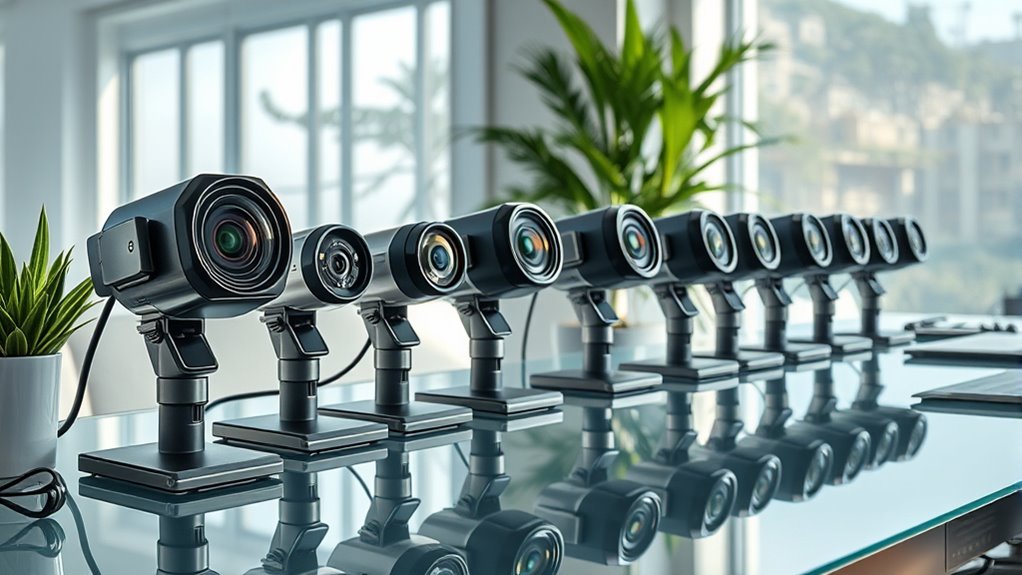
You need a webcam that delivers sharp video and crisp audio for your meetings. Whether you’re joining a quick team huddle or a formal client presentation, having clear visuals and sound is essential for effective communication.
Look for cameras like the Logitech Brio 101 or EMEET C960 offering Full HD 1080p with noise-canceling mics and wide-angle lenses.
If you want top-tier clarity, options like Acer’s or AOC’s 4K webcams provide HDR and AI features. These advanced webcams bring your virtual presence to life with vibrant colors and smart background adjustments.
Easy setup, privacy shutters, and broad compatibility make a big difference.
Exploring these options will help you find the perfect fit for flawless virtual calls. With the right computer camera, your meetings will look and sound professional every time.
Logitech Brio 101 Full HD 1080p Webcam for Streaming and Meetings – Black
Experience clear and professional video quality with the Logitech Brio 101 Full HD 1080p Webcam, designed to enhance your virtual meetings and streaming sessions. Its sharp 1080p resolution captures detailed visuals, ensuring you appear crisp and well-lit even in challenging lighting conditions.
The webcam’s auto-light correction adjusts your image automatically, solving common issues like dark or washed-out video. Its 60-degree viewing angle keeps you perfectly framed without the need for constant repositioning, making your setup simple and effective.
Connecting the Brio 101 is straightforward with USB-A plug-and-play compatibility. This ease of use supports popular platforms such as Zoom and Microsoft Teams, allowing you to focus on your content rather than technical difficulties.
Built-in audio features include a microphone that delivers clear sound, while the privacy shutter provides peace of mind by physically blocking the camera when not in use. Its eco-conscious design incorporates recycled materials, blending sustainability with functionality.
Best for: Professionals and content creators who require a dependable, high-quality webcam for meetings and streaming.
What We Like:
- Sharp Full HD 1080p video with auto-light correction for consistent clarity.
- Easy USB-A plug-and-play setup compatible with major video platforms.
- Integrated microphone and privacy shutter for clear audio and security.
- Eco-friendly design using recycled materials.
Specification:
| Feature | Details |
|---|---|
| Manufacturer | Logitech |
| Resolution | Full HD 1080p |
| Viewing Angle | 60 degrees |
| Connectivity | USB-A |
| Color | Black |
| Microphone | Built-in mono |
| Design | Includes privacy shutter |
EMEET C960 1080P Webcam with Microphone, 2 Mics, 90° FOV, Computer Camera
Experience clear, professional video with the EMEET C960 1080P Webcam, designed to enhance your virtual meetings and streaming sessions. Its wide 90° field of view easily includes multiple participants, eliminating the need for repositioning or multiple cameras.
This webcam delivers sharp images with its 1080p resolution and fixed focus, maintaining clarity from 50 cm up to 3 meters. The 5-layer anti-glare lens and auto light correction adapt to well-lit environments, ensuring your video remains crisp and vibrant without manual adjustments.
Audio clarity is supported by dual omnidirectional microphones that capture voices naturally. To ensure smooth communication, the webcam requires you to select it as the default mic in your settings. Its plug-and-play USB design works seamlessly with Windows, macOS, and Android TV, making setup quick and hassle-free.
Compact and lightweight, the C960 fits comfortably on any desk or laptop. Regular maintenance involves gentle lens cleaning to preserve image quality. While the webcam excels in bright conditions, low-light settings may reduce image sharpness, so proper lighting is recommended.
Best for: Professionals, streamers, and remote workers who need reliable 1080p video and clear audio for meetings and recordings.
What We Like:
- Crisp 1080p video with a 90° wide-angle lens for group coverage
- Dual omnidirectional microphones deliver clear voice capture
- Easy plug-and-play USB connectivity across multiple platforms
- Lightweight, compact design fits various setups comfortably
- Auto light correction and anti-glare lens improve image clarity
Specification:
| Feature | Details |
|---|---|
| Manufacturer | EMEET |
| Resolution | 1080p (Full HD) |
| Field of View (FOV) | 90° |
| Microphones | Dual omnidirectional |
| Focus Type | Fixed |
| Lens | 5-layer anti-glare |
| Connectivity | USB plug-and-play |
| Compatible Systems | Windows, macOS, Android TV |
| Dimensions | Compact (exact size not specified) |
| Weight | Lightweight (exact weight not specified) |
Logitech C920x HD Pro PC Webcam Full 1080p/30fps Video – Black
Experience crisp, vibrant video with the Logitech C920x HD Pro webcam, designed to elevate your virtual meetings and content creation. This webcam provides full 1080p resolution at 30fps, delivering sharp images that adapt to lighting changes thanks to its autofocus and auto lighting features.
Its dual stereo microphones ensure clear, natural sound, improving communication without extra setup. The webcam’s compact design fits easily into any workspace, making it simple to maintain and move between locations.
Included software enhances your experience by allowing easy video capture and background customization without needing a green screen. It works seamlessly with Windows 11 and supports Nintendo Switch 2’s GameChat mode, adding versatility for both professional and casual use.
While it lacks a physical privacy shutter, software-based privacy controls help protect your privacy. The frame rate is capped at 30fps, suitable for most uses but may not meet needs for higher frame rates.
Best for: Professionals and creators who need dependable, high-quality video and audio for meetings, streaming, and recording with easy customization options.
What We Like:
- Sharp 1080p video at 30fps with autofocus and lighting adjustment
- Clear, natural sound from stereo dual microphones
- User-friendly capture software and background customization
- Compact design compatible with Windows 11 and Nintendo Switch 2
Specification:
| Feature | Details |
|---|---|
| Manufacturer | Logitech |
| Resolution | Full HD 1080p |
| Frame Rate | 30fps |
| Microphones | Stereo dual microphones |
| Compatibility | Windows 11, Nintendo Switch 2 |
| Color | Black |
| Design | Compact and sleek |
NexiGo N60 1080P Webcam with Microphone and Privacy Cover
Experience secure and high-quality video calls with the NexiGo N60 1080P Webcam. Its built-in privacy cover offers peace of mind by protecting your camera when not in use, addressing common security concerns during remote meetings.
Designed for professionals and remote workers, this webcam delivers sharp Full HD 1080p video at 30fps with a wide 110-degree view. The fixed-focus 3.6mm glass lens is optimized for indoor environments, ensuring clear visuals without constant adjustments.
Audio clarity is enhanced with the noise-canceling microphone, which reduces background noise for crisp sound. Digital image stabilization and low-light correction further improve video quality, making your meetings look professional even in challenging lighting.
Maintenance is simple—just keep the lens clean and the privacy cover closed when inactive. The compact design and plug-and-play USB connectivity make setup effortless across various operating systems.
Best for: Professionals and remote workers seeking a secure, high-quality webcam with privacy features for video conferencing and streaming.
What We Like:
- Privacy cover enhances security during use
- Full HD 1080p resolution with wide-angle lens for clear visuals
- Noise-canceling microphone improves audio quality
- Digital image stabilization and low-light correction enhance video
- Easy plug-and-play setup with broad OS compatibility
Specification:
| Feature | Details |
|---|---|
| Manufacturer | NexiGo |
| Resolution | 1080p Full HD |
| Frame Rate | 30 fps |
| Lens | 3.6mm glass, fixed focus |
| Field of View | 110 degrees |
| Microphone | Built-in noise-canceling |
| Connectivity | USB plug-and-play |
| Dimensions | Compact size (exact dimensions not specified) |
Logitech C270 720p Webcam Plug-and-Play Wide Screen Video Calling – Black
Experience clear and reliable video communication with the Logitech C270, designed to make your calls smooth and hassle-free. This webcam delivers crisp 720p resolution, ensuring your image is sharp and detailed for everyday video meetings and chats.
Its plug-and-play design works effortlessly across platforms like Windows, MacOS, Chrome OS, Skype, Zoom, and FaceTime. The built-in noise-reducing microphone helps maintain clear sound, reducing background distractions to keep your voice front and center.
The adjustable clip securely attaches to laptops or monitors, providing a stable setup without fuss. Auto light correction adapts to your environment, improving picture quality even in low-light conditions. Maintenance is simple—just wipe the lens to keep your video crisp.
While the fixed focus and 55° field of view might limit close-up clarity and wider framing, the C270’s straightforward functionality suits those who need a dependable, easy-to-use webcam for everyday use.
Best for: individuals seeking an affordable, user-friendly webcam for clear 720p video calls across multiple operating systems and communication apps.
What We Like:
- Easy plug-and-play setup with broad platform compatibility
- Noise-reducing microphone enhances audio clarity
- Adjustable clip offers versatile mounting options
- Auto light correction improves video in varied lighting
Specification:
| Feature | Details |
|---|---|
| Manufacturer | Logitech |
| Resolution | 720p HD |
| Field of View | 55° |
| Microphone | Built-in noise reducing |
| Compatibility | Windows, MacOS, Chrome OS, Skype, Zoom, FaceTime, Nintendo Switch 2 |
| Color | Black |
| Mounting | Adjustable clip |
TRAUSI 1080P Webcam with Mic and Privacy Cover
Experience clear and vibrant video calls with the TRAUSI 1080P Webcam with Mic and Privacy Cover. This webcam solves common issues like poor lighting and background noise, ensuring you look and sound your best in every meeting. Its full HD 1080p resolution delivers sharp visuals, while automatic light correction adjusts to various settings effortlessly.
The built-in noise-canceling microphone filters out distracting sounds, providing crisp audio for professional conversations. A standout feature is the privacy cover, which offers peace of mind by physically blocking the lens when not in use, protecting your personal space.
Designed for simple setup, this webcam connects via USB with plug-and-play compatibility, making it ideal for both work and streaming. Its compact design fits comfortably on most monitors and is easy to maintain with occasional lens cleaning to keep the image sharp.
While the fixed focus lens and 30fps frame rate may limit flexibility for fast-action recording, the TRAUSI webcam remains a reliable choice for everyday video conferencing needs.
Best for: Professionals and content creators seeking a dependable webcam with clear audio and privacy protection for video calls and streaming.
What We Like:
- Sharp 1080p video with automatic light correction
- Noise-canceling microphone for clear voice capture
- Privacy cover ensures physical lens protection
- Easy USB plug-and-play setup
- Compact, eco-friendly design
Specification:
| Feature | Details |
|---|---|
| Manufacturer | TRAUSI |
| Resolution | 1080p (Full HD) |
| Frame Rate | 30 frames per second |
| Lens | Fixed focus, wide-angle |
| Microphone | Noise-canceling |
| Connectivity | USB |
| Cable Length | 5 ft (1.52 m) |
| Privacy Cover | Included |
| Dimensions | Compact size (not specified) |
| Weight | Lightweight (not specified) |
HD 1080P USB Webcam for PC & Laptop
Experience crystal-clear video calls and streaming with the HD 1080P USB Webcam for PC & Laptop. Designed to deliver smooth 30fps video, it enhances your virtual meetings, online classes, and live streams with vivid detail and vibrant colors. Say goodbye to blurry images and lag, even in dimly lit rooms.
This webcam connects effortlessly via USB 2.0 or 3.0, offering true plug-and-play convenience on both Windows and Mac systems. Its compact, lightweight design fits securely on most monitors and laptops, making setup quick and hassle-free. The adjustable clip ensures a stable fit wherever you need it.
Maintenance is simple—just unplug when not in use and wipe the lens occasionally to keep images sharp. The durable construction supports long-term use without compromising portability. While it lacks a water resistance rating and advanced photographic controls, it excels as a reliable, everyday video solution.
Best for: Professionals and students looking for a dependable, easy-to-use webcam that works seamlessly across popular platforms like Zoom and Teams.
What We Like:
- Smooth 1080P HD video at 30fps with excellent low-light clarity
- Plug-and-play compatibility with Windows, Mac, and common video apps
- Compact, lightweight design with an adjustable clip for versatile placement
- Durable build ensures consistent performance over time
Specification:
| Feature | Details |
|---|---|
| Manufacturer | Not specified |
| Video Resolution | 1080P HD |
| Frame Rate | 30fps |
| Connectivity | USB 2.0 / USB 3.0 |
| Compatibility | Windows, Mac, Zoom, Teams |
| Design | Compact, adjustable clip |
| Weight | Not specified |
1080P HD Webcam with Microphone and Privacy Cover
- 【1080P HD Clarity with Wide-Angle Lens】Experience exceptional clarity with the Shcngqio TWC29 1080p Full HD Webcam. Its wide-angle lens provides...
- 【Noise-Reducing Built-In Microphone】Our webcam is equipped with an advanced noise-canceling microphone that ensures your voice is transmitted...
- 【Automatic Light Correction Technology】This cutting-edge technology dynamically adjusts video brightness and color to suit any lighting condition,...
- 【Secure Privacy Cover Protection】The included privacy shield allows you to easily slide the cover over the lens when the webcam is not in use,...
- 【Seamless Plug-and-Play Setup】Designed for user convenience, the webcam is compatible with USB 2.0, 3.0, and 3.1 interfaces, plus OTG. It requires...
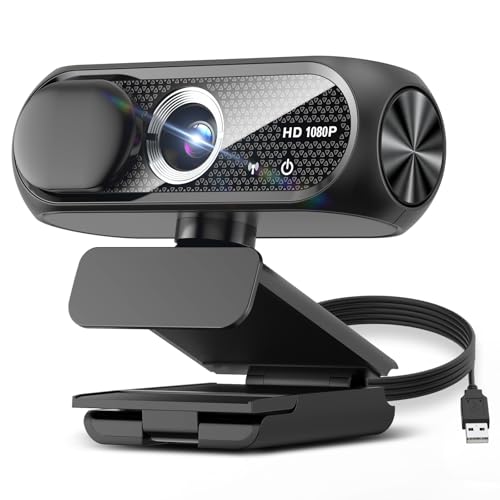
Experience crisp and clear video calls with this 1080P HD webcam featuring a built-in microphone and privacy cover. It automatically adjusts to lighting conditions, ensuring you look your best even in low-light environments. This webcam solves common video quality issues, making meetings and streaming more professional and engaging.
The wide-angle lens captures a broad scene, perfect for group calls or creative content. Its noise-reducing microphone filters background sounds, so your voice remains clear and understandable. The privacy cover adds an essential layer of security, protecting your lens when the webcam is not in use.
Designed for easy maintenance, the compact and water-resistant build withstands everyday use without hassle. Simply plug it into laptops, desktops, Macs, or smartphones for quick setup. This versatile webcam suits both professional and personal needs, enhancing your online communication experience.
Best for: Professionals, content creators, and remote workers who need reliable full HD video and clear audio for online meetings and streaming.
What We Like:
- Sharp 1080P video with automatic light correction
- Noise-reducing microphone for clear audio
- Privacy cover for enhanced security
- Wide-angle lens captures more area
- Compact, water-resistant design
Specification:
| Feature | Description |
|---|---|
| Manufacturer | Not specified |
| Resolution | 1080P Full HD |
| Frame Rate | 30 fps |
| Lens Type | Fixed focus |
| Microphone | Built-in, noise-reducing |
| Compatibility | Laptops, desktops, Macs, smartphones |
| Privacy Cover | Yes |
| Dimensions | Compact (exact size not specified) |
| Water Resistance | Yes |
1080P Webcam with Microphone & Privacy Cover
Experience clear and crisp video calls with the 1080P Webcam with Microphone & Privacy Cover, designed to enhance your online presence effortlessly. This webcam captures vibrant Full HD video at 30 frames per second, using enhanced HDR and automatic light correction to maintain sharpness even in low-light environments.
Clear communication is vital, and the built-in dual noise-canceling microphones help by filtering out background noise. This ensures your voice is heard clearly during meetings or streaming sessions without distractions. The integrated privacy shutter adds peace of mind by physically blocking the lens when the camera is not in use, protecting your privacy and preventing dust buildup.
Installation is straightforward with its plug-and-play design, making setup hassle-free. The adjustable clip fits securely on laptops, monitors, or desktops, providing flexibility for various workstation setups. While the fixed focus suits most users, it may limit those needing detailed close-up views.
This webcam balances quality, privacy, and ease of use, making it an ideal tool for professional virtual interactions.
Best for: Professionals, streamers, and remote workers seeking a reliable webcam with privacy features and clear audio.
What We Like:
- Sharp 1080P Full HD video with enhanced HDR and auto light correction
- Dual noise-canceling microphones for clear sound
- Privacy shutter for lens protection and security
- Easy plug-and-play setup with adjustable clip
- Compatible with a wide range of devices
Specification:
| Feature | Description |
|---|---|
| Manufacturer | Not specified |
| Resolution | 1080P Full HD (1920×1080) |
| Frame Rate | 30 fps |
| Microphone | Dual noise-canceling |
| Connection | USB 2.0 |
| Focus | Fixed |
| Privacy Cover | Integrated shutter |
| Mounting | Adjustable clip |
Acer 1080p USB Webcam with Noise Cancellation Mic
Experience clear, professional video and audio with the Acer 1080p USB Webcam with Noise Cancellation Mic. Designed to improve your remote communication, this webcam delivers crisp Full HD video that keeps you visible and sharp during meetings or streaming sessions. Its automatic low-light correction adjusts your image in dim environments, ensuring you look your best without extra lighting.
The wide 83° angle lens captures more of your surroundings while the fixed focus lens simplifies setup and maintenance. Dual noise-cancelling microphones filter background noise, enhancing voice clarity for smoother conversations. This webcam’s plug-and-play USB connectivity means you can start using it immediately, with no complicated installation required.
A built-in privacy cover offers peace of mind, protecting your lens when not in use. The device rotates 360°, giving you flexibility to adjust your view effortlessly. Though it lacks built-in speakers, its clear audio capture pairs well with external sound devices for comprehensive communication.
Best for: professionals and content creators seeking a simple, reliable webcam that enhances video calls and streaming with sharp visuals and clear sound.
What We Like:
- Sharp 1080p Full HD video with automatic lighting correction
- Dual microphones with effective noise cancellation
- Built-in privacy cover and 360° rotation for user control
- Easy USB plug-and-play setup for quick use
Specification:
| Feature | Description |
|---|---|
| Manufacturer | Acer |
| Resolution | 1080p Full HD |
| Lens Angle | 83° wide-angle |
| Focus Type | Fixed focus |
| Microphones | Dual noise-cancelling |
| Connectivity | USB |
| Rotation | 360° flexible rotation |
| Privacy Cover | Yes |
| Weight | Approx. 0.15 lb (70 g) |
EMEET C960 4K Webcam for PC, PDAF Auto Focus, Dual Omni Mics, 73° FOV
Experience crystal-clear video with the EMEET C960 4K Webcam, designed to elevate your remote meetings and online presentations. Its true 4K resolution captures sharp details, while PDAF autofocus ensures your image stays crisp even with movement. This means you can focus on your message without worrying about blurry visuals.
The webcam adapts to different lighting conditions through automatic light correction, delivering clear images in any environment. Dual omnidirectional microphones pick up natural, clear audio from all angles, making your voice sound professional and easy to understand during calls or lectures.
Setup is effortless with a USB-A plug-and-play connection, requiring no additional drivers. The adjustable mount and tripod thread allow you to position the camera perfectly. When not in use, a physical privacy cover protects your security by blocking the lens completely.
Maintenance is simple since the device has no internal storage; recordings are saved directly to your computer. The 73° field of view suits individual use but may be limiting for larger groups.
Best for: Professionals and remote workers who need high-quality 4K video and clear sound for video conferencing, online teaching, and streaming.
What We Like:
- True 4K resolution with fast PDAF autofocus for sharp, consistent visuals.
- Automatic light correction adapts to varying lighting conditions.
- Dual omnidirectional microphones capture clear, natural audio.
- Easy plug-and-play USB-A setup with flexible mounting options.
- Physical privacy cover ensures camera lens protection.
Specification:
| Feature | Details |
|---|---|
| Manufacturer | EMEET |
| Resolution | 4K UHD (3840 x 2160) at 30fps |
| Field of View (FOV) | 73° |
| Microphones | Dual omnidirectional |
| Autofocus | PDAF (Phase Detection Auto Focus) |
| Connectivity | USB-A (Plug-and-play) |
| Mounting Options | Clip mount, tripod thread |
| Privacy Cover | Physical lens cover included |
| Dimensions | Not specified |
| Weight | Not specified |
EMEET 1080P Webcam with Microphone, C960 Web Camera 2 Mics Streaming Webcam
Experience seamless video communication with the EMEET 1080P Webcam with Microphone, C960, designed to enhance your remote meetings and streaming sessions. This webcam delivers Full HD 1080p video with a wide 90° lens, letting you capture clear visuals for group calls without missing a detail.
Its dual omnidirectional microphones actively reduce background noise, so your voice comes through crisp and clear every time. The 5-layer anti-glare lens and low-light correction features work together to maintain sharp images, even in challenging lighting conditions. This helps you present yourself professionally without worrying about poor video quality.
The webcam’s foldable and portable design makes it easy to carry and set up anywhere. A privacy cover protects your camera when not in use, ensuring peace of mind. Plus, versatile mounting options include a universal clip and tripod compatibility for flexible placement.
Maintenance is simple with plug-and-play functionality, compatible with most major platforms. Just select the device manually for audio to get the best sound quality. While it doesn’t support Windows Hello facial recognition and has a fixed focus lens, it remains a dependable choice for clear video and audio communication.
Best for: Professionals and remote workers seeking a user-friendly webcam that delivers high-quality video and audio for streaming, meetings, and group calls.
What We Like:
- Crisp Full HD 1080p video with wide 90° viewing angle
- Dual noise-reducing microphones for clear voice capture
- Portable foldable design with privacy cover
- Flexible mounting options: clip and tripod compatible
Specification:
| Feature | Details |
|---|---|
| Manufacturer | EMEET |
| Video Resolution | 1080p Full HD |
| Lens Angle | 90° wide-angle |
| Microphones | Dual omnidirectional |
| Design | Foldable, portable |
| Mounting Options | Universal clip, tripod compatible |
| Compatibility | Major platforms (plug-and-play) |
| Focus Type | Fixed focus |
Acer A640 4K Webcam with AI Noise Canceling Mic for Streaming Meetings
Experience professional-quality video and crystal-clear audio with the Acer A640 4K Webcam. Designed to enhance your virtual meetings and streaming sessions, it captures stunning 4K video at 30fps and smooth 1080p at 60fps. The Sony CMOS sensor combined with PDAF autofocus and low-light correction ensures you always appear sharp and well-lit, even in challenging lighting conditions.
Communication is clearer thanks to the built-in AI noise-canceling microphone. This feature filters out distracting background sounds so your voice comes through crisp and focused. The webcam connects easily through USB-A with a USB-C adapter, making setup quick on Windows, Mac, and popular platforms like Teams and Zoom.
Its compact design includes a physical privacy shutter for lens protection, giving you peace of mind when not in use. Maintenance is simple, requiring only occasional cleaning of the lens and ensuring the mic permissions are properly set within your software. The focus range is optimized for close-up use between 10 and 26 centimeters.
Best for: Professionals and content creators seeking high-resolution video and clear audio with AI noise reduction for remote work, meetings, and streaming.
What We Like:
- Sharp 4K video capture with PDAF autofocus and low-light enhancement
- AI noise-canceling microphone improves voice clarity by reducing background noise
- Easy plug-and-play compatibility across major operating systems and platforms
- Physical privacy shutter to secure the lens when not in use
Specification:
| Feature | Details |
|---|---|
| Manufacturer | Acer |
| Sensor | Sony 1/2.8-inch CMOS |
| Video Resolution | 4K at 30fps, 1080p at 60fps |
| Focus Type | PDAF Autofocus |
| Focus Range | 10–26 cm |
| Microphone | AI noise-canceling mic |
| Connectivity | USB-A (with USB-C adapter) |
| Compatibility | Windows, Mac, Teams, Zoom |
| Physical Shutter | Yes |
AOC 4K Webcam for PC, Streaming Computer Camera with Noise-Canceling Mic
Experience crystal-clear video like never before with the AOC 4K Webcam for PC. This camera elevates your video calls and streams by delivering ultra-sharp 4K Ultra HD resolution, ensuring every detail is vivid and lifelike. Whether you’re hosting a meeting or gaming live, your image will stand out.
The webcam’s flexible design includes an 80° wide-angle lens, 360° swivel, and 180° tilt. This lets you adjust your framing effortlessly for the perfect shot every time. Setup is quick and hassle-free with plug-and-play support via USB-C or USB-A on popular platforms like Zoom and Teams.
Enjoy clear communication thanks to the built-in noise-canceling microphone, which filters out background noise. Automatic light correction adapts to your environment, keeping your face well-lit even in challenging lighting conditions. Privacy is protected with a physical lens cover that you can close when not in use.
Maintenance is straightforward—just keep the lens clean and the device connected. Lightweight and portable, this webcam fits seamlessly into professional setups or streaming stations.
Best for: Professionals and streamers needing high-quality 4K video and clear audio for meetings, streaming, and video conferencing.
What We Like:
- Sharp 4K Ultra HD video enhances visual clarity
- Adjustable lens with wide-angle, swivel, and tilt for perfect framing
- Noise-canceling mic improves audio quality in noisy environments
- Automatic light correction ensures clear visibility in various lighting
- Physical lens cover adds a layer of privacy protection
Specification:
| Feature | Details |
|---|---|
| Manufacturer | AOC |
| Resolution | 4K Ultra HD (3840 x 2160) |
| Lens Angle | 80° wide-angle |
| Rotation | 360° swivel, 180° tilt |
| Microphone | Built-in noise-canceling |
| Connectivity | USB-C and USB-A |
| Compatibility | Windows, Zoom, Teams |
| Privacy | Physical lens cover |
| Weight | Lightweight (approx. 0.2 lb) |
Logitech Brio Ultra 4K HD Webcam for Streaming and Meetings – Black
Experience crystal-clear video like never before with the Logitech Brio Ultra 4K HD Webcam. Designed to deliver exceptional 4K resolution at 30 fps, it ensures your meetings and streams are sharp and professional. Whether you’re presenting or collaborating, this webcam adapts effortlessly to different lighting environments with RightLight 3 technology, so you always look your best.
The webcam’s autofocus and 5x digital zoom let you capture fine details without losing clarity. You can also adjust the field of view to frame your shot perfectly. Dual noise-canceling microphones pick up clear sound up to 1.2 meters away, minimizing disruptive background noise for smooth communication.
Maintenance is straightforward—simply cover the privacy shutter when not in use to protect your privacy. The device works seamlessly with the Logi Options+ app, allowing you to customize settings to fit your workflow. Facial recognition via Windows Hello adds an extra layer of security for quick and safe access.
Best for: Professionals and content creators who need high-quality video and clear audio for streaming, video conferencing, and secure login.
What We Like:
- Crisp 4K video quality with reliable autofocus and zoom.
- Clear audio capture with dual noise-canceling microphones.
- Adjustable field of view for versatile framing options.
- Privacy shutter ensures camera is covered when not in use.
- Windows Hello facial recognition enhances security.
Specification:
| Feature | Details |
|---|---|
| Manufacturer | Logitech |
| Resolution | 4K UHD (3840 x 2160) @ 30 fps |
| Zoom | 5x digital zoom |
| Field of View | Adjustable (3 options) |
| Microphones | Dual noise-canceling |
| Connectivity | USB |
| Color | Black |
| Dimensions | Not specified |
| Weight | Not specified |
Factors to Consider When Choosing a Computer Camera for Meetings
When picking a computer camera for meetings, you’ll want to focus on resolution and video quality to guarantee you look sharp. Don’t forget to check the microphone’s clarity and how well the camera performs in low-light conditions.
Also, make sure it offers privacy features and works smoothly with your preferred meeting software. It’s all about making sure your setup is both clear and secure for every call.
Resolution and Video Quality
Although many factors influence your meeting experience, resolution and video quality play a crucial role in how professional and clear you appear on camera. Choosing a webcam with at least 1080p resolution ensures crisp, detailed images that make you stand out.
For even sharper visuals, 4K cameras are ideal. Pay attention to the sensor type; CMOS sensors deliver excellent sharpness and true-to-life colors.
Autofocus and auto white balance automatically adjust to different distances and lighting, keeping your image clear throughout the meeting. A wider field of view, around 90°, helps capture more participants or background without distortion.
And don’t forget about low-light correction technology. It boosts brightness in dim settings, so you stay visible and professional no matter the lighting conditions.
These features together enhance your meeting presence considerably.
Microphone and Audio Features
Since clear audio is just as important as sharp video, you’ll want a computer camera with a high-quality built-in microphone. Look for models featuring dual omnidirectional mics to capture sound from all directions, ensuring everyone in the room is heard clearly.
Noise-canceling technology is a must—it cuts background noise and keeps your voice crisp and professional. Pay attention to microphone sensitivity and pickup range; a good camera will capture your voice well up to 1.5 meters or more.
Also, make sure the microphone supports common audio formats like AAC, MP3, or PCM for smooth compatibility with Zoom, Teams, and Skype. Features like automatic gain control and echo reduction further enhance clarity by balancing volume and minimizing sound reflections during your meetings.
Lighting and Low-Light Performance
While having a quality microphone guarantees your voice comes through clearly, your video needs to look just as good to make the best impression. Choosing a camera with strong lighting and low-light performance is key.
Look for webcams offering auto-light correction that boosts brightness by up to 50%, ensuring you’re visible even in dim rooms. Features like automatic white balance and exposure control dynamically adjust settings, maintaining image clarity as lighting changes.
High-quality sensors and lenses enhance brightness and sharpness in low-light environments, while modes such as low-light boost or night mode further improve visibility. For best results, place your camera near natural or artificial light sources.
Combining proper placement with a camera designed for low-light correction ensures your video stays crisp and professional, no matter the lighting conditions.
Privacy and Security Options
How can you guarantee your privacy stays intact during video meetings? Start by choosing a webcam with a physical privacy cover or shutter to block the lens when not in use. This hardware-based switch is more reliable than software-only options.
Look for devices supporting secure login features like facial recognition or password protection. These add an extra security layer you can really count on.
Make sure your camera offers encryption for video and audio streams to prevent eavesdropping. And don’t forget to regularly check for firmware or software updates that patch vulnerabilities and enhance privacy features.
Compatibility With Software
Protecting your privacy is essential, but your camera also needs to work seamlessly with the software you use for meetings. Before buying, verify the webcam is compatible with platforms like Zoom, Teams, or Skype.
Check if it supports plug-and-play on your operating system without extra drivers, saving you hassle. Confirm that the camera’s resolution and frame rate match your software’s requirements to guarantee crisp, smooth video.
Look into whether it integrates with platform-specific features like Windows Hello or macOS security protocols for added convenience. Finally, verify that your webcam can utilize software-based controls—such as auto white balance, exposure, and zoom—through compatible applications.
This ensures you get the best video quality and control during your meetings.
Ease of Setup and Use
Because you want to start your meetings quickly and without frustration, choosing a webcam that’s easy to set up is essential. Look for one that offers plug-and-play connectivity so you won’t need to install extra drivers or software.
Make sure it’s compatible with your operating system—whether Windows, Mac, or Linux—to avoid any hiccups. Adjustable mounts, like flexible clips or tripods, help you secure the camera swiftly to your screen or desk.
A built-in privacy cover or shutter lets you instantly block the lens when not in use, simplifying privacy control. Also, clear setup instructions or automatic configuration features make getting started a breeze, even if you’re not tech-savvy.
Prioritizing these ease-of-use factors saves time and keeps your focus on the meeting itself. It’s all about making your video calls smooth and hassle-free from the get-go.
Design and Build Quality
Three key design and build qualities can make a big difference in your meeting experience: durability, stability, and portability. Look for webcams made from high-quality materials like aluminum or reinforced plastics to guarantee they withstand daily use.
A secure mounting mechanism, such as a stable clip or tripod thread, keeps your camera steady, preventing shaky video during important calls. Portability matters too—compact, lightweight designs let you move and set up your camera effortlessly.
An ergonomic design with adjustable angles helps you frame yourself perfectly while minimizing the risk of accidental falls. Bonus features like water resistance or dust-proofing add extra protection, especially if you use your camera in different environments.
Prioritize these factors to enjoy reliable, professional-looking video every time. Trust me, it makes a huge difference!
Connectivity and Port Options
When choosing a computer camera for meetings, you’ll want to focus on connectivity and port options that match your device’s setup. First, confirm the webcam supports the USB port type your device uses, whether USB-A or USB-C. Plug-and-play functionality is a must for hassle-free setup without extra drivers.
If your device has varied ports, check if the camera offers adapters or multi-port compatibility. Also, verify that the connection provides enough bandwidth to handle high-resolution video smoothly, avoiding lag or pixelation.
Lastly, consider how the camera physically connects to your device—secure attachment options help maintain ideal positioning throughout your meetings. This way, you prevent disruptions or awkward adjustments. Prioritizing these factors ensures seamless, crystal-clear video calls every time.
Frequently Asked Questions
How Do I Install Webcam Drivers on Different Operating Systems?
You just download the driver from the webcam’s website or use your OS’s update tool.
On Windows, run the installer. On Mac, it usually auto-installs.
Linux may require terminal commands or package managers. It’s a bit different, but not too hard once you get the hang of it.
Can These Webcams Work With Popular Video Conferencing Software?
Imagine your webcam as a universal translator; yes, it works seamlessly with Zoom, Teams, and Skype.
Just like a trusted friend, it adapts effortlessly, ensuring your meetings feel as natural as face-to-face chats.
What Are the Best Lighting Conditions for Optimal Webcam Performance?
You’ll want soft, natural light facing you, avoiding harsh backlighting or overhead lights.
Position yourself near a window or use a ring light to brighten your face evenly. This helps your webcam capture you clearly and vibrantly.
How Do Privacy Covers Affect Video Quality During Meetings?
Privacy covers block your webcam lens, so they completely stop video during meetings.
If you slide the cover over, your video quality drops to zero since no image reaches the camera sensor, ensuring total privacy.
Are External Webcams Compatible With Tablets and Smartphones?
Yes, many external webcams are compatible with tablets and smartphones if you use the right adapters or apps.
You’ll want to verify compatibility and connection types, like USB-C or Lightning, to guarantee seamless video quality during your meetings.
It’s pretty straightforward once you have the correct setup, so don’t worry too much about it!
Conclusion
Choosing the perfect computer camera for your meetings can feel like searching for a needle in a haystack—but with these top picks, you’re closer than ever to crystal-clear video and flawless audio.
Whether you need 4K quality, noise-canceling mics, or privacy covers, there’s a camera here that fits your style and budget.
Don’t settle for blurry calls; upgrade now and make every meeting look like a blockbuster production! With the best computer cameras for meetings, you can ensure professional video quality and clear communication every time.
Investing in a high-quality webcam means sharper images, better sound, and a more engaging virtual presence—perfect for remote work, virtual interviews, or online classes.
So why wait? Explore the options and find your ideal computer camera to elevate your meeting experience today!