15 Best Capture Cards for Camera in 2027 to Boost Your Streaming
You’ll want a capture card that supports 4K@60Hz input with low latency and broad device compatibility to boost your streaming. Look for USB 3.0 or USB-C interfaces, durable build, and easy plug-and-play setup with cameras, consoles, or smartphones.
Features like HDMI pass-through, microphone input, and support for OBS or Twitch really enhance your content creation. Some models also offer HDR and VRR for next-level visuals.
Keep exploring to discover top picks tailored for your streaming needs. With the right capture card, your live streams and recordings will look professional and smooth every time.
Elgato Cam Link 4K Capture Card USB 3.0
Transform your DSLR, mirrorless camera, or smartphone into a professional webcam effortlessly with the Elgato Cam Link 4K. This capture card eliminates lag, ensuring your video streams smoothly and without delay. It supports up to 4K60 and 1080p60 video capture via USB 3.0, providing crisp visuals and perfect audio synchronization.
Designed for ease of use, its compact and plug-and-play design requires minimal setup. The Cam Link 4K works seamlessly across Windows, macOS, and iPadOS, making it versatile for various streaming and video conferencing apps like OBS and Zoom. Real-time preview on iPad enhances control and confidence during live sessions.
Maintenance is straightforward due to its durable build and simple USB connection. However, keep in mind that the device requires a USB 3.x port, which may not be available on older systems. Additionally, 4K60 capture is limited to the MJPG format, which can influence compression quality.
The included 30 cm extension cable is convenient but may restrict some setups. Overall, this capture card is an excellent tool for content creators and remote professionals seeking a high-quality, low-latency video solution.
Best for: Content creators, streamers, and remote professionals needing a reliable way to convert cameras into professional webcams.
What We Like:
- Supports high-resolution capture up to 4K60 with ultra-low latency.
- Compatible with Windows, macOS, and iPadOS, supporting popular apps like OBS and Zoom.
- Compact, plug-and-play design with real-time preview on iPad.
- Delivers flawless audio-video sync for smooth streaming.
Specification:
| Feature | Details |
|---|---|
| Manufacturer | Elgato |
| Connection | USB 3.0 |
| Video Capture | Up to 4K60, 1080p60 |
| Compatibility | Windows, macOS, iPadOS |
| Cable Length | 30 cm |
| Weight | Approximately 30 g |
4K HDMI Video Game Capture Card USB 3.0
Experience seamless game streaming and recording with the 4K HDMI Video Game Capture Card USB 3.0. Designed to handle 4K HDMI input at 30/60Hz, it delivers crisp visuals for your gameplay or live broadcasts. This device ensures smooth 1080p streaming at 60FPS, providing a lag-free and immersive experience.
Its built-in HDMI loop-out feature allows you to play with zero delay, so you never miss a moment. The capture card supports multiple platforms, including Windows, Mac, and Linux, and works effortlessly with consoles, cameras, and PCs. Setup is simple thanks to plug-and-play USB 3.0 connectivity.
Compact and lightweight, it fits easily into any streaming setup without causing CPU strain or freezing issues. It also includes a 3.5mm microphone input, enabling live commentary during streams. While the output is capped at 2K30Hz and does not support ultra-high refresh rates like 120Hz or 144Hz, it delivers reliable performance for most streaming needs.
Best for: Gamers and live streamers who want high-quality 4K input capture with smooth 1080p 60FPS streaming and low-latency gameplay across various platforms.
What We Like:
- Supports 4K HDMI input at 30/60Hz with smooth 1080p 60FPS streaming
- HDMI loop-out enables delay-free gameplay
- Compatible with Windows, Mac, Linux, and multiple devices
- Plug-and-play USB 3.0 connectivity for easy setup
- Includes 3.5mm mic input for live commentary
Specification:
| Feature | Details |
|---|---|
| Manufacturer | Not specified |
| Input Resolution | 4K HDMI at 30/60Hz |
| Output Resolution | Up to 2K at 30Hz |
| Streaming Frame Rate | 1080p at 60FPS |
| Connectivity | USB 3.0 |
| Audio Input | 3.5mm microphone jack |
| Compatibility | Windows, Mac, Linux, consoles, cameras, PCs |
| Dimensions | Compact and lightweight |
Guermok Video Capture Card, 4K USB3.0 HDMI to USB C, 1080P 60FPS & 2K 30FPS
Experience smooth, high-quality streaming with the Guermok Video Capture Card. Designed to handle 1080P at 60FPS, it ensures your gameplay or live content looks sharp and fluid. This device solves common issues like lag and compatibility, making your recording and streaming hassle-free.
The capture card supports HDMI input up to 4K at 30Hz, converting it to crisp 1080P or 2K output. It works seamlessly with consoles, cameras, and PCs, providing broad device compatibility. The plug-and-play setup requires no drivers or external power, simplifying use across Windows, macOS, Linux, Android, and iOS.
Crafted from sturdy aluminum alloy, the compact design keeps the card lightweight and cool during extended sessions. Just connect via USB 3.0 for stable performance, though older USB ports may limit streaming quality. If signal interruptions occur, a quick reset or reconnection usually resolves the problem.
This capture card is an excellent solution for gamers and content creators who need reliable, high-quality video capture with minimal fuss.
Best for: Gamers, streamers, and content creators needing dependable 1080P 60FPS capture with wide device and OS support.
What We Like:
- Supports up to 4K@30Hz input and 1080P@60FPS output with ultra-low latency
- Plug-and-play with no drivers or external power required
- Compatible with Windows, macOS, Linux, Android, and iOS
- Compact, aluminum alloy build offers portability and effective heat dissipation
- Easy to reset if signal issues arise during use
Specification:
| Feature | Details |
|---|---|
| Manufacturer | Guermok |
| Dimensions | Compact size (exact size not specified) |
| Weight | Lightweight (exact weight not specified) |
| Material | Aluminum alloy |
| Color Options | Not specified |
Audio Express AXHDCAP 4K HDMI Video Capture Card
Capture stunning, lag-free video with the Audio Express AXHDCAP 4K HDMI Video Capture Card. Designed to convert 4K HDMI input into smooth 1080P output, it solves the common issue of buffering and delay during live streaming or recording. This makes it a reliable tool for streamers, educators, and professionals who need real-time video capture without compromise.
The device supports 4K at 60FPS input but outputs at 1080P 30FPS through USB 2.0. While this limits output resolution, it ensures stable, crisp video with minimal latency—perfect for consistent streaming sessions. Its plug-and-play design works across Windows, macOS, Linux, and gaming consoles, removing setup hassles.
Built with advanced thermal management, the capture card stays cool during long use, enhancing durability and performance. Maintenance is straightforward with no drivers needed, though users will require third-party software like OBS for recording or streaming. Keep in mind, it captures HDMI input only and cannot add HDMI output to devices lacking HDMI ports.
Overall, the Audio Express AXHDCAP balances functionality and reliability for users needing quality 1080P capture from 4K sources.
Best for: Streamers, educators, and professionals requiring dependable 1080P video capture from 4K HDMI sources with low latency and wide platform support.
What We Like:
- Supports 4K 60FPS HDMI input with smooth 1080P 30FPS USB 2.0 output
- Plug-and-play compatibility with Windows, macOS, Linux, and major consoles
- Advanced thermal dissipation for stable, long-duration use
- No drivers needed, simplifying setup across platforms
Specification:
| Feature | Details |
|---|---|
| Manufacturer | Audio Express |
| Input Resolution | 4K HDMI at 60FPS |
| Output Resolution | 1080P at 30FPS via USB 2.0 |
| Compatibility | Windows, macOS, Linux, Consoles |
| Connectivity | USB 2.0 |
| Dimensions | Not specified |
| Weight | Not specified |
UGREEN 2K@30Hz 1080P 60FPS Video Capture Card 4K Input HDMI to USB 3.0
Capture and stream your gameplay with ease using the UGREEN 2K@30Hz 1080P 60FPS Video Capture Card. This device handles 4K HDMI input and converts it into smooth 1080p video at 60 frames per second, ensuring your streams are clear and lag-free. It’s ideal for gamers and creators aiming for real-time broadcasting without delays.
The capture card connects via USB 3.0, offering ultra-low latency and stable video transfer. Its compact aluminum design keeps it lightweight and durable while effectively dissipating heat during long sessions. This means you can rely on it for extended streaming or recording without worrying about overheating.
Supporting a wide range of platforms including Windows, MacOS, Linux, and even iPadOS 17+, it integrates seamlessly with popular software like OBS and Twitch. To record gameplay, remember to disable HDCP on your console, which is a simple step to unlock full recording functionality.
Maintaining the device is straightforward thanks to its sturdy build and plug-and-play setup. It’s perfect for streamers who want a dependable solution for capturing high-quality video from consoles like PS5, Xbox Series X, and other HDMI sources.
Best for: Streamers and content creators needing a reliable capture card for 4K input and smooth 1080p@60FPS streaming from multiple devices.
What We Like:
- Supports 4K HDMI input with 1080p@60FPS output and ultra-low latency.
- Broad compatibility with Windows, MacOS, Linux, iPadOS 17+, and popular streaming apps.
- Durable, compact aluminum design with efficient heat dissipation.
- Easy plug-and-play use with USB 3.0 connection.
- Works well with consoles like PS5 and Xbox Series X.
Specification:
| Feature | Details |
|---|---|
| Manufacturer | UGREEN |
| Dimensions | Compact (exact size not provided) |
| Weight | Lightweight (exact weight not provided) |
| Material | Aluminum |
| Color Options | Not specified |
| Video Input | HDMI 4K |
| Video Output | 1080p @ 60FPS via USB 3.0 |
| Compatible Systems | Windows, MacOS, Linux, iPadOS 17+, Android |
Papeaso Video Capture Card, 4K Input HDMI to USB-C, 1080P 60FPS Capture
Capture your best moments in crisp, clear 1080p at 60fps with the Papeaso Video Capture Card. Designed to eliminate compatibility worries, this device delivers seamless video capture and streaming without the hassle of driver installations. Its plug-and-play nature lets you focus on what matters—creating great content.
Supporting a 4K HDMI input, it ensures your source device connects easily while delivering smooth, lag-free video. This flexibility suits gamers, streamers, and professionals capturing gameplay, live streams, or online meetings. The included USB-C adapter broadens its compatibility with various devices and platforms.
Maintenance is simple—no drivers mean fewer updates or software conflicts. The compact design keeps your setup tidy and portable, making it ideal for on-the-go recording or streaming. While it captures at 1080p 60fps, the USB 2.0 interface may limit bandwidth compared to newer standards.
Overall, the Papeaso Video Capture Card offers a practical solution for high-quality video capture with minimal setup and broad device support.
Best for: gamers, streamers, and professionals needing reliable 1080p 60fps video capture with easy plug-and-play operation.
What We Like:
- Supports 4K HDMI input for versatile source compatibility
- Plug-and-play across Windows, Mac, Linux, and Android without drivers
- Compact design with included USB-C adapter for expanded device use
- Smooth 1080p 60fps capture ideal for gaming and live streaming
Specification:
| Feature | Details |
|---|---|
| Manufacturer | Papeaso |
| Input Resolution | Up to 4K HDMI |
| Capture Resolution | 1080p at 60fps |
| Interface | USB-C (USB 2.0) |
| Compatibility | Windows, Mac, Linux, Android |
| Dimensions | Compact, portable design |
4K USB3.0 HDMI Video Capture Card for Streaming
Experience seamless streaming with the 4K USB3.0 HDMI Video Capture Card for Streaming. Designed to deliver crisp, low-latency video, it transforms high-resolution input into smooth 1080P@60Hz output, enhancing your broadcast quality without lag.
This capture card connects effortlessly via USB 3.0 or Type-C, requiring no additional power or drivers. Its durable aluminum alloy shell ensures stable heat dissipation, allowing for extended use without overheating. The compact design makes it ideal for mobile streaming setups.
Compatible with Windows, macOS, Linux, and Android, it integrates smoothly with popular software like OBS, Zoom, and Twitch Studio. Whether you’re capturing gameplay or live camera feeds, it expands your creative possibilities.
Note that while it accepts 4K input, recording is capped at 2K@30Hz, which may affect maximum resolution needs. Some tablets may require enabling OTG, and performance depends on the power delivery of your USB port.
Best for: Gamers, streamers, and content creators seeking reliable, high-quality video capture with easy plug-and-play across multiple platforms.
What We Like:
- Supports 4K HDMI input and outputs smooth 1080P@60Hz video with ultra-low latency
- Compact aluminum alloy design for heat dissipation without external power
- Broad compatibility with major operating systems and streaming software
- Plug-and-play setup simplifies use for mobile and desktop streaming
Specification:
| Feature | Details |
|---|---|
| Manufacturer | Not specified |
| Dimensions | Compact (exact size not specified) |
| Weight | Not specified |
| Material | Aluminum alloy |
| Color Options | Not specified |
Cam Link 4K USB HDMI Capture Card
The Cam Link 4K USB HDMI Capture Card transforms how you connect your HDMI devices to your computer. It effortlessly converts video signals, providing vivid 1080p60 and up to 2K50 resolution for streaming, teaching, or inspections. This means clearer visuals and smoother video, improving presentations and live broadcasts.
Designed for ease, it features a plug-and-play USB 3.0 interface that works without additional drivers. Whether you use OBS or Zoom on Windows or Mac, setup is simple and quick. This device supports a range of HDMI sources like DSLRs, microscopes, and action cams, making it versatile for many professional and hobbyist applications.
Maintenance is straightforward since it requires no special software or frequent updates. Its compact design ensures it fits easily into any workspace without clutter. However, its single-channel input limits capturing from multiple sources simultaneously, and while its name suggests 4K, it supports up to 2K50 resolution.
Overall, this capture card offers reliable, high-quality video input conversion that enhances your digital content creation and live streaming with minimal hassle.
Best for: Professionals and hobbyists needing a reliable HDMI to USB video capture solution for streaming, teaching, and detailed visual work.
What We Like:
- Supports clear 1080p60 and up to 2K50 video capture.
- Easy plug-and-play setup with USB 3.0, no drivers needed.
- Compatible with a wide range of HDMI devices and popular streaming software.
- Compact and low-maintenance design.
- Stable connection ensures smooth video streaming.
Specification:
| Feature | Details |
|---|---|
| Manufacturer | [Not Provided] |
| Dimensions | Compact (exact size not provided) |
| Weight | Lightweight (exact weight not provided) |
| Interface | USB 3.0 |
| Max Resolution | 2K50 |
| Compatibility | Windows, Mac, OBS, Zoom |
| Supported Devices | DSLRs, microscopes, action cams, HDMI sources |
acer Video Capture Card HDMI to USB 3.0, 1080P 60FPS/2K 30FPS for Streaming
Experience seamless streaming with the acer Video Capture Card HDMI to USB 3.0. Designed to deliver smooth, high-quality video, this device eliminates lag and complicated setups. Capture stunning footage at 1080P 60FPS or 2K 30FPS with ease, enhancing your live broadcasts and recordings.
Its plug-and-play design means you can start streaming immediately without installing drivers. The robust aluminum casing prevents overheating, ensuring reliable performance during long sessions. This makes maintenance simple and stress-free, so you can focus on content creation.
Compatible with PCs, consoles, and cameras, it integrates smoothly with popular platforms like OBS, Twitch, and YouTube. Its versatility extends across Windows, Mac, Linux, Android, and iPadOS, adapting to your preferred devices without hassle.
While it supports only one-way HDMI to USB transmission and caps input at 4K 30FPS, it meets the needs of most gamers and streamers. Just connect to a USB 3.0 port for optimal speed and quality.
Best for: Gamers and content creators seeking a reliable, easy-to-use capture card for crisp 1080P 60FPS or 2K 30FPS streaming on multiple platforms.
What We Like:
- High-resolution capture with minimal lag via USB 3.0
- Plug-and-play setup with broad OS compatibility
- Durable aluminum body for heat dissipation and stability
Specification:
| Feature | Details |
|---|---|
| Manufacturer | acer |
| Video Resolution | 1080P @ 60FPS, 2K @ 30FPS |
| Max Input | 4K @ 30FPS |
| Interface | HDMI to USB 3.0 |
| Compatibility | Windows, Mac, Linux, Android, iPadOS |
| Material | Aluminum casing |
| Dimensions | Compact and portable (exact size not specified) |
Guermok USB 3.0 HDMI Capture Card, 1080P 60FPS & 2K30 Video Capture Device
Experience smooth, high-quality video capture with the Guermok USB 3.0 HDMI Capture Card. Designed to handle crisp 1080P at 60FPS and support 2K30 video, this device simplifies streaming and recording without the hassle of driver installation. It effortlessly connects to your system via USB 3.0, ensuring stable and fast data transfer for seamless performance.
This capture card supports input resolutions up to 4K@60Hz while offering HDMI pass-through to maintain low latency during live gameplay or streaming. Its compact and lightweight design makes setup and portability easy, fitting perfectly into any gaming or production environment. You can rely on it to capture clear, lag-free video with flexible audio options, including mic and headphone jacks.
Maintenance is straightforward since the device requires no additional drivers and works across Windows, macOS, and popular software like OBS and Streamlabs. However, note that some TRRS headsets or USB microphones may not be compatible through the mic input. While it lacks advanced features like hardware encoding, it provides a reliable, plug-and-play solution for most creators.
Best for: Gamers and content creators seeking a dependable, driver-free capture card for smooth 1080P60 and 2K30 video capture with minimal latency and versatile audio support.
What We Like:
- Supports up to 4K@60Hz input with HDMI pass-through for responsive streaming.
- Plug-and-play use on Windows, macOS, and popular streaming platforms.
- Multiple audio ports for flexible microphone and headphone connections.
- Compact, lightweight design ideal for portable setups.
Specification:
| Feature | Details |
|---|---|
| Manufacturer | Guermok |
| Dimensions | Compact, lightweight |
| Connection | USB 3.0 |
| Max Input | 4K@60Hz |
| Capture Resolutions | 1080P@60FPS, 2K@30FPS |
| Compatibility | Windows, macOS, OBS, Streamlabs |
| Audio Inputs | Mic in, headphone jack |
Capture Card 4K HDMI Video Streaming to USB 3.0 1080P 60FPS Capture Device
Experience smooth, high-quality streaming with the Capture Card 4K HDMI Video Streaming to USB 3.0 1080P 60FPS Capture Device. This device solves common streaming delays by offering low latency, ensuring your broadcasts stay in real-time without lag. It supports 4K HDMI input, capturing crisp 1080P footage at 60 frames per second for sharp and vibrant video output.
Designed with convenience in mind, this capture card features a plug-and-play setup that requires no additional drivers. It works seamlessly with popular streaming software like OBS, Streamlabs, and XSplit, making it easy to start your live broadcasts or game captures quickly. The compact and portable design means you can stream from anywhere without hassle.
Maintenance is simple thanks to its durable build and minimal setup requirements. Just connect via USB 3.0, and it’s ready to go. Compatible with a wide range of devices including PS5, Xbox, and DSLR cameras, this capture card offers versatile use for gamers, streamers, and content creators alike.
While it supports 4K HDMI input, recording is limited to 1080P, which may restrict ultra-high-resolution captures. It also requires a modern USB 3.0 port, so older computers might not be compatible.
Best for: Gamers, live streamers, and content creators seeking a reliable and easy-to-use 4K HDMI capture device with low latency and broad software compatibility.
What We Like:
- Captures smooth 1080P 60FPS video from 4K HDMI sources
- Compatible with major streaming platforms without driver installation
- Compact, lightweight design ideal for mobile streaming setups
- Low latency ensures real-time, lag-free broadcasts
Specification:
| Feature | Details |
|---|---|
| Manufacturer | [Not Specified] |
| Dimensions | Compact size (not specified) |
| Weight | Lightweight (not specified) |
| Interface | USB 3.0 |
| Video Input | 4K HDMI |
| Max Recording | 1080P at 60FPS |
| Compatibility | Windows, Mac, PS5, Xbox, DSLR Cameras |
4K HDMI Capture Card for Streaming, USB 3.0/Type-C Game Video Capture Card
Experience seamless 4K video capture with the 4K HDMI Capture Card, designed to elevate your streaming and recording setup. This device handles crisp 4K@60Hz input effortlessly, ensuring you never miss a moment of your gameplay or content.
Its straightforward plug-and-play design means no complicated installations. Just connect via USB 3.0 or Type-C, and you’re ready to capture. The included HDMI and USB cables simplify setup, while real-time 4K HDMI loop-out lets you monitor without any lag.
Designed for versatility, it supports Windows, macOS, Linux, Android, and major consoles. You can add live commentary through the 3.5mm mic input and hear everything clearly with the headphone output. This makes it ideal for professional streams and recordings.
Though it accepts 4K@60Hz input, recorded capture is limited to 2K@30Hz or 1080P@60Hz, which suits most streaming needs but may not fulfill full 4K recording demands. Keep in mind that performance can vary based on your hardware and software.
Best for: Gamers, streamers, and content creators seeking reliable, low-latency 4K HDMI capture for live streaming and professional video production.
What We Like:
- Supports high-resolution input up to 4K@60Hz with smooth HDMI loop-out.
- Easy plug-and-play setup with included cables, no external drivers needed.
- Built-in mic input and headphone output for real-time audio monitoring.
- Compatible across multiple platforms including Windows, macOS, Linux, and consoles.
Specification:
| Feature | Details |
|---|---|
| Manufacturer | Not specified |
| Dimensions | Not specified |
| Weight | Not specified |
| Connectivity | USB 3.0 / Type-C, HDMI Input/Output |
| Supported Resolutions | 4K@60Hz input, record up to 2K@30Hz or 1080P@60Hz |
| Audio Input | 3.5mm microphone jack |
| Audio Output | 3.5mm headphone jack |
| Compatibility | Windows, macOS, Linux, Android, Consoles |
Elgato 4K X Capture Card, HDMI 2.1, 4K144 Ultra-Low Latency
The Elgato 4K X Capture Card is designed to elevate your streaming experience with ultra-high resolution and minimal delay. It enables smooth 4K recording at 144fps and fast 1080p capture at 240fps, reducing screen tearing thanks to HDR10 and VRR passthrough.
This device works seamlessly with popular consoles like PS5, Xbox Series X, and Switch, plus PCs, Macs, and even the iPhone 15. Its USB 3.2 Gen 2 connection ensures low latency, which keeps your gameplay and stream perfectly in sync without lag.
Maintaining the capture card is simple—its compact and lightweight design means it fits easily into your setup without hassle. Just ensure your system meets the USB 3.2 Gen 2 requirement for optimal performance and keep your software updated to avoid compatibility issues.
The Elgato 4K X is ideal for streamers who want crisp, lag-free broadcasts with ultra-high definition. However, it demands a modern PC and operating system, which may limit use on older devices.
Best for: Streamers and content creators seeking ultra-high resolution capture with ultra-low latency for gaming and live broadcasting across multiple platforms.
What We Like:
- Supports 4K144 and 1080p240 recording with HDR10 and VRR passthrough.
- Wide device compatibility including consoles, PC, Mac, and iPhone 15.
- Ultra-low latency with USB 3.2 Gen 2 for smooth, synchronized streaming.
- Compact, lightweight design easy to integrate into any setup.
- High-performance capture ideal for professional-level content creation.
Specification:
| Feature | Details |
|---|---|
| Manufacturer | Elgato |
| Dimensions | Compact, lightweight (exact size not provided) |
| Weight | Lightweight (exact weight not provided) |
| Connectivity | USB 3.2 Gen 2 |
| Supported Resolution | 4K at 144fps, 1080p at 240fps |
| Compatible Systems | Windows 10 (64-bit), macOS 11, iPadOS 17+ |
| Compatible Devices | PS5, Xbox Series X, Switch, PC, Mac, iPhone 15 |
acer USB 3.0 HDMI Capture Card, 4K HDMI Loop-Out, 1080P 60Hz for Streaming
The acer USB 3.0 HDMI Capture Card is designed to enhance your streaming experience with smooth, vibrant video output. It accepts 4K input while delivering crisp 1080P at 60Hz, ensuring your content looks sharp and engaging. This device uses YUY2 technology, which enriches color quality for a more immersive viewing experience.
Setting up is straightforward thanks to its plug-and-play design. Compatible with major platforms like PS5, Xbox, and Switch, it integrates easily into your existing setup. The compact form factor makes it ideal for streaming on the go or in limited spaces.
The built-in mic-in feature simplifies adding real-time voice commentary, keeping your audio perfectly synced with your video. This eliminates the need for extra equipment or complicated syncing processes.
Maintenance is minimal—just ensure your USB 3.0 port is functioning well for optimal performance. While it only outputs up to 1080P, it balances quality and efficiency for most streaming needs. However, it may lack some advanced features found in professional-grade capture cards.
Best for: Gamers and content creators seeking a reliable capture card with low latency and easy voice commentary integration.
What We Like:
- Supports 4K input with smooth 1080P@60Hz output using YUY2 technology
- Built-in mic-in for seamless, real-time voice commentary
- Plug-and-play with broad compatibility across major platforms and consoles
- Compact and portable design ideal for on-the-go streaming
Specification:
| Feature | Details |
|---|---|
| Manufacturer | acer |
| Dimensions | Compact (exact size not specified) |
| Weight | Lightweight (exact weight not specified) |
| Connectivity | USB 3.0 |
| Video Input | 4K HDMI |
| Video Output | 1080P at 60Hz |
| Audio Input | Built-in mic-in |
| Compatibility | PS5, Xbox, Switch, major platforms |
UGREEN Full HD 1080P 30fps Video Capture Card 4K HDMI to USB 2.0
Experience smooth and reliable video streaming with the UGREEN Full HD 1080P 30fps Video Capture Card. Designed to handle 4K HDMI input, it converts high-resolution signals into crisp 1080P output without lag. This ensures seamless recording and broadcasting, ideal for gaming or live presentations.
Its plug-and-play design eliminates the hassle of driver installation or external power sources. Simply connect via USB 2.0, and you’re ready to capture video. The compact, lightweight aluminum shell makes it easy to carry and maintain, perfect for on-the-go use.
Compatible with a wide range of devices including Windows, Linux, iOS17, and Android, this capture card integrates well with many popular streaming platforms. Its Smart Chip technology reduces latency, providing a smooth, lag-free experience.
While it does not support HDCP-protected content and maxes out at 1080P 30fps output, it offers a dependable solution for everyday video capture needs. Its USB 2.0 interface balances performance with broad compatibility.
Best for: gamers, educators, and content creators needing a portable, easy-to-use video capture device with broad compatibility.
What We Like:
- Supports 4K@60Hz input with smooth 1080P@30fps output
- Plug-and-play operation with no drivers or external power needed
- Lightweight, durable aluminum design for portability
- Broad compatibility across multiple OS and devices
- Smart Chip technology ensures low latency and smooth transmission
Specification:
| Feature | Details |
|---|---|
| Manufacturer | UGREEN |
| Input Resolution | 4K@60Hz |
| Output Resolution | 1080P@30fps |
| Interface | USB 2.0 |
| Compatible Systems | Windows, Linux, iOS17, Android |
| Weight | 19.9 g |
| Material | Aluminum |
Factors to Consider When Choosing a Capture Card for Camera
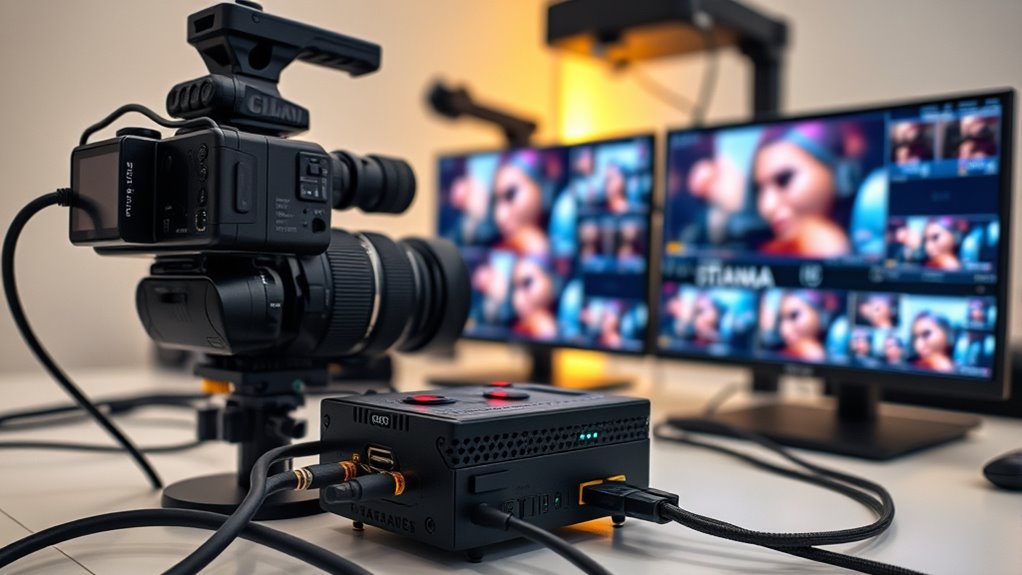
When picking a capture card for your camera, you’ll want to verify its video resolution support to guarantee crisp images. Make sure it’s compatible with your devices and offers low latency for smooth synchronization.
Also, consider the connectivity options and software integration to fit your setup perfectly. This way, everything works seamlessly without any hiccups.
Video Resolution Support
Choosing a capture card that supports your camera’s maximum resolution and frame rate is vital for maintaining high-quality video. You want a device that handles your camera’s top resolution, whether it’s 4K or 1080p, to preserve image clarity.
Also, check if the capture card can manage your desired frame rate, like 60FPS or higher. This ensures smooth playback and recording, which is super important.
It’s a good idea to verify support for your camera’s input resolution, especially if it outputs high-res formats such as 4K or 2K. Don’t forget to confirm compatibility with video standards and color formats like YUV422 or MJPEG to get accurate colors.
If you plan to stream or record at lower resolutions, make sure the card can downscale higher-resolution input efficiently without losing quality. That way, you get the best of both worlds!
Compatibility With Devices
Although capturing stunning footage depends heavily on resolution and frame rate, ensuring your capture card works seamlessly with your devices is equally essential.
First, check if the capture card supports your device’s operating system—whether it’s Windows, macOS, Linux, or iPadOS. Next, verify the connection types—HDMI, USB-A, USB-C, or Thunderbolt—match both your camera and computer.
You’ll also want to confirm the card handles your camera’s video output format and any encryption like HDCP. Don’t overlook the hardware interface; USB 3.0 or USB-C must provide enough bandwidth for smooth streaming or recording.
Latency and Synchronization
Since low latency plays a crucial role in delivering real-time video with minimal delay, you’ll want a capture card that handles this efficiently, especially for live streaming or fast-paced content.
Look for cards featuring ultra-low latency technology, which typically keep delays under 16 milliseconds—ideal for seamless gaming and live broadcasts.
Equally important is synchronization; your capture card must maintain perfect audio-video alignment to prevent lag or drift during extended sessions.
Keep in mind that latency isn’t just about the card itself—connection type, processing hardware, and software optimization also impact performance.
Choosing a capture card compatible with your setup ensures smooth, professional-quality streams without frustrating mismatches between sound and picture.
Connectivity and Ports
Low latency and synchronization set the foundation for smooth streaming, but without the right connectivity and ports, your capture card won’t function properly with your camera and computer.
First, make sure the capture card has video input ports compatible with your camera, like HDMI or SDI.
Next, check the output ports—USB-A, USB-C, or Thunderbolt—to guarantee they match your computer or streaming device.
Confirm these ports support the resolutions and frame rates you need, such as 4K@60Hz or 1080p60.
Don’t forget to verify features like HDCP support or loop-out, which might be essential for your setup.
Finally, consider how well the ports align with your existing cables and adapters to avoid connectivity issues during your streaming sessions.
Software Integration Options
When choosing a capture card for your camera, you’ll want to make certain it seamlessly integrates with your preferred streaming or recording software like OBS, Streamlabs, or Zoom. Check if the capture card offers plug-and-play functionality to avoid driver hassles and guarantee smooth setup.
Make sure it’s compatible with your operating system—whether Windows, macOS, Linux, iPadOS, or Android—so it works smoothly with your hardware. Look for features like real-time preview, audio-video sync, and low-latency streaming, as these really matter for a smooth streaming experience.
Also, think about support for multi-channel audio input, overlays, and remote control options to boost your workflow. Prioritizing these software integration options will help you get the most out of your capture card without technical interruptions.
Build Quality and Portability
Although capture cards often focus on performance features, build quality and portability play an essential role in your overall experience. You want a durable device, ideally with an aluminum alloy shell, which not only boosts heat dissipation but also prolongs its lifespan.
If you’re frequently on the move, a compact, lightweight capture card will make transportation and setup much easier. Smaller form factors help save desk space and fit seamlessly into multi-device setups.
Look for rugged construction and reinforced connectors to withstand constant plugging and unplugging without damage. Portability also means convenience—integrated cables or minimal external components reduce clutter and simplify traveling or field use.
Prioritizing build quality and portability ensures your capture card keeps up with your streaming demands, wherever you go. It’s all about making your setup as smooth and hassle-free as possible.
Power and Driver Requirements
Choosing the right capture card means paying close attention to its power and driver requirements. First, verify the capture card supports your operating system—whether Windows, macOS, or Linux—to prevent driver conflicts.
Check if it’s plug-and-play or needs specific driver installation. You’ll want a card that supports driver updates and matches your camera’s firmware for smooth performance.
Also, confirm its power source: some cards draw USB power, while others require external adapters or bus power. Don’t overlook whether dedicated drivers enable features like low latency or hardware acceleration, which can enhance streaming quality.
Frequently Asked Questions
Can Capture Cards Work With Smartphones for Live Streaming?
Yes, you can use capture cards with smartphones for live streaming. Just connect your phone via HDMI or USB adapters, and the capture card will transmit your video feed smoothly.
This boosts your stream’s quality and flexibility. It’s a great way to step up your live broadcasts without much hassle.
Do Capture Cards Support Multiple Camera Inputs Simultaneously?
Yes, some capture cards support multiple camera inputs simultaneously, letting you switch between angles seamlessly. You’ll want to check specs carefully, as not all models handle multi-camera setups, especially for higher resolutions and frame rates.
It’s pretty handy if you’re looking to mix up your shots without juggling a bunch of devices. Just make sure the capture card you pick matches your specific needs so you get smooth performance.
How Do Capture Cards Affect Laptop Battery Life During Streaming?
Capture cards can drain your laptop battery faster since they increase processing and power demand during streaming.
Are There Any Software Compatibility Issues With Different Operating Systems?
Wondering if your capture card will work smoothly on your OS? Yes, some cards face software compatibility issues with different systems.
You’ll want to check drivers and supported platforms before buying to avoid headaches during streaming. It’s better to be safe than sorry!
Can Capture Cards Record and Stream in HDR Quality?
Yes, you can record and stream in HDR quality with many modern capture cards. Just guarantee your camera, capture card, and streaming software all support HDR to get vibrant, high-dynamic-range visuals during your broadcasts.
It’s pretty awesome because HDR really makes your videos pop with richer colors and better contrast. But remember, if any part of your setup doesn’t support HDR, you won’t get those stunning visuals. So, double-check everything before you start streaming or recording!
Conclusion
So, you want to boost your streaming with a capture card, huh? Well, with all these options—from Elgato’s sleek 4K wonders to UGREEN’s budget-friendly gems—you’re basically spoiled for choice.
It’s almost like the perfect capture card is hiding in plain sight, waiting for you to pick it up and finally stop blaming your gear for those streaming hiccups.
Ready to level up? Your audience is definitely waiting. When choosing the best capture card for camera in 2027, consider what fits your streaming needs and budget. Whether you want crisp 4K quality or an affordable solution, there’s a capture card out there to boost your streaming setup and make your broadcasts shine. Don’t let outdated gear hold you back—grab one of the top capture cards and watch your streaming game soar!