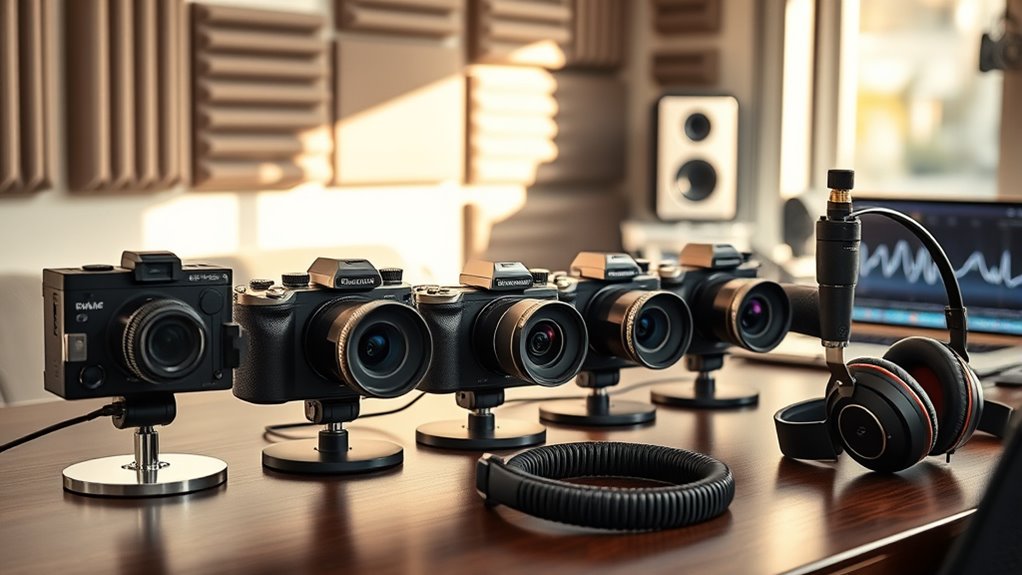
6 Best Cameras for Podcasters in 2027 That Capture Every Word
You want cameras that deliver crisp 4K video and crystal-clear audio for your podcast. High-quality visuals and sound are essential to make every episode stand out.
The Sony Alpha ZV-E10 offers a lightweight APS-C sensor with built-in directional mics, making it a great choice for podcasters focusing on sharp video and clear audio.
Meanwhile, the NearStream VM20 Pro boasts a 50MP sensor, 10x zoom, and AI noise reduction, perfect for capturing detailed visuals and minimizing background noise.
Portable tripods and mounts like NexiGo and Neewer support stable, professional setups, ensuring your camera stays steady during recording.
These picks prioritize sharp visuals, rich sound, and ease of use—perfect for capturing every word with clarity. Keep exploring to find the best fit for your setup.
Sony Alpha ZV-E10 APS-C Mirrorless Vlog Camera Kit
Step up your video content with the Sony Alpha ZV-E10, designed specifically for podcasters and content creators who crave quality without bulk. This compact mirrorless camera features a 24.2MP APS-C sensor that captures stunning, vibrant footage. Its 4K video is oversampled from 6K, ensuring every detail is sharp and clear.
The camera’s 3-inch articulating touchscreen and real-time Eye AF make framing and focusing straightforward, saving time during shoots. Its built-in directional 3-capsule microphone delivers clear, professional audio, reducing the need for extra gear. This helps podcasters streamline their setup and focus on content.
The Sony E-mount system offers flexibility to swap lenses, adapting to various shooting styles. Lightweight and portable, the ZV-E10 is easy to maintain and carry, perfect for creators on the move. Keep in mind, it lacks in-body stabilization and the kit lens has a limited aperture, which may affect low-light shooting.
Best for: Podcasters and content creators seeking a lightweight, high-quality mirrorless camera with advanced video and audio features for on-the-go recording.
What We Like:
- Sharp 24.2MP APS-C sensor with oversampled 4K video for vibrant footage
- User-friendly 3-inch articulating touchscreen with real-time Eye AF
- Integrated directional 3-capsule microphone optimized for clear audio
- Compact and lightweight design ideal for portable use
Specification:
| Feature | Details |
|---|---|
| Manufacturer | Sony |
| Sensor | 24.2MP APS-C |
| Video Resolution | 4K (oversampled from 6K) |
| Screen Size | 3-inch articulating LCD |
| Lens Mount | Sony E-mount |
| Microphone | Directional 3-capsule |
| Weight | Approx. 343g (0.76 lb) |
NearStream VM20 Pro 4K Streaming Camera, 1/2″ 50MP Sensor, 10X Optical Zoom
Experience crystal-clear video and versatile zoom with the NearStream VM20 Pro 4K Streaming Camera. Designed to enhance your streaming and recording, this camera captures every detail with its 1/2″ 50MP sensor and 10x optical zoom. It lets you zoom in smoothly for sharp close-ups without sacrificing image quality.
The camera’s advanced autofocus and HDR features ensure your footage stays vibrant and clear, even in challenging lighting. 3D noise reduction keeps your streams free from unwanted graininess, delivering a polished, professional look every time. Its compact design makes setup and use straightforward for any content creator.
Connectivity is flexible with USB-C, Ethernet, and HDMI ports, plus optional wireless AV for clutter-free streaming. Audio is equally impressive; the built-in 8-mic array uses AI noise reduction to capture clear sound, and you can connect an external microphone via USB-C for enhanced audio quality.
Maintenance is simple thanks to its durable design, though it’s not water-resistant, so it’s best used indoors or in controlled environments. The wireless AV transceiver is sold separately, which adds flexibility but also extra cost. Overall, this camera balances powerful features with user-friendly operation.
Best for: Podcasters and content creators seeking sharp 4K video with flexible zoom and clear audio for professional streaming.
What We Like:
- High-resolution 50MP sensor with 10x optical zoom for detailed shots
- Smooth autofocus and HDR for vibrant, clear video
- Multiple connection options including USB-C, Ethernet, HDMI, and wireless AV
- Built-in 8-mic array with AI noise reduction and external mic support
- Compact and easy to set up for quick streaming sessions
Specification:
| Feature | Details |
|---|---|
| Manufacturer | NearStream |
| Sensor Size | 1/2 inch |
| Resolution | 50 Megapixels |
| Optical Zoom | 10x |
| Digital Zoom | 4x |
| Connectivity | USB-C, Ethernet, HDMI |
| Audio | 8-mic array with AI noise reduction, USB-C mic input |
| Dimensions | Compact (specific size not provided) |
| Water Resistance | No |
Webcam Tripod Stand for Camera, Phone, Logitech
Experience effortless video and photo setup with the Webcam Tripod Stand, designed to bring flexibility and precision to your desktop recording. This stand supports a variety of devices, including popular Logitech webcams like the C920 and C922, smartphones from 4 to 6.5 inches, and action cameras, making it a versatile solution for content creators.
Adjust the height smoothly from 11.5 to 18 inches to find the perfect angle. Its 360-degree rotation and 90-degree tilt allow for easy framing without repositioning your entire setup. The lightweight yet sturdy design ensures your device stays stable during use, while non-slip rubber pads protect your workspace.
Maintenance is straightforward with durable materials that resist wear, although it’s worth noting the stand is not water-resistant, so avoid exposure to moisture. Its foldable design enhances portability, making it ideal for podcasters and streamers who need reliable support both at home and on the go.
Whether you’re recording podcasts or live streaming, this tripod stand improves your workflow by providing stability and adjustability in a compact form.
Best for: Podcasters, streamers, and content creators needing a stable, adjustable tripod for webcams, smartphones, and small cameras on a desktop.
What We Like:
- Compatible with Logitech webcams, smartphones (4–6.5 inches), and action cameras
- Adjustable height (11.5 to 18 inches) with 360-degree rotation and 90-degree tilt
- Lightweight, foldable design with non-slip rubber pads for stability
- Supports devices up to 3.2 pounds
Specification:
| Feature | Details |
|---|---|
| Manufacturer | N/A |
| Height Range | 11.5 – 18 inches |
| Device Compatibility | Logitech C920, C922, Insta360 Link, phones 4–6.5 inches |
| Maximum Load | 3.2 pounds |
| Material | Not specified |
| Color Options | Not specified |
NexiGo Lightweight Mini Tripod with 1/4″ Thread
Capture stable shots anytime with the NexiGo Lightweight Mini Tripod, designed to enhance your photography and streaming experience. Its compact size and adjustable height solve the common problem of bulky tripods that are hard to carry on the go. This tripod supports devices weighing under 1LB, making it perfect for webcams, GoPros, smartphones, and ring lights.
The tripod’s height adjusts smoothly from 3 to 13 inches, allowing you to find the ideal shooting angle. When not in use, it folds down to just 6.4 inches for effortless portability. The 360-degree rotating ball-joint head provides flexible positioning, enabling precise framing with up to a 90-degree tilt.
Crafted from durable ABS plastic with non-slip pads, the tripod offers stable support on various surfaces. Its lightweight design, at only 0.24 lbs, makes it easy to carry without adding bulk to your gear. However, it’s not suitable for heavier camera setups and may be less stable on uneven terrain due to its smaller leg diameter.
Maintenance is simple: clean the ABS plastic and rubber feet with a damp cloth to keep grip and durability intact. This tripod is ideal for travel and casual photography where portability and ease of use matter most.
Best for: Users needing a lightweight, portable tripod for webcams, smartphones, and other devices under 1LB, especially when traveling or shooting casual content.
What We Like:
- Adjustable height from 3 to 13 inches enhances shooting flexibility.
- 360-degree rotation and 90-degree tilt allow precise angle control.
- Lightweight design (0.24 lbs) is easy to carry for travel.
- Durable ABS plastic with non-slip pads ensures stability.
- Compact folding size of 6.4 inches fits easily in bags.
Specification:
| Feature | Details |
|---|---|
| Manufacturer | NexiGo |
| Dimensions (folded) | 6.4 inches |
| Height (adjustable) | 3 to 13 inches |
| Weight | 0.24 lbs |
| Material | ABS plastic |
| Thread Size | 1/4 inch |
| Max Load | Under 1LB |
KDD Webcam and Phone Holder Desk Mount Stand
Experience hassle-free recording with the KDD Webcam and Phone Holder Desk Mount Stand. It lets you find the perfect angle quickly, thanks to its smooth 360-degree rotation and 180-degree bend. You can easily adjust the height up to 21.7 inches for comfortable framing every time.
This stand supports webcams, smartphones sized 4 to 6.5 inches, microphones, and action cameras. Its reinforced aluminum alloy build ensures durability and can hold devices weighing up to 3.5 pounds securely. The clamp attaches firmly to desks up to 2.2 inches thick without scratching the surface, making it ideal for various workspaces.
Maintaining the stand is simple—its robust metal construction resists wear and keeps your setup stable over time. When not in use, it folds down quickly for compact storage or portability. This makes it a practical choice for home studios, streaming setups, and remote work environments.
The design focuses on versatility and convenience, solving common mounting challenges by offering stable support and flexible positioning. However, users with very thick desks or heavier professional cameras might find some limitations in this model.
Best for: Content creators, streamers, and remote workers seeking a reliable and adjustable mounting solution for webcams, phones, and microphones.
What We Like:
- Smooth 360° rotation and 180° bending for exact positioning
- Durable aluminum alloy frame supports up to 3.5 lbs
- Desk clamp with protective pads prevents furniture damage
- Quick installation and foldable design for easy storage
Specification:
| Feature | Details |
|---|---|
| Manufacturer | KDD |
| Maximum Height | 21.7 inches (55 cm) |
| Rotation | 360 degrees |
| Bend Angle | 180 degrees |
| Supported Devices | Webcams, smartphones (4–6.5 in), microphones, action cameras |
| Load Capacity | 3.5 pounds (1.6 kg) |
| Clamp Desk Thickness | Up to 2.2 inches (5.6 cm) |
| Material | Reinforced aluminum alloy |
NEEWER Overhead Camera Desk Mount Rig Stand
The NEEWER Overhead Camera Desk Mount Rig Stand transforms your workspace with flexible and secure mounting solutions. Designed to hold multiple devices, it solves the common problem of cluttered setups by letting you position cameras, microphones, and lights exactly where you need them. Its tree-like design supports a considerable weight, enabling stable use during long recording sessions.
Adjusting the height and angles is straightforward thanks to 360° rotation and multiple tilt options, giving you full control over your setup. The sturdy C desk clamp and serrated joints ensure your equipment stays firmly in place without sagging. This stability helps maintain consistent framing and sound quality during podcasts or streams.
Maintenance is simple with its collapsible design and included cable ties, which keep cables organized and your desk tidy. This thoughtful design reduces distractions and saves space, making it easier to focus on content creation. However, the rig requires proper clamp installation and sufficient desk space, which might limit compatibility with smaller or unconventional desks.
While it supports a wide range of devices, it may not accommodate very heavy professional cameras, so consider your equipment’s weight before purchase. Adjusting multiple joints takes time, but results in a customized, efficient workspace tailored to your production needs.
Best for: Creators and podcasters who need a stable, adjustable rig to mount multiple cameras and accessories in a clean, organized workspace.
What We Like:
- High weight capacity supports various devices securely
- Adjustable arms with 360° rotation for precise positioning
- Strong C clamp and serrated joints prevent sagging
- Collapsible design with cable ties for neat cable management
Specification:
| Feature | Details |
|---|---|
| Manufacturer | NEEWER |
| Dimensions | Adjustable; fits most desks |
| Weight Capacity | 11 lb center column; 5.5 lb per arm |
| Material | Metal alloy |
| Color Options | Black |
Factors to Consider When Choosing a Camera for Podcasters
When choosing a camera for your podcast, focus on video quality and how well it integrates with your audio setup. Consider connectivity options for smooth streaming and whether the size fits your workspace.
Don’t forget to balance features with your budget to get the best value. It’s all about finding what works best for you without overspending.
Video Quality Essentials
Since your podcast’s visual appeal hinges on video quality, you’ll want a camera that delivers at least 1080p resolution or 4K for sharp, professional footage. Look for a camera with a large sensor—like APS-C or 1/2 inch—to capture more light, ensuring clear images even in dim settings.
Features such as HDR and noise reduction boost image clarity and color accuracy, crucial for engaging visuals during live streams. Adjustable focus and exposure let you maintain consistent framing and brightness, no matter how your environment or distance changes.
Don’t forget a wide viewing angle and a high-quality lens to capture multiple speakers or a broader scene, making your podcast visually dynamic and immersive. Prioritizing these essentials will considerably elevate your podcast’s on-screen presence.
Audio Integration Options
Although video quality is essential, your podcast’s audio clarity can make or break the viewer’s experience. When choosing a camera, confirm it has a dedicated microphone input or supports compatible audio interfaces so you can connect external mics directly.
Cameras with built-in directional microphones or multi-capsule arrays are great for capturing clear voice audio in various environments. Look for models offering advanced noise reduction features or windshields to cut down background noise.
It’s also important to check if the camera allows real-time audio monitoring through headphones or external speakers. That way, you can catch issues as they happen.
Finally, verify compatibility with popular audio recording software and streaming platforms to smoothly sync your audio and video feeds without hassle.
Connectivity and Streaming
Beyond audio quality, how your camera connects and streams can shape your entire podcasting setup. Make certain your camera offers reliable live streaming through USB, HDMI, or Ethernet connections. These options ensure stable broadcasts without lag or interruptions.
You’ll also want support for high-quality video formats like 4K or HD, so your recordings and live streams look sharp and professional. Check if the camera integrates easily with software or apps, allowing seamless streaming control and remote operation.
Cameras with multiple output options let you connect effortlessly to various devices and platforms. Finally, consider models with built-in or compatible external microphones to keep your audio synchronized perfectly with your video during live broadcasts.
These features make streaming smooth and hassle-free.
Portability and Size
Three key factors make portability and size essential when choosing a camera for podcasters: ease of transport, quick setup, and reduced strain on your gear. Smaller cameras are generally more portable and fit comfortably in your carrying case or backpack, making remote or outdoor podcasting hassle-free.
Compact designs allow you to set up and tear down quickly, which is crucial for mobile recording sessions where time is tight. Plus, lightweight cameras reduce the strain on adjustable mounts and tripods, improving stability and preventing fatigue during long shoots.
Many portable models include features like foldable screens or collapsible lenses to save space without sacrificing functionality. By selecting a camera that balances size and portability, you ensure smoother, more efficient recording experiences wherever you go.
Budget and Value
Finding the right camera for your podcast means balancing your budget with the features you need most. Start by setting a clear budget range and comparing cameras within it to guarantee you get the best value.
Focus on essential features like resolution, frame rate, and audio input options, since these directly impact your video and sound quality. Don’t just consider the upfront cost—look for durable construction and versatile connectivity to future-proof your setup.
Cameras with good autofocus and strong low-light performance offer multiple benefits, maximizing your investment. Also, weigh the value of bundled kits or accessories against standalone cameras; sometimes packages provide better overall value for your podcasting needs without breaking the bank.
Frequently Asked Questions
Can These Cameras Connect Directly to Popular Podcasting Software?
Yes, you can connect these cameras directly to popular podcasting software. They usually support USB or HDMI connections and come with compatible drivers.
This makes your setup seamless and lets you focus on creating great content without any tech hassles. It’s pretty straightforward once you get everything plugged in!
What Are the Battery Life Expectations During Extended Podcast Sessions?
Imagine a marathon runner—your camera’s battery can last between 4 to 8 hours during extended podcast sessions.
You’ll want to carry extra power banks or use continuous power to keep the energy flowing without interruption.
That way, you won’t have to worry about your gear dying in the middle of a great take.
Always better to be prepared, right?
Are These Cameras Compatible With External Microphones for Better Audio?
Yes, you’ll find most of these cameras compatible with external microphones, letting you enhance your audio quality considerably.
Just make sure to check the specific input types and compatibility to match your podcasting gear perfectly. That way, you’ll get the best sound possible without any hassle.
Do Any of These Cameras Support Live Streaming Without Additional Hardware?
Yes, several models support live streaming directly via built-in Wi-Fi or USB-C without extra hardware. You can connect them to your computer or streaming platform for seamless broadcasts, making your setup simpler and more efficient.
It’s pretty convenient because you don’t have to worry about carrying extra gear. Plus, this makes it easier to go live anywhere, anytime.
How Do These Cameras Perform in Low-Light Podcasting Environments?
You’ll love that some cameras offer up to 12,800 ISO, ensuring sharp images in low light. They perform exceptionally well, capturing clear, vibrant video without grain.
Conclusion
Choosing the right camera can make all the difference in how your podcast looks and feels. Don’t you want your audience to see every expression and hear every word clearly?
Whether you pick the Sony Alpha ZV-E10 for stunning visuals or the NearStream VM20 Pro for seamless streaming, investing in quality gear guarantees your content shines.
With the right setup, you’ll capture attention—and keep it episode after episode. Remember, the best cameras for podcasters in 2027 not only improve video quality but also enhance viewer engagement, making your podcast stand out in a crowded space. So, choose wisely and watch your podcast grow!