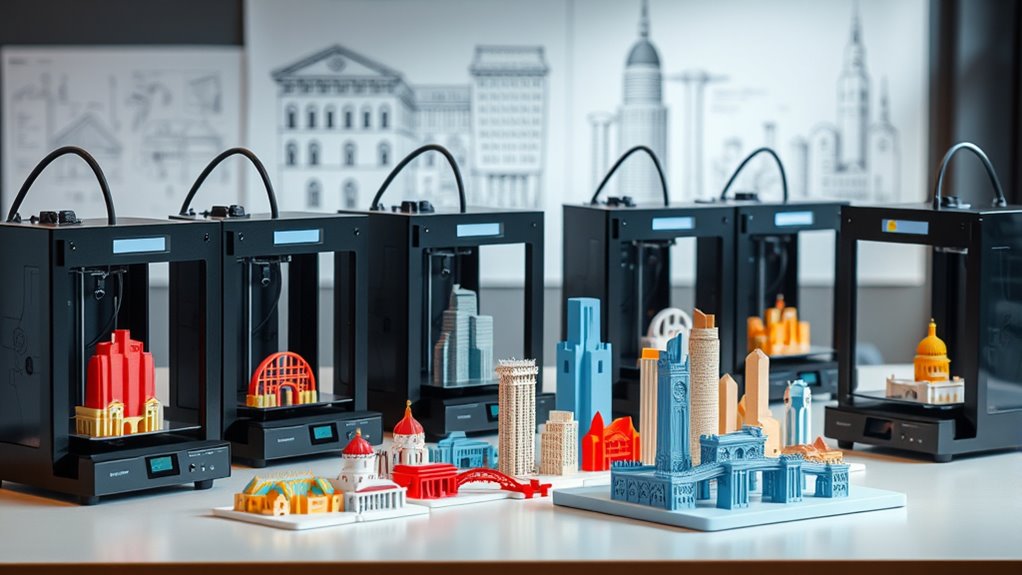
8 Best 3D Printers for Architectural Models in 2026
You’ll want 3D printers with large build volumes like the Creality K2 Plus or FLSUN V400 Max for detailed, life-size architectural models. These printers let you bring complex designs to life without worrying about size limitations.
Plus, fast print speeds up to 600mm/s mean you can complete projects quicker, which is always a bonus.
Look for multi-material support to capture intricate details with vibrant colors. Features like AI monitoring and auto calibration help keep prints precise and consistent.
A durable frame adds reliability so your printer can handle long, detailed jobs without a hitch.
Models such as the Creality K1C or K2 Pro are great examples that combine speed and accuracy perfectly. They’re excellent choices if you want a balance between quality and efficiency.
Explore these options to find the one that fits your creative workflow best.
QIDI Max4 Combo Large Volume Multi-Material 3D Printer
The QIDI Max4 Combo redefines large-scale 3D printing with its expansive 390×390×340mm build volume, allowing you to create detailed models without segmenting parts. This printer is designed to tackle warping issues with its full-surface heated bed and active heated chamber maintaining 65℃, ensuring strong adhesion and consistent results.
Precision and speed come together through the use of closed-loop motors and robust Z-axis mechanics. These features enable smooth, detailed prints at speeds up to 800mm/s, ideal for complex industrial prototypes. The printer supports a broad range of materials, including abrasive carbon fiber-reinforced nylons, expanding your creative possibilities.
Maintenance is straightforward, though the Polar Cooler system for optimal high-temperature printing is sold separately. The multi-material and color printing capabilities are enhanced with the QIDI BOX accessory, offering seamless multi-extruder operation but adding to overall setup costs.
The Max4 Combo is built for professionals and enthusiasts who need a large-volume, multi-material 3D printer capable of producing high-precision, industrial-grade parts without segmentation. Its advanced features may require some learning but result in superior print quality and versatility.
Best for: Professionals and advanced hobbyists requiring a versatile, large-volume 3D printer for detailed, multi-material industrial prototypes.
What We Like:
- Large build volume with heated bed and chamber reduces warping.
- Closed-loop motors ensure smooth, fast, and precise printing.
- Supports abrasive materials like carbon fiber-reinforced nylon.
- Smart AI monitoring enhances print reliability.
- Multi-material printing via QIDI BOX expands creative options.
Specification:
| Feature | Specification |
|---|---|
| Manufacturer | QIDI |
| Build Volume | 390×390×340 mm |
| Heated Bed | Full-surface, active heated |
| Heated Chamber Temp. | 65℃ |
| Max Print Speed | Up to 800 mm/s |
| Supported Materials | PLA, ABS, Nylon, Carbon fiber-reinforced nylon |
| Multi-Material Support | Yes, with QIDI BOX accessory |
| Cooling System | Polar Cooler (sold separately) |
| Monitoring | AI camera |
Creality K2 Plus Combo 3D Printer 2026 Upgraded
The Creality K2 Plus Combo 3D Printer 2026 Upgraded transforms how architects and designers create detailed, multi-color models. Its ability to handle up to 16 colors simultaneously solves the challenge of producing complex, vibrant prototypes without manual color changes. This feature streamlines workflows and enhances creative possibilities.
With a spacious 13.78-inch cubic build volume, you can print larger models in one go, reducing assembly time. The high-temperature direct drive extruder, paired with a hardened steel nozzle reaching 350℃, lets you work with advanced materials like PPA-CF and ASA, supporting durable and functional parts.
Maintenance is made easier thanks to intelligent filament management and an active heated chamber, which maintain stable print conditions. Dual AI cameras provide real-time monitoring, helping you catch issues early and ensure consistent quality throughout long print jobs.
The printer’s design balances industrial-grade capabilities with precision, using FOC step-servo motors and enhanced cooling to deliver sharp details quickly and reliably. While its size and advanced features may require a dedicated workspace and some technical know-how, the K2 Plus Combo is a powerful tool for professional use.
Best for: Architects, designers, and industrial professionals needing precise, multi-color 3D printing with advanced materials and real-time quality control.
What We Like:
- Supports 16 colors simultaneously with smart filament handling
- High-temp extruder and hardened steel nozzle for advanced material printing
- Real-time monitoring via dual AI cameras
- Large build volume for bigger projects
- Precise, fast printing with advanced motor and cooling system
Specification:
| Feature | Details |
|---|---|
| Manufacturer | Creality |
| Build Volume | 13.78 inches (cubic) |
| Max Nozzle Temperature | 350℃ |
| Supported Colors | Up to 16 simultaneously |
| Weight | 112.4 lb (51 kg) |
| Material Compatibility | PPA-CF, ASA, and other advanced materials |
FLASHFORGE AD5X Multi-Color High-Speed 3D Printer
The FLASHFORGE AD5X Multi-Color High-Speed 3D Printer is designed to transform your workflow with vibrant, detailed prints delivered at impressive speeds. Its ability to print up to four colors simultaneously solves the challenge of producing multi-color models without extra assembly or painting.
This printer’s CoreXY design ensures stable, precise movements, even at speeds reaching 600mm/s. You can quickly prototype complex architectural models with a build volume of 220x220x220mm, perfect for most professional and hobbyist needs. The 1-Click Auto Leveling feature reduces setup time, while the resume printing function safeguards your projects against interruptions.
Maintenance is straightforward with multiple nozzle sizes that can be swapped to balance fine detail and printing speed. Advanced cooling and vibration compensation further improve print quality, making the AD5X a reliable choice for detailed, efficient production.
Best for: Professionals and hobbyists who require fast, multi-color, high-precision 3D printing for detailed models and prototypes.
What We Like:
- Supports up to four colors simultaneously for rich, multi-color prints
- High-speed printing up to 600mm/s with stable CoreXY mechanics
- Easy 1-Click Auto Leveling and resume printing for smooth operation
- Multiple nozzle options allow customization between speed and detail
- Advanced cooling and vibration control enhance print accuracy
Specification:
| Feature | Details |
|---|---|
| Manufacturer | FLASHFORGE |
| Build Volume | 220 x 220 x 220 mm |
| Print Speed | Up to 600 mm/s |
| Color Support | Up to 4 simultaneous |
| Nozzle Sizes | Multiple, manual swap |
| Printer Type | CoreXY |
Creality K2 Plus Combo 3D Printer, High-Speed Dual Extruder
The Creality K2 Plus Combo 3D Printer is designed to meet the demands of professionals who require fast, precise multi-color printing without constant supervision. Its innovative CFS system combines four extruders, enabling printing with up to 16 colors seamlessly. This automatic filament switching uses RFID detection, reducing manual intervention and streamlining complex projects.
With a generous 350×350×350mm build volume, the printer allows for creating large or multiple models simultaneously. Its aerospace-grade aluminum frame paired with high-speed FOC step-servo motors delivers smooth, accurate prints at speeds up to 600mm/s. This combination ensures high-quality outputs that resist warping, perfect for detailed architectural models.
Maintenance is simplified through smart sensors and dual AI cameras that monitor the printing process in real time. These features help prevent failures and maintain consistent print quality. However, the multi-extruder system requires some learning to optimize setup and upkeep.
Best for: Professionals and advanced users needing high-speed, multi-color 3D printing with large build capabilities and automated filament management for detailed architectural or engineering projects.
What We Like:
- Seamless multi-color printing with automatic filament switching and RFID detection
- Large build volume supports big, warp-resistant models using advanced filaments
- Real-time monitoring with smart sensors and dual AI cameras reduces print failures
Specification:
| Feature | Details |
|---|---|
| Manufacturer | Creality |
| Build Volume | 350 × 350 × 350 mm |
| Print Speed | Up to 600 mm/s |
| Frame Material | Aerospace-grade aluminum |
| Extruders | 4 (multi-color capability) |
| Monitoring | Smart sensors, dual AI cameras |
Creality K2 Pro Combo 3D Printer, Large Volume
The Creality K2 Pro Combo 3D Printer is designed to tackle large-scale projects with ease. Its generous 300×300×300mm build volume allows you to print sizeable architectural models or multiple parts simultaneously, boosting productivity. This printer handles complex jobs without compromising speed or quality.
With ultra-fast printing speeds up to 600mm/s and a clog-free direct drive extruder, it supports abrasive materials like carbon fiber, making it reliable for demanding tasks. The smart multicolor system simplifies multi-material printing by managing up to 16 colors, expanding creative possibilities.
Maintenance is streamlined with features like auto bed leveling and an actively heated chamber, ensuring consistent print quality and reduced manual adjustments. The integrated AI monitoring system offers remote control and real-time oversight, helping you avoid errors and downtime.
While its advanced capabilities serve professionals well, beginners may face a learning curve, especially with the multicolor filament setup. The printer’s size and heated chamber also require ample space and power considerations.
Best for: professionals, educators, and creators needing a large-volume, high-speed 3D printer with multi-material support and advanced monitoring.
What We Like:
- Large build volume ideal for big or batch projects
- High-speed printing with a clog-resistant direct drive extruder
- Supports abrasive filaments like carbon fiber
- Smart multicolor system for up to 16 colors
- AI-powered remote monitoring and control
Specification:
| Feature | Details |
|---|---|
| Manufacturer | Creality |
| Build Volume | 300 × 300 × 300 mm |
| Maximum Print Speed | Up to 600 mm/s |
| Extruder Type | Direct drive, clog-free |
| Multi-color Support | Up to 16 colors |
| Special Features | Auto bed leveling, active chamber heating, AI monitoring |
| Dimensions | Large (exact dimensions not specified) |
| Intended Use | Professional, educational, multi-material printing |
Creality K2 Plus 3D Printer with Dual Cameras
Discover the power of precision and versatility with the Creality K2 Plus 3D Printer with Dual Cameras. This printer is designed to handle complex projects by supporting multi-color and multi-material printing, enabling you to create vibrant, detailed models that stand out. Its generous 350x350x350mm build volume allows for larger prints or batch production, saving time and effort.
The dual AI cameras continuously monitor print quality and flow, helping to reduce errors and improve overall results. You no longer need to worry about print failures disrupting your workflow. Automatic leveling, self-calibration, and belt tension adjustment simplify setup and maintenance, letting you focus on creativity rather than technical hassles.
With printing speeds up to 600mm/s and a quiet operation level of 45 dB, this printer balances efficiency with a peaceful work environment. Whether you’re an architect or a designer, the Creality K2 Plus streamlines your production while delivering precise, colorful outputs.
Best for: Architects, designers, and creators requiring large, detailed multi-color 3D prints with advanced monitoring and quiet, efficient operation.
What We Like:
- Supports multi-color and multi-material printing for vibrant designs
- Large 350x350x350mm build volume for big or multiple projects
- Dual AI cameras and 18 intelligent sensors reduce print errors
- Automatic leveling and self-calibration simplify maintenance
- Quiet printing at 45 dB enhances workspace comfort
Specification:
| Feature | Details |
|---|---|
| Manufacturer | Creality |
| Build Volume | 350 x 350 x 350 mm |
| Printing Speed | Up to 600 mm/s |
| Noise Level | 45 dB |
| Cameras | Dual AI Cameras |
| Sensors | 18 Intelligent Sensors |
| Color Options | Not specified |
FLSUN V400 Max Large High-Speed 3D Printer
The FLSUN V400 Max Large High-Speed 3D Printer transforms how you create oversized, detailed models. Its expansive build volume of 500×550mm and 480mm height lets you tackle life-size projects without compromise.
Thanks to Klipper firmware, it prints at speeds up to 600mm/s while maintaining accuracy. Features like auto bed leveling and vibration compensation reduce errors and ensure consistent results. The sturdy full-metal frame keeps the printer stable during high-speed operations.
Operating the printer is simplified with a smart touchscreen interface. Maintenance is eased by power loss recovery and filament detection, which help prevent failed prints and material waste. This printer supports multiple materials including PLA, ABS, PETG, and TPU, making it versatile for various design needs.
Best for: professionals and hobbyists who require fast, precise printing of large-scale, detailed models, such as architectural designers and prototype developers.
What We Like:
- Huge build volume supports oversized projects
- High-speed printing up to 600mm/s with precision controls
- Reliable operation with power loss recovery and filament detection
- Durable full-metal frame for stability
- User-friendly touchscreen interface
Specification:
| Feature | Details |
|---|---|
| Manufacturer | FLSUN |
| Build Volume | 500 × 550 × 480 mm |
| Print Speed | Up to 600 mm/s |
| Frame Material | Full-metal |
| Supported Filaments | PLA, ABS, PETG, TPU |
| Firmware | Klipper |
| Control Interface | Touchscreen |
Creality K1C 3D Printer with Fast Speed
The Creality K1C 3D Printer brings a new level of speed and precision to your creative projects. Its advanced CoreXY system enables print speeds up to 600mm/s, dramatically reducing production time without sacrificing detail. This makes it ideal for professionals and hobbyists who need quick turnaround on complex architectural models.
Designed to handle demanding materials, the printer features an enhanced direct extruder paired with a tri-metal Unicorn nozzle. This combination allows smooth printing with high-temperature filaments like carbon fiber, expanding your material options and improving print strength. Maintenance is simplified with single-tap auto-calibration, helping you start prints with minimal setup.
The built-in AI camera offers real-time monitoring, so you can track progress remotely and catch issues early. Meanwhile, the integrated air purification system reduces odors and noise, creating a more comfortable workspace. While its advanced features offer excellent functionality, new users may need some time to master fine tuning for highly detailed prints.
Best for: Professionals and serious hobbyists requiring fast, accurate 3D printing with high-temperature materials for detailed models.
What We Like:
- High-speed CoreXY system speeds up print jobs significantly.
- Direct extruder and tri-metal nozzle support a broad filament range.
- User-friendly auto-calibration streamlines setup.
- Real-time AI camera monitoring enhances print oversight.
- Air purification lowers workspace noise and odors.
Specification:
| Feature | Details |
|---|---|
| Manufacturer | Creality |
| Dimensions | Not specified |
| Weight | Not specified |
| Printing Speed | Up to 600 mm/s |
| Acceleration | 20,000 mm/s² |
| Extruder Type | Enhanced direct extruder |
| Nozzle | Tri-metal Unicorn nozzle |
| Filament Compatibility | High-temp filaments including carbon fiber |
| Special Features | AI camera, auto-calibration, air purification system |
Factors to Consider When Choosing a 3d Printer for Architectural Models 2026
When choosing a 3D printer for architectural models in 2026, you’ll want to focus on build volume and print resolution to capture every detail.
Also, consider material compatibility and whether multi-color printing suits your design needs. These factors can really make your models stand out.
Don’t forget about speed and efficiency—they’ll impact how quickly you can bring your ideas to life.
Picking the right printer means balancing these elements to get the best results for your projects.
Build Volume Importance
Although it might seem tempting to pick a 3D printer based solely on price or speed, considering the build volume is crucial for architectural models. A larger build volume lets you print entire models in one piece, cutting down assembly time and minimizing errors.
It also provides ample space to include intricate design details without scaling your project down. If you often create full-scale prototypes, a sizable build area is essential for accurate client presentations and realistic visualizations.
The build volume directly limits the maximum size of your models, affecting your project’s scope and flexibility. Before choosing, think about the typical dimensions and complexity of your work to ensure your printer’s build volume aligns with your production needs efficiently.
Print Resolution Needs
How detailed do your architectural models need to be? If you want to capture intricate features and fine textures, aim for a print resolution between 50 and 100 microns. This range delivers smooth surface finishes ideal for detailed prototypes.
For rough conceptual models or large-scale structures, a lower resolution around 200 microns or more usually suffices, saving time and material. Remember, the nozzle size plays a key role—smaller nozzles like 0.2mm produce finer details.
Also, consistent layer height and precise Z-axis control are vital to avoid surface imperfections and maintain high resolution throughout your print. Choosing the right settings ensures your 3D printer meets the detail level your architectural models demand.
Material Compatibility Options
Since architectural models often demand diverse material properties, your 3D printer must support a broad range of filaments like PLA, ABS, PETG, and high-temperature composites such as PPA-CF. Make certain it handles abrasive industrial filaments, including carbon fiber-reinforced and fiber-filled materials, for durable components.
Check the maximum extruder temperature and heated chamber capabilities to print advanced materials like PEEK and PC. Look for filament compatibility features such as automatic material identification and moisture-proof storage to simplify switching between materials.
Also, ensure the hotend and build platform can uniformly heat large volumes to prevent warping and maintain adhesion. By choosing a printer with versatile material compatibility, you’ll create accurate, functional architectural models that meet your project’s specific needs.
Multi-Color Printing
Beyond material compatibility, multi-color printing plays a significant role in bringing architectural models to life. It lets you create realistic, detailed models by accurately representing various materials and design elements.
With printers supporting up to 16 colors or materials, your prototypes become vibrant and visually striking. Multi-color printing also cuts down the need for painting or assembly after printing, saving you time and effort.
Advanced filament management systems, like RFID detection and automatic switching, guarantee smooth progressions between colors without manual intervention. Plus, high-resolution multi-color printing sharpens intricate details, making your models more precise and ideal for client presentations or reviews.
Choosing a 3D printer with strong multi-color capabilities will elevate your architectural models’ realism and professionalism. It’s definitely a game-changer for anyone serious about model-making.
Speed and Efficiency
While selecting a 3D printer for architectural models, you’ll want to prioritize speed and efficiency to meet tight deadlines and boost productivity. Look for printers with high print speeds—up to 600mm/s—that drastically cut production time for detailed models.
Faster acceleration rates, like 30,000mm/s², ensure quick start-ups and smooth layer deposition. So, you don’t waste time waiting.
Multi-material and multi-color capabilities let you create complex, visually rich prototypes swiftly. Automated features such as auto bed leveling and filament detection reduce setup hassles, keeping your workflow smooth.
Also, consider large build volumes paired with high-speed printing. Producing sizable models in fewer parts saves you time on assembly and helps you deliver projects faster without compromising quality.
User Interface Ease
Speed and efficiency get your architectural models done quickly, but ease of use keeps your workflow smooth and frustration-free.
An intuitive user interface with a large touchscreen and clear navigation makes setup and operation straightforward, even if you’re new to 3D printing. Features like one-click auto-leveling and automatic bed calibration minimize errors and speed up preparation.
Simplified filament management with automatic detection and pause functions reduces interruptions, so you can focus on design. Plus, compatibility with mobile apps lets you control and monitor prints remotely, giving you flexibility.
These user-friendly controls and smart automation help you produce precise models without constant tweaking. It makes your 3D printing experience more enjoyable and efficient.
Smart Monitoring Features
When you choose a 3D printer with smart monitoring features, you gain real-time control over your architectural models’ printing process. AI cameras quickly spot issues like spaghetti failures or filament jams, cutting down errors before they ruin your print.
Built-in sensors can automatically pause or tweak the print when problems arise, boosting your success rate with complex designs. Remote monitoring lets you check print status and troubleshoot straight from your phone or computer, saving you trips to the printer.
Dual AI cameras track filament flow, layer accuracy, and even environmental factors, giving you detailed feedback. This advanced oversight helps optimize quality and reduces the need for manual adjustments, ensuring your architectural models come out just right every time.
Durability and Stability
Choosing a 3D printer with durability and stability is vital if you want consistent, high-quality architectural models. Look for a printer with a sturdy frame made from metal or reinforced composites to handle long hours of use.
Stability during printing is essential, so features like dual Z-axis systems or linear rails help reduce vibrations and ensure precise layer alignment. A heated print bed with even temperature distribution prevents warping and maintains adhesion, especially for large, detailed models.
Closed-frame designs and vibration damping components protect your print quality from external disturbances. Also, prioritize printers with high-quality parts such as hardened steel nozzles and durable motion systems, which resist wear and keep accuracy intact over time.
This way, you’ll get reliable, sharp architectural models every time.
Frequently Asked Questions
What Software Is Best for Designing Architectural Models for 3D Printing?
You’ll want to use software like SketchUp, Rhino, or AutoCAD for designing architectural models. They’re user-friendly, precise, and export 3D-print-ready files.
Don’t forget to check compatibility with your 3D printer’s format! It’s super important to make sure the files you create will actually work with your printer.
How Do I Maintain and Clean My 3D Printer for Architectural Use?
You should regularly clean the print bed and remove leftover filament. Lubricating moving parts is also important for smooth operation.
Don’t forget to update the firmware and check for nozzle clogs often. Keeping your printer dust-free helps maintain print quality.
Handle all components gently to guarantee smooth, precise prints every time. It’s all about consistent care and attention!
Can I Print With Multiple Materials Simultaneously on These Printers?
Yes, you can print with multiple materials simultaneously. This lets you create complex textures and really enhance the realism of your model.
Just make sure your printer supports multi-extrusion. Also, take the time to calibrate carefully to avoid issues like material mixing or alignment problems.
What Are Common Troubleshooting Tips for Print Failures in Architectural Models?
You should check bed leveling, clean the nozzle, and guarantee proper adhesion. Don’t forget to adjust print speed and temperature settings.
Also, inspect your model for errors and keep firmware updated to avoid common print failures. This way, you can catch issues before they ruin your print!
How Long Does It Typically Take to Print Detailed Architectural Models?
You’ll barely notice the hours slipping by—detailed architectural models typically take anywhere from 10 to 40 hours to print.
Conclusion
When choosing your 3D printer for architectural models, consider speed, precision, and material versatility. Look for dual extruders, large build volumes, and multi-color capabilities.
Prioritize reliability, ease of use, and advanced features like dual cameras or high-speed printing. These factors can make a big difference in your workflow and final output.
Whether you want detailed designs, vibrant models, or efficient production, the right printer will bring your visions to life. Investing wisely means you can print confidently and create impressively.
So, if you’re aiming to elevate your architectural modeling in 2026, focus on these key features. The best 3D printers for architectural models combine precision, speed, and versatility—helping you turn ideas into stunning reality every time.