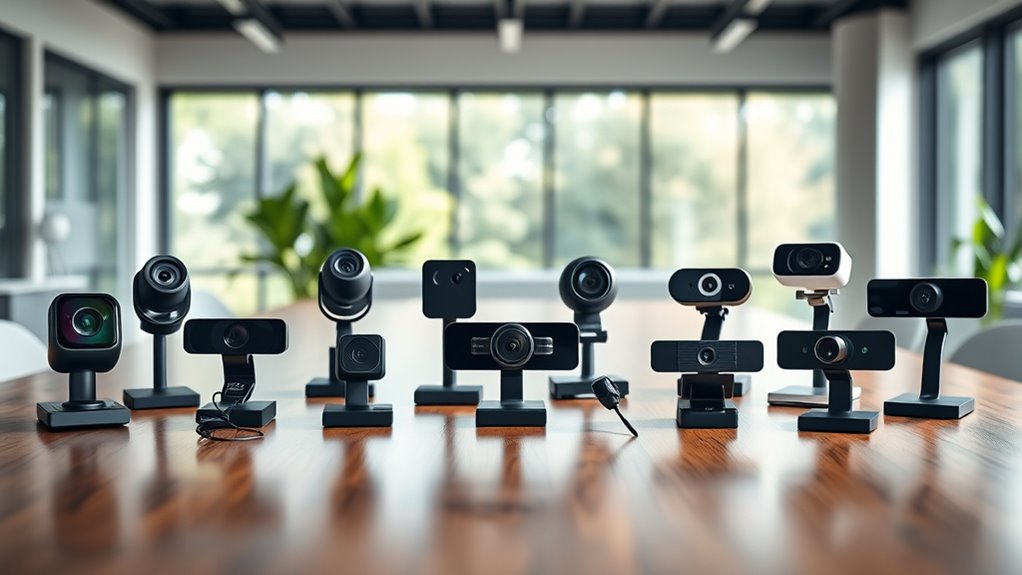
15 Best Video Conferencing Cameras for 2027 That Impress Everyone
You want a video conferencing camera that offers sharp 1080p or 4K resolution, clear audio with noise-canceling mics, and easy plug-and-play setup for seamless meetings. Having a camera that delivers crisp visuals and clear sound makes all the difference in professional and personal calls.
Options like Logitech Brio Ultra 4K, C920S, and NexiGo N60 deliver autofocus, privacy shutters, and wide fields of view to keep you visible and heard. These features ensure you look your best and maintain privacy when needed.
For larger rooms, 360° and AI auto-tracking cameras provide immersive coverage and smart framing. This means everyone stays in the shot, and the camera follows speakers automatically.
Keep exploring to find the perfect match for your needs.
Logitech Brio 101 Full HD 1080p Webcam for Streaming and Meetings – Black
Experience crystal-clear video that enhances every online meeting and streaming session with the Logitech Brio 101 Full HD Webcam. This webcam solves the common challenge of poor lighting by automatically boosting brightness by up to 50%, ensuring you look your best even in dim environments. Its sharp 1080p resolution captures detailed visuals, making remote communication more effective and professional.
Setup is straightforward with USB-A plug-and-play connectivity, compatible with popular platforms like Microsoft Teams, Zoom, and Mac OS. The built-in microphone records clear audio, enabling seamless conversations without extra equipment. Users can easily adjust zoom and framing through the Logi Options+ app, giving full control over video presentation.
Designed with sustainability in mind, the Brio 101 uses recycled plastics and includes a privacy shutter for peace of mind during breaks. Maintenance is simple—just wipe the lens and keep the shutter closed when not in use to protect the camera. While the fixed-focus lens and mono audio may limit some advanced uses, this webcam excels in everyday video calls and streaming.
Best for: professionals and creators seeking a reliable, high-quality webcam that improves video clarity and privacy for remote meetings and streaming.
What We Like:
- Sharp 1080p Full HD video with auto-light correction for better visibility
- Easy USB-A plug-and-play setup compatible with major platforms
- Eco-friendly design using recycled plastic materials
- Privacy shutter included for enhanced security
- Adjustable zoom and framing via Logi Options+ app
Specification:
| Feature | Details |
|---|---|
| Manufacturer | Logitech |
| Resolution | 1080p Full HD |
| Connectivity | USB-A |
| Compatibility | Microsoft Teams, Zoom, Mac OS |
| Material | Recycled plastic |
| Color | Black |
| Audio | Built-in mono microphone |
Logitech C920x HD Pro PC Webcam Full 1080p/30fps Video – Black
Experience clear, professional-quality video with the Logitech C920x HD Pro webcam. Designed to enhance your video calls and streaming, it delivers full 1080p HD resolution at 30 fps, ensuring your image stays sharp and vibrant. This webcam adjusts automatically to different lighting conditions, making low-light environments less of a challenge.
Its autofocus feature keeps your picture crisp without manual adjustments. Dual stereo microphones capture natural sound, so your voice comes through clearly during meetings or recordings. The compact design fits neatly on your monitor or desktop, providing flexibility without clutter.
Maintenance is simple—its plug-and-play functionality means no complicated setup. The included capture software and a 3-month license for XSplit VCam allow you to edit videos and customize backgrounds easily, eliminating the need for green screens. However, note that it lacks a physical privacy shutter, relying on software controls instead.
Best for: professionals and content creators seeking a dependable, easy-to-use webcam for video conferencing, streaming, and recording with enhanced audio and video clarity.
What We Like:
- Sharp 1080p video with autofocus and auto lighting adjustment
- Natural audio capture through dual stereo microphones
- Easy video editing and background customization with included software
- Compact design fits various setups without hassle
Specification:
| Feature | Details |
|---|---|
| Manufacturer | Logitech |
| Resolution | 1080p Full HD |
| Frame Rate | 30 fps |
| Microphones | Dual stereo |
| Compatibility | Windows 11 |
| Color | Black |
| Dimensions | Compact size (not specified) |
| Privacy Shutter | No physical shutter |
Logitech Brio Ultra 4K HD Webcam for Streaming and Meetings – Black
Experience crystal-clear video with the Logitech Brio Ultra 4K HD Webcam, designed to elevate your streaming and virtual meetings. Its 4K resolution at 30 fps delivers sharp and vibrant visuals, ensuring you appear professional and polished every time.
This webcam adapts to different lighting conditions with RightLight 3 technology, reducing shadows and glare in any environment. The adjustable fields of view let you perfectly frame your image without hassle.
Enjoy clear audio thanks to dual noise-canceling microphones, capturing your voice crisply from up to 1.2 meters away. The webcam also supports Windows Hello facial recognition for secure and convenient login, adding an extra layer of privacy.
Maintenance is simple with an attachable privacy shutter that protects your lens when not in use. Compatible across platforms, it’s a reliable tool for professionals aiming to improve their video communication experience.
Best for: Professionals and content creators seeking high-quality 4K video and clear audio for streaming, virtual meetings, and secure facial recognition.
What We Like:
- Sharp 4K video with autofocus and customizable field of view
- Dual noise-canceling microphones for clear voice capture
- RightLight 3 enhances video quality in varied lighting
- Secure Windows Hello facial recognition support
- Privacy shutter protects the lens when idle
Specification:
| Feature | Details |
|---|---|
| Manufacturer | Logitech |
| Dimensions | Not specified |
| Weight | Not specified |
| Color Options | Black |
| Video Resolution | 4K Ultra HD (30 fps) |
| Field of View | 65°, 78°, 90° adjustable |
| Zoom | 5x digital zoom |
| Microphones | Dual noise-canceling |
Logitech C920S HD Pro Webcam Full 1080p/30fps Video Calling Clear Stereo
Experience clear and professional video calls with the Logitech C920S HD Pro Webcam. Designed to deliver crisp full 1080p HD video at 30fps, it ensures your image remains sharp and vibrant, even in varying light conditions. This webcam helps you maintain a polished appearance, making conversations and presentations more engaging.
Its HD autofocus and light correction adapt seamlessly to your environment, so you don’t have to adjust settings manually. The dual microphones capture natural stereo sound, improving audio clarity for smoother communication. This combination reduces distractions caused by poor video or audio quality.
The webcam includes a privacy shutter, giving you control over your camera lens when it’s not in use. It connects easily via USB 2.0 and supports Windows, Mac, and most laptops, making it versatile for many setups. Its compact design balances quality with portability, fitting comfortably on desks or laptops.
Maintenance is straightforward—simply keep the lens clean and the shutter closed when not in use to protect the camera. While the 30fps frame rate may feel less fluid compared to higher frame rates, and USB 2.0 limits transfer speeds, the C920S remains reliable for everyday video calling and streaming needs.
Best for: Professionals and content creators needing clear 1080p video and stereo audio for video conferencing, live streaming, and recording.
What We Like:
- Sharp full HD 1080p video with adaptive autofocus and lighting
- Dual microphones provide clear, natural stereo sound
- Privacy shutter offers lens protection and user control
- Compact design fits easily on laptops or desks
Specification:
| Feature | Details |
|---|---|
| Manufacturer | Logitech |
| Video Resolution | Full HD 1080p at 30fps |
| Microphones | Dual stereo microphones |
| Connectivity | USB 2.0 |
| Compatibility | Windows, Mac, laptops |
| Dimensions | Compact size (exact size not specified) |
| Weight | Lightweight (exact weight not specified) |
NexiGo N60 1080P Webcam with Microphone and Privacy Cover
Experience clearer, more secure video calls with the NexiGo N60 1080P Webcam. This webcam is designed to enhance your online meetings and streaming with its sharp Full HD 1080p resolution at 30fps. The wide 110-degree field of view ensures you capture more of your surroundings without needing to adjust the camera constantly.
Privacy is a top priority with the NexiGo N60, featuring a built-in privacy cover that protects the lens when the webcam is not in use. This simple yet effective design helps prevent accidental video exposure, giving you peace of mind during sensitive conversations or breaks.
Equipped with a noise-canceling microphone, the webcam improves audio clarity by reducing background noise. Its fixed focus lens is optimized for indoor use between 19.6 inches and 13 feet, offering consistent image quality without frequent adjustments. The plug-and-play USB compatibility allows for easy setup across multiple operating systems, including Windows, macOS, and Linux.
Maintenance is straightforward—simply keep the lens clean and the privacy cover closed when not in use to preserve image quality and device longevity. The NexiGo N60 balances ease of use, functionality, and privacy, making it a practical choice for everyday video communication.
Best for: Professionals and remote workers needing a dependable 1080p webcam with privacy features for video conferencing and streaming.
What We Like:
- Crisp Full HD 1080p video with a wide 110-degree viewing angle
- Built-in noise-canceling microphone for clearer sound
- Privacy cover safeguards the lens when not in use
- Easy plug-and-play USB setup across major operating systems
Specification:
| Feature | Details |
|---|---|
| Manufacturer | NexiGo |
| Resolution | 1080p Full HD at 30fps |
| Lens | 3.6mm glass, fixed focus |
| Field of View | 110 degrees |
| Microphone | Built-in noise-canceling |
| Compatibility | Windows, macOS, Linux |
| Dimensions | Not specified |
| Weight | Not specified |
TONGVEO AI 4K PTZ Camera with 10X Zoom
The TONGVEO AI 4K PTZ Camera with 10X Zoom transforms how you capture meetings and live streams in medium to large rooms. It delivers true 4K clarity that ensures every detail is crisp and clear, making remote participants feel like they are right there. The smooth motorized pan, tilt, and zoom provide seamless transitions that keep the focus where it matters most.
Its 10X optical zoom lets you view speakers from up to 50 feet away without any distortion. The integrated AI human recognition tracks presenters automatically, so they stay perfectly framed even when moving. This reduces the need for manual adjustments, allowing you to focus on your content.
Setup is straightforward, with dual USB 3.0 and HDMI outputs that support popular video platforms such as Zoom and OBS. Though designed for indoor use only, its durable build handles frequent use in boardrooms, classrooms, and worship spaces. Maintenance is minimal, requiring only occasional cleaning to keep the lens and motorized parts in optimal condition.
This camera improves professional communication by combining high-quality video capture with intelligent tracking, reducing distractions and enhancing engagement.
Best for: Professionals and organizations hosting hybrid meetings, live streams, or remote education sessions in medium to large rooms needing reliable 4K video capture with smooth PTZ control.
What We Like:
- 10X optical zoom delivers distortion-free images from up to 50 feet.
- AI human recognition keeps presenters centered during movement.
- Dual USB 3.0 and HDMI outputs offer versatile connectivity.
- Quiet motorized pan, tilt, and zoom for smooth transitions.
- Durable and easy to maintain for frequent indoor use.
Specification:
| Feature | Details |
|---|---|
| Manufacturer | TONGVEO |
| Resolution | True 4K UHD |
| Optical Zoom | 10X |
| Connectivity | Dual USB 3.0, HDMI |
| Use Case | Indoor |
| Dimensions (approx) | Not specified |
| Weight | Not specified |
Logitech MeetUp Video Conferencing System 4K 3 Microphones – Black
Experience crystal-clear video conferencing designed for small rooms with the Logitech MeetUp Video Conferencing System. Its stunning 4K resolution and wide 120° field of view ensure that every participant is clearly visible, eliminating the frustration of cramped or unclear video feeds.
This system is built to simplify your meeting setup. Its compact design reduces cable clutter and offers flexible mounting options, making it easy to maintain a neat workspace. The three built-in beamforming microphones capture clear audio from up to 4 meters away, and you can extend coverage with optional expansion mics if needed.
MeetUp connects effortlessly via USB and works seamlessly with popular platforms like Teams and Zoom, supporting multiple operating systems for hassle-free integration. Remote management through Logitech Sync allows for easy system monitoring and updates, helping you keep your device running smoothly.
While it excels in small conference rooms and huddle spaces, larger rooms may require additional microphones. The camera’s fixed focal length and aperture settings work best in well-lit environments to maintain optimal image quality.
Best for: Small conference rooms and huddle spaces seeking high-quality 4K video conferencing with clear audio and straightforward setup.
What We Like:
- Ultra HD 4K video with a wide 120° field of view.
- Three beamforming microphones capture clear audio up to 4 meters.
- Plug-and-play USB connectivity compatible with major platforms.
- Compact design minimizes cable clutter and offers versatile mounting.
- Remote management via Logitech Sync for easy upkeep.
Specification:
| Feature | Details |
|---|---|
| Manufacturer | Logitech |
| Video Resolution | 4K UHD |
| Field of View | 120° |
| Microphones | 3 beamforming microphones |
| Audio Range | Up to 4 meters (expandable) |
| Connectivity | USB Plug-and-Play |
| Compatibility | Teams, Zoom, major OS |
| Color | Black |
| Dimensions (approx.) | Compact design (exact size not specified) |
| Weight | Not specified |
j5create 360 Degree All Around Meeting Webcam
The j5create 360 Degree All Around Meeting Webcam transforms virtual meetings with its full 360° video capture, allowing everyone in the room to be seen clearly. This webcam improves collaboration by offering six different viewing modes, such as full screen and dual host, so you can customize your meeting experience.
Its plug-and-play USB connectivity simplifies setup, making it ready to use with popular platforms like Zoom and Microsoft Teams without extra software. The built-in omnidirectional microphone and fixed-focus lens deliver consistent, clear audio and video, reducing distractions during calls.
Designed for indoor use, the webcam requires minimal maintenance with no complicated adjustments needed. While the fixed-focus lens limits close-up shots, it ensures steady focus across the entire room. However, it lacks image stabilization and is not water-resistant, so it’s best kept on a stable surface in dry environments.
This webcam is ideal for enhancing remote communication, whether for professional meetings, online classes, or group collaborations, making interactions more natural and inclusive.
Best for: professionals and educators needing versatile, high-quality 360-degree video conferencing with easy setup and multiple viewing options.
What We Like:
- Immersive 360° capture with six flexible viewing modes
- Plug-and-play USB compatibility with major conferencing platforms
- Built-in omnidirectional microphone for clear audio
- Fixed-focus lens provides consistent video quality
Specification:
| Feature | Details |
|---|---|
| Manufacturer | j5create |
| Dimensions | Not specified |
| Weight | Not specified |
| Connectivity | USB plug-and-play |
| Video Resolution | 1080p at 30Hz |
| Viewing Modes | Six modes including full screen, host, dual host, wide-angle |
| Microphone | Built-in omnidirectional |
| Lens | Fixed-focus |
| Compatibility | Zoom, Microsoft Teams, others |
| Water Resistance | No |
4K AI Auto-Tracking Conference Room Camera System
Experience seamless communication with the 4K AI Auto-Tracking Conference Room Camera System. This intelligent camera keeps every speaker perfectly framed, removing the need for manual adjustments and ensuring a smooth meeting flow. Its 4K Ultra HD video quality captures sharp, clear images that make remote collaboration more effective.
The system’s AI-driven auto-tracking technology uses advanced face and humanoid recognition to center participants naturally. This means no more distractions or missed moments during discussions. Its 93° wide-angle lens and 3x optical zoom provide optimal coverage for small-to-medium rooms, while the wireless Bluetooth speakerphone with four omnidirectional microphones delivers crisp audio up to 16.4 feet.
Installation is straightforward with plug-and-play setup, compatible with platforms like Zoom and Teams. Maintenance is minimal, requiring only occasional cleaning of the lens and microphone area to keep performance at its best. While designed mainly for smaller spaces, it offers a smart, user-friendly solution to enhance your remote meetings.
Best for: small-to-medium conference rooms and remote meeting setups needing high-quality 4K video with advanced speaker tracking and clear audio.
What We Like:
- Sharp 4K Ultra HD video with wide-angle lens and optical zoom
- Smooth AI auto-tracking with face and humanoid recognition
- Wireless Bluetooth speakerphone with four omnidirectional microphones
- Easy plug-and-play installation compatible with major platforms
Specification:
| Feature | Details |
|---|---|
| Manufacturer | K |
| Video Resolution | 4K Ultra HD (30fps) |
| Lens Angle | 93° wide-angle |
| Optical Zoom | 3x |
| Microphones | 4 omnidirectional |
| Audio Range | Up to 16.4 feet (5 meters) |
| Connectivity | USB, HDMI, Bluetooth |
| Suitable Room Size | Small to medium |
TRAUSI 1080P Webcam with Mic and Privacy Cover
Experience clear and professional video calls with the TRAUSI 1080P Webcam with Mic and Privacy Cover. This webcam ensures you always present your best self with crisp 1080p full HD video at 30fps. Its wide-angle lens and automatic light correction help maintain excellent image quality, even in less-than-ideal lighting conditions.
The built-in noise-canceling microphone improves your audio by minimizing background sounds. This feature means your voice comes through clearly, enhancing communication during meetings or streams. The included privacy cover offers physical protection for the lens and peace of mind when the camera is not in use.
Setting up the webcam is straightforward with its plug-and-play USB connection, compatible with most devices and platforms. Its compact design fits easily on monitors or laptops without taking up much space. The 5-foot cable length balances reach and tidiness but may require adjustments for larger setups.
Maintenance is simple—just keep the lens clean and the privacy cover closed when not in use to protect the camera. While the fixed focus lens limits manual adjustments, it provides consistent focus for typical video conferencing needs.
Best for: Professionals, remote workers, and streamers seeking reliable 1080p video quality, clear audio with noise cancellation, and enhanced privacy for everyday video communication.
What We Like:
- Sharp 1080p HD video with automatic light correction
- Noise-canceling microphone for clear voice capture
- Privacy cover safeguards lens when idle
- Easy USB plug-and-play setup
- Compact and space-saving design
Specification:
| Feature | Details |
|---|---|
| Manufacturer | TRAUSI |
| Video Resolution | 1080p Full HD (1920×1080) |
| Frame Rate | 30 fps |
| Lens | Wide-angle, fixed focus |
| Microphone | Built-in noise-canceling |
| Connectivity | USB |
| Cable Length | 5 feet (1.52 meters) |
| Privacy Cover | Included |
| Dimensions | Compact size |
Logitech C270 720p Webcam Plug-and-Play Wide Screen Video Calling – Black
Experience clear, reliable video calls with the Logitech C270 720p Webcam. Designed for effortless plug-and-play use, it eliminates setup hassles so you can connect instantly. Its 720p HD resolution delivers crisp visuals that enhance your online meetings and chats.
The webcam features a 55° wide-angle lens, offering a natural field of view for personal or professional use. Auto light correction adjusts brightness automatically, ensuring you look clear even in low-light environments. A built-in noise-reducing microphone captures voice clearly within 1.5 meters, reducing background distractions.
Installation is simple with an adjustable universal clip that fits most laptops and monitors securely. The webcam’s fixed focus lens provides consistent image quality without the need for manual adjustment, minimizing maintenance. Its compatibility with Windows, MacOS, and Chrome OS makes it a versatile choice for various setups.
While the 720p resolution and fixed focus may limit image sharpness compared to higher-end models, the Logitech C270 balances convenience and quality for everyday video calling needs.
Best for: Users seeking a straightforward, affordable webcam for sharp 720p video calls on multiple platforms.
What We Like:
- Plug-and-play setup for quick and easy use
- Auto light correction enhances image clarity in different lighting
- Noise-reducing microphone for clear audio capture up to 1.5 meters
- Universal clip fits securely on laptops and monitors
- Broad compatibility with popular operating systems and apps
Specification:
| Feature | Details |
|---|---|
| Manufacturer | Logitech |
| Resolution | 720p HD |
| Field of View | 55° |
| Microphone | Built-in, noise-reducing |
| Compatibility | Windows, MacOS, Chrome OS |
| Clip Type | Adjustable universal |
| Focus | Fixed |
| Color | Black |
TOUCAN 1080p 360° Video Conference Camera
Experience seamless communication with the TOUCAN 1080p 360° Video Conference Camera, designed to capture every angle without missing a detail. This camera ensures all participants are clearly visible, enhancing engagement in any meeting.
Its full HD 1080p resolution combined with a 360° wide-angle lens delivers sharp and detailed images, making it ideal for spaces of varying sizes. The integrated microphones with noise reduction and built-in speaker improve audio clarity, reducing misunderstandings during conversations.
Setup is straightforward with plug-and-play USB connectivity, compatible with PCs, Macs, tablets, and popular conferencing platforms like Zoom and Microsoft Teams. Maintenance is minimal, thanks to its compact and sturdy design, which fits neatly on any conference table.
While it offers excellent coverage, the camera’s fixed and auto-focus with a 3-meter maximum focal length may limit use in very large rooms. Its single speaker system provides clear sound but might not fill larger or noisy environments.
Best for: professionals and teams seeking a reliable, easy-to-use 360° video conferencing camera for small to medium-sized meeting rooms.
What We Like:
- Delivers full HD 1080p video with comprehensive 360° coverage
- Four noise reduction microphones ensure clear, natural audio
- Quick, plug-and-play USB setup across multiple platforms
- Compact design for easy placement and minimal upkeep
Specification:
| Feature | Details |
|---|---|
| Manufacturer | TOUCAN |
| Resolution | 1080p Full HD |
| Lens | 360° wide-angle |
| Microphones | 4 noise reduction microphones |
| Speaker | Built-in single speaker |
| Connectivity | USB plug-and-play |
| Maximum Focal Length | 3 meters |
| Compatibility | PC, Mac, tablets, Zoom, Teams |
| Dimensions | Compact size (exact size not specified) |
| Color Options | Not specified |
Owl Labs Meeting Owl 3 Conference Room Camera
The Owl Labs Meeting Owl 3 transforms hybrid meetings by providing seamless 360° video and audio capture. It solves the common challenge of ensuring every participant in a room is seen and heard clearly during virtual calls. This makes remote collaboration more natural and engaging for everyone involved.
With its AI-driven speaker tracking, the camera automatically focuses on whoever is speaking, helping remote attendees follow conversations effortlessly. Setup is straightforward, taking just six minutes via USB, so you can quickly integrate it into existing video conferencing platforms like Zoom, Teams, and Google Meet.
Designed for rooms of various sizes, the Meeting Owl 3 allows expansion with additional Owl devices to cover larger spaces. Its compact design supports multiple operating systems, including Windows, Mac, Linux, and Chrome OS, ensuring broad compatibility.
Maintenance is minimal due to its plug-and-play nature, allowing teams to focus on meetings rather than technical issues. This device is ideal for organizations aiming to improve hybrid meeting quality without complicated setups or frequent adjustments.
Best for: organizations and teams seeking a high-quality, easy-to-use 360° video conferencing solution for hybrid meetings in small to large rooms.
What We Like:
- AI-driven speaker tracking enhances remote engagement.
- Quick USB plug-and-play setup.
- Expandable system for scalable room coverage.
- Supports multiple operating systems for flexibility.
Specification:
| Feature | Details |
|---|---|
| Manufacturer | Owl Labs |
| Video Resolution | 1080p HD |
| Field of View | 360° video and audio |
| Maximum Focal Length | 3.05 meters |
| Setup Time | Approximately 6 minutes (USB) |
| Compatibility | Zoom, Teams, Google Meet |
| Supported OS | Windows, Mac, Linux, Chrome OS |
| Dimensions | Compact design (exact size not specified) |
COOLPO Camera 360, Smart Video Conference Room Camera and Microphone, Pana
Experience seamless remote collaboration with the COOLPO Camera 360, a smart video conference room camera and microphone designed to transform your meetings. It captures stunning 4K 360° video with precise auto-focus and white balance, ensuring every participant is clearly visible. This makes remote conversations feel more natural and engaging, no matter where your team members are located.
The device features eight noise-canceling microphones that pick up voices clearly within a 15-foot radius, reducing background noise for crystal-clear audio. Advanced AI technology enhances the experience by tracking voices and intelligently zooming in on speakers, maintaining focus on the conversation flow without distractions.
Setup is simple with USB plug-and-play compatibility for both Windows and macOS systems, supporting popular platforms like Zoom and Google Meet. Its compact and elegant design fits neatly into professional environments without clutter.
Maintenance is straightforward as the device operates with local AI processing, minimizing data privacy concerns and eliminating reliance on cloud services. This all-in-one solution streamlines communication and helps teams stay connected and productive.
Best for: Professionals and teams needing an integrated, high-quality video conferencing tool with smart AI features for remote or hybrid work.
What We Like:
- Immersive 360° 4K video with auto-focus and balanced color.
- Eight noise-canceling microphones for clear audio up to 15 feet.
- AI-powered voice tracking and intelligent zoom for dynamic meetings.
- Easy USB plug-and-play setup for Windows and macOS.
- Local AI processing ensures privacy without cloud dependency.
Specification:
| Feature | Details |
|---|---|
| Manufacturer | COOLPO |
| Video Resolution | 4K (360° coverage) |
| Microphones | 8 noise-canceling |
| Audio Range | Up to 15 feet |
| Connectivity | USB-A plug-and-play |
| Compatible OS | Windows 10+ / macOS 10.10+ |
| Dimensions | Compact (exact size not specified) |
| AI Features | Voice tracking, intelligent zoom |
| Storage Interface | MicroSD card support |
Logitech BCC950 Desktop Video Conferencing Webcam & Speakerphone – Black
Experience seamless video conferencing with the Logitech BCC950 Desktop Video Conferencing Webcam & Speakerphone. Designed for small spaces, this all-in-one device enhances your meetings by providing sharp 1080p HD video and clear, professional audio. Its compact design fits neatly on any desk, making setup simple and clutter-free.
The Carl Zeiss lens with autofocus ensures every detail is captured crisply, while the 100x optical zoom lets you focus on what matters without losing clarity. The omni-directional microphone and echo-canceling speakerphone work together to deliver clear sound from up to eight feet away, eliminating audio distractions during calls.
Maintenance is straightforward with USB plug-and-play connectivity, requiring no complicated installation. The included remote control allows easy pan, tilt, and zoom adjustments, so you can manage your video feed without interrupting your workflow. Compatible with Windows and macOS, it integrates smoothly with major conferencing platforms.
While ideal for small groups of up to four people, this solution may not suit larger meeting rooms. The 30 fps video frame rate provides smooth video for most calls, though it may not meet needs for fast motion capture.
Best for: Small meeting rooms or home offices with up to four participants seeking a high-quality, all-in-one video conferencing solution.
What We Like:
- Crisp 1080p HD video with Carl Zeiss autofocus lens and 100x optical zoom
- Clear audio with omni-directional microphone and echo-canceling speakerphone
- Easy plug-and-play USB setup and remote control for flexible camera adjustments
- Compact design fits neatly on any desktop without clutter
Specification:
| Specification | Details |
|---|---|
| Manufacturer | Logitech |
| Dimensions | Approx. 6.3 x 3.2 x 2.4 in (16 x 8 x 6 cm) |
| Weight | Around 0.7 lb (0.32 kg) |
| Material | Plastic with metal accents |
| Color Options | Black |
Factors to Consider When Choosing a Video Conferencing Camera
When choosing a video conferencing camera, you’ll want to focus on video resolution quality and audio capture features to guarantee clear communication.
Also, consider the field of view and zoom capabilities to fit your meeting space and needs.
Don’t forget to check compatibility and connectivity with your existing devices for a smooth setup.
Video Resolution Quality
Although video resolution plays a crucial role in your conferencing experience, choosing the right quality depends on your specific needs and setup. Higher resolutions like 1080p or 4K deliver sharper, more detailed images, which can considerably improve clarity during meetings.
If you present on large screens or require fine detail, 4K is ideal, offering four times the pixels of 1080p. However, keep in mind that higher resolutions need faster internet speeds to stream smoothly.
For smaller or casual meetings, 720p or 1080p usually works well and uses less bandwidth. Ultimately, you should balance image quality with your system’s performance and network stability to ensure seamless video calls without interruptions.
This approach ensures you get the best visual experience tailored to your conferencing environment.
Audio Capture Features
Video quality matters, but clear audio can make or break your video conference experience. When choosing a camera, look for built-in microphones with noise reduction and echo cancellation to guarantee crisp sound.
You’ll want dual or omnidirectional mics that capture voices from multiple directions, perfect for group meetings. Check if the camera supports high-fidelity audio formats like AAC or Opus for better sound reproduction and compatibility.
Consider the microphone’s pickup range—ideally between 4 to 16 feet—to match your room size. Also, prioritize features like automatic gain control and adjustable volume, so the audio stays balanced without manual tweaks.
Field of View
Since the field of view (FOV) dictates how much of the room or scene your camera captures, it directly affects who and what appears on screen during your meetings. If you want to include more participants or show a larger area without constantly adjusting the camera, choose a wider FOV—around 120° or more.
On the other hand, a narrower FOV, like 65° or less, keeps the focus tight on specific individuals or reduces background distractions. Cameras with adjustable or multiple preset FOV options offer flexibility, letting you tailor framing to different room sizes and meeting types.
Keep in mind, wider angles give you more leeway in camera placement, while narrower views require more precise positioning to capture everything perfectly. It’s all about finding the right balance for your space and needs.
Zoom Capabilities
When choosing a conferencing camera, you’ll want to prioritize zoom capabilities that maintain clear, smooth visuals at any distance. Look for cameras supporting high video resolutions like 1080p or 4K to guarantee sharp imagery during Zoom meetings.
Smooth frame rates—30fps or higher—are essential to avoid motion blur when you adjust zoom or move around. Make sure the camera offers automatic white balance, exposure adjustment, and low-light correction, so your video stays clear regardless of lighting changes.
Also, check if it supports Zoom-specific features like auto-framing and background removal to enhance your presence. Finally, opt for cameras that provide easy zoom, pan, and tilt controls, either physically or via software.
This gives you flexible framing options that keep you perfectly centered throughout your calls. It’s all about making your video look as professional and smooth as possible without any hassle.
Compatibility and Connectivity
Although many cameras boast impressive features, you’ll want to make certain they connect smoothly with your devices and software. First, verify the camera supports your operating system—whether Windows, MacOS, or Linux—and works seamlessly with platforms like Zoom or Microsoft Teams.
Check for compatible connection interfaces such as USB-A, USB-C, HDMI, or even wireless options like Bluetooth to fit your setup. Don’t overlook bandwidth needs and data transfer speeds to avoid lag during calls.
Verify the power supply and cable lengths meet your workspace requirements, whether desktop or wall-mounted. Finally, consider if the camera offers plug-and-play functionality or if you’ll need to install drivers or additional software, so you can get started without hassle.
Privacy and Security
Beyond compatibility and connectivity, you’ll want to safeguard your privacy and security during video calls. Choose a webcam with a physical privacy shutter so you can quickly block the lens when not in use.
Also, opt for cameras that support encrypted data transmission to keep your video streams safe from unauthorized interception. If you handle sensitive information, verify the device complies with security standards like GDPR or HIPAA.
Look for built-in features that automatically disable microphones and cameras when idle, reducing exposure risks. Finally, select cameras that allow firmware updates, so you can patch vulnerabilities and stay protected as new threats emerge.
Prioritizing these privacy and security features ensures your video conferencing remains both seamless and safe. It’s all about keeping your calls private and secure without any hassle.
Ease of Installation
Since you want to get your video conferencing camera up and running quickly, ease of installation should be a top priority. Choose cameras with plug-and-play functionality so you won’t waste time hunting for drivers or dealing with complicated setups.
Look for models offering universal mounting options—tripods, wall mounts, or adjustable clips—to position your camera exactly where you need it. Make sure the connection interface is compatible with your device, like USB 2.0 or 3.0, for reliable and fast connectivity.
Cameras with auto-focus and automatic white balance reduce manual tweaking, saving you effort during installation. Finally, pick devices with straightforward user interfaces and minimal setup steps to ensure a hassle-free experience that gets you conferencing in no time.
Environmental Sustainability
When choosing a video conferencing camera, you should consider its environmental impact to help reduce your carbon footprint. Look for cameras made from recycled or eco-friendly materials to lower ecological harm.
Energy-efficient devices that consume less power not only save you money but also cut down emissions during use. Check for eco-certifications or sustainability labels to verify the manufacturer follows responsible practices.
Prioritize durable, high-quality cameras that last longer, so you generate less electronic waste over time. Supporting brands with transparent sustainability initiatives encourages the entire industry to adopt greener standards.
Frequently Asked Questions
How Do I Set up a Video Conferencing Camera on Different Operating Systems?
You just connect your camera via USB or Wi-Fi, install necessary drivers or software, then select it as your video source in conferencing apps.
On Mac, Windows, or Linux, permissions might need adjusting in settings.
It’s usually pretty straightforward once you get the hang of it! Just make sure your system recognizes the camera, and you’re good to go.
Can These Cameras Be Used for Outdoor Video Conferencing?
Yes, you can use these cameras outdoors, but you’ll want to check their weather resistance and connectivity options.
Using a protective case or shelter helps, and ensuring a strong Wi-Fi or wired connection keeps your video quality smooth.
It’s all about making sure the camera stays safe and connected for the best experience.
What Are the Best Lighting Conditions for Optimal Video Quality?
You might think bright sunlight works best, but soft, natural light from a window is ideal. Avoid harsh shadows by facing the light source, and use diffused lighting to keep your video crisp and flattering.
It really makes a difference in how you look on camera. Plus, softer light is easier on the eyes and gives a more professional vibe. So, next time you film, try positioning yourself near a window with indirect light.
Are These Webcams Compatible With Popular Video Conferencing Software?
Yes, these webcams are compatible with popular video conferencing software like Zoom, Microsoft Teams, and Google Meet.
You’ll find they plug and play easily, so you won’t struggle with complicated setups or drivers.
It’s really straightforward to get started. Just connect, and you’re good to go!
How Do Firmware Updates Affect Camera Performance?
Firmware updates are the secret sauce, boosting your camera’s performance by fixing bugs, enhancing features, and improving compatibility.
You’ll notice smoother video, better image quality, and fewer glitches. It really keeps your meetings sharp and professional.
Conclusion
Choosing the perfect video conferencing camera can feel like finding a needle in a haystack, but with options like these, you’re set to impress every single meeting. Whether you want crystal-clear 4K or a smart all-in-one setup, there’s a camera here that’ll make your virtual presence unforgettable.
Don’t settle for blurry calls—upgrade your setup and watch your meetings transform into flawless, engaging experiences everyone will rave about! With the best video conferencing cameras for 2027, you’ll enjoy sharper images, better sound, and seamless connectivity.
These cameras are designed to boost your professionalism and make remote collaboration a breeze. So why wait? Elevate your virtual meetings with top-notch video conferencing cameras and leave a lasting impression every time you log on.