15 Best Podcasting Cameras for 2027 That Capture Every Moment
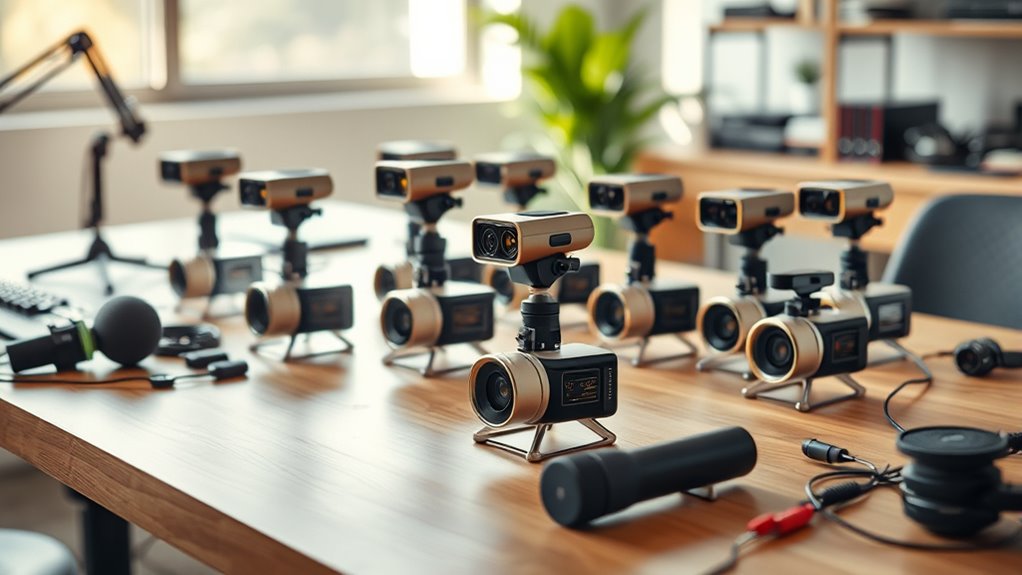
You’ll want a podcasting camera that offers sharp 4K or higher resolution, reliable autofocus, and clear audio to capture every moment with ease. These features ensure your podcast looks professional and sounds great, no matter where you record.
Models like the EMEET S600 and PIXY provide AI tracking and PDAF autofocus, which means your camera will follow you smoothly and keep you in perfect focus.
Meanwhile, Logitech Brio and Insta360 Link 2 offer advanced lighting correction and ultra-high-def video, making your visuals pop even in tricky lighting conditions.
Many of these cameras include built-in mics with noise cancellation and flexible mounting options. So, whether you’re recording at your desk or on the go, you’ll find a setup that fits your podcasting needs perfectly.
EMEET S600 4K Webcam for Streaming, Sony 1/2.55” Sensor, PDAF Autofocus
Experience sharp, professional-grade video with the EMEET S600 4K Webcam, designed to elevate your streaming and video calls. Its Sony 1/2.55” CMOS sensor delivers vibrant 4K resolution at 30FPS, ensuring your image is crisp and detailed. This webcam adapts to different lighting conditions automatically, so you always look your best without manual adjustments.
The advanced PDAF autofocus keeps you perfectly in focus even when moving. Dual noise-canceling microphones reduce background noise, providing clear and natural audio for podcasts and meetings. The wide viewing angles and digital zoom offer flexibility, though zoom is limited to 2.1x and angle adjustments may require manual setup.
Built for ease of use, the S600 offers simple plug-and-play functionality compatible with most operating systems. Its durable design includes a privacy cover, giving you peace of mind when the camera is not in use. Regular maintenance is straightforward—just keep the lens clean for optimal performance.
Best for: Content creators, streamers, and professionals seeking reliable 4K video with precise autofocus and clear sound for live streaming and conferencing.
What We Like:
- High-resolution 4K video with smooth 1080P at 60FPS
- PDAF autofocus ensures sharp focus during movement
- Dual microphones reduce background noise effectively
- Plug-and-play setup with wide OS compatibility
- Privacy cover for enhanced security
Specification:
| Feature | Details |
|---|---|
| Manufacturer | EMEET |
| Sensor | Sony 1/2.55” CMOS |
| Video Resolution | 4K at 30FPS, 1080P at 60FPS |
| Autofocus | PDAF |
| Microphones | Dual noise-canceling |
| Viewing Angle | 40°-73° (varies by mode) |
| Digital Zoom | Up to 2.1x |
| Connectivity | USB Plug-and-Play |
| Privacy Cover | Included |
| Dimensions | Not specified |
| Weight | Not specified |
EMEET PIXY Dual-Camera AI-Powered PTZ Camera 4K, AI Tracking
Experience crystal-clear video and effortless tracking with the EMEET PIXY Dual-Camera AI-Powered PTZ Camera. Designed to capture every detail, this camera uses a 4K main lens combined with AI autofocus that locks focus in just 0.2 seconds. It ensures your subjects stay sharp and well-lit, even in challenging lighting conditions.
The dual-camera system intelligently tracks faces and adjusts exposure to maintain natural skin tones. Its smooth 310° pan and 180° tilt allow dynamic framing, controlled easily through gesture commands. This means your videos stay engaging without manual adjustments.
Audio quality matches the video with a triple-mic array that filters noise, delivering studio-grade sound. You can connect seamlessly with popular streaming platforms and control settings via EMEET’s software or an optional remote. Its versatile mounting options let you set up the camera precisely where you need it.
Maintenance is straightforward, with durable construction designed for long-term use. However, the remote control and tripod are sold separately, which may require additional investment. Beginners might need some time to get familiar with the AI features and software controls.
Best for: Podcasters, streamers, and online creators seeking sharp 4K video, intelligent AI tracking, and premium audio for professional streaming experiences.
What We Like:
- Fast 0.2-second AI autofocus ensures clear, focused video.
- Wide PTZ range with gesture control for smooth, hands-free operation.
- Triple-mic array delivers clear, noise-filtered sound without extra equipment.
- AI-powered dual-camera system optimizes exposure and skin tones.
- Compatible with major platforms and offers flexible mounting options.
Specification:
| Specification | Details |
|---|---|
| Manufacturer | EMEET |
| Dimensions | Not specified |
| Weight | Not specified |
| Camera Resolution | 4K main lens |
| Pan Range | 310° |
| Tilt Range | 180° |
| Microphone | Triple-mic array |
| Control Options | Software, gesture, remote* |
| Mounting | Clip included, tripod sold separately |
| Color Options | Not specified |
*Remote control sold separately.
EMEET PIXY Dual-Camera AI-Powered PTZ Camera 4K with Tripod, AI Tracking
Experience smooth, professional video tracking with the EMEET PIXY Dual-Camera AI-Powered PTZ Camera. Designed for dynamic environments, it ensures your movements are captured effortlessly, making it ideal for podcasting and streaming.
This camera’s dual-lens system combines a 4K main sensor with AI face detection, providing sharp, detailed video and fast autofocus in just 0.2 seconds. The wide 310° pan and 180° tilt angles let you cover every corner of your space without missing a moment.
Hands-free control is easy thanks to gesture recognition, enabling you to start tracking without touching any buttons. The integrated tripod offers stable framing, while the three built-in microphones capture clear audio, eliminating the need for extra accessories.
Maintenance is straightforward; its sturdy build and simple USB 2.0 connection ensure reliable performance and easy setup. While the pan and tilt ranges cover most needs, extreme wide-angle coverage may require additional equipment.
Best for: content creators, podcasters, and educators seeking reliable 4K video with smart AI tracking and integrated audio for hands-free recording.
What We Like:
- Dual-camera system with crisp 4K video and quick 0.2s autofocus
- AI-powered face and motion tracking with gesture control
- Built-in tripod and triple microphones for stable setup and clear sound
Specification:
| Feature | Details |
|---|---|
| Manufacturer | EMEET |
| Resolution | 4K UHD |
| Pan Range | 310° |
| Tilt Range | 180° |
| Autofocus Speed | 0.2 seconds (PDAF) |
| Microphones | 3 (built-in array) |
| Connection | USB 2.0 |
| Tripod | Built-in |
Logitech Brio 101 Full HD 1080p Webcam for Streaming and Meetings – Black
Experience professional-quality video with the Logitech Brio 101 Full HD 1080p webcam. Designed to enhance your streaming and meeting experience, it delivers sharp, clear visuals that make your presence stand out. The RightLight auto-light correction adjusts brightness and reduces shadows, ensuring you look your best in any lighting.
This webcam offers easy setup and customization. Use the Logi Options+ app to adjust zoom and framing effortlessly, tailoring your shot to your needs. Its built-in microphone captures clear audio, while the privacy shutter provides peace of mind when the camera is not in use.
With a compact design made from recycled plastic, the Brio 101 balances performance with sustainability. While its fixed focus lens and mono audio may limit some users, it remains a dependable choice for clear communication and streaming.
Maintenance is simple: the webcam’s plug-and-play setup requires no complex installation, and the privacy shutter helps keep the lens clean and protected when offline.
Best for: content creators, remote workers, and professionals seeking a reliable, easy-to-use webcam for streaming and video conferencing.
What We Like:
- Crisp 1080p Full HD video with auto-light correction for better visibility
- Adjustable zoom and framing via Logi Options+ app
- Built-in microphone combined with a privacy shutter for secure use
- Eco-friendly design using recycled plastic
Specification:
| Feature | Details |
|---|---|
| Manufacturer | Logitech |
| Resolution | Full HD 1080p |
| Viewing Angle | 60 degrees |
| Audio | Built-in mono microphone |
| Weight | ~5 ounces (142 grams) |
| Color | Black |
| Material | Recycled plastic |
8K Ultra HD Vlogging Camera with Microphone
Capture every detail with the 8K Ultra HD Vlogging Camera with Microphone, designed to elevate your video content with exceptional clarity. This camera solves common issues like shaky footage and poor audio, giving you smooth, professional results in a compact design.
Its advanced 6-Axis anti-shake stabilization ensures steady shots whether you’re walking or shooting handheld. The external X-Y stereo microphone significantly reduces background noise, so your voice comes through crisp and clear, ideal for podcasts and vlogs.
The 3-inch rotatable touch screen allows easy framing from any angle, making self-recording intuitive. Built-in Wi-Fi lets you transfer files instantly, simplifying your workflow and saving time. Plus, it doubles as a webcam for seamless live streaming or online teaching.
Maintenance is straightforward thanks to its compact size and simple controls. Keep the SD card up to date and clean the lens regularly to ensure optimal performance. While 8K video is limited to 15FPS and zoom options are modest, this camera excels in portability and professional audio-visual quality.
Best for: Content creators and vloggers needing ultra-high video resolution and clear audio in a travel-friendly package.
What We Like:
- Smooth footage with 6-Axis anti-shake stabilization
- Clear audio from the external X-Y stereo microphone
- Easy file transfers via built-in Wi-Fi
- Versatile 3-inch rotatable touch screen
- Functions as a webcam for streaming and teaching
Specification:
| Feature | Details |
|---|---|
| Manufacturer | Not specified |
| Video Resolution | 8K at 15FPS |
| Image Resolution | 88MP |
| Lens Focal Length | 3.37mm |
| Aperture | f/2.2 |
| Display Size | 3-inch rotatable touch screen |
| Storage | 32GB SD flash memory |
| Connectivity | Built-in Wi-Fi |
| Microphone | External X-Y stereo |
| Weight | Not specified |
Insta360 Link 2 PTZ 4K Webcam with AI Tracking
Step up your video presence with the Insta360 Link 2 PTZ 4K Webcam, designed to keep you perfectly framed at all times. Its intelligent AI tracking physically moves the camera to follow your every motion, eliminating the need to stay rigid or manually adjust your view.
This webcam delivers crisp, HDR-quality 4K video using a 1/2″ sensor that creates sharp images with natural bokeh, giving your streams and meetings a professional appearance. Gesture controls enable hands-free zoom and mode changes, making it easy to stay focused on your content without interrupting flow.
Maintaining clear audio is effortless thanks to AI noise-canceling microphones that reduce background sounds. The compact design fits seamlessly into any workspace and connects via USB-C, ensuring broad compatibility with major platforms. Privacy is built-in with an auto-tilt feature that shields the lens when not in use.
The Insta360 Link 2 excels in remote work, content creation, and virtual presentations, offering smooth, high-quality video with intuitive control. Keep in mind, it is not compatible with ARM-based Windows systems and relies on digital zoom, which may slightly impact image clarity.
Best for: Professionals and creators seeking an intelligent 4K webcam with AI-powered tracking and hands-free control for streaming, meetings, and presentations.
What We Like:
- True-to-life 4K HDR video with DSLR-like depth and natural bokeh
- AI pan-tilt-zoom physically follows your movements for perfect framing
- Gesture controls enhance usability without interrupting workflow
- AI noise-canceling microphones provide clear, distraction-free audio
- Privacy-focused auto-tilt lens for added security
Specification:
| Feature | Details |
|---|---|
| Manufacturer | Insta360 |
| Sensor Size | 1/2 inch |
| Video Resolution | 4K HDR |
| Connectivity | USB-C |
| Dimensions | Compact (exact size not specified) |
| Weight | Lightweight (exact weight not specified) |
| Compatibility | Major platforms (excluding ARM-based Windows) |
EMEET NOVA 4K Webcam for PC, Ultra 4K HD, PDAF Autofocus, Dual Omni Mics
Experience crystal-clear video and audio with the EMEET NOVA 4K Webcam, designed to elevate your podcasting and video calls. Its ultra-high-definition 4K video delivers sharp, detailed images that keep you looking professional every time.
The webcam’s PDAF autofocus automatically adjusts from 7.9 to 118 inches, ensuring your visuals stay crisp without manual tweaking. Dual omnidirectional microphones pick up natural sound clearly within 8 feet, solving common audio issues like muffled voices or background noise.
Setup is simple with plug-and-play USB connectivity, compatible with most major platforms. The compact design features a privacy cover and 360° rotation for flexible positioning. Tripod support adds stability, making it versatile for various recording setups.
Maintenance is easy—just keep the lens clean and the software updated for manual control options. However, note that the default video resolution starts at 1080P and requires software adjustment to unlock full 4K quality. It’s intended for indoor use, as it lacks water resistance.
Best for: Podcasters and content creators needing reliable 4K video quality paired with clear audio in a compact webcam.
What We Like:
- Sharp 4K video at 30FPS with PDAF autofocus for consistent clarity
- Dual omnidirectional microphones capture clear audio up to 8 feet
- Easy plug-and-play USB setup with broad platform compatibility
- Compact design with privacy cover and 360° rotation
- Tripod support for stable and versatile positioning
Specification:
| Feature | Description |
|---|---|
| Manufacturer | EMEET |
| Dimensions | Compact size (not specified) |
| Weight | Lightweight (not specified) |
| Material | Durable plastic |
| Color Options | Black |
EMEET C960 1080P Webcam with Microphone, 2 Mics, 90° FOV, Computer Camera
Experience clear, professional video calls with the EMEET C960 1080P Webcam. Its wide 90° field of view captures more people or background without needing to adjust your setup. This makes it ideal for meetings, online classes, or streaming where you need to show more than just your face.
The webcam’s 5-layer anti-glare lens and fixed focus deliver sharp images from 50 cm up to 3 meters. This ensures consistent clarity whether you’re close to the camera or sitting a bit farther away. Dual omnidirectional microphones pick up voices clearly, reducing background noise for crisp audio.
Designed for easy use, the C960 connects via USB with simple plug-and-play compatibility. It works smoothly across Windows, macOS, and Android TV platforms. The compact design includes a privacy cover for peace of mind when the camera is not in use.
Maintenance is straightforward—just wipe the lens gently to keep your video sharp. The fixed focus means no manual adjustments, so you can focus on your tasks without distractions. Its design balances performance with convenience, though it requires direct USB port connection for best results.
Best for: Professionals and remote workers needing a reliable webcam with wide-angle video and clear audio for conferencing and streaming.
What We Like:
- Crisp 1080p video with a wide 90° viewing angle
- Dual omnidirectional microphones for clear sound
- Simple plug-and-play setup on multiple operating systems
- Privacy cover for camera protection
- Fixed focus lens ensures consistent image clarity
Specification:
| Feature | Details |
|---|---|
| Manufacturer | EMEET |
| Resolution | 1080p (Full HD) |
| Field of View (FOV) | 90° |
| Microphones | 2 omnidirectional mics |
| Focus Type | Fixed focus |
| Connection | USB |
| Compatibility | Windows, macOS, Android TV |
| Dimensions | Compact design (exact size not specified) |
| Color | Black |
OBSBOT Tiny 2 Lite 4K Webcam for PC, AI Tracking PTZ Streaming Camera
Step up your live streaming and content creation with the OBSBOT Tiny 2 Lite 4K Webcam. This AI-powered camera tracks your movements smoothly, allowing you to stay hands-free while engaging with your audience. No more adjusting your frame manually; the webcam follows your upper body and responds to hand gestures with ease.
The 4K video quality at 30 FPS ensures your broadcasts look sharp and professional. Autofocus and digital stabilization work together to maintain clarity even when you move around. Its intuitive gesture controls let you lock or zoom without touching any buttons, simplifying your workflow.
Designed for easy use, the webcam is compatible with both Windows and macOS. It connects via USB-C for plug-and-play convenience, with options for advanced control through SDKs or hotkeys. Lightweight and compact, it fits well into any streaming setup without adding bulk.
Maintenance is straightforward—just keep the lens clean and ensure your system meets the recommended specs for smooth performance. While it doesn’t support Wi-Fi, its reliable USB connection guarantees stable video transmission.
Best for: podcasters, streamers, and esports broadcasters seeking hands-free AI tracking and clear 4K video for professional live streaming and recording.
What We Like:
- AI tracking with gesture-based control enhances hands-free operation
- Crisp 4K video at 30 FPS with autofocus and digital stabilization
- Compatible with Windows and macOS, supporting plug-and-play and SDK controls
- Lightweight and compact design fits seamlessly into any setup
Specification:
| Feature | Details |
|---|---|
| Manufacturer | OBSBOT |
| Resolution | 4K (3840 x 2160) |
| Frame Rate | 30 FPS |
| Connectivity | USB-C |
| Compatibility | Windows, macOS |
| Weight | Approx. 0.15 lb (70 g) |
| Dimensions | Compact, exact size not specified |
EMEET C60E Dual-Camera 4K Webcam for Streaming, Wide-Angle & Telephoto
Experience seamless streaming versatility with the EMEET C60E Dual-Camera 4K Webcam. It solves the common problem of limited framing options by offering both a wide-angle 73° view and a detailed telephoto shot with 11X hybrid zoom. This flexibility lets you switch perspectives easily for dynamic video content.
The webcam’s PDAF autofocus keeps your image crisp and clear, ensuring professional-looking streams. You can control zoom, brightness, and RGB lighting through a remote or the EMEET STUDIO software, making adjustments straightforward and convenient.
Designed for indoor use, the sleek device includes built-in omnidirectional microphones that enhance audio quality. While it supports 4K video at 30FPS, zoom is unavailable at 4K 60FPS. It’s compatible with Windows, macOS, and Android TV but not Chrome OS, and requires careful handling as it is not water-resistant.
Maintenance is simple—just keep it dry and use the software for calibration and settings updates. Its dual-camera design improves your streaming experience by allowing flexible framing without extra equipment.
Best for: Content creators and remote professionals needing high-quality 4K video with flexible wide-angle and telephoto views.
What We Like:
- Dual-camera system with easy switching between wide-angle and telephoto views
- PDAF autofocus for sharp images
- Remote and software control for convenient adjustment of zoom, brightness, and lighting
- Built-in omnidirectional microphones for clear audio
- Sleek design with customizable RGB lighting
Specification:
| Feature | Details |
|---|---|
| Manufacturer | EMEET |
| Resolution | 4K UHD |
| Frame Rate | Up to 30FPS (4K), 60FPS (no zoom) |
| Field of View | 73° Wide-angle, Telephoto with 11X hybrid zoom |
| Autofocus | PDAF |
| Compatibility | Windows, macOS, Android TV |
| Microphones | Built-in omnidirectional |
| Controls | Remote and STUDIO software |
| Water Resistance | None (indoor use only) |
5K UHD Vlogging Camera with Night Vision
Step up your content creation with the 5K UHD Vlogging Camera featuring Night Vision. This camera tackles the challenge of low-light environments, allowing you to record sharp, high-resolution videos no matter the time of day. Capture every detail with stunning 5K video at 20fps or smooth 4K at 60fps, and take vibrant 64MP photos that bring your visuals to life.
Designed for flexibility, the camera’s 16X optical zoom and IR night vision ensure your shots remain clear and detailed in diverse lighting conditions. Its 3″ rotatable touch screen simplifies framing, making it easy to compose your shots from any angle. These features help podcasters and vloggers maintain professional-quality visuals without complicated setups.
Maintaining this camera is straightforward. Though it requires 2 AAA batteries, which might limit recording time, the absence of rechargeable batteries means quick replacements are hassle-free. The manual focus with a minimum distance of 0.6m encourages thoughtful composition but may need some practice to master.
This camera comes equipped with essential accessories like an external mic, tripod, and remote control, enhancing usability and making it a versatile tool for content creators. Keep in mind, it is not water-resistant, so avoid exposure to wet or harsh weather to protect your investment.
Best for: Podcasters, vloggers, and content creators who need high-resolution video and photo quality with reliable night vision for versatile shooting in varying light conditions.
What We Like:
- Captures ultra-high-definition 5K video and 64MP images with effective night vision for low-light recording.
- Features a 3″ rotatable touch screen and 16X optical zoom for precise and flexible framing.
- Includes essential accessories like external microphone, tripod, and remote control for enhanced functionality.
Specification:
| Feature | Details |
|---|---|
| Manufacturer | Not specified |
| Video Resolution | 5K UHD at 20fps, 4K at 60fps |
| Photo Resolution | 64MP |
| Optical Zoom | 16X |
| Screen Size | 3 inches (rotatable touch) |
| Night Vision | IR (Infrared) |
| Battery Type | 2 AAA batteries |
| Accessories Included | External mic, tripod, remote |
| Focus Type | Manual (min distance 0.6m) |
| Water Resistance | No |
Logitech Brio Ultra 4K HD Webcam for Streaming and Meetings – Black
Experience crystal-clear video quality with the Logitech Brio Ultra 4K HD Webcam, designed to elevate your streaming and meeting experience. This webcam solves the problem of blurry and pixelated video by delivering true 4K resolution at 30 fps, ensuring every detail is sharp and professional.
Its adjustable field of view lets you customize your frame between 65°, 78°, or 90°, so you always look your best on camera. The RightLight 3 technology automatically adapts to different lighting conditions, improving video clarity in low light or backlit situations.
Audio clarity is enhanced with dual noise-canceling microphones that capture sound up to 1.2 meters away, reducing background noise for clearer conversations. Security is also a priority, with Windows Hello facial recognition support and a physical privacy shutter to protect your privacy when the camera is not in use.
Maintenance is simple thanks to its durable design, and the webcam is compatible across multiple platforms. While 4K streaming demands good bandwidth and processing power, the Brio is ideal for professionals seeking a reliable, high-quality video solution.
Best for: Creators, professionals, and streamers needing sharp 4K video and clear audio with flexible customization and enhanced security features.
What We Like:
- Sharp 4K video at 30 fps with autofocus and 5x digital zoom
- Adjustable field of view for perfect framing
- Dual noise-canceling microphones for clear audio capture
- Windows Hello support and physical privacy shutter for security
- Adaptive lighting with RightLight 3 technology
Specification:
| Feature | Detail |
|---|---|
| Manufacturer | Logitech |
| Resolution | 4K Ultra HD (3840 x 2160) |
| Frame Rate | 30 fps |
| Field of View | 65°, 78°, 90° adjustable |
| Microphones | Dual noise-canceling |
| Connectivity | USB |
| Color | Black |
| Compatibility | Windows, Mac, Linux |
EMEET C960 4K Webcam for PC, PDAF Auto Focus, Dual Omni Mics, 73° FOV
Experience crisp, professional video with the EMEET C960 4K Webcam. Designed to enhance your remote meetings and content creation, it delivers true 4K resolution with PDAF autofocus, ensuring sharp images even in changing lighting. Automatic light correction keeps your visuals clear, reducing the hassle of adjusting settings during calls or recordings.
The webcam’s dual omnidirectional microphones capture your voice naturally, improving communication without the need for extra audio equipment. Its USB-A plug-and-play design means setup is quick and hassle-free, with no drivers needed. A physical privacy cover adds security when the camera is not in use.
With adjustable angles and a tripod thread, positioning the webcam to fit your workspace or streaming setup is simple. However, note the default video resolution is 1080P and requires software adjustment to unlock full 4K quality. The 66° field of view is focused, making it ideal for individual use rather than wide group shots.
Best for: Professionals and content creators seeking reliable 4K video quality and clear audio for remote meetings, podcasting, and streaming.
What We Like:
- True 4K resolution with PDAF autofocus and automatic light correction
- Dual omnidirectional microphones for clear voice capture
- Easy USB-A plug-and-play setup with no drivers required
- Physical privacy cover for added security
- Adjustable angles and tripod compatibility for flexible positioning
Specification:
| Feature | Details |
|---|---|
| Manufacturer | EMEET |
| Resolution | True 4K (default 1080P) |
| Autofocus | PDAF |
| Microphones | Dual omnidirectional |
| Field of View (FOV) | 66° |
| Connectivity | USB-A |
| Compatibility | Windows, macOS, Linux |
| Privacy Cover | Included |
| Mounting Options | Adjustable angles, tripod thread |
EMEET S600 4K Webcam with Tripod for Streaming, Sony 1/2.55” Sensor
Experience sharp, professional-quality video with the EMEET S600 4K Webcam, designed to enhance your streaming and video calls. Its Sony 1/2.55” sensor delivers clear 4K resolution at 30FPS or smooth 1080P at 60FPS, ensuring your visuals stay crisp and detailed. This webcam helps solve common video quality issues, making your online presence more engaging and polished.
The flexible tripod adjusts from 6.7 to 18.5 inches and rotates 360°, allowing you to find the perfect angle whether you’re streaming solo, hosting group calls, or capturing full-body shots. Its compact design makes setup and repositioning simple, adapting to different spaces and styles.
With advanced PDAF autofocus and automatic light adjustment, the webcam maintains sharp focus and balanced brightness even in low-light conditions. This feature reduces the need for additional lighting equipment and helps you look your best without extra effort.
Maintenance is straightforward — just keep the lens clean and ensure the tripod is stable on flat surfaces. The webcam is compatible with Windows and macOS and works seamlessly across popular streaming platforms, simplifying your workflow.
Best for: content creators, live streamers, and professionals seeking versatile, high-resolution video for streaming, conferencing, and creative projects.
What We Like:
- High-quality Sony sensor delivering crisp 4K video at 30FPS and smooth 1080P at 60FPS
- Adjustable tripod with 6.7 to 18.5-inch height and 360° swivel for versatile framing
- PDAF autofocus and auto light adjustment for clear visuals in varied lighting
- Compatible with Windows and macOS across major streaming platforms
Specification:
| Feature | Details |
|---|---|
| Manufacturer | EMEET |
| Sensor | Sony 1/2.55” |
| Video Resolution | 4K at 30FPS, 1080P at 60FPS |
| Tripod Height | 6.7 to 18.5 inches |
| Tripod Rotation | 360 degrees |
| Compatibility | Windows, macOS |
NexiGo N680E Pro 4K Webcam with Ring Light
Experience crystal-clear video quality with the NexiGo N680E Pro 4K Webcam, designed to bring your online presence to life. Its Sony sensor captures ultra-sharp 4K resolution, making your streams and meetings look vibrant and professional.
This webcam solves common video challenges with fast PDAF autofocus, ensuring your image stays sharp without delay. Dual noise-canceling microphones provide clear audio, eliminating background distractions for smooth communication.
Integrated tri-tone ring light offers adjustable brightness and color modes. This feature lets you customize lighting to suit any environment, so you always appear well-lit and natural. The flexible clip and wide 80° field of view help you position the camera perfectly.
Maintenance is simple—just keep the lens clean and avoid exposure to moisture since it lacks water resistance. The privacy shutter adds security, though it slightly increases the device’s bulk. Plug-and-play USB-A connection ensures broad compatibility across various devices.
Best for: Content creators, live streamers, and professionals needing high-quality 4K video with versatile lighting and clear audio for streaming, conferencing, and recording.
What We Like:
- Sharp 4K video with Sony sensor and PDAF autofocus
- Clear sound from dual noise-canceling microphones
- Adjustable tri-tone ring light for optimal lighting
- Easy setup with plug-and-play USB-A connection
- Privacy shutter for added security
Specification:
| Feature | Details |
|---|---|
| Manufacturer | NexiGo |
| Resolution | 4K UHD |
| Sensor | Sony sensor |
| Autofocus | PDAF |
| Microphones | Dual noise-canceling |
| Light | Built-in tri-tone ring light |
| Field of View | 80° |
| Connection | USB-A |
| Dimensions | Compact size (not specified) |
| Water Resistance | None |
Factors to Consider When Choosing a Podcasting Camera
When choosing a podcasting camera, you’ll want to focus on video resolution and autofocus speed to keep your footage sharp and smooth.
Don’t forget audio clarity and how well the camera performs in low light, since those factors impact your overall quality.
Also, check if the camera connects easily with your setup and works with your software. It’s all about making sure everything works together seamlessly.
Video Resolution Quality
Although higher video resolutions like 4K or 8K deliver sharper, more detailed images that boost your podcast’s professional look, choosing the right resolution depends on your specific needs and setup.
For most streaming platforms, 1080p provides a solid balance between quality and bandwidth, ensuring smooth performance without overloading your hardware.
Keep in mind, higher resolutions demand more processing power and internet speed, which can affect your stream’s stability.
Opt for a camera with adjustable resolution settings to adapt to different recording environments or network conditions.
This flexibility lets you maintain visual appeal and engagement without compromising performance.
Ultimately, prioritize a resolution that matches your audience’s platform and your equipment capabilities to deliver clear, engaging video every time.
Autofocus Speed Accuracy
Video resolution sets the stage for your podcast’s visual quality, but autofocus speed and accuracy keep your images sharp and clear as things move. When presenters shift positions or multiple people engage, a camera with a fast autofocus—ideally around 0.2 seconds—adjusts quickly without missing a beat.
Autofocus accuracy prevents blurriness, maintaining crisp visuals even during dynamic scenes or focus changes. Cameras equipped with PDAF (Phase Detection Autofocus) technology excel here, delivering more precise and reliable tracking than traditional contrast-based systems.
This consistency means you won’t waste time on manual focus tweaks during live streaming or recordings. So, prioritizing autofocus speed and accuracy ensures your podcast looks professional and polished, no matter how fast-paced or complex the setup.
Audio Capture Clarity
Since audio quality can make or break your podcast, choosing a camera with clear audio capture is vital. Look for models equipped with noise-canceling microphones to reduce background sounds and guarantee every word is crisp and intelligible.
Cameras featuring dual microphone setups often deliver richer stereo sound, helping your voice stand out from ambient noise. Focus on microphones supporting wide frequency ranges—from 100Hz to 10kHz—to capture the full depth of your vocal tones naturally.
Proper microphone placement near the speaker is essential, as it minimizes distortion and boosts clarity during recordings. Also, ensure your camera supports multiple audio formats like AAC, MP3, and WAV for versatile, high-quality recording and streaming options.
Prioritizing these factors will definitely elevate your podcast’s audio experience. Trust me, your listeners will notice the difference!
Low-Light Performance
When recording in dim environments, your podcasting camera’s low-light performance can make all the difference in image quality. You want a camera with high ISO sensitivity to capture clear images without excessive grain.
Look for models featuring auto white balance and auto light correction to keep colors accurate and visibility sharp in low light. Cameras with larger sensors, like 1/2.55” or bigger, excel by capturing more light, improving overall brightness and detail.
Digital noise reduction technology is essential, too, as it minimizes grain and maintains clarity when lighting is limited. Additionally, consider cameras that support built-in or external lighting options, such as ring lights or softboxes, which can dramatically enhance your recording quality in darker settings.
Connectivity and Compatibility
Although choosing a camera with great image quality is important, you also need to guarantee it connects smoothly with your devices and software.
First, make sure the camera supports your device’s connection type, like USB-A, USB-C, or HDMI, to avoid compatibility headaches. Check if it works seamlessly with your operating system—whether that’s Windows, macOS, Linux, Android, or iOS—to ensure proper functionality.
Also, verify compatibility with your preferred streaming or recording software such as OBS, Zoom, or Skype. Don’t forget to confirm if the camera is plug-and-play or if it requires extra drivers or software for setup.
Finally, consider whether it supports external accessories like tripods or microphones to give you more flexibility during your podcasting sessions.
Mounting and Adjustability
Three key mounting and adjustability features can make a big difference in your podcasting setup. First, guarantee your camera offers adjustable tilt, swivel, or pan to frame yourself perfectly from any angle.
Next, look for height-adjustable mounts or tripods, so you can customize vertical positioning for the best shot. Also, choose webcams with built-in or compatible mounting options like tripod threads or clip mounts for versatile placement.
Don’t forget to check if the camera allows remote or software-controlled adjustments, letting you tweak angles smoothly during recording. Finally, verify that the mounting system is stable and compatible with your setup to prevent wobbling, especially if you move around or have dynamic environments.
These features keep your visuals sharp and professional. It’s all about making sure your camera setup works for you, not the other way around!
Software and Controls
Since you’ll want full control over your podcast’s visual quality, choosing a camera with customizable software controls is essential. Look for models that let you adjust exposure, white balance, and focus easily through dedicated apps or software.
Real-time adjustments and preset configurations can save you time during recording. Physical controls like buttons or dials are a bonus, letting you tweak settings quickly without interrupting your flow.
Make sure the camera integrates smoothly with popular streaming platforms like OBS, Skype, or Zoom to avoid technical hiccups. Advanced features such as auto-tracking, gesture controls, or programmable hotkeys can further enhance your control, making your setup more intuitive and responsive.
Prioritize software and controls that match your workflow for a seamless podcasting experience. It’s all about making your setup work for you, not the other way around.
Privacy and Security
Beyond software controls, protecting your privacy while recording is just as important when choosing a podcasting camera. Look for webcams with physical privacy covers to block unauthorized access when you’re not recording.
Cameras that support hardware-based privacy features, like automatic shutter activation or tilting, give you control over when the lens is exposed. Make sure the camera uses secure data transmission methods—USB plug-and-play models without WiFi or Bluetooth reduce hacking risks.
Built-in privacy indicators, such as lights that turn on when the camera is active, help prevent accidental filming. Finally, opt for models that receive regular firmware updates, as these patches address security vulnerabilities and keep your device protected against emerging threats.
Prioritizing these features ensures your recordings stay secure and private. It’s all about having peace of mind while you create.
Frequently Asked Questions
How Do I Set up Lighting for the Best Podcast Video Quality?
You should position soft, diffused lights at 45-degree angles from your face to avoid harsh shadows. Use a ring light or LED panels, adjust brightness, and add a backlight to separate you from the background.
This setup really helps your face pop on camera. Plus, it keeps everything looking natural and flattering. Give it a try and see the difference it makes!
What Audio Equipment Pairs Best With These Podcasting Cameras?
While your camera captures crisp visuals, you’ll want a Rode NT-USB mic or Shure MV7 to match. These mics balance studio-quality sound with easy setup, ensuring your voice shines just as vividly as your video does.
Plus, both are super user-friendly, so you won’t have to fuss with complicated gear. Whether you’re just starting out or upgrading your setup, these microphones are solid picks that won’t let you down.
Can These Cameras Be Used Effectively for Outdoor Podcasting?
Yes, you can use these cameras effectively outdoors. Just make sure they have weather-resistant features.
Also, bring some portable lighting with you. It really helps with capturing clear footage.
Don’t forget to use windshields on your microphones. That way, you’ll keep the audio clear even if it’s windy.
With these tips, you’ll be able to capture quality footage anywhere.
What Editing Software Is Recommended for Podcast Video Production?
Forget smoke signals—use Adobe Premiere Pro or Final Cut Pro for your podcast video editing. They’re user-friendly, packed with features, and let you polish your footage effortlessly.
You’ll create professional-looking episodes that captivate your audience every time. Easy to learn and super powerful, these tools make your editing process smooth and fun. Give them a try and see the difference!
How Do I Optimize Internet Connection for Live Podcast Streaming?
You optimize your internet by using a wired Ethernet connection, closing unnecessary apps, and upgrading to a high-speed plan.
Also, test your upload speed regularly and consider a backup connection to avoid interruptions during live podcast streaming.
It’s all about keeping things smooth and steady so your audience gets the best experience possible.
Conclusion
Choosing the right podcasting camera is like picking the perfect lens to frame your story—just like a painter selects colors to bring a masterpiece to life. Imagine your podcast as a vibrant canvas; the camera you choose captures every brushstroke, every detail.
With options like the EMEET PIXY’s AI tracking or the crisp clarity of the Logitech Brio, you’ll guarantee your audience never misses a moment. These cameras help make your content as vivid as your vision.
When selecting the best podcasting camera, think about what features matter most to you—whether it’s smooth tracking, high resolution, or ease of use. The right camera can elevate your podcast quality, keeping viewers engaged and connected. So, invest in a top-quality camera and watch your podcast shine with every captured moment.