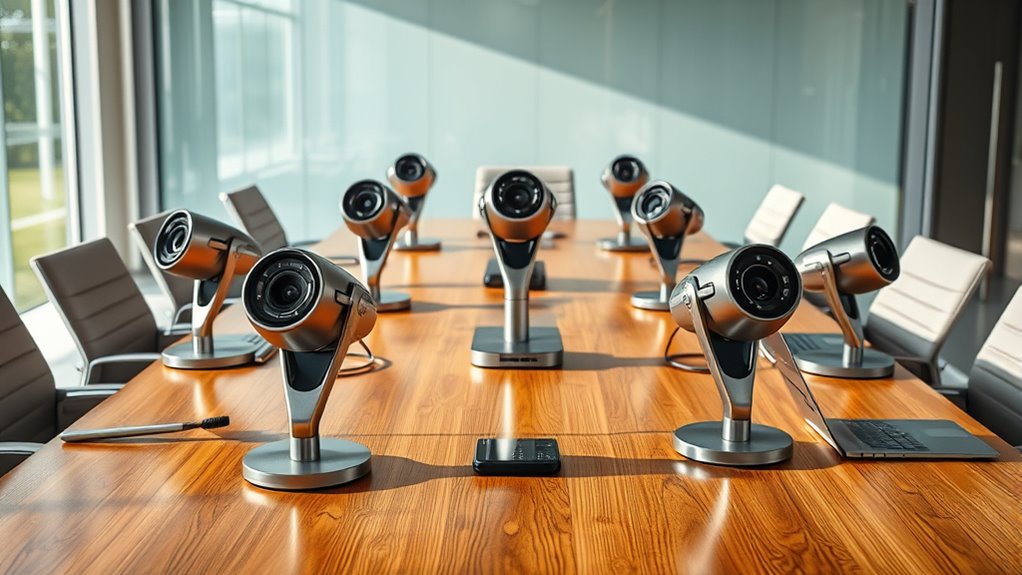
15 Best Meeting Cameras for 2027 That Boost Virtual Calls
You’ll want a meeting camera that offers crisp HD or 4K video and clear microphones with noise cancellation. Easy USB plug-and-play setup is a must for hassle-free use.
Models like the Logitech Brio 101 and EMEET NOVA provide sharp visuals and dual mics, perfect for professional calls.
Meanwhile, options like the Insta360 Link 2 add AI tracking and stunning 4K clarity to your virtual meetings.
Don’t forget to consider privacy features, especially if you handle sensitive information.
Also, think about whether you need room coverage or the ability to expand your setup.
Keep exploring to discover which meeting camera suits your virtual call needs best and boosts your remote collaboration!
Logitech Brio 101 Full HD 1080p Webcam for Streaming and Meetings – Black
Experience clear and sharp video quality with the Logitech Brio 101 Full HD webcam, designed to enhance your online meetings and streaming sessions. It tackles common video issues by delivering crisp 1080p resolution with H.264 compression, ensuring smooth and uninterrupted streaming. Whether your environment is dim or bright, the RightLight technology automatically adjusts to improve visibility and keep you in focus.
This webcam is easy to set up with a simple plug-and-play USB-A connection, compatible across Windows, macOS, and Chrome OS. Its compact design includes a sliding privacy shutter, giving you control over your lens for peace of mind when the camera is not in use. The built-in mono microphone captures clear audio, helping you communicate effectively during calls or recordings.
Maintenance is straightforward—just keep the lens clean and close the shutter when not in use to protect the camera. While the fixed focus lens means you can’t manually adjust focus, it simplifies use for everyday video needs. Note that newer devices might require a USB-C adapter for connection.
Best for: Professionals and remote workers needing a reliable webcam for video conferencing and streaming on popular platforms.
What We Like:
- Sharp Full HD 1080p video with smooth H.264 streaming
- RightLight tech enhances low-light performance
- Convenient sliding privacy shutter for lens protection
- Compatible plug-and-play USB-A setup across major OS
- Compact, easy-to-maintain design
Specification:
| Feature | Details |
|---|---|
| Manufacturer | Logitech |
| Resolution | Full HD 1080p |
| Compression | H.264 |
| Connection | USB-A |
| Compatibility | Windows, macOS, Chrome OS |
| Microphone | Built-in mono |
| Privacy Shutter | Sliding |
| Color | Black |
| Weight | Approx. 0.1 lb (45 g) |
Logitech C920x HD Pro PC Webcam Full 1080p/30fps Video – Black
Experience clear and vibrant video quality with the Logitech C920x HD Pro PC Webcam. Designed to deliver sharp full HD 1080p video at 30fps, it enhances your video calls and streams with smooth, detailed visuals. The five-element glass lens with autofocus keeps images crisp and clear, adapting to different lighting conditions automatically.
This webcam improves your audio experience through its dual microphones that capture natural sound. Background distractions are minimized thanks to the included XSplit VCam software, which allows you to blur or replace your background without needing a green screen. Setup is quick and simple, making it convenient for both professionals and casual users.
The C920x is compatible with Windows, Mac, tablets, and the Nintendo Switch 2, offering flexibility across devices. While the 78-degree viewing angle is slightly narrow, it helps focus on the subject without much distortion. Though it does not have built-in storage, it supports external SD cards for saving content.
Maintenance is straightforward as the webcam is lightweight and easy to handle, requiring minimal upkeep to maintain performance. Its design balances functionality and portability, making it ideal for virtual meetings and content creation.
Best for: Professionals, streamers, and content creators seeking reliable 1080p video and clear audio across multiple devices.
What We Like:
- Sharp and vibrant 1080p video with autofocus and light correction
- Dual microphones capture clear, natural sound
- XSplit VCam software enables background customization without a green screen
- Easy setup and lightweight design for portability
- Compatible with Windows, Mac, tablets, and Nintendo Switch 2
Specification:
| Feature | Details |
|---|---|
| Manufacturer | Logitech |
| Dimensions | Not specified |
| Weight | Not specified |
| Lens | Five-element glass lens |
| Frame Rate | 30 fps |
| Resolution | 1080p HD |
| Viewing Angle | 78 degrees |
| Microphones | Dual microphones |
| Compatibility | Windows, Mac, tablets, Nintendo Switch 2 |
| Software Included | XSplit VCam |
EMEET C960 1080P Webcam with Microphone, 2 Mics, 90° FOV, Computer Camera
Experience professional-quality video calls with the EMEET C960 1080P Webcam, designed to enhance your virtual communication effortlessly. Its Full HD 1080p resolution and 90° wide-angle lens capture clear, sharp images, making you look your best on every call. The webcam’s fixed focus and auto light correction work together to maintain vibrant visuals even in varied lighting conditions.
Audio clarity is key in remote meetings, and the C960 addresses this with dual omnidirectional microphones. These mics pick up your voice clearly from multiple angles, reducing background noise and improving overall sound quality. This makes conversations more natural and helps avoid misunderstandings during important discussions.
The webcam’s privacy cover adds a layer of security, ensuring your camera is off when not in use. Its clip base allows for quick, stable mounting on laptops, monitors, or other devices. Compatible with Windows, macOS, and Android TV, it integrates smoothly with popular platforms like Zoom, Teams, and Google Meet.
Maintenance is straightforward—simply unplug and clean the lens cover with a soft cloth to keep images crisp. The lightweight design makes it easy to transport and set up, ideal for professionals who work remotely or travel often.
Best for: Professionals and remote workers who need reliable HD video and clear audio for virtual meetings and streaming.
What We Like:
- Crisp Full HD 1080p video with 90° wide-angle lens and auto light correction
- Dual omnidirectional microphones for clear voice capture
- Privacy cover ensures camera security when not in use
- Easy clip base for quick and stable installation
- Compatible with Windows, macOS, and Android TV devices
Specification:
| Feature | Details |
|---|---|
| Manufacturer | EMEET |
| Resolution | 1080p Full HD |
| Lens Field of View | 90° |
| Microphones | 2 omnidirectional microphones |
| Focus Type | Fixed focus |
| Connectivity | USB plug-and-play |
| Compatibility | Windows, macOS, Android TV |
| Dimensions | Compact, lightweight design |
TRAUSI 1080P Webcam with Mic and Privacy Cover
Experience clear and vibrant video quality with the TRAUSI 1080P Webcam with Mic and Privacy Cover. This webcam enhances your online interactions by delivering sharp Full HD 1080p video at 30 frames per second. It ensures you look your best during video calls, streams, or presentations with its wide-angle lens that captures a broad field of view.
Designed to work well in various lighting conditions, it automatically adjusts to provide bright and clear images. The built-in noise-canceling microphone filters background sounds, offering crisp audio even in busy or noisy settings. This combination helps create professional-quality streams or meetings without extra equipment.
Security is straightforward with the integrated privacy cover, which easily slides over the lens when the webcam is not in use. This feature protects your privacy and gives peace of mind. Setup is hassle-free thanks to its plug-and-play design, compatible with most computers and operating systems.
Maintenance is simple; just keep the lens clean and the cover closed when idle to prolong the device’s life. While it offers excellent 1080p quality, the fixed wide-angle lens and 5-foot USB cable may limit flexibility for some users.
Best for: Professionals, streamers, and content creators needing reliable Full HD video and clear audio for online communication.
What We Like:
- Sharp 1080p video at 30 fps with wide-angle view
- Noise-canceling microphone for clear sound
- Privacy cover for enhanced security
- Automatic light correction for varied environments
- Easy plug-and-play setup with broad compatibility
Specification:
| Feature | Details |
|---|---|
| Manufacturer | TRAUSI |
| Video Resolution | 1080p Full HD at 30 fps |
| Lens | Wide-angle fixed |
| Microphone | Built-in noise-canceling |
| Privacy Cover | Yes, sliding cover |
| USB Cable Length | 5 feet (approx. 1.5 meters) |
| Compatibility | Windows, macOS, Linux |
Insta360 Link 2 PTZ 4K Webcam with AI Tracking
Experience the next level of video calls and streaming with the Insta360 Link 2 PTZ 4K Webcam. This advanced webcam uses AI-powered pan and tilt to keep you perfectly framed, eliminating the frustration of adjusting your camera during meetings or presentations. It captures stunning 4K HDR video with DSLR-like bokeh, providing clear, professional-quality visuals.
The webcam’s smart AI tracking follows your movements smoothly, giving you freedom to move without losing focus. It also features multiple control methods, including an intuitive smartphone app and simple hand gestures. Specialized modes like Whiteboard and DeskView enhance your presentations by focusing on specific areas, improving viewer engagement.
Designed for easy maintenance, the compact Insta360 Link 2 connects via USB-C, ensuring stable, high-speed data transfer. Its AI noise-canceling microphone keeps your audio clear even in noisy environments, making it ideal for busy offices or home setups. Compatible with both PC and Mac, it offers versatile functionality tailored to professional and creative use.
Best for: Professionals and content creators who need a high-quality, AI-enhanced 4K webcam with precise tracking and flexible control options for flawless virtual communication.
What We Like:
- AI-driven pan and tilt tracking for seamless framing
- Crisp 4K HDR video with natural depth of field effects
- Control via smartphone app and hand gestures
- Specialized modes for focused presentations
- AI noise-canceling microphone for clear audio
Specification:
| Feature | Description |
|---|---|
| Manufacturer | Insta360 |
| Dimensions | Compact (specific size not provided) |
| Weight | Not specified |
| Connectivity | USB-C |
| Compatible Systems | PC and Mac (not ARM Windows) |
| Video Resolution | 4K HDR |
| Special Features | AI pan & tilt tracking, Whiteboard & DeskView modes, AI noise-canceling mic |
PANOCORE360 360° All-in-One Conference Camera
The PANOCORE360 360° All-in-One Conference Camera transforms how you handle hybrid meetings. Its compact design and plug-and-play setup make it easy to integrate into small to medium conference rooms. You get smooth 360° video coverage, ensuring every participant is visible without adjusting multiple cameras.
This camera merges four 4K sensors into a sharp 1080p stream with smart auto-framing, keeping speakers perfectly centered. Its omnidirectional microphone array with AI voice isolation captures clear sound from up to 10 feet away, reducing background noise for better communication.
Maintenance is simple due to its lightweight, water-resistant build. The included tripod and versatile USB-C/A connectivity streamline installation and daily use. Plus, local recording to a MicroSD card adds a layer of convenience for saving meetings without extra software.
While it offers impressive functionality, note the maximum output is limited to 1080p, which might not meet ultra-high-definition needs. Also, the 10-foot audio pickup range suits smaller groups rather than large rooms.
Best for: Small to medium hybrid meeting participants and teams seeking an all-in-one, easy-to-use 360° video conferencing camera with integrated audio and local recording capabilities.
What We Like:
- Smooth 360° video with four 4K cameras combined into a clear 1080p stream
- Omnidirectional mic array with AI voice isolation ensures clear audio within 10 feet
- Easy plug-and-play compatibility with Zoom, Microsoft Teams, and Webex
- Local recording capability to MicroSD card for meeting archiving
- Lightweight, water-resistant design with included tripod and USB-C/A connections
Specification:
| Feature | Details |
|---|---|
| Manufacturer | PANOCORE |
| Dimensions | Compact, exact size not specified |
| Weight | Lightweight |
| Material | Water-resistant construction |
| Connectivity | USB-C and USB-A |
| Video Resolution | 1080p output from four 4K sensors |
| Audio Range | Up to 10 feet with AI isolation |
Logitech MeetUp Video Conferencing System 4K 3 Microphones – Black
Experience seamless video conferencing with the Logitech MeetUp Video Conferencing System. Designed for small and huddle rooms, it solves common meeting frustrations by delivering crystal-clear Ultra HD 4K video. Its wide 120° field of view and motorized pan/tilt extend visibility up to 170°, ensuring everyone is seen without manual adjustments.
The system’s three beamforming microphones capture voices clearly within a 5-meter range, reducing background noise and echo. Optional expansion microphones can enhance audio coverage for slightly larger spaces. The custom-tuned speaker provides clear sound, making conversations natural and easy to follow.
Its compact, sleek black design fits neatly on walls, credenzas, or above and below displays, adapting to various room setups without clutter. Setup is simple with plug-and-play USB connectivity, compatible with popular platforms like Microsoft Teams, Zoom, and Google Meet. Maintenance is minimal, and Logitech Sync allows remote management and updates for hassle-free operation.
Best for: Small and huddle rooms needing a versatile, high-quality 4K video conferencing system with excellent audio clarity.
What We Like:
- Ultra HD 4K video with wide field of view and motorized pan/tilt for comprehensive room coverage
- Three beamforming microphones with optional expansion for clear voice pickup
- Easy plug-and-play USB setup compatible with major conferencing platforms
- Compact design fits various mounting options without disrupting room aesthetics
- Remote management via Logitech Sync simplifies updates and monitoring
Specification:
| Feature | Details |
|---|---|
| Manufacturer | Logitech |
| Video Resolution | Ultra HD 4K |
| Field of View | 120° wide, motorized up to 170° |
| Microphones | 3 beamforming, optional expansion mic |
| Connectivity | USB plug-and-play |
| Compatible Platforms | Microsoft Teams, Zoom, Google Meet |
| Color | Black |
| Intended Room Size | Small and huddle rooms |
EMEET C960 4K Webcam for PC, PDAF Auto Focus, Dual Omni Mics, 73° FOV
Experience crystal-clear video with the EMEET C960 4K Webcam, designed for professionals who demand sharp visuals and reliable performance. Its genuine 4K CMOS sensor combined with PDAF autofocus ensures your image stays crisp and detailed, making your virtual presence stand out.
This webcam tackles common video issues by automatically correcting lighting and maintaining focus on you rather than the background. The 73° field of view captures just the right amount of your surroundings, while dual omnidirectional microphones deliver clear, natural sound that enhances communication.
Setting up is straightforward with its plug-and-play USB connection, compatible with Windows, macOS, and popular video apps. A privacy cover offers peace of mind when the camera is not in use, and the flexible mounting options make it easy to position for optimal framing.
While the default resolution starts at 1080P, users can switch to 4K mode through software settings for superior clarity. Note that its vertical rotation is limited to 15°, and the USB-A interface may require an adapter for some devices.
Best for: Professionals and remote workers needing ultra-clear 4K video and natural audio for meetings, lectures, and video calls.
What We Like:
- Genuine 4K CMOS sensor with fast PDAF autofocus
- Dual omnidirectional microphones capture natural sound
- Easy plug-and-play USB setup with privacy cover
- Flexible mounting options for various setups
Specification:
| Feature | Details |
|---|---|
| Manufacturer | EMEET |
| Resolution | 4K @ 30fps |
| Field of View | 73° |
| Microphones | Dual omnidirectional |
| Interface | USB-A |
| Rotation Range | Vertical: 15° |
| Compatibility | Windows, macOS, Zoom, others |
Logitech C270 720p Webcam Plug-and-Play Wide Screen Video Calling – Black
Experience clear and smooth video calls with the Logitech C270 720p Webcam. Designed for simplicity, this webcam solves common issues like poor lighting and unclear audio during virtual meetings. Its automatic light correction ensures you’re always visible, even in dim environments.
The built-in noise-reducing microphone captures crisp sound up to 1.5 meters away, reducing background distractions. This makes it ideal for work calls, online classes, or staying connected with family and friends.
Setting up is hassle-free with a plug-and-play USB connection that works on Windows, MacOS, and Chrome OS. Its adjustable clip fits securely on laptops or monitors, making it versatile for any workspace.
The 55° wide-angle lens provides a natural view, though it is designed primarily for individual use rather than group settings. Keep in mind, the fixed focus and 720p resolution suit everyday needs but may not meet professional streaming or high-detail video demands.
Best for: Users seeking an affordable, easy-to-use webcam for reliable video calls across multiple platforms.
What We Like:
- Clear 720p HD video with automatic light correction
- Noise-reducing microphone captures clear audio up to 1.5 meters
- Compatible with Windows, MacOS, Chrome OS, and popular apps
- Adjustable clip for secure placement on laptops or monitors
Specification:
| Feature | Details |
|---|---|
| Manufacturer | Logitech |
| Resolution | 720p HD |
| Field of View | 55° |
| Microphone Range | Up to 1.5 meters |
| Connection Type | USB-A |
| Compatibility | Windows, MacOS, Chrome OS |
| Color | Black |
j5create 360 Degree All Around Meeting Webcam
Experience seamless video conferencing with the j5create 360 Degree All Around Meeting Webcam, designed to capture every angle of your meeting room. This webcam adapts to various setups, ensuring everyone is clearly visible without the need to adjust positions constantly.
Its 1080p HD video quality combined with six different display modes lets you customize your view to focus on hosts, participants, or the entire room. The high-fidelity microphone captures clear audio, making conversations crisp and easy to follow. The touch bar feature allows you to specify participants’ locations efficiently.
Setup is straightforward with USB-C plug-and-play compatibility on popular platforms like Zoom and Microsoft Teams. Digital zoom and fixed focus provide consistent image clarity, while the compact design fits neatly in any professional or educational environment. However, note that the webcam lacks image stabilization and water resistance, which could limit use in dynamic or outdoor settings.
Best for: professionals and educators seeking flexible, high-quality 360-degree video conferencing solutions with easy setup and multiple viewing modes.
What We Like:
- Six versatile display modes including full screen and dual host for tailored viewing
- High-fidelity microphone paired with crisp 1080p HD video quality
- USB-C plug-and-play compatibility with popular conferencing apps
- Compact and lightweight design for easy placement
- Touch bar to specify participant locations efficiently
Specification:
| Feature | Details |
|---|---|
| Manufacturer | j5create |
| Dimensions | Compact size (exact dimensions N/A) |
| Weight | Lightweight (exact weight N/A) |
| Connectivity | USB-C plug-and-play |
| Video Resolution | 1080p HD |
| Display Modes | Six modes including full screen and dual host |
| Audio | High-fidelity microphone |
| Focus Type | Fixed focus |
| Water Resistance | Not water resistant |
Logitech MX Brio Ultra HD 4K Webcam Collaboration and Streaming – Graphite
Step into a new era of virtual communication with the Logitech MX Brio Ultra HD 4K Webcam. Designed to enhance your video calls and streaming, it delivers sharp 4K resolution that brings your image to life. This webcam solves common video issues by using advanced AI technology to brighten faces and improve clarity in low light.
The webcam’s dual noise-reducing microphones capture your voice clearly, reducing background distractions. Show Mode lets you tilt the camera easily, making it simple to share notes or sketches during meetings. Its compact design fits effortlessly on any desk setup and ensures privacy with a built-in cover.
Compatible with Windows, macOS, Chrome OS, and Linux, this webcam adapts to various work environments. Maintenance is straightforward—just keep the lens clean and use the privacy shutter when not in use to protect your data. Its customizable controls offer convenience without complexity.
With the MX Brio, collaboration becomes seamless, and your professional presence is enhanced in every virtual interaction.
Best for: Professionals and content creators who need crisp 4K video, clear audio, and versatile camera control for remote collaboration and streaming.
What We Like:
- Ultra HD 4K video quality with AI enhancements for better visibility in all lighting
- Dual beamforming microphones that reduce background noise for clear audio
- Show Mode feature for interactive sharing by tilting the camera
- Compact, privacy-focused design with a built-in lens cover
- Broad compatibility across major operating systems
Specification:
| Feature | Details |
|---|---|
| Manufacturer | Logitech |
| Dimensions | Compact size (approx. 3.5 x 1.5 x 1.5 inches) |
| Weight | Lightweight (under 0.2 lbs) |
| Material | Durable plastic |
| Color Options | Graphite |
Owl Labs Meeting Owl 3 360° Conference Camera
The Owl Labs Meeting Owl 3 360° Conference Camera transforms hybrid meetings by delivering clear video and immersive audio from every angle. Its ability to capture 1080p HD video and 360° audio within an 18-foot range ensures all participants are seen and heard, no matter where they sit. This technology minimizes interruptions and creates a more natural conversation flow.
Setup is effortless with a simple USB connection, making the camera ready to use in moments. It integrates smoothly with popular platforms like Microsoft Teams, Zoom, and Google Meet, which helps teams stay connected without technical hassle. For larger spaces, additional accessories like the Owl Bar and Expansion Mic extend coverage efficiently.
Designed with user convenience in mind, the Meeting Owl 3 requires minimal maintenance. Its compact, all-in-one design reduces clutter and fits well in various meeting environments. However, it is not water-resistant, so care should be taken to avoid exposure to moisture.
The Meeting Owl 3’s smart zoom and multiple speakers ensure balanced sound and sharp visuals, enhancing engagement for remote participants. While the 1080p resolution meets most needs, users seeking 4K quality may find it limiting.
Best for: Hybrid teams needing an intuitive, all-in-one 360° video conferencing camera with automatic speaker focus and easy platform compatibility.
What We Like:
- Delivers crisp 1080p HD video and 360° audio up to 18 feet
- Quick plug-and-play USB setup compatible with major video conferencing platforms
- Expandable with Owl Bar and Expansion Mic for larger rooms
- Smart zoom and multiple speakers provide clear visuals and balanced sound
Specification:
| Feature | Details |
|---|---|
| Manufacturer | Owl Labs |
| Video Resolution | 1080p HD |
| Audio Coverage | 360° up to 18 feet |
| Connectivity | USB |
| Compatible Platforms | Microsoft Teams, Zoom, Google Meet |
| Dimensions | Compact (exact size not specified) |
| Water Resistance | No |
Logitech Brio Ultra 4K HD Webcam for Streaming and Meetings – Black
Experience superior video clarity with the Logitech Brio Ultra 4K HD Webcam, designed to elevate your streaming and professional meetings. This webcam solves common lighting and focus issues by using RightLight 3 technology and autofocus, ensuring you always look your best regardless of your environment.
Its ability to capture sharp images up to 4K resolution means your presentations and streams are crystal clear. With three field-of-view options, you can easily adjust your framing for different scenarios, from close-up calls to group meetings. The dual noise-canceling microphones enhance audio quality, reducing background noise for clearer conversations.
Security and privacy are prioritized with a built-in privacy shutter and support for Windows Hello facial recognition, giving you peace of mind during use. The compact design and versatile connectivity through USB-C or USB-A make setup and maintenance straightforward, fitting seamlessly into any workspace.
Best for: Professionals and content creators who need high-quality 4K video streaming and conferencing with reliable audio and advanced privacy controls.
What We Like:
- Exceptional 4K resolution with HDR delivers crisp, vibrant images.
- Dual noise-canceling microphones improve audio clarity in noisy environments.
- Privacy shutter and facial recognition enhance security and user control.
- Multiple fields of view provide flexible framing options.
- USB-C and USB-A compatibility ensure easy connection to various devices.
Specification:
| Feature | Details |
|---|---|
| Manufacturer | Logitech |
| Resolution | Up to 4K at 30 fps |
| Zoom | 5x digital zoom |
| Microphones | Dual noise-canceling |
| Connectivity | USB-C, USB-A |
| Color | Black |
| Dimensions | Compact design |
NexiGo N60 1080P USB Webcam with Microphone
Experience clear, sharp video and crisp audio with the NexiGo N60 1080P USB Webcam. Designed to enhance your virtual presence, this webcam solves common issues like blurry images and unclear sound. It ensures you look and sound your best during video calls, streams, and online meetings.
The webcam features a 110-degree wide-angle lens and a 2-MP CMOS sensor that capture a broad, detailed view. Its noise-canceling microphone reduces background distractions, making conversations smoother. Setup is simple with plug-and-play USB compatibility across Windows, macOS, Linux, Android, and Chrome OS.
Compact and easy to maintain, the NexiGo N60 includes a privacy cover that protects your security when the camera is not in use. Although it has a fixed focus lens, it performs well within typical indoor distances, making it perfect for everyday video communication. The webcam also offers digital image stabilization and low-light correction to improve image quality in varied environments.
While it lacks autofocus and high frame rates seen in professional models, the NexiGo N60 provides reliable performance for most users. Its indoor-only design suits home or office settings without exposure to moisture.
Best for: Professionals and students seeking a versatile, user-friendly webcam for video conferencing, streaming, and online learning.
What We Like:
- Delivers sharp 1080p Full HD video with wide-angle coverage
- Built-in noise-canceling microphone ensures clear audio
- Privacy cover safeguards user security when not in use
- Easy USB plug-and-play setup across multiple operating systems
- Digital stabilization and low-light correction enhance image quality
Specification:
| Feature | Details |
|---|---|
| Manufacturer | NexiGo |
| Resolution | 1080p Full HD |
| Sensor Type | 2-MP CMOS |
| Lens Angle | 110 degrees wide-angle |
| Microphone | Noise-canceling built-in |
| Connectivity | USB plug-and-play |
| Compatible OS | Windows, macOS, Linux, Android, Chrome OS |
| Focus Type | Fixed focus |
| Privacy Cover | Included |
| Dimensions | Compact design (exact size not specified) |
| Usage Environment | Indoor only |
EMEET NOVA 4K Webcam for PC, Ultra 4K HD, PDAF Autofocus, Dual Omni Mics
Experience crystal-clear video and dependable audio with the EMEET NOVA 4K Webcam, designed to elevate your virtual interactions. Its ultra 4K HD resolution captures sharp images at 30FPS, while the PDAF autofocus keeps your video crisp even when you move.
The webcam’s dual omnidirectional microphones pick up natural, clear sound within an 8-foot range, ensuring your voice is always heard without distortion. Automatic light correction adjusts to different environments, and manual settings are available through the intuitive EMEETLINK software for precise control.
This webcam’s flexible design features 360° rotation and a 15° tilt, allowing you to find the perfect angle effortlessly. A privacy cover adds an extra layer of security when the camera is not in use. Setup is simple with plug-and-play USB compatibility across major platforms.
While it offers excellent video and audio performance, the fixed 73° field of view limits framing options, and it lacks facial tracking features. Some settings require manual adjustment via software, which might take extra time initially.
Best for: Professionals and content creators needing high-quality 4K video and clear audio for meetings, live streaming, and remote work.
What We Like:
- Sharp 4K resolution with PDAF autofocus for clear, detailed video.
- Dual omnidirectional mics provide natural sound capture up to 8 feet.
- Flexible 360° rotation and 15° tilt for easy positioning.
- Privacy cover enhances security.
- Plug-and-play USB setup for quick installation.
Specification:
| Feature | Details |
|---|---|
| Manufacturer | EMEET |
| Resolution | Ultra 4K HD (3840 x 2160) |
| Frame Rate | 30 FPS |
| Autofocus | PDAF Autofocus |
| Microphones | Dual omnidirectional |
| Field of View | Fixed 73° |
| Rotation | 360° |
| Tilt | 15° |
| Interface | USB Plug-and-Play |
| Privacy Cover | Yes |
Factors to Consider When Choosing a Meeting Camera
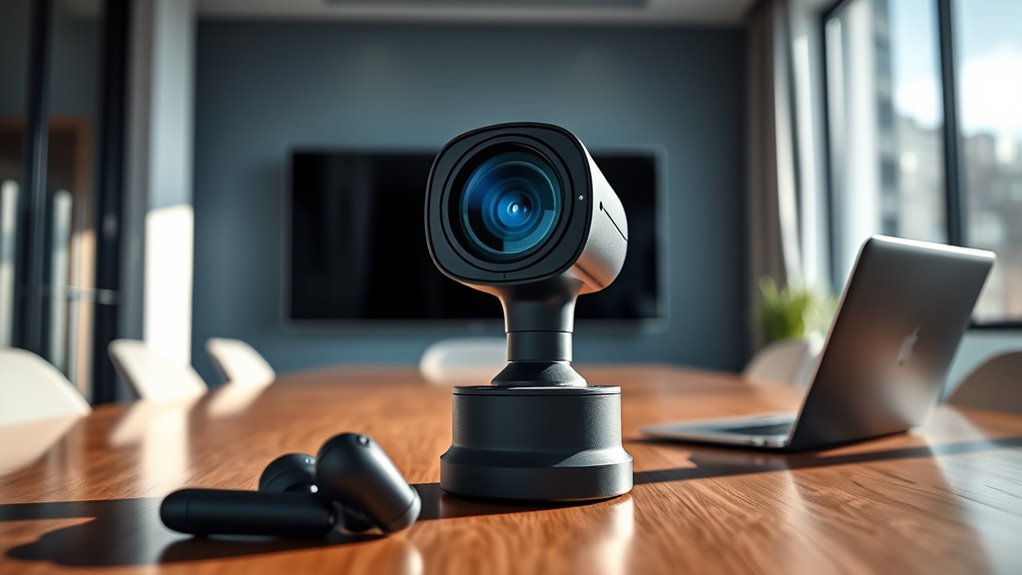
You’ll want to focus on video resolution and audio clarity to guarantee clear communication. Consider the camera’s field of view, compatibility with your devices, and connection options.
Don’t forget to check privacy and security features to keep your meetings safe. It’s all about making sure your meetings run smoothly and securely!
Video Resolution Quality
Although video resolution is just one factor in choosing a meeting camera, it plays a crucial role in guaranteeing clear and detailed visuals. You’ll want to pick a camera with at least 1080p resolution for crisp images that enhance your professional presence.
If you need sharper visuals, especially for presentations, 4K cameras deliver four times the pixels, making every detail stand out. Keep in mind, higher resolution means more bandwidth and processing power, so make sure your setup can handle it smoothly.
Also, check that the camera’s resolution aligns with your platform’s ideal streaming and recording quality. By balancing these aspects, you’ll guarantee your virtual calls look polished and engaging, no matter the audience size or distance.
Audio Clarity Features
While sharp video quality helps everyone see you clearly, clear audio guarantees your message is heard without distractions. When choosing a meeting camera, prioritize models with built-in noise-canceling microphones that minimize background noise.
Dual microphone setups are ideal since they capture sound from multiple directions, ensuring every voice is picked up. Look for microphones with high sensitivity and a pickup range of around 10 feet to suit larger rooms or group discussions.
Features like echo cancellation and automatic gain control improve audio consistency, so your voice stays clear even in dynamic environments. Also, check if the device supports audio formats like AAC or PCM, which enhance compatibility and sound clarity across popular conferencing platforms.
These features collectively ensure your meetings run smoothly with crisp, reliable audio. So, don’t overlook audio quality—it’s just as important as great video!
Field of View
Three key factors shape the field of view (FOV) when choosing a meeting camera: how much of the room it captures, the number of participants visible, and the framing style. The FOV determines the width of the area your camera captures, affecting what’s visible on screen.
A wider FOV—90° or more—works best if you want to include the entire room or several people in one frame. On the other hand, a narrower FOV, around 65° or less, zeroes in on a single person or object, minimizing background distractions.
Many cameras offer adjustable or multiple FOV presets, letting you switch between wide-angle and focused views depending on your meeting’s needs. Picking the right FOV helps you control the framing and ensures everyone’s seen clearly.
Compatibility and Connectivity
Choosing the right field of view guarantees everyone fits nicely in the frame, but your camera also needs to work smoothly with your setup. First, make sure it supports your device’s operating system—whether that’s Windows, macOS, Linux, or Chrome OS—to avoid compatibility issues.
Next, check the connection type; USB-A and USB-C remain common, so pick one that matches your computer or meeting space. Look for plug-and-play cameras that don’t require extra drivers or software for hassle-free use.
Also, verify it works well with your preferred video platforms like Zoom, Teams, or Google Meet to access all features seamlessly. If you want wireless flexibility, consider models offering Wi-Fi or Bluetooth connectivity.
This way, your camera integrates effortlessly into your workflow.
Privacy and Security
How can you be sure your meeting camera keeps your privacy intact? Start by choosing one with a physical privacy cover that you can easily slide or flip to block the lens when not in use.
Look for built-in security features like encryption for video and audio streams to prevent unauthorized access. Make sure the camera supports secure login methods, such as Windows Hello or biometric authentication, to restrict access to authorized users.
Check if the device offers regular firmware updates to patch vulnerabilities and boost security over time. Finally, prefer cameras with clear privacy indicators, like LED lights, that show when the camera is active.
That way, you’re never caught off guard by accidental or malicious recordings. These steps help you protect your privacy during every virtual meeting.
Ease of Installation
While a powerful meeting camera is essential, you’ll want one that’s easy to install so you can start your meetings without delay. Look for cameras with plug-and-play setups to avoid complex configurations or driver installations.
Compatibility with Windows, macOS, and Chrome OS ensures your device works seamlessly across platforms. Consider mounting options like clip-on, tripod, or wall mounts to position the camera effortlessly in any meeting space.
Cameras featuring auto-focus and auto-light correction help reduce manual adjustments during setup, saving you time. Finally, clear, straightforward user instructions make installation hassle-free, even if you’re not tech-savvy.
Prioritizing ease of installation means you’ll spend less time fiddling with your camera and more time engaging in productive virtual meetings. It’s all about making things simple so you can focus on what really matters.
Additional Functional Modes
Once your meeting camera is set up and ready to go, you’ll want to explore the additional functional modes it offers to enhance your virtual collaboration. Many cameras provide versatile modes like portrait, whiteboard, and desk view, perfect for showcasing presentations clearly.
AI-powered features such as auto-tracking and auto-framing keep the focus on active speakers automatically, so you don’t have to adjust manually. Some models include panoramic or dual-view modes, letting you display multiple participants or shared content simultaneously.
Specialized options like speaker tracking or gesture activation enable hands-free control and dynamic framing, making meetings smoother. Just keep in mind, switching between these modes often requires compatible software or app integration.
Frequently Asked Questions
How Do Meeting Cameras Handle Low-Light Environments?
Meeting cameras adjust automatically to low-light environments using advanced sensors and image processing. You’ll get clearer, brighter video without needing extra lighting.
This ensures your virtual calls look professional even in dim rooms. Pretty neat, right?
Can These Webcams Be Used With Macos or Linux?
Yes, most meeting webcams work seamlessly with macOS and Linux. You’ll just need to check for compatibility or drivers, but generally, they’re designed to support multiple operating systems.
This means you can expect smooth virtual calls and meetings without much hassle. So, if you’re using a Mac or Linux system, these webcams should have you covered!
What Are the Warranty and Customer Support Options?
You’ll typically get a one- to two-year warranty with these cameras, plus customer support via phone, email, or chat.
Some brands even offer extended warranties or dedicated tech help to keep your virtual calls smooth and hassle-free.
Are There Privacy Concerns With AI Tracking Features?
Privacy pitfalls persist with AI tracking, so you should stay skeptical. These features can capture more than you expect, risking data misuse.
Always check settings, update permissions, and choose cameras that prioritize protecting your privacy. It’s better to be safe than sorry when it comes to your personal info.
How Do These Cameras Integrate With Popular Conferencing Software?
You’ll find these cameras seamlessly integrate with popular conferencing software like Zoom, Teams, and Google Meet through plug-and-play USB connections or dedicated apps. This means you get a smooth setup and enhanced features without any complicated configurations or compatibility issues.
It’s really straightforward to get going. Just plug in, and you’re ready to join your meetings with better video quality. No tech headaches, just easy, reliable performance every time.
Conclusion
Choosing the right meeting camera can gently enhance your virtual presence without overwhelming your setup. With options ranging from sharp 4K clarity to reliable Full HD performance, you’ll find a camera that fits your style and needs.
Remember, it’s not just about having the fanciest gear—it’s about feeling confident and connected during every call. So, pick a camera that quietly elevates your meetings and lets your ideas shine effortlessly.
When selecting one of the best meeting cameras for 2027, think about what matters most to you. Whether it’s crisp video quality, easy setup, or seamless compatibility, the right camera can boost virtual calls and make every interaction smoother. With the perfect meeting camera, your virtual meetings will feel more natural, productive, and engaging.