15 Best Cameras for Remote Workers in 2027 (Stay Sharp Online)
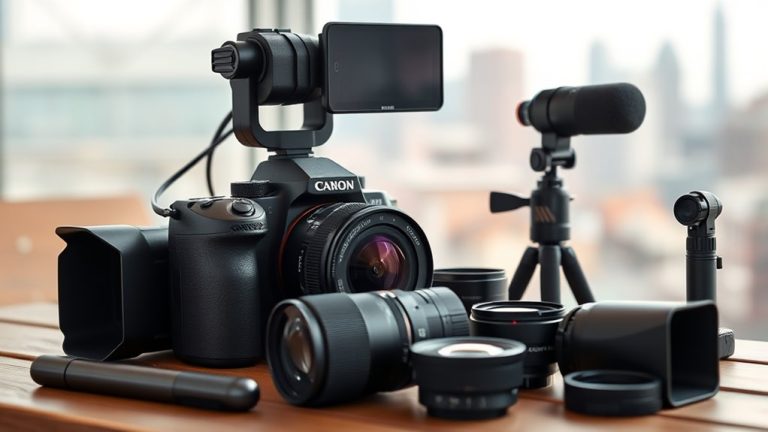
You need a camera that delivers sharp 4K or Full HD video with features like wide-angle lenses, zoom, and AI auto-tracking for a professional look. These features make your video crisp and engaging, perfect for remote workers who want to stay sharp online.
Models like the EMEET C60E, NexiGo N990, and Logitech Brio series offer seamless plug-and-play use across platforms, noise-canceling mics, and privacy covers for secure remote work.
Whether you’re creating content, joining meetings, or monitoring remotely, the right camera enhances your online presence and control.
Explore these top picks to find what fits your setup perfectly. With the best cameras for remote workers, you can upgrade your video quality and make every online interaction count.
EMEET C60E Dual-Camera 4K Webcam for Streaming, Wide-Angle & Telephoto
Capture every moment with precision using the EMEET C60E Dual-Camera 4K Webcam. This webcam is perfect for seamlessly switching between wide-angle group shots and sharp close-ups, solving the common problem of limited framing options during video calls or streams. Its dual 4K sensors let you deliver professional-quality visuals with ease.
The wide-angle camera covers expansive scenes, while the telephoto lens focuses on details about 13.8 inches away. With 11X hybrid zoom and PDAF autofocus, your image stays clear and stable, even when adjusting focus mid-session. This flexibility enhances presentations, remote meetings, and live streaming.
Control is intuitive with both remote and software options, allowing you to tweak zoom, brightness, and color quickly without interrupting your workflow. The sleek RGB lighting adds a polished look, making your setup stand out professionally. Maintenance is straightforward, requiring only gentle cleaning to keep the lenses clear.
Keep in mind, zoom features are disabled in 4K at 60FPS or YUY2 modes, and it connects via USB 2.0 Type-A, which might need adapters for newer devices. Advanced controls may take time to master but offer significant customization.
Best for: Professionals and creators needing versatile, high-quality webcam performance for streaming, teaching, and product demos.
What We Like:
- Dual 4K cameras for versatile wide-angle and close-up shots
- Smooth 11X hybrid zoom with PDAF autofocus for sharp focus
- Remote and software control for easy adjustments during use
- Stylish RGB lighting adds a professional touch
Specification:
| Feature | Details |
|---|---|
| Manufacturer | EMEET |
| Camera Resolution | Dual 4K sensors |
| Zoom Capability | 11X hybrid zoom |
| Autofocus | PDAF |
| Connection | USB 2.0 Type-A |
| Close-up Distance | Approximately 13.8 in |
| Lighting | RGB |
Logitech Brio 101 Full HD 1080p Webcam for Streaming and Meetings – Black
Experience professional-quality video with the Logitech Brio 101 Full HD 1080p Webcam, designed to elevate your remote meetings and streaming sessions. Its advanced RightLight technology ensures you look bright and clear even in low-light settings, helping you present your best self every time.
This webcam solves the common problem of poor video clarity and shadowy images. You can easily adjust zoom and framing through the Logi Options+ app, tailoring your view without hassle. The built-in microphone captures crisp audio, making communication smooth and effortless.
Designed for convenience, the Brio 101 features an integrated privacy cover so you can disable the camera instantly for added security. Maintenance is simple—just keep the lens clean for optimal image quality. Its eco-friendly build uses over 77% recycled plastic, blending performance with sustainability.
Setup is straightforward with plug-and-play USB A connectivity, though newer devices may need an adapter. While it lacks ultra-high resolution or multiple microphones, this webcam covers essential needs with reliable functionality and privacy features.
Best for: professionals and remote workers seeking high-quality video and audio for streaming, meetings, and casual video calls.
What We Like:
- Clear Full HD 1080p video with RightLight for better brightness and reduced shadows
- Easy zoom and framing adjustments via Logi Options+ app
- Built-in microphone provides clear sound
- Integrated privacy cover for camera security
- Eco-friendly design with over 77% recycled plastic
Specification:
| Feature | Details |
|---|---|
| Manufacturer | Logitech |
| Resolution | Full HD 1080p |
| Connectivity | USB A |
| Color Options | Black |
| Material | Over 77% recycled plastic |
| Dimensions | Not specified |
| Weight | Not specified |
NexiGo N990 4K PTZ Webcam with Zoom
Experience crystal-clear video and effortless control with the NexiGo N990 4K PTZ Webcam with Zoom. This webcam transforms your remote meetings by delivering sharp 4K Ultra HD clarity, ensuring every detail is visible. Its smooth pan and tilt features help you find the perfect angle without hassle.
The built-in 5X digital zoom allows you to focus closely on important visuals, enhancing your presentations or streams. With two preset camera positions, switching views is quick, making your workflow more efficient. Adjusting volume and mirroring your image is simple with easy-to-use controls.
Audio quality is boosted by dual stereo microphones with noise cancellation, so your voice comes through clearly. You can also connect an external mic via the 3.5mm jack for professional sound needs. The webcam’s compatibility with major platforms and Zoom certification guarantees seamless integration.
Maintenance is straightforward; keep the lens clean for optimal video clarity and avoid USB 2.0 port limitations by connecting to compatible devices. This webcam is designed for professional use, perfect for enhancing virtual communication.
Best for: Professionals and remote workers who need high-quality 4K video and flexible camera control for video conferencing and streaming.
What We Like:
- Crisp 4K Ultra HD video with smooth pan/tilt and 5X digital zoom
- Dual stereo microphones with effective noise cancellation
- Easy switching between two preset camera positions
- Supports external microphones via 3.5mm jack
- Zoom Certified and compatible with major video platforms
Specification:
| Feature | Details |
|---|---|
| Manufacturer | NexiGo |
| Resolution | 4K Ultra HD (8.5MP Sony Starvis sensor) |
| Zoom | 5X Digital Zoom |
| Microphones | Dual stereo with noise cancellation |
| Connectivity | USB 2.0, 3.5mm mic jack |
| Pan/Tilt Range | Smooth pan and tilt angles |
| Certification | Zoom Certified |
Logitech 960001580 Brio 100 1080p Full HD Webcam (Graphite)
Experience clear and professional video with the Logitech 960001580 Brio 100, a Full HD 1080p webcam designed to enhance your virtual interactions. Its sharp video quality and wide 58° field of view help you stay in focus and fully visible during meetings and live streams.
This webcam automatically adjusts for lighting and focuses on you, even in varying environments. The built-in microphone supports AAC and PCM audio, delivering clear sound so your voice is heard without distraction.
Designed for easy setup, the Brio 100 connects via USB and works smoothly with Windows, macOS, and ChromeOS. The compact graphite body fits neatly on your desk, and the privacy shutter ensures your video stays off when you want it to.
While it does not include image stabilization, its autofocus and wide-angle lens keep your appearance sharp. Its maximum aperture of f/2 offers decent low-light performance but may not match higher-end models.
Best for: Remote workers and live streamers needing a reliable, high-quality 1080p webcam with clear audio and versatile compatibility.
What We Like:
- Crisp 1080p Full HD video with wide 58° field of view
- Built-in microphone supporting AAC and PCM audio formats
- Privacy shutter for enhanced security
- Compatible with Windows, macOS, and ChromeOS
- Compact, lightweight graphite design
Specification:
| Feature | Details |
|---|---|
| Manufacturer | Logitech |
| Resolution | 1080p Full HD |
| Field of View | 58° |
| Weight | 2.56 ounces (72.6 grams) |
| Connectivity | USB |
| Compatibility | Windows, macOS, ChromeOS |
| Color | Graphite |
Angetube Streaming Webcam with Microphone, USB 1080P Web Cam w/Ring Light
Experience clear, vibrant video with the Angetube Streaming Webcam with Microphone. It captures smooth 1080p video at 60 FPS, ensuring your streams and calls look professional. Real-time autofocus and low-light correction adapt seamlessly to different environments, so your image stays sharp.
Designed for ease of use, this webcam features a built-in ring light with three LED colors and stepless brightness control. Adjust lighting directly via touch or the rotating bezel—no software required. The included RF remote adds convenience with 360° control, zoom, and a privacy shutter to protect your personal space.
Audio quality is enhanced by dual noise-canceling microphones, providing clear sound for meetings or content creation. The plug-and-play USB connection works with Windows, Mac, and Linux, making setup quick and hassle-free. Its sleek design fits well on monitors and laptops.
Maintenance is straightforward; simply wipe the lens and ring light gently to keep it clean. The device’s manual controls reduce reliance on software updates, offering stable performance. This webcam is ideal for improving your streaming, conferencing, and recording experience.
Best for: Professionals and content creators who want high-quality video and audio with versatile lighting and privacy features for streaming and online communication.
What We Like:
- Crisp 1080p video at 60 FPS with real-time autofocus and low-light correction
- Built-in ring light with adjustable colors and brightness, controlled without software
- RF remote enables 360° control, digital zoom, and privacy shutter
- Dual noise-canceling microphones for clear audio
- Compatible with multiple operating systems for easy setup
Specification:
| Feature | Details |
|---|---|
| Manufacturer | Angetube |
| Resolution | 1080p (1920 x 1080) |
| Frame Rate | 60 FPS |
| Connectivity | USB |
| Microphones | Dual noise-canceling |
| Lighting | Built-in ring light, 3 LED colors |
| Controls | Touch, rotating bezel, RF remote |
| Compatibility | Windows, Mac, Linux |
| Dimensions | Approx. 3.5 x 2.5 x 1.5 inches |
| Weight | Approx. 0.35 lb (160 g) |
4G LTE Solar Security Camera with Night Vision
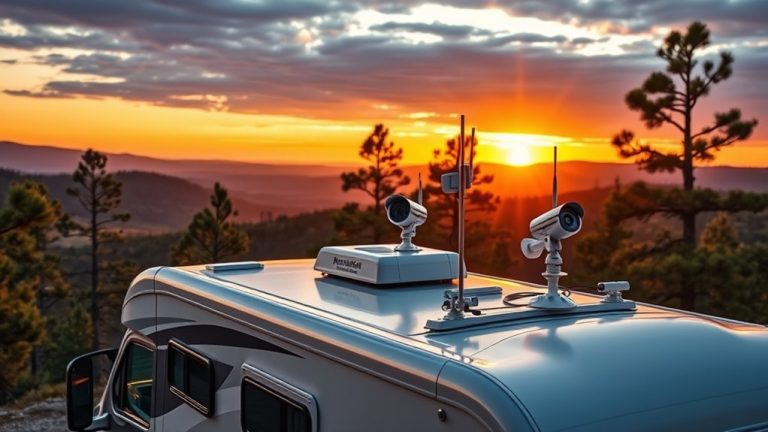
Experience reliable security anywhere with the 4G LTE Solar Security Camera with Night Vision. Designed for locations without WiFi, this camera uses solar power and a rechargeable battery, eliminating the need for wiring or frequent charging. It keeps your property monitored day and night with 4MP HD video and full-color night vision.
The camera connects through 4G LTE networks (AT&T, T-Mobile, Verizon), providing seamless remote access even in remote areas. Its 360° pan-tilt feature allows you to cover wide spaces without blind spots. AI-powered motion detection sends instant alerts only when necessary, reducing false alarms and improving security response.
Built to withstand outdoor conditions, the IP66 weatherproof design ensures durability in rain or dust. Two-way audio lets you communicate remotely, adding an extra layer of interaction and control. This camera is especially useful for farms, construction sites, or any outdoor space lacking WiFi infrastructure.
Best for: Remote workers and property owners needing consistent, low-maintenance surveillance where WiFi is unreliable or unavailable.
What We Like:
- Continuous operation via solar power and rechargeable battery
- Supports major 4G LTE carriers for wide coverage
- AI motion detection minimizes false alerts
- Durable weatherproof design for outdoor use
- Two-way audio for remote communication
Specification:
| Feature | Details |
|---|---|
| Manufacturer | Not specified |
| Video Resolution | 4MP HD |
| Connectivity | 4G LTE (AT&T, T-Mobile, Verizon) |
| Power Source | Solar power with rechargeable battery |
| Night Vision | Full-color |
| Pan-Tilt Range | 360° |
| Weatherproof Rating | IP66 |
| Audio | Two-way |
DEPSTECH 4K Webcam, Ultra HD 1/2.55” Sony Sensor 3X Digital Zoom Autofocus
Experience crystal-clear video calls and streaming with the DEPSTECH 4K Webcam. Equipped with a 1/2.55” Sony CMOS sensor, it captures vivid details and sharp images, even in low-light environments. This means your video quality remains professional and clear without extra lighting setups.
The webcam’s 4K resolution at 30fps ensures smooth, ultra-high-definition visuals. Its advanced autofocus system keeps your face sharp, adjusting automatically to changes in position or lighting. You won’t need to fiddle with manual settings during important meetings or live streams.
With a 3X digital zoom, controlled easily via the included remote, you can quickly adjust your framing without moving the camera. Dual noise-canceling microphones provide clear audio, reducing background noise for crisp, professional sound.
Setup is simple with plug-and-play compatibility across Windows, Mac, and popular video apps. Regular maintenance is minimal—just keep the lens clean to maintain optimal image quality. The DEPSTECH 4K Webcam is designed to enhance your remote work, content creation, and video conferencing experience seamlessly.
Best for: Professionals, streamers, and remote workers who need reliable 4K video quality with sharp autofocus and clear audio.
What We Like:
- Sharp 4K video with a high-quality Sony sensor for vibrant details
- Reliable autofocus and automatic light correction for hassle-free use
- Dual noise-canceling microphones deliver clear sound in noisy environments
- Easy-to-use 3X digital zoom with remote control for flexible framing
- Plug-and-play setup compatible with Windows and Mac systems
Specification:
| Feature | Details |
|---|---|
| Manufacturer | DEPSTECH |
| Sensor Type | 1/2.55” Sony CMOS |
| Resolution | 4K (3840 x 2160) at 30fps |
| Zoom | 3X Digital Zoom |
| Microphones | Dual noise-canceling |
| Compatibility | Windows, Mac, popular apps |
| Connectivity | USB (may require adapter) |
Angetube 4K AI Webcam for PC, 100°Wide Angle & Remote Control 4K Web Camera
Experience crystal-clear video with the Angetube 4K AI Webcam, designed for professionals who demand sharp visuals and smooth tracking. This webcam solves common video conferencing challenges by automatically adjusting the frame as participants move or join, ensuring everyone stays in focus.
Its 100° wide-angle lens captures a broad view, perfect for group meetings or presentations. The 10X zoom and wireless remote control allow effortless adjustments without interrupting your workflow. Dual noise-canceling microphones pick up clear audio from up to 16.4 feet, so your voice remains crisp and distinct.
The webcam’s HDR mode balances lighting for natural, well-lit video, even in challenging environments. A privacy cover protects your personal space when the camera is off, and USB 3.0 support ensures fast, reliable connectivity. Setup is simple—just plug in, and it works seamlessly with all major platforms.
Maintenance is straightforward; keep the lens clean and use the privacy cover when not in use to protect the camera. While advanced AI features enhance your experience, they may require a brief adjustment period for new users.
Best for: Professionals and content creators seeking high-quality 4K video with intelligent tracking and easy remote control for seamless video conferencing and presentations.
What We Like:
- Sharp 4K@30fps and smooth 1080P@60fps video with HDR lighting balance
- AI-powered tracking that automatically frames participants
- Wide 100° lens and 10X zoom with 18-key wireless remote for control
- Clear audio capture via dual noise-canceling microphones
- Privacy cover enhances security and peace of mind
Specification:
| Feature | Details |
|---|---|
| Manufacturer | Angetube |
| Resolution | 4K@30fps, 1080P@60fps |
| Field of View | 100° Wide Angle |
| Zoom | 10X Optical Zoom |
| Microphones | Dual Noise-Canceling |
| Connectivity | USB 3.0 |
| Remote Control | 18-Key Wireless |
| Audio Pickup Range | Up to 16.4 feet (5 meters) |
| Privacy Cover | Included |
TONGVEO 4K Conference Camera with Gesture Control
Experience seamless remote meetings with the TONGVEO 4K Conference Camera, designed to enhance your virtual collaboration. Say goodbye to fumbling with remotes—this camera responds to six intuitive hand gestures for effortless zoom, auto-tracking, and pan-tilt control. Its sharp 8.29-megapixel sensor and smooth 4K video at 30fps ensure every detail is captured clearly.
The camera’s wide 120° lens and 5X digital zoom bring everyone into crisp view, making it ideal for medium-sized rooms. Built-in noise-reducing microphones and a professional speakerphone deliver clear audio, reducing distractions in busy work environments. Installation is simple, with options for desk or wall mounting to suit various spaces.
Maintenance is straightforward; keep the lens clean for optimal image quality and adjust software settings to fine-tune performance. This hands-free design minimizes contact points, supporting hygienic workspaces. The TONGVEO camera elevates your remote meetings with smooth, responsive control and clear audiovisuals.
Best for: Professionals and teams needing a reliable, easy-to-use 4K conference camera with gesture control for hands-free operation.
What We Like:
- Responsive gesture controls for zoom, pan-tilt, and tracking
- Crisp 4K video with an 8.29MP sensor
- Wide 120° lens with 5X digital zoom
- Built-in noise-reducing speakerphone for clear sound
- Flexible desk or wall mount installation
Specification:
| Feature | Details |
|---|---|
| Manufacturer | TONGVEO |
| Resolution | 8.29 Megapixels |
| Video Output | 4K at 30fps |
| Lens Angle | 120° Wide-Angle |
| Zoom | 5X Digital Zoom |
| Controls | Gesture Control (6 gestures) |
| Audio | Built-in Speakerphone with Noise Reduction |
| Mounting Options | Desk or Wall Mount |
NexiGo N60 1080P Webcam with Microphone and Privacy Cover
Experience clear and professional video calls with the NexiGo N60 1080P Webcam, designed to enhance your remote communication effortlessly. Its sharp 1080p resolution ensures your image remains crisp, while the built-in noise-canceling microphone delivers clear audio, eliminating distractions during meetings.
This webcam’s 2MP CMOS sensor and 3.6mm glass lens capture detailed images from a comfortable distance, making it ideal for indoor video conferences. Installation is simple with a plug-and-play setup that works seamlessly across most operating systems, requiring no additional drivers.
Maintaining privacy is straightforward thanks to the included cover, allowing you to block the camera lens when not in use. This feature offers peace of mind without compromising convenience or style.
While perfect for professional video calls and streaming, note that the webcam supports up to 30fps and is not compatible with gaming consoles such as Xbox or PlayStation. Firmware updates may require support assistance if audio delays occur.
Best for: Professionals and remote workers needing reliable Full HD video and clear sound for video conferencing and online communication.
What We Like:
- Crisp Full HD 1080p video with optimized indoor focus
- Noise-canceling microphone for clear voice transmission
- Privacy cover ensures camera security when idle
- Easy plug-and-play setup across multiple OS platforms
Specification:
| Feature | Details |
|---|---|
| Manufacturer | NexiGo |
| Resolution | 1080p Full HD |
| Sensor | 2MP CMOS |
| Lens | 3.6mm glass |
| Frame Rate | 30fps |
| Connectivity | USB Plug-and-Play |
| Privacy Cover | Included |
| Compatible OS | Most major OS platforms |
JOYUSING FlexCam10 4K Webcam with Microphone
Experience sharp, professional-quality video with the JOYUSING FlexCam10 4K Webcam with Microphone. Designed for remote work and online meetings, this webcam delivers crystal-clear 4K resolution that helps you stand out during video calls. Its built-in microphone captures clear audio, reducing distractions caused by background noise.
The webcam’s PDAF autofocus keeps your image crisp even as you move between 0.65 and 10 feet, ensuring you remain in focus naturally. Unique features like eye contact mode and desk view enhance how you present yourself, making conversations feel more engaging and interactive. The privacy shutter with 180-degree rotation adds a layer of security when the camera is not in use.
Setup is hassle-free with plug-and-play USB compatibility across major operating systems. Automatic light adjustment keeps you visible in low-light environments, so you don’t have to worry about perfect lighting. Maintenance is simple; just close the privacy shutter and wipe the lens occasionally to keep video quality sharp.
Best for: Professionals and remote workers seeking dependable 4K video and clear audio with smart features for effective virtual communication.
What We Like:
- Sharp 4K video with eye contact and desk view modes
- Dual noise-canceling microphones for clear sound
- PDAF autofocus for smooth focus within 0.65–10 ft range
- Privacy shutter with 180-degree rotation for security
- Easy USB plug-and-play setup on major platforms
Specification:
| Feature | Details |
|---|---|
| Manufacturer | JOYUSING |
| Resolution | 4K (3840 x 2160) |
| Field of View | 79° |
| Weight | 0.47 kg (1.04 lbs) |
| Connectivity | USB Plug-and-Play |
| Special Features | Eye contact mode, desk view, PDAF autofocus, privacy shutter with 180° rotation |
Logitech Brio 105 Full HD 1080p Business Webcam with Auto-Light Balance
Experience crisp and clear video calls with the Logitech Brio 105 Full HD Webcam. Designed to enhance your remote meetings, it delivers sharp 1080p video that keeps you looking professional. Its RightLight 2 technology automatically adjusts lighting, so you stay visible even in dim environments.
Setting up the webcam is straightforward with a simple plug-and-play USB-A connection. The built-in microphone ensures smooth communication without extra equipment. You can easily maintain privacy using the integrated shutter, which physically blocks the lens when not in use.
This webcam is compatible with major operating systems, including Chromebook, and is certified for Google Meet, making it ideal for diverse business setups. It also supports Logitech Sync, helping IT teams efficiently manage multiple devices remotely.
While it doesn’t offer 4K resolution or advanced audio features, it strikes a balance between quality and convenience for everyday professional use.
Best for: Professionals and remote workers seeking a reliable, easy-to-use webcam with enhanced low-light performance for business video calls.
What We Like:
- Sharp 1080p video quality with automatic light balancing
- Easy plug-and-play setup via USB-A
- Integrated privacy shutter for added security
- Certified for Google Meet and works with Chromebook
- Supports remote device management through Logitech Sync
Specification:
| Feature | Details |
|---|---|
| Manufacturer | Logitech |
| Resolution | Full HD 1080p |
| Connectivity | USB-A |
| Compatibility | Windows, macOS, Chromebook |
| Privacy Shutter | Yes |
| Microphone | Built-in |
| Dimensions (L×W×H) | Approx. 3.7 × 1.0 × 0.8 in |
| Weight | Approx. 0.13 lb |
Logitech Brio 300 HD Webcam with Privacy Shutter
Experience professional video quality with the Logitech Brio 300 HD Webcam, designed to enhance your remote work setup. It solves common issues like poor lighting and background noise, delivering clear 1080p images with RightLight 2 technology for natural visuals even in dim environments.
The built-in noise-reducing microphone ensures your voice comes through crisp and clear, minimizing distractions during calls. When privacy matters, simply spin the privacy shutter to cover the lens, giving you peace of mind off-camera.
This webcam features a USB-C connection for quick and easy setup across major platforms like Zoom and Microsoft Teams. Its compact, eco-friendly design incorporates at least 48% recycled plastic, balancing performance with sustainability.
Maintenance is simple with the fixed focus lens, requiring no manual adjustments. However, note that the unit lacks image stabilization and water resistance, so avoid using it in environments with moisture or excessive movement.
Best for: Remote professionals seeking reliable, high-quality video and audio with enhanced privacy for virtual meetings.
What We Like:
- Clear 1080p video with natural lighting correction
- Noise-reducing microphone for crisp audio
- Convenient spin-to-activate privacy shutter
- Easy USB-C connectivity and broad platform compatibility
- Eco-conscious design using recycled materials
Specification:
| Feature | Details |
|---|---|
| Manufacturer | Logitech |
| Resolution | 1080p HD |
| Connection | USB-C |
| Material | At least 48% recycled plastic |
| Dimensions (in) | Compact (exact size not specified) |
| Focus | Fixed focus |
Logitech Brio 100 Full HD Webcam (Renewed)
Experience clear, sharp video calls with the Logitech Brio 100 Full HD Webcam (Renewed). Designed to improve your virtual meetings, it delivers smooth 1080p video quality that helps you appear professional in any lighting. The built-in RightLight technology automatically adjusts brightness to enhance your image in dim rooms.
Privacy is a priority with this webcam’s integrated shutter, giving you confidence that the camera is off when not in use. Its compact design makes it easy to set up on your laptop or monitor without adding bulk. The webcam also features a built-in microphone that ensures clear sound during calls on platforms like Zoom or Microsoft Teams.
Maintenance is straightforward since the device connects via USB-A, offering plug-and-play convenience. Automatic exposure and focus keep your video sharp without manual adjustments, making it ideal for busy professionals. While it’s a renewed product, it delivers reliable performance suited for everyday remote work and streaming needs.
Best for: professionals and remote workers seeking a privacy-conscious, high-quality webcam for video conferencing and streaming.
What We Like:
- Crisp Full HD 1080p video with adaptive lighting for low-light environments
- Integrated privacy shutter ensures camera is off when not in use
- Clear audio from the built-in microphone compatible with popular video platforms
- Compact, lightweight design for easy setup and portability
Specification:
| Feature | Details |
|---|---|
| Manufacturer | Logitech |
| Resolution | Full HD 1080p |
| Connectivity | USB-A |
| Dimensions | Compact, lightweight |
| Microphone | Built-in, noise-reducing |
Amcrest 1080P Webcam with Microphone and Privacy Cover
Experience clear, professional video calls with the Amcrest 1080P Webcam with Microphone and Privacy Cover. This webcam tackles common issues like poor lighting and background noise, delivering sharp, full HD video and crisp audio. Its wide 90° lens ensures you stay fully visible, even in tight spaces.
Designed to perform well in dim environments, the camera’s advanced sensor adjusts automatically to lighting changes. Dual microphones with noise reduction help your voice stand out clearly, making meetings and classes more effective, even when surroundings are busy or noisy.
Setup is simple with a USB plug-and-play connection compatible across Windows, MacOS, Linux, and Android. You can use it seamlessly with popular platforms like Zoom and Skype. The included privacy cover offers peace of mind when the camera’s not in use.
Maintenance is minimal—just keep the lens clean and the cover closed when idle to protect your privacy and keep image quality sharp. Its versatile mounting options allow easy placement on monitors or desks.
Best for: Professionals, educators, and remote workers who demand reliable video and audio quality for calls, streaming, and online learning.
What We Like:
- Sharp 1080p video with wide 90° viewing angle and good low-light performance
- Dual microphones with 3D noise reduction for clear audio in noisy settings
- Easy USB plug-and-play compatibility with multiple operating systems and apps
- Privacy cover enhances security and user control
- Flexible mounting options for different setups
Specification:
| Feature | Details |
|---|---|
| Manufacturer | Amcrest |
| Resolution | 1080p (Full HD) |
| Field of View | 90° |
| Microphones | Dual with 3D noise reduction |
| Connectivity | USB 2.0 |
| Compatibility | Windows, MacOS, Linux, Android |
| Dimensions | Not specified |
| Color | Black |
Factors to Consider When Choosing a Camera for Remote Workers
When selecting a camera for remote work, you’ll want to focus on video resolution and clear audio capture to keep your calls sharp and professional. Don’t forget to check how well the camera handles lighting and exposure.
Plus, confirm it connects smoothly with your devices. You want something that just works without a lot of hassle.
Finally, prioritize privacy and security features to protect your workspace. It’s important to keep your calls and environment safe while you work.
Video Resolution Quality
Although video resolution quality might seem like a minor detail, it substantially affects how professional and clear you appear during remote meetings. Choosing a webcam with at least 1080p resolution ensures sharp, detailed images that boost your online presence.
If you often share detailed visuals or presentations, a 4K camera offers ultra-clear visuals with four times the pixel count of 1080p models. Higher resolution also helps maintain image clarity in low-light settings, preventing blurry or pixelated video that can hurt communication and professionalism.
Many webcams let you adjust resolution based on your bandwidth or platform, so you can balance quality and performance. Prioritizing video resolution quality guarantees you look your best, making every virtual interaction more effective and engaging.
Audio Capture Features
Since clear audio is just as crucial as sharp video, you’ll want a webcam with high-quality microphones that capture your voice crisply and minimize background noise. Look for webcams featuring omnidirectional mics that pick up sound clearly within at least a 9.8-foot radius.
Prioritize noise-canceling technology to reduce ambient noise, ensuring your voice stands out during calls. Dual microphones add stereo sound and better spatial audio, making conversations more immersive.
Check if the mic supports multiple audio formats like AAC and PCM, so it works seamlessly with your communication apps. Additional features like mute buttons or remote controls give you quick, convenient ways to adjust volume or mute yourself during meetings—perfect for managing audio without interrupting your flow.
Lighting and Exposure
Capturing clear audio is just one part of presenting yourself well on camera; lighting and exposure play an equally important role in how you appear during remote meetings. Proper lighting ensures your camera captures clear, well-exposed images, cutting down graininess and unwanted shadows.
Using front lighting like a ring light helps avoid overexposure and backlighting issues that can distort your appearance. Cameras with automatic exposure adjust settings in real time, keeping your image consistent even as lighting changes.
If you want more control, choose a camera with manual exposure options to fine-tune brightness, contrast, and ISO for your environment. Managing exposure well also reduces glare and ensures your details stay visible, whether you’re in bright sunlight or a dim room.
This way, your video quality really stands out.
Connectivity and Compatibility
When choosing a camera for remote work, you’ll want to prioritize connectivity and compatibility to guarantee smooth integration with your devices and platforms. Make sure the webcam supports essential connection types like USB 2.0, USB 3.0, or USB-C to easily plug into your computer without hassle.
Double-check that it’s compatible with your operating system—whether Windows, macOS, Linux, or ChromeOS—to avoid driver conflicts or software glitches. Also, confirm it works seamlessly with popular video conferencing tools such as Zoom, Microsoft Teams, Skype, or Google Meet. Look for plug-and-play models that don’t require complicated installations.
If you need versatility, consider cameras offering wireless options or compatibility with other devices like Smart TVs or gaming consoles. This ensures your setup stays flexible and efficient. It’s all about keeping things simple and making sure your camera just works, no matter what you’re connecting it to.
Privacy and Security
You should prioritize privacy and security features when choosing a camera for remote work to protect your sensitive information. Look for webcams with a privacy shutter that physically blocks the lens, giving you peace of mind when the camera isn’t in use.
End-to-end encryption of video and audio streams is essential to prevent interception during transmission. Make sure the camera supports secure login and user authentication to stop unauthorized access to live feeds.
Cameras with automatic shutdown after inactivity further reduce surveillance risks. Opt for models featuring both hardware and software privacy controls to help you stay compliant with privacy policies and safeguard your confidentiality.
These security measures keep your remote workspace safe, so you can focus on your work without worrying about privacy breaches. It’s all about making sure you’re covered on all fronts.
Ease of Use
Although remote work demands high-quality video, ease of use should never be overlooked when choosing a camera. You want a straightforward plug-and-play setup with no extra drivers or complicated steps.
Intuitive controls, like physical buttons or simple remote options, let you make quick adjustments during live sessions without hassle. Look for user-friendly software with clear menus and minimal configuration to keep things efficient.
Automatic features—auto focus, light correction, and exposure—reduce the need for manual tweaks, so you can focus on your work. A camera designed to minimize setup time and offer quick access to essential functions enhances your overall experience.
It just makes staying sharp online easier, without any technical distractions.
Frequently Asked Questions
How Do I Set up a Webcam for Different Video Conferencing Platforms?
You just connect your webcam and open the video conferencing app. Then, head over to settings or preferences.
Next, select your webcam as the video source. It’s a good idea to test the camera to make sure it works properly before joining your meeting.
That way, you avoid any last-minute tech issues. Easy, right?
Can These Webcams Be Used for Outdoor Video Calls?
Yes, you can use these webcams for outdoor video calls, but make sure they’re weather-resistant or protected.
Also, consider lighting and power sources to keep your video clear and uninterrupted while you’re outside.
What Are the Best Lighting Tips for Webcam Use at Home?
You want your face lit like a sunrise—soft, even light from the front, avoiding harsh shadows. Use natural light, ring lights, or lamps with diffusers.
Try to position lights slightly above eye level for the best effect. It really helps to create a flattering look without weird shadows.
How Do I Troubleshoot Common Webcam Connectivity Issues?
First, check your USB connection and try a different port. Restart your computer and webcam app.
Make sure your drivers and software are up to date. Sometimes, outdated drivers cause hiccups.
If you have other apps that might be using the camera, disable them. It helps avoid conflicts.
Also, test the camera on another device. This way, you can quickly figure out where the problem lies.
Are There Any Privacy Concerns With Using Webcams for Remote Work?
Webcams are like open windows; you’ve got to be cautious. Yes, privacy risks exist—hackers can spy or record without consent.
You should use strong passwords, update software, and cover your camera when not in use. It’s a simple way to keep your privacy intact while working remotely.
Conclusion
Choosing the right camera for your remote work setup is like picking the perfect lens for your story—it shapes how others see you. Whether you want crystal-clear 4K streaming, a wide-angle view, or privacy features, the options here have you covered.
Keep your image sharp and your presence professional, so every virtual meeting feels as engaging as an in-person chat. With the right camera, you’ll always put your best face forward.
Having a quality camera is essential for remote workers who want to stay sharp online. It boosts your confidence and ensures your video calls look polished and clear. So, invest in one of the best cameras for remote workers in 2027 to enhance your online presence and make every virtual interaction count.