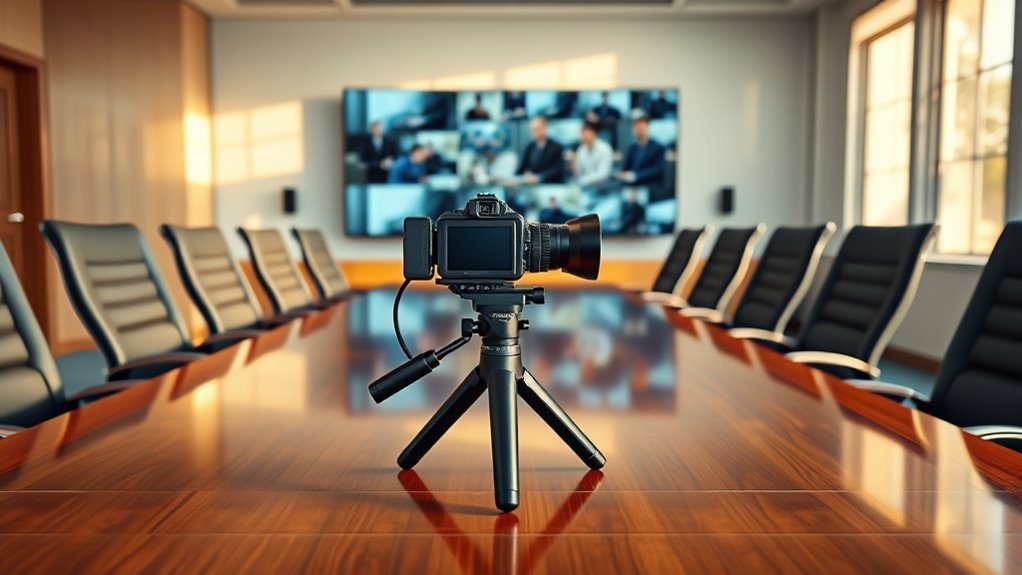
10 Best Cameras for Conference Rooms in 2027
You’ll want a camera that offers sharp 4K or at least 1080p video with smooth 30fps, like the Logitech MeetUp or PANOCORE360.
Clear audio matters too, so look for beamforming or omnidirectional mics with AI noise reduction.
Easy USB plug-and-play setup and compatibility with platforms like Zoom are a must.
Features like AI auto-framing, privacy shutters, and multiple control methods help boost usability and security.
Keep exploring to find the ideal fit for your conference room.
Finding the right camera can really enhance your meetings and make remote collaboration a breeze.
Logitech MeetUp Video Conferencing System 4K 3 Microphones – Black
Experience seamless video meetings with the Logitech MeetUp Video Conferencing System, designed specifically for small conference rooms and huddle spaces. This compact all-in-one camera delivers crystal-clear 4K video, ensuring every detail is sharp and visible. It solves the common issue of poor video quality and limited camera range in tight spaces.
The wide 120° field of view and 5x HD zoom allow for flexible framing, capturing everyone in the room without compromising clarity. Motorized pan and tilt features, along with preset camera positions, make it easy to adjust angles quickly during meetings. This system enhances communication by capturing voices clearly with three beamforming microphones, picking up sound from up to 4 meters away.
Setup is simple with USB plug-and-play compatibility, working effortlessly with platforms like Zoom and Teams. The custom-tuned speaker delivers clear audio, minimizing echo and background noise for better sound quality. Maintenance is straightforward thanks to its durable design and minimal setup requirements, making it a reliable choice for busy office environments.
Best for: small conference rooms or huddle spaces needing a compact, high-quality video conferencing system with excellent audio capture and easy integration.
What We Like:
- Ultra HD 4K video with wide 120° field of view and 5x HD zoom
- Three beamforming microphones for clear voice pickup up to 4 meters
- Motorized pan/tilt and camera presets for flexible framing
- USB plug-and-play setup compatible with major video platforms
- Custom-tuned speaker enhances audio clarity and reduces noise
Specification:
| Feature | Details |
|---|---|
| Manufacturer | Logitech |
| Video Resolution | 4K Ultra HD |
| Field of View | 120° |
| Zoom | 5x HD |
| Microphones | 3 beamforming microphones |
| Microphone Range | Up to 4 meters |
| Speaker | Custom-tuned |
| Connectivity | USB plug-and-play |
| Color | Black |
| Intended Use | Small conference rooms, huddle spaces |
Logitech BCC950 Desktop Video Conferencing Webcam & Speakerphone – Black
The Logitech BCC950 Desktop Video Conferencing Webcam & Speakerphone is designed to bring clarity and convenience to your small team meetings. It solves the common problem of poor video and audio quality by delivering crisp 1080p HD video at 30 frames per second through a Carl Zeiss lens. This ensures your visuals remain sharp and professional during every call.
Audio clarity is just as important, and this device features a built-in full duplex speakerphone with a noise-cancelling microphone. It captures voices clearly within an 8-foot range, while echo cancellation reduces background noise. This makes conversations feel natural and easy to follow, even in busy workspaces.
Setup and daily use are hassle-free thanks to its plug-and-play USB connectivity. The BCC950 is compatible with popular platforms like Microsoft Lync, Skype for Business, Cisco Jabber, and WebEx. You can easily adjust pan, tilt, zoom, volume, mute, and call controls directly from the remote or base unit.
Maintenance is straightforward with its compact design, which fits neatly on your desktop without clutter. Keep in mind, the microphone’s effective range is best suited for small rooms or groups. Larger spaces may require additional audio solutions.
Best for: small teams and professionals needing a reliable all-in-one desktop video conferencing solution with high-definition video and clear audio.
What We Like:
- Sharp 1080p HD video with premium Carl Zeiss lens
- Clear audio capture with noise-cancelling mic and echo cancellation
- Easy plug-and-play USB setup with wide platform compatibility
- Remote and base controls for convenient meeting management
Specification:
| Feature | Details |
|---|---|
| Manufacturer | Logitech |
| Dimensions | Compact desktop design |
| Weight | Lightweight |
| Connectivity | USB plug-and-play |
| Color Options | Black |
PANOCORE360 360° All-in-One Meeting Camera
Experience seamless meeting coverage with the PANOCORE360, designed to capture every angle with its innovative 360° camera system. This all-in-one meeting camera uses four lenses to combine 4K footage into a smooth 1080p panoramic view, ensuring everyone in the room is visible. It solves common meeting challenges by offering two flexible viewing modes: auto-focus on the active speaker or dual 180° widescreens, perfect for full-room visibility.
The PANOCORE360 also enhances communication with its built-in speaker and an omnidirectional 3-mic array featuring AI voice processing. This setup delivers clear audio within a 10-foot range, making conversations crisp and natural. Its low-power USB operation keeps energy use minimal, and compatibility with major platforms like Zoom and Teams ensures easy integration.
Maintenance is straightforward, with plug-and-play functionality and support for local recording to a MicroSD card. Although primarily designed for small to medium-sized rooms hosting up to 12 participants, it offers reliable performance without complex installation. Note that output is limited to 1080p despite 4K capture, which might affect image sharpness in some cases.
Best for: Small to medium-sized meeting rooms requiring comprehensive 360° video coverage and clear audio for up to 12 participants.
What We Like:
- Flexible viewing options with active speaker focus or dual widescreens
- AI-enhanced audio for clear sound within 10 feet
- Easy plug-and-play setup with major conferencing platforms
- Local recording capability via MicroSD card
Specification:
| Feature | Details |
|---|---|
| Manufacturer | PANOCORE |
| Dimensions | Not specified |
| Weight | Not specified |
| Camera Resolution | 4K capture, 1080p output |
| Audio | Omnidirectional 3-mic array with AI processing |
| Connectivity | USB (low power) |
| Compatibility | Zoom, Teams, others |
j5create 360 Degree All Around Meeting Webcam
Capture every angle of your meetings with the j5create 360 Degree All Around Meeting Webcam. This innovative webcam offers a full 360-degree view, ensuring no participant is left out during virtual conferences. It enhances collaboration by providing clear and inclusive visuals for all attendees.
The webcam delivers sharp Full HD 1080p video at 30 Hz, making every detail visible without overwhelming your bandwidth. Its built-in omnidirectional microphone picks up voices from every direction, so everyone can be heard clearly, even in larger rooms. The touch bar lets you easily select participants’ locations, streamlining communication.
Setup is straightforward with USB UVC/UAC plug-and-play compatibility. It works seamlessly with popular platforms like Zoom, Microsoft Teams, and Google Meet. To maintain optimal performance, regular firmware updates and app permissions are necessary, which helps keep the device running smoothly.
Designed for professional teams, this webcam improves virtual meeting experiences by combining wide coverage and clear audio in one compact device. Its simple maintenance and versatile design make it a practical choice for various conference settings.
Best for: Teams and professionals needing comprehensive 360-degree video coverage and clear audio for virtual meetings and conferences.
What We Like:
- Crisp Full HD 1080p video capturing the entire room.
- Omnidirectional microphone ensures clear audio from all participants.
- Easy plug-and-play USB setup compatible with major conferencing apps.
- Touch bar for intuitive participant location control.
- Compact design suitable for various meeting environments.
Specification:
| Feature | Details |
|---|---|
| Manufacturer | j5create |
| Video Resolution | Full HD 1080p |
| Frame Rate | 30 Hz |
| Microphone | Built-in omnidirectional |
| Connectivity | USB UVC/UAC |
| Compatibility | Zoom, Microsoft Teams, Google Meet |
| Controls | Touch bar |
4K Conference Room Camera System with Dual Speakers AI Auto Framing
Experience clearer, more connected meetings with the HALO-VX10-V1 4K Conference Room Camera System. Designed to improve virtual collaboration, it uses AI auto framing to keep every participant in view and tracks active speakers automatically. This ensures a smooth, engaging meeting without manual adjustments.
The camera’s 120° wide-angle lens and 5X optical zoom capture the whole room and fine details with sharp clarity. Integrated dual speakers and a 4-mic array with noise reduction deliver crisp, clear audio without needing extra devices. This all-in-one setup helps reduce clutter and simplifies communication.
Its compact, wall-mountable design fits neatly in most conference rooms, saving space and maintaining a professional look. The system connects via USB and works seamlessly with popular platforms like Zoom and Teams, making setup quick and hassle-free on Windows or Mac.
Maintenance is straightforward thanks to the durable build and simple installation. However, the wall-mounted design may require professional installation, and USB-only connectivity could limit some setups.
Best for: Medium to large conference rooms needing reliable, high-quality video and audio for professional virtual meetings and presentations.
What We Like:
- AI auto framing and speaker tracking enhance meeting engagement.
- 4K resolution with wide-angle lens and zoom captures detailed views.
- Built-in dual speakers and noise-reducing mics provide clear audio.
- Compact wall-mount design saves space and looks professional.
Specification:
| Feature | Details |
|---|---|
| Manufacturer | HALO |
| Dimensions | Compact, wall-mountable |
| Connectivity | USB |
| Compatible OS | Windows 10/11, Mac OS 10.10+ |
| Camera Resolution | 4K |
| Lens Angle | 120° wide-angle |
| Optical Zoom | 5X |
| Audio | Dual speakers, 4-mic array with noise reduction |
TONGVEO 4K PTZ Conference Camera with Speakerphone
Experience seamless communication with the TONGVEO 4K PTZ Conference Camera, designed to elevate virtual meetings with crystal-clear video and flexible control. This camera tackles common video conferencing challenges by delivering sharp Full UHD 4K@30fps resolution and a broad 120° field of view, ensuring every participant is visible and engaged.
Its versatile pan, tilt, and zoom capabilities let you adjust angles smoothly using remote, gesture, or joystick controls. The integrated full-duplex speakerphone enhances audio clarity with noise reduction and a 16.4ft pickup range, reducing misunderstandings and improving meeting flow. Installation options are flexible, allowing you to mount the camera on desks, walls, tripods, or ceilings to fit any room configuration.
Maintenance is straightforward, focusing on keeping the lens clean and firmware updated for optimal performance. While the digital zoom may slightly reduce image quality compared to optical zoom, the overall design supports professional-grade video calls across platforms like Zoom and Microsoft Teams.
Best for: Teams and organizations needing a versatile 4K video conferencing solution with built-in audio and multiple control methods for clear, professional meetings.
What We Like:
- Crisp Full UHD 4K@30fps video with wide-angle coverage
- Multiple control options: remote, gesture, and joystick
- Full-duplex speakerphone with noise reduction and 16.4ft pickup range
- Flexible mounting choices for varied room layouts
Specification:
| Feature | Details |
|---|---|
| Manufacturer | TONGVEO |
| Resolution | 4K UHD @ 30fps |
| Field of View | 120° wide-angle |
| Zoom | 5X digital zoom |
| Pan/Tilt Range | 350° horizontal, 180° vertical |
| Audio Pickup | 16.4 ft (5 meters) |
| Connectivity | USB, Bluetooth dongle |
| Control Methods | Remote, gesture, joystick |
| Mounting Options | Desk, wall, tripod, ceiling |
Yealink 4K Video Conference Camera System for PC, Huddle Room, Teams & Zoom
Experience crystal-clear video meetings with the Yealink 4K Video Conference Camera System. Designed for huddle rooms and PC setups, it delivers ultra HD 4K visuals that enhance communication. The wide 120° field of view ensures everyone is seen without distortion, improving engagement and connection.
This camera system solves common video conferencing challenges by using AI-powered Auto Framing and Speaker Tracking. These features keep the focus on active participants automatically, reducing distractions. The 8-mic array with smart audio processing captures voices clearly, making conversations effortless.
Setup and maintenance are simple with the included 7m USB-B to USB-A cable for seamless PC connection. The built-in electric privacy shutter adds a layer of security by closing automatically after each call. This eliminates manual steps and protects your workspace privacy.
Ideal for professionals and teams, this system integrates smoothly with Windows, macOS, Microsoft Teams, Zoom, and other platforms. While it offers premium 4K quality, the USB connectivity might require adapters for newer devices, and the fixed cable length may limit placement in larger rooms.
Best for: professionals and teams seeking a versatile, high-quality video conferencing camera with clear audio and seamless platform compatibility.
What We Like:
- Ultra HD 4K resolution with a wide 120° field of view
- AI-powered Auto Framing and Speaker Tracking for enhanced focus
- Built-in electric privacy shutter for automatic workspace security
- Clear audio capture with an 8-mic array and smart processing
Specification:
| Feature | Details |
|---|---|
| Manufacturer | Yealink |
| Resolution | 8MP Ultra HD 4K |
| Field of View | 120° |
| Connectivity | USB-B to USB-A (7m cable) |
| Compatible Platforms | Windows, macOS, Teams, Zoom |
| Audio | 8-mic array with smart processing |
| Privacy Shutter | Built-in electric, automatic |
Logitech C920x HD Pro PC Webcam Full 1080p/30fps Video – Black
Experience sharp, clear video with the Logitech C920x HD Pro webcam, designed to enhance your virtual presence. Its full 1080p resolution captures every detail, making video calls and streaming more engaging and professional. The smooth 30fps frame rate ensures natural motion, reducing blur in your images.
This webcam adapts to different lighting conditions with HD lighting adjustment and autofocus, so you always look your best, even in dim conference rooms. Dual microphones capture stereo audio, providing clear, natural sound that improves communication during meetings or recordings.
Maintenance is simple, with a durable design built for daily use. Compatible with Windows 11 and Nintendo Switch 2’s GameChat mode, it fits seamlessly into various setups. The included advanced capture software and a 3-month XSplit VCam license allow easy background customization, adding versatility to your video content.
While it does not have a privacy shutter, its reliable performance and ease of use make it a practical choice for professionals needing quality video and audio without extra complexity.
Best for: Professionals and content creators seeking reliable 1080p video and clear stereo sound for streaming, video calls, and multi-device compatibility.
What We Like:
- Full HD 1080p at 30fps with autofocus and lighting adjustment
- Dual microphones for natural stereo audio
- Advanced capture software plus 3-month XSplit VCam license
- Easy setup with Windows 11 and Nintendo Switch 2 compatibility
Specification:
| Feature | Details |
|---|---|
| Manufacturer | Logitech |
| Resolution | 1080p Full HD |
| Frame Rate | 30 fps |
| Microphones | Dual, stereo |
| Compatibility | Windows 11, Nintendo Switch 2 GameChat mode |
| Color | Black |
Owl Labs Meeting Owl 3 360° Conference Camera
The Meeting Owl 3 transforms hybrid meetings by capturing every participant with 360° video and audio, ensuring no one is left out. Its sharp 1080p HD resolution delivers clear visuals, while audio coverage extends up to 18 feet, making discussions natural and inclusive. This setup helps remote attendees feel fully engaged without distractions.
Thanks to the Owl Intelligence System, the camera automatically focuses on whoever is speaking. This intelligent tracking reduces the need for manual adjustments and keeps conversations flowing smoothly. The plug-and-play USB connection makes setup quick and hassle-free for any meeting space.
Maintenance is simple, with no complicated calibration required. IT admins can easily manage multiple devices from a single interface using The Nest tool, streamlining device oversight and updates. For larger rooms, adding Owl Bars or Expansion Mics expands coverage seamlessly.
Designed for hybrid teams, the Meeting Owl 3 fits both small and large rooms and integrates well with Microsoft Teams, Zoom, and Google Meet. While it primarily uses USB connectivity, this focus ensures a stable and consistent connection during meetings.
Best for: Hybrid teams and organizations seeking a user-friendly, high-quality 360° video conferencing solution for seamless remote collaboration.
What We Like:
- Captures clear 360° video and audio with 1080p HD clarity
- Automatic speaker tracking enhances remote participation
- Simple plug-and-play USB setup with centralized device management
- Easy maintenance with no complex calibration needed
- Expandable coverage using additional Owl Bars or microphones
Specification:
| Feature | Details |
|---|---|
| Manufacturer | Owl Labs |
| Video Resolution | 1080p HD |
| Audio Coverage | Up to 18 feet (5.5 meters) |
| Connectivity | USB |
| Device Management | The Nest tool |
| Compatible Platforms | Microsoft Teams, Zoom, Google Meet |
TOUCAN 360° Video Conference Camera with AI Tracking
The TOUCAN 360° Video Conference Camera transforms your meeting experience by delivering full-room coverage with advanced AI tracking. It automatically follows speakers, so no one is missed during discussions. This feature ensures every participant stays in focus, improving engagement and communication flow.
Equipped with 1080p HD video and four noise reduction microphones, the camera captures clear visuals and crisp audio from all directions. Its integrated speaker helps maintain a natural conversation rhythm, reducing the need for extra equipment. Setup is simple with plug-and-play compatibility for PC, Mac, and tablets.
Designed for versatile use, the TOUCAN adapts to various conference room sizes and supports popular platforms like Zoom and Microsoft Teams. Maintenance is minimal, requiring only occasional cleaning to keep lenses and microphones clear. Its compact design blends into any professional setting without distraction.
While the AI tracking enhances interaction, its effectiveness can depend on room lighting and movement. The built-in speaker may not suffice in very large rooms. Still, the TOUCAN provides a reliable, hassle-free solution for dynamic video conferencing.
Best for: professionals and organizations seeking an easy-to-use video conferencing camera with 360-degree coverage and AI tracking for interactive meetings.
What We Like:
- Smooth 360° video capture with AI speaker tracking
- Clear 1080p HD video and noise-reducing microphones
- Quick plug-and-play setup across multiple devices
- Integrated speaker to support natural communication
- Compact and professional design for any workspace
Specification:
| Feature | Details |
|---|---|
| Manufacturer | TOUCAN |
| Dimensions | Not specified |
| Weight | Not specified |
| Video Resolution | 1080p HD |
| Microphones | 4 noise reduction microphones |
| Compatibility | PC, Mac, Tablets |
| Connectivity | Plug-and-play |
| Color Options | Not specified |
Factors to Consider When Choosing a Camera for Conference Room
When choosing a camera for your conference room, you’ll want to evaluate video resolution, audio quality, and field of view to guarantee clear communication.
Make certain the camera is compatible with your existing software and fits your installation setup. These factors will help you pick the right device for smooth and effective meetings.
Video Resolution Needs
Although you might not always notice it, video resolution plays a key role in ensuring clear and detailed imagery during your conference calls. You should aim for at least 1080p (Full HD) to get sharp visuals that make facial expressions and cues easy to interpret.
If your conference room is larger or you need to capture more participants, consider 4K cameras—they offer superior clarity and wider fields of view without losing image quality. Keep in mind, higher resolutions often require better lighting to avoid grainy images, so assess your room’s lighting conditions.
Also, streaming platforms compress video, so choosing a camera with a higher resolution than necessary can help maintain image quality for remote viewers after compression. That way, everyone sees a crisp, professional video feed.
Audio Quality Importance
Since clear communication drives effective collaboration, you’ll want to prioritize audio quality when choosing a camera for your conference room. High-quality audio guarantees everyone hears and contributes without effort, boosting engagement and preventing misunderstandings.
Look for cameras with multiple microphones, especially those offering omnidirectional pickup. This helps capture voices from all angles and distances, eliminating dead zones.
Features like noise cancellation and echo reduction are essential to maintain clarity amid background noise or multiple speakers. Aim for a microphone pickup range of at least 5 to 10 feet to cover larger rooms comfortably.
Field Of View
Field of view (FOV) plays an essential role in how much of your conference room appears on camera, directly impacting who gets included in the shot. A 120° FOV is ideal for small to medium rooms, capturing all attendees clearly without distortion.
If you host larger groups, a wider FOV, like 180°, guarantees everyone fits into the frame without constant camera adjustments. Choosing a camera with adjustable FOV settings gives you flexibility to adapt to different room sizes and layouts.
This versatility means you won’t need extra cameras or complicated setups, reducing cable clutter and simplifying your conference room. Ultimately, selecting the right FOV guarantees all participants are visible, creating a more inclusive and efficient meeting experience.
Compatibility With Software
Selecting the right camera angle and field of view guarantees everyone is visible, but your camera also needs to work smoothly with the software you use for meetings. Make sure the camera is compatible with major platforms like Microsoft Teams, Zoom, and Google Meet to avoid disruptions.
Opt for plug-and-play models that don’t require complicated driver installations, so setup is quick and hassle-free. Check if the camera supports all operating systems used in your conference room, including Windows, macOS, and Chrome OS, ensuring flexibility.
Cameras certified for specific software often deliver better performance and reliability. Finally, consider devices offering versatile connectivity options such as USB and wireless. That way, you can easily connect with various conference room configurations without compatibility headaches.
Installation And Mounting
When setting up a conference room camera, you’ll want to focus on the installation and mounting options to guarantee the device fits seamlessly within your space. Start by considering where the camera will be placed—wall, credenza, or TV mounts all offer different benefits.
Check the camera’s size and weight to choose a mounting solution that complements your room’s layout and design. Make sure the necessary mounting hardware is included or compatible to simplify installation.
Opt for cameras with flexible mounting options like desk, wall, or ceiling mounts to suit various room configurations. Finally, select a camera designed to minimize cable clutter, helping you maintain a clean, professional look in your conference space.
Zoom And Pan Features
After deciding on the right mounting setup for your conference room camera, you’ll want to explore its zoom and pan features to get the most out of your meetings. Zoom lets you focus on specific participants or details, enhancing clarity during presentations.
Optical zoom maintains sharpness even at higher magnifications, unlike digital zoom, which can degrade video quality. Pan capabilities allow the camera to move horizontally, capturing everyone around the table.
Many cameras offer motorized pan and tilt, so you won’t need to adjust manually. Some models include advanced tracking that automatically pans and zooms based on speaker movement, keeping your meetings engaging and focused.
Choosing a camera with these features guarantees you capture every important moment clearly and effortlessly. It really makes a difference in how smoothly your meetings run.
Microphone Pickup Range
One key factor to evaluate for your conference room camera is the microphone pickup range, which determines how well it captures voices across the space. You want a system that covers the entire room, typically between 4 and 16.4 feet.
Cameras with multiple microphones, like arrays, boost audio clarity by reducing distortion, guaranteeing everyone’s voice comes through clearly. A wider pickup range means you can arrange seating more flexibly and accommodate different group sizes without sacrificing sound quality.
Don’t forget to look for noise-cancelling features—they filter out background noise, making conversations easier to follow. Also, consider your room’s acoustics; materials and layout impact how effective the microphone range will be.
Taking these factors into account guarantees everyone’s heard clearly during your meetings. It’s all about making sure every voice counts.
Privacy And Security
Although conference room cameras primarily focus on capturing clear video and audio, you can’t overlook privacy and security features that protect sensitive meeting content. Look for cameras with built-in privacy shutters to disable video feeds when not in use, preventing unauthorized access.
Choose devices that encrypt video and audio streams to guard against eavesdropping. Opt for cameras with automatic shut-off or remote management to boost security.
Make certain the camera’s software receives regular updates and patches to close vulnerabilities. Additionally, consider systems using AI for auto-framing and speaker tracking, which focus on active speakers instead of the entire room, enhancing privacy.
Prioritizing these features guarantees your meetings stay confidential and your camera remains secure from threats. It’s definitely worth taking these steps to keep your discussions safe.
Frequently Asked Questions
How Do Conference Room Cameras Connect to Different Video Conferencing Platforms?
You connect conference room cameras to video platforms via USB, HDMI, or wireless options. Most cameras auto-recognize software like Zoom or Teams, letting you join meetings seamlessly without extra setup or compatibility issues.
It’s pretty straightforward, really. Just plug in or connect, and you’re good to go! No need to worry about complicated installations or tech headaches.
What Are the Best Lighting Setups for Optimal Camera Performance?
You know what they say, “Light makes the picture.” Use soft, diffused lighting from multiple angles to avoid harsh shadows.
Try to position lights at eye level and behind the camera. This way, you’ll stay well-lit and camera-ready during meetings.
Can These Cameras Be Integrated With Existing AV Systems?
Yes, you can integrate these cameras with your existing AV systems. They support standard protocols and connectors, making setup smooth.
You’ll enjoy seamless control and improved video quality without overhauling your current equipment. It’s really straightforward to get everything working together.
What Are the Typical Warranty and Support Options for These Cameras?
You’ll typically get a 1-3 year warranty covering defects, with options to extend. Support often includes phone, email, and online chat, plus firmware updates.
Some brands even offer on-site service for quicker repairs. It really depends on the company, but most try to make it easy to get help when you need it.
How Do Conference Room Cameras Handle Privacy and Data Security?
You’ll find that 78% of conference room cameras use end-to-end encryption to protect your meetings. They also offer features like automatic lens covers and local data storage.
This means your privacy stays intact without relying solely on the cloud. Pretty reassuring, right? It’s all about keeping your conversations secure and private.
Conclusion
So, you want the perfect conference room camera? Well, just pick one that doesn’t make your meetings look like a grainy horror film or sound like a robot choir.
Whether you’re going full 360° or sticking to classic Logitech charm, remember: it’s not about spying on your coworkers — it’s about pretending you’re paying attention in HD.
Choose wisely, or prepare for eternal “Can you hear me now?” moments.
Happy conferencing! When selecting the best cameras for conference rooms in 2027, focus on clarity, sound quality, and ease of use. A good camera can transform your virtual meetings from frustrating to seamless, making sure everyone looks and sounds their best. So, whether you’re upgrading to a 4K webcam or exploring smart AI features, pick a camera that fits your room size and meeting style. After all, the right conference room camera will keep your team connected and your meetings productive without the usual tech headaches.