15 Best Cameras and Microphones for Zoom Meetings in 2027
For Zoom meetings in 2027, choose webcams offering 1080p or 4K resolution with smooth 30 fps for clear video. A crisp picture makes your meetings more engaging and professional. Look for wide-angle lenses like 90° or more to capture groups and surroundings easily.
You’ll also want to prioritize noise-canceling microphones to guarantee crisp audio up to 13 feet away. Clear sound keeps everyone connected without distractions.
USB plug-and-play compatibility works best across devices, making setup quick and hassle-free.
Privacy shutters add an extra layer of security, so you control when your camera is on or off. Models like Logitech C920x, EMEET C960, and Acer A610 combine these features effectively. Explore further to find the perfect fit for your setup.
Logitech Brio 101 Full HD 1080p Webcam for Streaming and Meetings – Black
Experience crystal-clear video calls with the Logitech Brio 101 Full HD 1080p Webcam, designed to enhance your online presence. This webcam tackles the common issue of poor lighting by using RightLight technology, which brightens your image by up to 50% and minimizes shadows for a professional look. You’ll always appear sharp and well-lit, even in dim environments.
The 60-degree field of view frames you perfectly, while the fixed focus lens keeps your image consistently clear without fuss. A 5x digital zoom lets you adjust your framing without moving the camera. The integrated microphone picks up clear mono audio, suitable for everyday meetings and streaming.
Privacy is straightforward with the built-in shutter, providing peace of mind when the camera is not in use. Maintenance is simple due to its compact design and eco-conscious construction, made from 77% recycled plastic. This sustainable choice aligns with modern priorities without compromising performance.
The Logitech Brio 101 supports multiple operating systems, including Windows, macOS, and Chrome OS, making it versatile for various setups. However, its fixed focus and mono audio may not meet needs for more advanced video or audio requirements.
Best for: Professionals and content creators seeking a reliable, eco-friendly webcam for clear video and audio in streaming, meetings, and remote work.
What We Like:
- Sharp Full HD 1080p video with enhanced low-light clarity
- Built-in privacy shutter for secure camera control
- Made from 77% post-consumer recycled plastic
- Compatible across major operating systems
Specification:
| Feature | Details |
|---|---|
| Manufacturer | Logitech |
| Video Resolution | Full HD 1080p |
| Viewing Angle | 60 degrees |
| Zoom | 5x digital |
| Focus | Fixed focus |
| Microphone | Mono |
| Material | 77% post-consumer recycled plastic |
| Color | Black |
| Compatibility | Windows, macOS, Chrome OS |
EMEET C960 1080P Webcam with Microphone, 2 Mics, 90° FOV, Computer Camera
Experience clear and professional video calls with the EMEET C960 1080P Webcam, designed to enhance your remote meetings and streaming. Its Full HD 1080p resolution ensures crisp visuals, while the auto light correction adapts to varying lighting conditions so you always look your best.
The webcam’s dual omnidirectional microphones capture your voice clearly, reducing background noise and improving communication. This makes it ideal for virtual meetings, online classes, or content creation where sound clarity matters.
With a 90° wide-angle lens and fixed focus covering 11.8 inches up to nearly 10 feet, it fits most desk setups without constant adjustments. The plug-and-play design works across Windows, macOS, and Android TV, offering broad compatibility.
Privacy is a priority with a built-in cover, and the inclusion of USB Type-A/C adapters adds flexibility and security. While it doesn’t support Windows Hello or tablets, the EMEET C960 focuses on delivering reliable video and audio performance for everyday use.
Best for: Professionals and remote workers seeking a dependable Full HD webcam with clear audio for video conferencing and streaming.
What We Like:
- Sharp 1080p video with auto light and color adjustment
- Dual omnidirectional microphones for clear sound
- Privacy cover for added security
- Versatile USB Type-A and Type-C connectivity
Specification:
| Feature | Details |
|---|---|
| Manufacturer | EMEET |
| Resolution | 1080p Full HD |
| Microphones | Dual omnidirectional |
| Field of View (FOV) | 90° |
| Focus Type | Fixed (11.8 in to ~10 ft) |
| Compatibility | Windows, macOS, Android TV |
| Connectivity | USB Type-A, USB Type-C |
| Privacy Cover | Included |
Logitech C920x HD Pro PC Webcam Full 1080p/30fps Video – Black
Experience sharp, vibrant video quality with the Logitech C920x HD Pro Webcam. Designed to enhance your streaming and video calls, it delivers full HD 1080p resolution at 30 fps, ensuring clear visuals that bring your presence to life. The advanced autofocus and automatic light correction adjust seamlessly, keeping your image sharp even in low-light environments.
This webcam is equipped with dual stereo microphones that capture natural sound, making communication crisp and clear during meetings or recordings. Its 78-degree field of view provides an ideal frame for most setups, fitting well into professional or casual environments.
Maintenance is straightforward with this device; simply keep the lens clean for optimal clarity. The included 3-month XSplit VCam license allows easy background removal or blurring, eliminating distractions without needing green screens. This feature is especially beneficial for those seeking polished presentations.
While the camera lacks a privacy shutter and caps at 30 fps, it remains a dependable choice for everyday use. It doesn’t feature built-in storage, so external solutions are necessary for saving videos. Overall, it balances excellent video and audio quality with user-friendly features.
Best for: Professionals and content creators who need reliable full HD video and clear stereo audio for streaming, video calls, and online meetings.
What We Like:
- Full HD 1080p video with advanced autofocus and light correction
- Dual microphones deliver natural stereo sound
- Includes 3-month XSplit VCam license for background editing
- 78-degree viewing angle suitable for various setups
Specification:
| Feature | Details |
|---|---|
| Manufacturer | Logitech |
| Resolution | Full HD 1080p @ 30fps |
| Microphones | Dual stereo |
| Field of View | 78 degrees |
| Compatibility | Windows, Mac, others |
| Color | Black |
1080P HD USB Webcam with Microphone and Privacy Cover
Experience crisp video quality and clear communication with the 1080P HD USB Webcam with Microphone and Privacy Cover. Designed to enhance your video calls and streaming sessions, it delivers sharp 1080P resolution to ensure you look your best every time. The built-in noise-canceling microphone filters background noise, making your voice stand out clearly.
This webcam features a wide-angle, fixed-focus lens that captures vibrant images at 30 frames per second. Auto Light Correction adjusts the image under various lighting conditions, providing consistent visuals whether you’re in a bright room or a dim setting. Its compact design makes it easy to set up and carry, fitting seamlessly into your workspace.
Maintaining privacy is simple with the included privacy cover that instantly blocks the lens when not in use. The plug-and-play USB connection requires no complicated installation, making it compatible with most devices right out of the box. While it lacks adjustable focus or advanced controls like pan or zoom, it excels in delivering reliable, high-quality video and audio.
Best for: Professionals and content creators seeking a straightforward webcam solution with clear video, good audio, and privacy protection.
What We Like:
- Sharp 1080P HD video at 30 fps for vibrant, consistent images
- Noise-canceling microphone ensures clear voice transmission
- Privacy cover offers quick lens protection
- Easy plug-and-play USB setup compatible with most devices
Specification:
| Feature | Details |
|---|---|
| Manufacturer | Not specified |
| Resolution | 1080P HD |
| Frame Rate | 30 fps |
| Lens Type | Wide-angle, fixed-focus |
| Microphone | Built-in, noise-canceling |
| Connectivity | USB plug-and-play |
| Dimensions | Compact (exact size not specified) |
| Color | Not specified |
Acer A610 1080p Webcam for PC with Microphones Computer Camera for Meeting
Experience clear, professional video calls with the Acer A610 1080p Webcam, designed to enhance your virtual meetings and streaming sessions effortlessly. This webcam solves common video quality issues by delivering crisp Full HD 1080p resolution, ensuring your image stays sharp and vibrant even in low-light conditions.
Its wide 83° field of view captures more of your surroundings, making it ideal for group calls or presentations. The dual noise-reduction microphones provide clear audio, cutting through background noise for better communication. Setup is simple with plug-and-play USB connectivity, compatible with both Windows and Mac systems.
Built with convenience in mind, the Acer A610 features a compact, adjustable design with 360° rotation for flexible positioning. A built-in privacy cover adds security by protecting you from unwanted video access. Maintenance is straightforward—just a quick wipe to keep the lens clean and the device ready for use.
Best for: Professionals, remote workers, and content creators needing a reliable 1080p webcam that offers clear video and audio for conferencing and streaming.
What We Like:
- Crisp Full HD 1080p video with automatic low-light correction
- Wide 83° field of view captures more detail
- Dual noise-reduction microphones for clear voice pickup
- Easy plug-and-play USB setup with cross-platform compatibility
- Privacy cover for added security
Specification:
| Feature | Details |
|---|---|
| Manufacturer | Acer |
| Resolution | 1920 x 1080 (Full HD) |
| Field of View | 83° |
| Microphones | Dual noise-reduction |
| Connectivity | USB plug-and-play |
| Compatibility | Windows, Mac |
| Rotation | 360° adjustable |
| Privacy Cover | Built-in |
| Dimensions | Compact size (approx.) |
| Weight | Lightweight |
NexiGo N60 1080P Webcam with Microphone and Privacy Cover
Experience crisp, clear video calls with the NexiGo N60 1080P Webcam. Designed to deliver Full HD 1080p video at 30fps, this webcam ensures your meetings and streams look professional and sharp. Its 3.6mm glass lens offers an optimized focus for indoor use up to 13 feet, making it ideal for home offices and classrooms.
The built-in noise-canceling microphone captures your voice clearly by minimizing background sounds. This makes conversations smoother and more effective. Plus, the included privacy cover provides peace of mind by protecting the lens when the camera is not in use, enhancing your security.
Setup is straightforward with plug-and-play USB compatibility across Windows, macOS, Linux, Android, and Chrome OS. The 110-degree wide-angle view and digital image stabilization mean you stay fully visible and steady during calls or recordings. Just connect and start your video activities without hassle.
Maintenance is simple since the webcam is designed for indoor environments and does not require special care beyond standard cleaning. Note that fixed focus may limit clarity at very close distances, so positioning the camera properly is key for the best image quality.
Best for: professionals, students, and streamers needing a reliable, high-definition webcam with clear audio and privacy features for everyday video communication.
What We Like:
- Sharp 1080p video with wide 110° view and digital stabilization
- Noise-canceling microphone for clear, focused audio
- Privacy cover enhances security when webcam is idle
- Easy plug-and-play setup compatible with multiple operating systems
Specification:
| Feature | Details |
|---|---|
| Manufacturer | NexiGo |
| Video Resolution | 1080p (Full HD) at 30fps |
| Lens | 3.6mm glass lens |
| Field of View | 110 degrees |
| Microphone | Built-in noise-canceling |
| Connectivity | USB plug-and-play |
| Compatible OS | Windows, macOS, Linux, Android, Chrome OS |
| Privacy Cover | Included |
| Usage Range | Indoor, up to 13 feet |
Pro HD 1080p/30fps Webcam with Tripod, External USB Camera for PC/Laptop
Experience crystal-clear video that elevates your professional presence in every online meeting. The Pro HD 1080p/30fps webcam captures sharp and smooth visuals, ensuring you appear clear and confident on screen. Its 90-degree wide-angle lens covers a broad view, perfect for presentations or group calls.
This webcam adapts effortlessly to different lighting conditions with auto low-light correction, so you look your best even in dim environments. The fast autofocus keeps your image sharp, even as you move. Sound quality is equally impressive, thanks to dual noise-cancelling microphones that pick up clear audio from up to 10 feet away.
Designed for versatile use, the webcam offers multiple mounting options including a clip and a sturdy tripod with 360° rotation. This flexibility allows you to find the ideal angle quickly. Setup is simple with plug-and-play USB connectivity, compatible with most PCs and laptops. A privacy shutter adds peace of mind when the camera is not in use.
Regular maintenance is straightforward—just keep the lens clean and ensure the tripod is securely positioned. Note that the fixed 30fps frame rate and 60 cm focal length might limit some advanced video needs or shooting distances.
Best for: Professionals and content creators needing reliable, high-quality video and audio for conferencing, streaming, and remote collaboration.
What We Like:
- Sharp 1080p video with wide 90° field of view and quick autofocus
- Clear audio from dual noise-cancelling microphones up to 10 feet away
- Flexible mounting with clip and rotating tripod for optimal positioning
- Auto low-light correction enhances image quality in various environments
- Privacy shutter for added security when not in use
Specification:
| Feature | Details |
|---|---|
| Manufacturer | – |
| Resolution | 1920 x 1080 (Full HD) |
| Frame Rate | 30 fps |
| Lens Field of View | 90 degrees |
| Microphones | Dual, noise-cancelling |
| Mounting Options | Clip and tripod (360° rotation) |
| Connectivity | USB |
| Max Focal Length | 60 cm |
| Dimensions | – |
| Weight | – |
NUROUM C10 1080P Conference Webcam with Microphone Speaker, Portable
Experience crisp, clear communication with the NUROUM C10 1080P Conference Webcam. Designed for professionals on the move, this compact device combines video, microphone, and speaker in one portable unit. It fits easily in small spaces, making it ideal for tight meeting rooms or remote work setups.
The webcam’s 90° wide-angle lens captures sharp 1080P video, while automatic low-light adjustment ensures visibility in various lighting conditions. Four noise-canceling microphones pick up voices clearly up to 10 feet away, and the built-in high-fidelity speaker delivers natural sound, improving meeting interactions without extra equipment.
Setup and maintenance are straightforward. The foldable USB-C cable and hidden adapter make it easy to carry and reduce cable clutter. Touch controls on the device allow quick adjustments, and firmware updates keep the device running smoothly over time.
While the fixed lens angle and short cable length may limit some configurations, the NUROUM C10 excels in small group collaborations and hybrid meetings. Its all-in-one functionality streamlines communication and reduces the need for multiple devices.
Best for: Professionals and remote workers needing a compact, portable webcam solution that offers clear video and audio for hybrid meetings and small teams.
What We Like:
- Compact and lightweight with foldable USB-C cable and hidden adapter
- Clear 1080P video with automatic low-light adjustment
- Four noise-canceling microphones and built-in high-fidelity speaker
- Easy setup with touch controls and firmware update support
Specification:
| Feature | Details |
|---|---|
| Manufacturer | NUROUM |
| Dimensions | Not specified |
| Weight | 384 g (0.85 lb) |
| Connectivity | USB-C |
| Video Resolution | 1080P |
| Lens Angle | 90° wide-angle |
| Microphones | Four noise-canceling |
| Speaker | High-fidelity |
| Cable Length | 2.2 ft (foldable) |
Logitech C270 720p Webcam Plug-and-Play Wide Screen Video Calling – Black
Experience smooth, clear video calls without complicated setup. The Logitech C270 720p Webcam offers a straightforward plug-and-play design that gets you connected quickly. Its wide-screen view captures more of your surroundings, making conversations feel natural and immersive.
This webcam automatically adjusts to lighting conditions, so your image stays bright and clear even in dim environments. The built-in noise-reducing microphone ensures your voice comes through crisp and clear up to 1.5 meters away, improving communication in meetings or casual chats.
Designed for ease of use, the C270 is lightweight and mounts easily on most monitors or laptops. It delivers reliable 720p HD video at 30 frames per second, ideal for everyday video conferencing and online classes. While it lacks advanced controls like zoom or pan, its simplicity makes it a dependable tool for basic video needs.
Maintenance is minimal—just keep the lens clean to ensure sharp images. It’s compatible with Windows, MacOS, and Chrome OS, working seamlessly with apps like Zoom, Skype, and Microsoft Teams, so you can focus on your conversations, not technical issues.
Best for: Individuals needing a simple, reliable webcam for clear 720p video calls across multiple platforms.
What We Like:
- Easy plug-and-play setup with wide OS and app compatibility
- Automatic light correction for clear images in various lighting
- Noise-reducing microphone captures clear audio up to 1.5 meters
- Lightweight design with simple mounting options
Specification:
| Feature | Details |
|---|---|
| Manufacturer | Logitech |
| Video Resolution | 720p HD (1280 x 720) |
| Frame Rate | 30 fps |
| Field of View | 55° |
| Microphone | Built-in, noise-reducing |
| Compatibility | Windows, MacOS, Chrome OS |
| Dimensions | Approx. 2.9 x 1.2 x 1.7 in (7.4 x 3.1 x 4.3 cm) |
| Weight | Approx. 75 g (0.17 lb) |
| Color | Black |
EMEET C60E Dual-Camera 4K Webcam for Streaming, Wide-Angle & Telephoto
Experience crystal-clear video with the EMEET C60E Dual-Camera 4K Webcam, designed to bring flexibility and quality to your streaming and conferencing. Its unique dual-lens system combines a wide-angle lens for capturing groups with a telephoto lens for sharp close-ups, solving the common problem of limited framing options.
Equipped with two 1/2.8″ CMOS sensors, this webcam delivers smooth 4K video at 30FPS and an 11X hybrid zoom, ensuring your image stays detailed and vibrant. Switching between lenses is simple via the included remote or the intuitive EMEET STUDIO software, where you can also adjust brightness, focus, and RGB lighting to suit your environment.
The C60E’s dual omnidirectional microphones capture clear audio within a 9.8-foot range, enhancing communication in meetings or streams. Its compact, water-resistant design is easy to maintain and fits securely on tripods or monitors, making it versatile for various setups.
Best for: Professionals and content creators who need adaptable framing, high-resolution video, and crisp audio for meetings, online classes, or live streaming.
What We Like:
- Dual-camera system offers versatile wide-angle and telephoto framing.
- 4K resolution at 30FPS with 11X hybrid zoom and reliable PDAF autofocus.
- Easy control via remote and software, including brightness and RGB lighting adjustments.
- Clear audio capture with dual omnidirectional microphones.
- Compact, water-resistant design supports tripod mounting and easy maintenance.
Specification:
| Feature | Details |
|---|---|
| Manufacturer | EMEET |
| Camera Sensors | Dual 1/2.8″ CMOS |
| Video Resolution | 4K at 30FPS |
| Zoom | 11X Hybrid Zoom |
| Microphones | Dual Omnidirectional |
| Connectivity | USB 2.0 Type-A |
| Compatibility | Windows, macOS, Streaming Apps |
| Dimensions | Compact (exact size not provided) |
| Water Resistance | Yes |
TONGVEO All-in-One Conference Room Video Camera System
Experience clear, professional video conferencing with the TONGVEO All-in-One Conference Room Video Camera System. Designed for small to medium rooms, it eliminates the hassle of managing multiple devices by integrating a high-quality 1080p AI auto-tracking PTZ camera with a Bluetooth speakerphone. This setup ensures your meetings run smoothly and look sharp.
The camera’s AI-powered face and humanoid recognition keeps subjects in focus, while a 3x optical zoom captures details crisply at 60fps. The full-duplex microphone array picks up voices clearly from up to 16.4 feet, reducing background noise for better communication. Bluetooth 5.0 speakerphone lets you make hands-free calls lasting 6 to 8 hours.
Setup is straightforward with USB or HDMI connections, compatible with most popular conferencing apps and devices. Keep the device dry and charge regularly to maintain optimal performance, especially during back-to-back meetings. Its compact design fits well in rooms up to 40m², making it ideal for professional settings where ease and quality matter.
Best for: Small to medium conference rooms seeking an integrated video and audio system with AI tracking and hands-free communication.
What We Like:
- Sharp 1080p video at 60fps with AI face and humanoid tracking
- Clear audio from full-duplex microphones and Bluetooth speakerphone
- Easy plug-and-play setup via USB or HDMI
- Suitable for rooms up to 40m²
- Compact, all-in-one design simplifies meeting room tech
Specification:
| Feature | Details |
|---|---|
| Manufacturer | TONGVEO |
| Video Resolution | 1080p HD at 60fps |
| Optical Zoom | 3x |
| Microphone Range | Up to 16.4 feet (5 meters) |
| Speakerphone | Bluetooth 5.0 |
| Battery Life | 6–8 hours |
| Connectivity | USB, HDMI |
| Recommended Room Size | Up to 40m² |
Logitech C920e HD 1080p Mic Enabled Webcam Certified Zoom Microsoft Teams
Experience crisp, professional video calls with the Logitech C920e HD 1080p webcam, designed to enhance your remote work setup. This webcam delivers clear Full HD video with autofocus and automatic light correction, solving common issues like blurry or poorly lit video during virtual meetings.
Its dual omnidirectional microphones capture clear sound from up to one meter away, improving audio quality without needing an external mic. The adjustable clip fits securely on laptops and monitors, while a privacy cover protects your lens when not in use.
Maintenance is straightforward with its durable design and USB connection, requiring no batteries and supporting remote device management for easy updates. The fixed 78° field of view is ideal for individual calls, though it may feel limited for group settings.
Overall, this webcam integrates seamlessly with major platforms like Zoom and Microsoft Teams, ensuring smooth communication and boosting productivity in any work-from-home environment.
Best for: Professionals and remote workers needing a reliable HD webcam for clear video conferencing on Zoom and Microsoft Teams.
What We Like:
- Certified compatibility with Zoom and Microsoft Teams for seamless use
- Full HD 1080p video with autofocus and automatic light correction
- Dual omnidirectional microphones for clear, natural sound
- Adjustable clip and privacy cover for flexible, secure mounting
- USB-powered with remote device management support
Specification:
| Feature | Details |
|---|---|
| Manufacturer | Logitech |
| Video Resolution | 1920 x 1080 (Full HD) |
| Field of View | 78° |
| Microphones | Dual omnidirectional |
| Connectivity | USB |
| Mounting | Adjustable clip for laptop/monitor |
| Dimensions (approx.) | Not specified |
| Weight (approx.) | Not specified |
EMEET C960 4K Webcam for PC, PDAF Auto Focus, Dual Omni Mics, 73° FOV
Experience crystal-clear video that truly enhances your remote interactions with the EMEET C960 4K Webcam. Designed to deliver genuine 4K resolution without artificial upscaling, it ensures sharp, detailed visuals for professional meetings, online classes, and content creation.
The camera’s PDAF autofocus and auto light correction keep you perfectly focused and well-lit in any environment. Its 73° field of view frames you naturally, minimizing background distractions. Dual omnidirectional microphones capture your voice clearly, improving communication quality during calls.
Setup is straightforward with a plug-and-play USB connection, compatible with most major platforms. The privacy cover adds a layer of security when the webcam is not in use. Although the default resolution is 1080P, switching to 4K is easy via compatible software settings.
The webcam’s compact design supports easy mounting and maintenance. Note that the vertical rotation is limited to 15°, and the USB-A interface may require an adapter for USB-C devices. These factors should be considered when positioning and connecting the device.
Best for: Professionals and educators seeking high-resolution, reliable video and clear audio for remote collaboration and teaching.
What We Like:
- Genuine 4K sensor ensures true high-definition video quality
- Dual omnidirectional microphones provide clear, natural sound
- Privacy cover enhances security and user control
- Easy plug-and-play USB setup compatible with major platforms
- PDAF autofocus and auto light correction improve image clarity
Specification:
| Feature | Details |
|---|---|
| Manufacturer | EMEET |
| Resolution | 4K UHD (3840×2160) |
| Field of View (FOV) | 73° |
| Autofocus | PDAF with auto light correction |
| Microphones | Dual omnidirectional |
| Interface | USB-A |
| Rotation | Horizontal: wide range, Vertical: 15° |
| Privacy Cover | Yes |
| Dimensions | Compact (exact size not specified) |
| Compatibility | Windows, macOS, major video platforms |
EMEET 1080P Webcam with Microphone, C960 Web Camera 2 Mics Streaming Webcam
Experience sharp, professional-quality video with the EMEET C960 Webcam. Designed for easy setup, this webcam delivers smooth 1080P Full HD streaming that enhances your virtual presence. Its wide 90° viewing angle captures more of your surroundings, making it ideal for meetings or online classes.
The dual omnidirectional microphones effectively reduce background noise, so your voice comes through clearly. This helps improve communication during calls, ensuring you’re heard without distractions. The webcam’s plug-and-play USB interface supports Windows, MacOS, Linux, and Android TV, offering broad compatibility and hassle-free use.
Built with convenience in mind, the foldable design includes a privacy cover and tripod-ready clip for flexible positioning and secure storage. Automatic exposure and low-light correction adjust to various environments, helping you look your best even in dim settings.
Maintenance is simple—just keep the lens clean to maintain crisp visuals. While the fixed focus lens suits most general uses, it may not be perfect for users needing adjustable focus. This webcam meets the needs of professionals and students looking for reliable, clear video and audio.
Best for: Professionals and students seeking an easy-to-use 1080P webcam with clear sound for meetings, streaming, and virtual classrooms.
What We Like:
- Crisp 1080P video with wide 90° field of view and low-light correction
- Dual noise-reducing microphones for clear voice capture
- Plug-and-play USB compatibility across multiple operating systems
- Foldable design with privacy cover and tripod-ready clip
Specification:
| Feature | Details |
|---|---|
| Manufacturer | EMEET |
| Video Resolution | 1080P Full HD |
| Field of View | 90° |
| Microphones | Dual omnidirectional |
| Connectivity | USB Plug-and-Play |
| Compatibility | Windows, MacOS, Linux, Android TV |
| Focus Type | Fixed focus |
| Aperture | f/2.8 |
| Design Features | Foldable, privacy cover, tripod-ready clip |
Acer A640 4K Webcam with AI Noise Canceling Mic for Streaming Meetings
Experience crystal-clear video and audio with the Acer A640 4K Webcam, designed to enhance your streaming and remote meetings. Its 4K resolution at 30fps and smooth 1080p at 60fps deliver sharp, vibrant images that keep you looking professional. The Sony CMOS sensor with PDAF autofocus adjusts quickly, ensuring clarity even in less-than-ideal lighting.
Audio quality is just as important. The built-in AI noise-canceling microphone actively filters out background sounds, so your voice comes through clean and crisp. This makes the webcam ideal for busy home offices or noisy environments, reducing distractions during calls or streams.
The design includes a wide 77.4-degree viewing angle and zoom capabilities, giving you flexible framing options. A physical privacy shutter protects your privacy when the webcam is not in use. Connection is simple with plug-and-play USB compatibility, supporting popular platforms like Zoom, Teams, and Twitch.
Maintenance is straightforward—just keep the lens clean and the device connected via USB. While it performs best in well-lit settings and offers digital rather than optical zoom, it remains a reliable tool for content creators and professionals alike.
Best for: Streamers, remote workers, and professionals needing high-quality 4K video and clear audio with AI noise cancellation for meetings and content creation.
What We Like:
- Sharp 4K video at 30fps with PDAF autofocus for clear images
- AI-powered mic reduces background noise for professional sound
- Wide viewing angle and zoom options enhance framing flexibility
- Physical privacy shutter for added security
- Easy plug-and-play USB setup compatible with major platforms
Specification:
| Feature | Details |
|---|---|
| Manufacturer | Acer |
| Video Resolution | 4K at 30fps, 1080p at 60fps |
| Sensor Type | Sony CMOS with PDAF autofocus |
| Microphone | AI noise-canceling mic |
| Viewing Angle | 77.4 degrees |
| Connection | USB (with USB-A to USB-C adapter included) |
| Privacy Feature | Physical shutter |
| Weight | Lightweight (exact weight not specified) |
Factors to Consider When Choosing a Camera and Microphone for Zoom Meetings
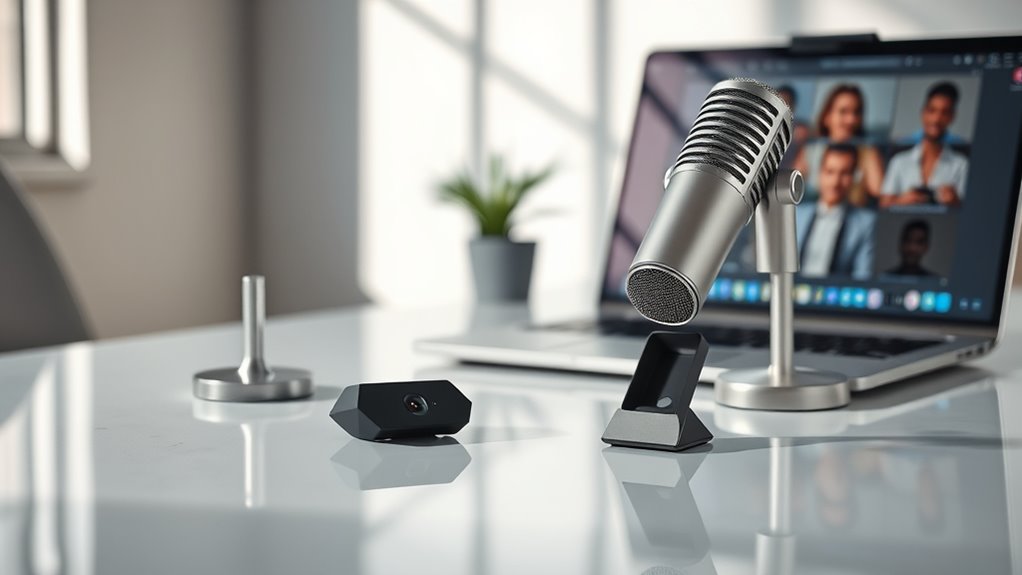
When choosing a camera and microphone for Zoom meetings, you want to prioritize video resolution and audio clarity to guarantee you look and sound professional.
Also, think about the field of view and how lighting affects your image quality. These factors can really make a difference.
And don’t forget about privacy features to keep your meetings secure. It’s better to be safe than sorry!
Video Resolution Quality
Although video resolution isn’t the only factor to consider, it plays a crucial role in how clear and professional you appear during Zoom meetings.
Choosing a higher resolution, like 1080p or 4K, delivers sharper, more detailed images, ideal for presentations or client calls. While 720p works fine for casual chats, it may look blurry on larger screens or in formal settings.
Keep in mind, higher resolutions require faster internet to avoid lag or buffering. Look for webcams with features like auto white balance and low-light correction to boost image quality regardless of resolution.
Match your camera’s resolution to your meeting needs—you don’t need 4K for every call, but having crisp visuals can elevate your online presence considerably.
Audio Clarity Importance
Because clear audio is essential for smooth communication, you need a microphone that captures your voice accurately without distractions. Choosing one with noise-canceling technology helps block background noise, keeping the focus on what you say.
High-quality microphones pick up a wider frequency range, delivering richer, more natural sound that boosts your meeting’s professionalism. Pay attention to features like automatic gain control and auto white balance to ensure consistent audio levels and clarity.
Proper placement also matters—position your microphone close enough to avoid echo or muffled sound. Finally, pick devices supporting multiple audio formats like AAC, MP3, or PCM for broad compatibility and prime quality across different conferencing platforms.
Prioritizing these factors guarantees your voice comes through clearly every time.
Field of View
One key factor to contemplate when choosing a camera for Zoom meetings is the field of view (FOV), which controls how much of the scene your camera captures.
If you often join group meetings, a wider FOV—around 90 degrees or more— makes sure everyone fits comfortably within the frame. For solo calls or presentations, a narrower FOV between 55 and 78 degrees keeps the focus tight on you, cutting out unnecessary background distractions.
Some cameras offer adjustable FOV, letting you switch between wide and narrow views depending on the situation. Remember, the FOV affects not just what’s visible but also the sense of space and focus your viewers experience.
Lighting and Exposure
Good lighting plays an essential role in making sure your face appears clear and professional during Zoom meetings. Proper lighting reduces shadows and helps your camera capture a sharp, detailed image.
You’ll want to avoid overexposure or underexposure, which can hide facial features and reduce video quality. Many modern cameras have automatic exposure features that adjust brightness on the fly, but controlling ambient light still matters.
Using diffused light softens harsh shadows and glare, enhancing your appearance on screen. Consistent lighting conditions let your camera maintain stable exposure, so your video looks polished throughout the meeting.
Privacy and Security
When choosing a camera and microphone for Zoom meetings, you should prioritize privacy and security features to protect your personal information. Look for webcams with physical privacy shutters that let you cover the lens when not in use. This helps prevent unauthorized access or accidental recordings.
Choose microphones with built-in mute controls so you can easily disable audio transmission whenever needed. It’s also vital to select devices whose software offers secure, password-protected settings. This reduces the risk of unauthorized changes.
Regularly updating your camera and microphone firmware is essential. Updates often include security patches that defend against hacking attempts. By focusing on these privacy and security features, you can confidently participate in Zoom meetings without worrying about unwanted spying or audio leaks.
Compatibility and Connectivity
Although choosing the right camera and microphone might seem straightforward, ensuring their compatibility and connectivity with your computer is essential for smooth Zoom meetings. First, confirm your devices support your operating system—whether Windows, macOS, or Linux—to avoid software conflicts.
Next, check connection ports like USB-A, USB-C, or HDMI, making sure they match your computer’s inputs. Opt for plug-and-play devices or those with compatible drivers to minimize setup hassles.
Also, prioritize microphones with noise-canceling features and adequate sensitivity for clear audio. Finally, select devices using standard protocols such as USB 3.0 or higher, ensuring fast, reliable data transfer.
Ease of Setup
Ensuring your camera and microphone connect smoothly is just one part of the setup process; you’ll also want devices that get you up and running quickly. Look for cameras with plug-and-play USB connections—they require no extra drivers or software, letting you start right away.
Cameras that automatically adjust white balance and exposure save you time by optimizing image quality in any lighting. Built-in privacy covers simplify managing your camera’s security without extra hassle.
Universal mounting options, like clips or tripod compatibility, help you position your webcam easily. For audio, choose microphones with straightforward USB plug-ins and minimal configuration to ensure clear sound without complicated settings.
Prioritizing ease of setup means fewer distractions and more focus on your Zoom meetings. It really makes a difference when you can jump in without fiddling around.
Frequently Asked Questions
How Do I Set up a Webcam for the First Time?
Plug your webcam into your computer’s USB port, and install any necessary drivers or software. This will make sure your computer recognizes the device.
Next, position the webcam at eye level so it captures you well. Then, test it using your video app to see how it looks.
If needed, adjust the settings for lighting and focus. This helps you get clear, sharp video every time.
Can I Use My Smartphone as a Webcam for Zoom?
You can’t beat dedicated webcams, yet your smartphone makes a surprisingly great webcam for Zoom.
Just install an app like EpocCam or DroidCam, connect via USB or Wi-Fi, and you’re ready to impress effortlessly.
It’s pretty simple once you get the hang of it, and the quality can be really impressive compared to some built-in laptop cameras. Give it a try!
What Internet Speed Is Needed for High-Quality Video Calls?
You’ll need at least 3 Mbps upload and download speeds for high-quality video calls.
For 1080p resolution, aim for 5 Mbps or higher to avoid lag and maintain smooth, clear conversations during your Zoom meetings.
That way, your calls stay sharp and uninterrupted. It really makes a difference!
How Do I Improve Lighting for Better Video Quality?
You know what they say, “light is the painter’s brush.”
Position yourself facing natural light or use soft LED lights at 45-degree angles. Avoid harsh shadows and backlighting to make your video crisp and clear.
This way, your lighting will look natural and flattering. It really helps your video stand out!
Are External Microphones Better Than Built-In Ones for Zoom?
Yes, external microphones usually provide clearer, richer sound than built-in ones. You’ll reduce background noise and improve voice clarity, making your Zoom meetings more professional and easier for others to understand.
Basically, an external mic picks up your voice better, so you don’t have to repeat yourself as much. It’s a simple upgrade that can make a big difference in how you come across during calls.
Conclusion
Choosing the perfect pair of cameras and microphones for your Zoom meetings doesn’t have to be puzzling. Prioritize picture precision, pristine sound, and practical features to power up your presentations. Whether you want a wonderful wide-angle webcam or a mic with magnificent noise cancellation, these must-have models make meetings more meaningful and memorable.
So, step up your setup, seize seamless streaming, and say goodbye to blurry, bothersome broadcasts! With the right camera and microphone, your Zoom meetings will not only look great but also sound crystal clear. Investing in quality gear ensures you stay professional and connected, whether it’s a quick catch-up or an important presentation. Don’t settle for less — upgrade your Zoom setup today and experience the difference in every call!