14 Best 3D Printers for Kids in 2026 to Spark Creativity
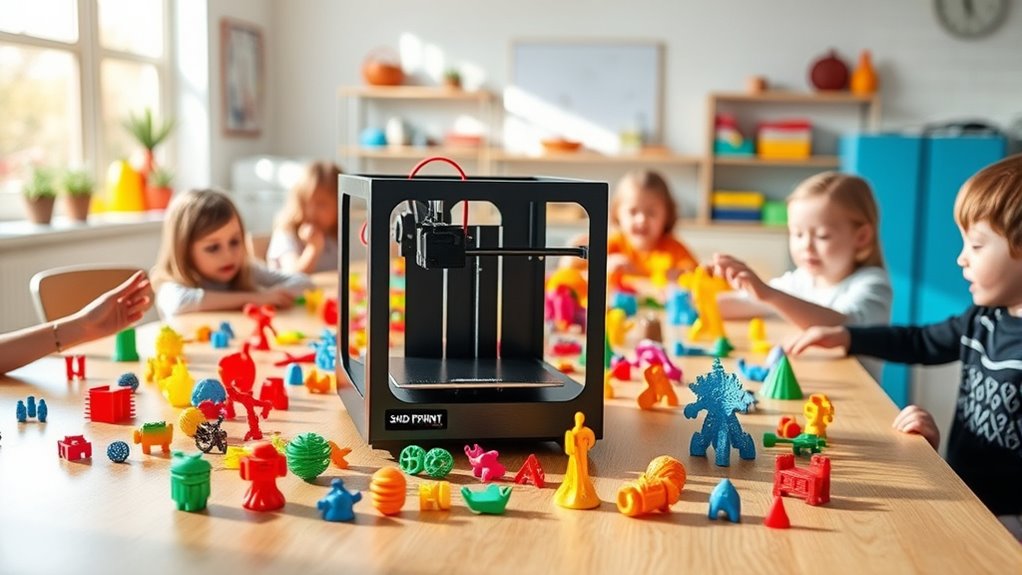
You want a safe, easy-to-use 3D printer that sparks creativity and supports STEM learning for kids. Look for fully enclosed designs with child-proof locks and no-hot-parts operation. These features help keep curious little hands safe while they explore.
Simple interfaces like touchscreen or app control make it easy for kids to navigate their projects. Models with AI-powered creation tools and quick setup options let kids dive right in without frustration.
Plus, rich libraries offer endless inspiration to build confidently.
Fast printing speeds and built-in safety features ensure projects are hassle-free and fun. Keep exploring to discover the top options that fit various ages and skills. Finding the right 3D printer can turn learning into an exciting adventure for any child.
Entina Tina2C Mini 3D Printer for Kids Beginners
Step into the world of 3D printing with the Entina Tina2C Mini, designed specifically for kids and beginners. Its intuitive setup through the Poloprint Cloud app lets users start printing in less than 8 minutes, making it easy to bring ideas to life quickly. This mini printer removes common hurdles, so young makers can focus on creativity instead of complex technical steps.
Maintenance is straightforward thanks to the auto-leveling bed and a self-cleaning nozzle. These features help reduce failed prints and minimize upkeep, ensuring a smooth printing experience. The compact size and safe design make it ideal for use at home or in classrooms without taking up much space or causing safety concerns.
Connectivity options include both WiFi and offline modes, providing flexibility for different environments. Access to over 3,000 models and integrated STEM courses enhances learning opportunities, encouraging exploration and skill development through hands-on projects.
While its small build volume limits larger prints, and advanced customization is minimal, the Entina Tina2C Mini remains a practical and user-friendly choice for introducing 3D printing to young users.
Best for: Kids, beginners, and educators seeking an easy and safe 3D printing solution for educational and creative use.
What We Like:
- Quick, guided setup with Poloprint Cloud app
- Auto-leveling bed and self-cleaning nozzle for reliable prints
- WiFi and offline printing with extensive model library and STEM courses
- Compact, safe design suitable for home or classroom environments
Specification:
| Feature | Details |
|---|---|
| Manufacturer | Entina |
| Dimensions | 3.9 × 3.9 × 3.9 inches |
| Weight | Not specified |
| Material | Not specified |
| Color Options | Not specified |
SCRIB3D P1 3D Printing Pen Kit with Display
The SCRIB3D P1 3D Printing Pen Kit with Display offers an intuitive tool for young creators eager to explore 3D art. Its adjustable speed and temperature settings allow users to tailor the experience as their skills develop, making it a versatile choice for beginners.
Designed for ease of use, the pen heats up quickly and includes simple controls for filament feeding and retraction. The included complete kit—featuring three PLA filament colors, a stencil book, project guide, and power adapter—ensures children can start crafting immediately without extra purchases.
Maintenance is straightforward thanks to the pen’s anti-clog ceramic nozzle, which reduces blockage and extends the pen’s lifespan. An auto-sleep function enhances safety by powering down the device during inactivity, giving parents peace of mind.
While primarily compatible with PLA and ABS filaments, this limitation keeps the tool focused on popular, easy-to-use materials. The pen requires a brief 2-3 minute warm-up, which is reasonable for thorough preparation but may affect quick, spontaneous sessions.
Best for: Beginners and young 3D artists seeking a safe, adaptable 3D printing pen kit that supports skill growth.
What We Like:
- Complete starter kit with multiple filament colors and guides.
- Adjustable speed and temperature for customized use.
- Anti-clog ceramic nozzle ensures smooth operation.
- Auto-sleep safety feature for worry-free use.
Specification:
| Feature | Details |
|---|---|
| Manufacturer | SCRIB3D |
| Dimensions | Not specified |
| Weight | Not specified |
| Material | Plastic with ceramic nozzle |
| Color Options | Not specified |
AOSEED X-Maker Joy AI+ 3D Printer for Kids
The AOSEED X-Maker Joy AI+ is designed to make 3D printing accessible and safe for children and parents alike. Its compact, enclosed build with a pinch-resistant design minimizes risks during use. TÜV-tested filament adds an extra layer of safety, reducing concerns about material quality.
This 3D printer simplifies the printing process with a leveling-free platform, eliminating the need for manual adjustments. Smart features like filament runout detection and a quick-release nozzle ensure smooth operation and easy maintenance. These elements help reduce downtime and frustration.
The built-in AI tools let kids create designs from voice commands, text, or images—making creativity more intuitive. The companion app supports one-tap printing and real-time monitoring, so parents can oversee projects without hassle. The printer comes with over 8,000 pre-tested models and a starter kit to kickstart learning.
While it supports only single-color prints, this encourages creativity with modular assembly for multi-color projects. Print size and speed suit most beginner to intermediate creations, and younger users may benefit from some adult guidance with advanced features.
Best for: Parents and educators seeking a safe, user-friendly 3D printer that inspires creativity and STEM learning for children at home or in school.
What We Like:
- Enclosed, child-safe design with TÜV Rheinland ISO 16000-tested filament
- AI-powered design tools and easy app integration for simplified printing
- Comprehensive starter kit including 8 PLA filaments and access to 8,000+ tested models
Specification:
| Specification | Details |
|---|---|
| Manufacturer | AOSEED |
| Dimensions | Compact (exact size not provided) |
| Weight | Not specified |
| Material | Enclosed plastic casing |
| Color Options | Not specified |
M1 Mini 3D Printer for Kids & Beginners STEM Gift
The M1 Mini 3D Printer is designed to make 3D printing accessible and enjoyable for kids and beginners. Its quick setup means you can start creating in just 15 minutes, without needing a computer. This ease of use helps young makers and STEM learners dive straight into their projects without confusion or delay.
Maintaining the printer is simple thanks to automatic 16-point bed leveling and auto nozzle cleaning, which ensure consistent, high-quality prints every time. These features reduce the need for manual adjustments and troubleshooting, saving time and frustration.
This compact printer supports PLA and flexible TPU filaments, allowing users to craft toys, phone cases, and wearable items. Its quiet operation and safety features, like filament break detection, make it a safe and convenient choice for home or classroom use.
While the M1 Mini’s small size limits print volume and filament options, its pre-sliced models on the included SD card help beginners start printing immediately. This focus on simplicity fosters creativity without overwhelming new users.
Best for: Kids and beginners interested in STEM who want an easy-to-use, quick-start 3D printer for creative projects and learning.
What We Like:
- Rapid setup with no computer required, ready in 15 minutes
- Reliable prints via automatic bed leveling and nozzle cleaning
- Supports PLA and TPU filaments for versatile creations
- Quiet operation with filament break detection for safety
Specification:
| Feature | Details |
|---|---|
| Manufacturer | M1 Mini |
| Dimensions | Compact size (specific size not provided) |
| Weight | Not specified |
| Material | Plastic and metal components |
| Color Options | Not specified |
Kidoodle 3D Printer for Kids with Wi-Fi Control
The Kidoodle 3D Printer for Kids with Wi-Fi Control is designed to make 3D printing accessible and safe for young beginners. Its fully enclosed design ensures protection from hot parts and moving components, creating a secure environment for curious hands.
Setup is straightforward, with an intuitive 5-inch HD touchscreen and auto-leveling that reduce the learning curve. The child-safe lock and pause-on-door-open features prevent accidents, allowing parents peace of mind during use.
This printer supports high-speed printing up to 600mm/s, enabling quick production of detailed models, often in just 10 minutes. Wi-Fi connectivity lets users print remotely from various devices, encouraging creativity without being tied to the machine.
Maintenance is simple, with PLA filament compatibility ensuring easy material handling and minimal setup complexity. The extensive library of over 1500 ready-to-print models fosters endless educational and family project opportunities.
Best for: Kids and beginners eager to explore 3D printing safely with user-friendly features and creative learning resources.
What We Like:
- Fully enclosed design with child-safe lock enhances safety.
- Fast printing speeds deliver quick, detailed results.
- Wi-Fi connectivity enables convenient remote printing.
- Large model library sparks creativity and learning.
Specification:
| Feature | Description |
|---|---|
| Manufacturer | Kidoodle |
| Dimensions | Not specified |
| Weight | Not specified |
| Material | PLA filament (included) |
| Color Options | Not specified |
3Doodler Start+ 3D Pen Set for Kids
Discover a new way for kids to bring their ideas to life with the 3Doodler Start+ 3D Pen Set. Designed with safety foremost, this pen eliminates burn risks thanks to its no-hot-parts design, making it perfect for young creators. Children can confidently explore 3D drawing without fear, encouraging hands-on learning and creativity.
The pen’s slim design charges 50% faster than before, reducing wait time and keeping young artists engaged. With 50% more filament included and 10 fresh stencils, kids have plenty of materials to experiment and improve their skills. This encourages screen-free STEM learning that sparks imagination and problem-solving.
Maintenance is simple since the pen uses proprietary 3Doodler Start plastics, ensuring consistent performance and durability. While this limits filament options, it guarantees safe and child-friendly materials. The set also includes a Doodlemat and USB-C charger, all packaged with eco-conscious materials.
Best for: Children aged 6 and up seeking a safe, educational tool to explore 3D creativity through interactive STEM activities.
What We Like:
- Child-safe with no hot parts for burn-free creativity
- Charges 50% faster to minimize downtime
- Extra filament and stencils for extended fun
- Eco-friendly packaging supports sustainability
Specification:
| Feature | Details |
|---|---|
| Manufacturer | 3Doodler |
| Dimensions | Pen: Slim design (approx. 6 in) |
| Weight | Lightweight (approx. 50 g) |
| Material | Proprietary child-safe plastic |
| Color Options | Mixed colors included |
Entina Tina2 Basic Mini 3D Printer for Beginners
Looking for a beginner-friendly 3D printer that makes learning fun and easy? The Entina Tina2 Basic Mini 3D Printer is designed to get young creators started quickly and confidently. It comes fully assembled, so you can dive into printing right away without any setup hassle.
This compact printer features simple knob controls and a one-button filament loading system, making operation intuitive even for first-timers. The automatic bed leveling paired with a magnetic build plate ensures models adhere properly and can be removed effortlessly, reducing frustration during prints.
Thanks to its sturdy dual Z-axis rails, the printer delivers more stable and precise results than typical mini printers. Its small footprint fits comfortably in any workspace, ideal for classrooms or home use. Offline printing via MicroSD keeps the printer reliable and focused, though it lacks USB or wireless connectivity.
Maintenance is straightforward with easy access to components and reliable build quality. While its build volume is modest, it’s perfect for small projects, educational tasks, and creative exploration.
Best for: Kids, educators, and beginners seeking a compact, reliable, and easy-to-use 3D printer for creative learning and small-scale projects.
What We Like:
- Fully assembled with user-friendly controls and one-button filament loading
- Automatic bed leveling and magnetic build plate simplify printing and removal
- Dual Z-axis rails enhance print stability and precision
- Compact size fits neatly in small spaces
- Offline printing via MicroSD ensures dependable operation
Specification:
| Feature | Details |
|---|---|
| Manufacturer | Entina |
| Dimensions | Compact mini size (approx.) |
| Weight | Lightweight |
| Build Volume | 100 x 105 x 100 mm |
| Control | Knob controls, one-button filament loading |
| Bed Leveling | Automatic |
| Connectivity | MicroSD card only |
| Frame | Dual Z-axis rails |
Entina Tina2C Mini 3D Printer Starter Bundle
The Entina Tina2C Mini 3D Printer Starter Bundle offers a simple and effective way to start 3D printing. Its fully assembled design lets users dive right into creating without the hassle of setup. The accompanying Poloprint app makes operation straightforward, perfect for beginners and kids.
This printer solves common frustrations like uneven prints and interruptions. With auto leveling and power-loss recovery, it ensures consistent results and resumes printing after outages. The magnetic build plate allows easy removal of models, reducing the risk of damage.
Compact and lightweight, this printer fits well in small spaces and emphasizes safety with smooth edges and low noise levels. The included library of over 3000 models, plus more than 20 DIY modules and 4 vibrant PLA colors, fuels creativity and learning.
Maintenance is minimal, focusing on PLA filament use, which simplifies material handling but limits versatility. The smaller print size suits educational and hobby projects rather than large-scale printing. This bundle is a practical, user-friendly tool for hands-on STEM exploration.
Best for: Kids and beginners seeking a safe, compact 3D printer that encourages creativity and STEM skills.
What We Like:
- Fully assembled with easy auto leveling and power-loss recovery.
- Extensive model library and creative DIY modules included.
- Compact, lightweight design with safety-focused features.
- User-friendly Poloprint app simplifies printing.
- Magnetic build plate enables easy print removal.
Specification:
| Feature | Details |
|---|---|
| Manufacturer | Entina |
| Dimensions | Compact size (exact dimensions not specified) |
| Weight | Lightweight (exact weight not specified) |
| Material | PLA filament only |
| Color Options | 4 vibrant PLA filament colors |
AOSEED X-Maker AI+ 3D Printer for Kids & Beginners
Unleash creativity and make learning exciting with the AOSEED X-Maker AI+ 3D printer. Designed specifically for kids and beginners aged 9 to 16, this printer brings digital toy designs to life with ease. Its AI-powered tools like AI Doodle and MiniMe help users customize projects, making STEM skills more accessible and enjoyable.
The printer’s fully enclosed design ensures safety during use, while features like one-touch nozzle replacement and power-loss recovery simplify maintenance. It comes equipped with eight PLA filament rolls, ready to support a wide variety of creative projects right out of the box.
With high precision and fast printing speeds, the X-Maker AI+ keeps young users engaged by completing projects quickly. Its quiet operation and wireless connectivity make it suitable for both home and school environments, minimizing disruption while maximizing convenience.
Though it only supports PLA filament, this limitation helps maintain safety and ease of use for beginners. Some advanced AI features may require guidance, and the print size is ideal for small to medium projects but not large builds.
Best for: Kids and beginners aged 9 to 16 seeking a safe, educational 3D printer that fosters creativity and STEM learning at home or school.
What We Like:
- Over 1,500 digital toy designs with AI-powered customization tools
- Fully enclosed, safe design with easy maintenance features
- High precision, fast printing, quiet operation, and wireless connectivity
Specification:
| Feature | Details |
|---|---|
| Manufacturer | AOSEED |
| Dimensions | Not specified |
| Weight | Not specified |
| Material | PLA filament (included) |
| Color Options | Not specified |
Geeetech Mini 3D Printer for Kids & Beginners
The Geeetech Mini 3D Printer is designed to make 3D printing simple and accessible for kids and beginners. Its fully assembled design means you can start printing with minimal setup, eliminating the frustration of complex assembly. The compact frame fits easily in small spaces, making it ideal for home or classroom use.
This printer’s heated, flexible magnetic build plate with 16-point auto-leveling ensures your prints come out accurate and free from warping. You won’t have to constantly adjust settings, which saves time and keeps projects running smoothly. The direct drive extruder supports flexible TPU and standard PLA filaments, offering versatility for various creative ideas.
Operating the printer is straightforward with its 2.4-inch color LCD and one-button filament loading. Maintenance is also user-friendly, thanks to the removable build plate that simplifies cleaning. Plug-and-play TF card support lets you print without a computer, enhancing convenience for beginners.
While its compact print area limits larger projects, this printer excels at delivering reliable quality on small to medium prints. It may require an extra filament holder for stability with larger spools, but overall, it’s a practical choice for learning and creative exploration.
Best for: Kids and beginners seeking an easy-to-use, compact 3D printer for quick setup and consistent printing results.
What We Like:
- Fully assembled design with simple one-button filament loading
- Heated, flexible magnetic build plate with 16-point auto-leveling
- Direct drive extruder handles TPU and PLA materials smoothly
- Compact size fits small spaces and easy maintenance
- Color LCD screen for intuitive control
Specification:
| Feature | Details |
|---|---|
| Manufacturer | Geeetech |
| Dimensions (WxDxH) | 9.8 × 11 × 11 inches |
| Print Volume | 3.94 × 4.33 × 3.94 inches |
| Weight | Approx. 6.6 lbs (3 kg) |
| Material | Metal frame, flexible build plate |
| Color Options | White |
AOSEED 3D Printer for Kids
AOSEED 3D Printer for Kids opens the door to creative expression through AI-powered design tools tailored for young users. It helps children turn their ideas into real 3D models without any prior experience. The AI Doodle feature makes designing easy by allowing kids to create models using voice, text, or images.
This printer also includes AI MiniMe, which transforms photos into charming cartoon figures, and MINIMAKIE, perfect for crafting unique avatars and DIY toys. A built-in AI Assistant provides instant guidance, smoothing the learning process and reducing frustration. Maintenance is straightforward, designed to keep young users focused on creation rather than technical issues.
Ideal for educational use and play, the AOSEED printer inspires curiosity and creativity. While it encourages imagination, some advanced features may require a stable internet connection. Younger children might need adult supervision to fully enjoy the experience.
Best for: Kids and young creators eager to explore 3D modeling and printing through intuitive AI tools.
What We Like:
- Simplifies 3D design with AI-driven tools requiring no prior experience
- Instant support from an interactive AI Assistant enhances learning
- Encourages creativity with personalized avatars and DIY toy projects
Specification:
| Feature | Details |
|---|---|
| Manufacturer | AOSEED |
| Dimensions | 15 x 15 x 15 in |
| Weight | 8.5 lb |
| Material | ABS & PLA compatible |
| Color Options | Blue and White |
SainSmart PrintyGo Mini 3D Printer for Kids
The SainSmart PrintyGo Mini 3D Printer is designed to make 3D printing accessible and safe for kids. Its child-safe design with a fully enclosed body and child lock system prevents accidental contact with moving parts. Using non-toxic PLA filament ensures a safe environment, helping parents feel confident about their child’s activities.
Setup is straightforward with a pre-assembled unit and a bright 5″ touch screen, so young users can start printing right away without complex slicing software. The printer’s Wi-Fi and app control features allow easy management and access to a library of over 1,500 ready-to-print models, encouraging creativity and learning in STEM subjects.
Maintenance is simple thanks to the use of standard PLA filament and a compact build. While the print speed of 600mm/s is suitable for beginners, it may not meet the needs of users wanting highly detailed or large objects. The smaller build volume is ideal for small projects but limits larger creations.
Overall, this mini 3D printer balances safety, ease of use, and educational value, making it a practical introduction to 3D printing for children.
Best for: Young beginners aged 4 to 12 seeking a safe, easy-to-use 3D printer to explore STEM concepts and creative projects.
What We Like:
- Fully enclosed body with child lock and non-toxic filament for safe operation
- User-friendly 5″ touch screen and pre-assembled setup for quick start
- Wi-Fi and app control with access to a large library of 1,500+ models
- Compact size and simple maintenance suited for kids and parents alike
Specification:
| Feature | Description |
|---|---|
| Manufacturer | SainSmart |
| Dimensions (W×D×H) | Compact mini size |
| Weight | Lightweight for easy setup |
| Material | Non-toxic PLA filament |
| Color Options | Standard child-friendly colors |
Mini 3D Printer Starter Kit for Kids (Green)
Dive into the world of 3D printing with the Mini 3D Printer Starter Kit, designed to make creativity accessible for kids and beginners. This compact printer arrives fully assembled, eliminating setup frustrations and allowing users to start printing immediately.
Its intuitive design includes auto-leveling and a magnetic build plate, which simplify the printing process and make print removal effortless. With WiFi connectivity and one-touch filament loading, maintaining and operating the printer becomes straightforward, even for young users.
The kit comes with 10 meters of PLA filament and a microSD card preloaded with models and slicing software compatible with MAC, Windows, and Linux. This ensures smooth integration into various learning environments and broadens opportunities for creative exploration.
While the printer supports popular materials like PLA and TPU, it requires a metal or TINA2S platform plate to prevent sensor issues. Its compact size suits small projects and educational use but may limit larger or higher-resolution prints.
Best for: Educators, parents, and beginners seeking an easy-to-use 3D printer for home or classroom projects.
What We Like:
- Fully assembled for quick start-up
- Supports multiple operating systems and slicers
- Auto-leveling and magnetic build plate enhance ease of use
- WiFi and one-touch filament loading simplify operation
Specification:
| Feature | Details |
|---|---|
| Manufacturer | Not specified |
| Dimensions | Compact design (exact size not specified) |
| Weight | Not specified |
| Material | PLA filament included |
| Color Options | Green |
HEPHi3D TINA2S Kids WiFi 3D Printer
The HEPHi3D TINA2S Kids WiFi 3D Printer is designed to make 3D printing accessible and safe for children and beginners. Its semi-enclosed design and high-temperature silicone nozzle cover protect young users while allowing clear visibility of prints in progress.
This compact printer features a flexible magnetic build plate that simplifies model removal, reducing frustration and saving time. Automated functions like auto bed leveling, filament detection, and power-loss resume help prevent print failures, ensuring a smoother printing experience.
Maintenance is straightforward with its reliable components and user-friendly setup. The TINA2S connects via WiFi, enabling direct printing from your device or the extensive model library on the Poloprint Cloud App. This connection fosters creativity by providing easy access to diverse projects without complicated file transfers.
While it supports only PLA, PLA Pro, and TPU filaments, this limitation suits educational environments focused on safety and ease of use. Its moderate print speed balances quality and quiet operation, ideal for home or classroom use.
Best for: children, beginners, and educators seeking a safe, easy-to-use 3D printer that encourages hands-on learning and creativity.
What We Like:
- Semi-enclosed structure with silicone nozzle cover enhances safety
- Auto bed leveling and filament sensor reduce print errors
- WiFi connectivity with access to a large online model library
- Flexible magnetic build plate for easy model removal
- Quiet operation suitable for home and classroom environments
Specification:
| Feature | Details |
|---|---|
| Manufacturer | HEPHi3D |
| Dimensions | Compact size (exact dimensions not provided) |
| Weight | Not specified |
| Supported Filaments | PLA, PLA Pro, TPU |
| Connectivity | WiFi |
| Build Plate | Flexible magnetic |
| Safety Features | Semi-enclosed design, silicone nozzle cover |
Factors to Consider When Choosing 3d Printer Kids
When choosing a 3D printer for kids, you’ll want to prioritize safety features and ease of use to keep things fun and secure. It’s important that the printer is simple enough for them to operate without frustration.
Consider the printing speed and connectivity options as well. Matching these to your child’s pace and the devices they have will make the experience smoother and more enjoyable.
Also, look for models that offer educational content. This way, your child can learn while they create, making the whole process both entertaining and informative.
Safety Features Importance
Because kids are naturally curious and less aware of potential hazards, you’ll want to prioritize 3D printers with strong safety features. Look for enclosed designs and child-proof locks to prevent accidental contact with hot parts.
Auto shut-off and power-loss recovery functions add extra protection by avoiding overheating and damage. Choosing printers that use non-toxic, eco-friendly filaments like PLA reduces health risks from fumes or skin contact.
Smooth surfaces, rounded edges, and quiet operation also help create a safer, more comfortable experience for your child. Finally, check for safety certifications such as TÜV Rheinland approval—these verify the printer meets strict safety standards designed specifically for children’s use.
Prioritizing these features ensures a secure environment while sparking creativity.
Ease of Use
Although 3D printing can seem complex, choosing a kid-friendly printer with an intuitive interface makes the process much easier for young users. Look for printers featuring touchscreens or simple controls that don’t require technical skills.
Automatic functions like auto-leveling and filament loading save setup time and cut down on mistakes, so kids can focus on creating. Visual aids such as LED indicators and built-in safety covers help you monitor printing safely and effortlessly.
Also, verify the printer works with easy-to-use software or mobile apps, so your child can start printing quickly without a steep learning curve. Pre-installed models, guided tutorials, and straightforward maintenance options all contribute to a smooth, frustration-free experience that keeps young makers engaged and confident.
Printing Speed Capability
Once you’ve found a kid-friendly 3D printer that’s easy to operate, the next thing to think about is how fast it prints. Faster speeds, like 250mm/s or more, help complete small projects quickly, keeping kids engaged and cutting down wait times.
High-speed printers can produce detailed models in under 30 minutes, perfect for classroom activities or creative bursts. However, speed isn’t everything—you want a printer that handles rapid infill and layer changes without losing quality.
Remember, faster printing requires advanced hardware, such as better extruders and stable motion systems, to maintain precision. Balancing speed with accuracy is key; pushing speed too high might cause issues with fine details.
Choosing a printer with reliable printing speed capability ensures fun, efficient, and quality results for your child’s projects.
Educational Content Access
Three key features make educational content access essential when choosing a 3D printer for kids. First, a large, regularly updated library of 3D models gives your child endless creative opportunities and learning experiences.
Second, access to STEM courses and DIY modules helps build hands-on technical skills and problem-solving abilities. This makes learning fun and practical.
Third, compatibility with user-friendly apps and software encourages independent exploration while reducing frustration during the learning process.
Additionally, platforms offering photo-to-print features or AI-generated models let kids personalize projects and express creativity in new ways.
Finally, guided tutorials and interactive tools provide structured support. This boosts your child’s confidence and ensures they master 3D printing skills effectively.
Connectivity Options
When choosing a 3D printer for kids, you’ll want to contemplate connectivity options like Wi-Fi, Bluetooth, USB, and SD card support. Wi-Fi-enabled printers let kids print wirelessly and manage projects remotely, making it easier for multiple users to share the device.
Bluetooth adds another convenient wireless option for quick file transfers. USB and SD card support are essential if you expect to print offline or in environments without reliable internet. These options ensure kids can start printing without complicated setups or network issues.
Additionally, reliable connectivity helps the printer work smoothly with various apps and slicing software across different devices. Picking a printer with versatile connectivity features means you can adapt to different learning spaces, skill levels, and personal preferences.
This makes the printing experience more accessible and enjoyable for everyone involved.
Filament Compatibility
Choosing the right filament compatibility is essential for a kid-friendly 3D printer. You want a printer that supports child-safe, non-toxic filaments like PLA, which is biodegradable and less hazardous.
Also, check that the printer works with common filament diameters, usually 1.75mm or 3mm. That way, you can easily find replacements when needed.
It’s helpful if the printer handles multiple filament types and colors, like PLA, ABS, or TPU. This means your child’s creativity won’t be limited.
Make sure the hotend temperature range suits different materials for more printing options. In other words, flexibility is key here.
Finally, look for a printer with a simple, safe filament loading and unloading process to avoid jams or burns. This keeps the experience smooth and worry-free for both you and your child.
Size and Portability
After considering filament compatibility, you’ll want to think about the printer’s size and portability. Smaller 3D printers, usually under 12 inches, are easier for kids to handle and store.
Lightweight models, often less than 10 pounds, let you move the printer easily between home, school, or workshops. Look for compact designs with built-in handles or carrying cases to boost convenience and mobility.
A portable printer with a small footprint saves space in tight rooms like bedrooms or classrooms, making it ideal for young users. Make sure the printer’s size fits your available workspace to avoid clutter and simplify setup and storage.
Choosing the right size and portability ensures your child can enjoy creative projects anywhere without hassle.
Frequently Asked Questions
Are 3D Printers for Kids Safe to Use Without Adult Supervision?
You shouldn’t use 3D printers without adult supervision because they involve hot parts and moving components.
With guidance, you’ll stay safe while learning and creating, making the experience fun and accident-free.
What Types of Filament Materials Are Best for Children’s 3D Printers?
Think of PLA as the “friendly giant” in filaments—safe, non-toxic, and easy to print. It’s perfect for kids just starting out because it doesn’t require high temperatures or complicated settings.
You’ll also want to contemplate PETG for durability. It’s a bit tougher than PLA and still pretty safe to use around children.
Avoid ABS; it emits fumes, making it less kid-friendly. The smell can be strong and potentially harmful without proper ventilation, so it’s better to skip it for kids’ projects.
How Much Maintenance Do Kids’ 3D Printers Typically Require?
You’ll find kids’ 3D printers need minimal maintenance—usually cleaning the nozzle, leveling the bed, and refilling filament.
With regular care, they run smoothly, making it easy for kids to focus on creating without much hassle. It’s pretty straightforward stuff, really.
Can Kids Easily Learn 3D Design Software to Use With These Printers?
Oh, absolutely, kids find 3D design software a breeze—like solving quantum physics for fun.
But actually, with intuitive tools and plenty of tutorials, you’ll see they pick it up quickly and start creating impressive designs in no time.
Do These 3D Printers Support Wireless or App-Based Printing Options?
Yes, many 3D printers support wireless and app-based printing, making it easier for you to send designs directly from tablets or smartphones.
This convenience helps kids quickly start printing without complicated setups or cables. It’s super handy if you want to get creative on the go!
Conclusion
Choosing the right 3D printer for your kid is like picking the perfect key to unseal their imagination. With options designed for beginners, Wi-Fi control, and STEM learning, you’ve got plenty of tools to spark creativity.
Whether they’re just starting or ready to dive deeper, these printers make learning hands-on and fun. So, go ahead—give your child the gift of creation and watch their ideas take shape in amazing ways!
Finding the best 3D printer for kids means choosing one that’s safe, easy to use, and packed with features to inspire. From simple models to more advanced ones, there’s something to fit every child’s skill level and curiosity.
By investing in a quality 3D printer, you’re opening doors to creativity, problem-solving, and STEM education. It’s not just a toy—it’s a tool that grows with your child and turns their imagination into reality.