14 Best 3D Printers for Beginners and Kids to Try in 2026
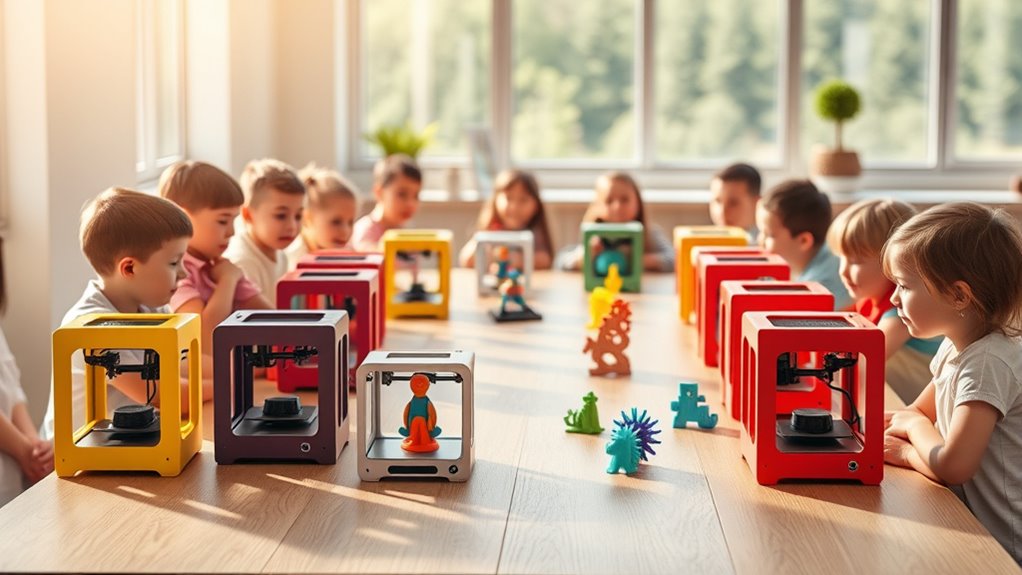
If you’re new to 3D printing or looking for a kid-friendly 3D printer, you’ll want models like the Entina Tina2C and AOSEED. These printers come mostly assembled and are ready to print right out of the box, making them perfect for beginners and kids.
Look for features like auto-leveling beds, safe enclosed designs, and quiet operation. These make the printing experience smooth and creative, especially for young users.
Many beginner 3D printers also support WiFi and offer easy filament loading, which is great for STEM learning at home or in the classroom.
These top beginner-friendly 3D printers balance speed, safety, and print quality. Keep exploring to find the best fit for your needs and start your exciting journey into 3D printing!
Entina Tina2C 3D Printer for Kids & Beginners
The Entina Tina2C 3D Printer is designed to make 3D printing accessible and enjoyable for kids and beginners. It solves common challenges by offering a guided setup through the Poloprint Cloud app, allowing users to print their first model in just 8 minutes. This removes the intimidation factor often associated with starting 3D printing.
Its user-friendly features include an auto-leveling bed, a self-cleaning nozzle, and a quick-swap printhead. These innovations reduce the need for frequent adjustments and simplify maintenance, ensuring consistent print quality without hassle. The compact design fits well in homes, schools, or offices, providing a safe and tidy workspace.
This printer supports both WiFi and offline printing, offering flexibility depending on available connectivity. It is compatible with major operating systems and popular slicing software, making it a versatile tool for creative projects and educational use.
While ideal for beginners and children, its smaller build volume may limit larger projects. The reliance on the Poloprint Cloud app means a stable internet connection is beneficial for full functionality.
Best for: Beginners and kids seeking an easy, safe, and educational 3D printer for home, school, or office environments.
What We Like:
- Guided setup with Poloprint Cloud app enables quick start.
- Auto-leveling bed and self-cleaning nozzle reduce maintenance effort.
- Quick-swap printhead enhances print quality and convenience.
- Supports WiFi and offline printing for versatile use.
- Compact and safe design fits well in various learning or working spaces.
Specification:
| Feature | Details |
|---|---|
| Manufacturer | Entina |
| Dimensions | Compact size (exact size not specified) |
| Weight | Not specified |
| Material | Not specified |
| Color Options | Not specified |
AOSEED AI-Powered 3D Printer for Kids & Beginners
The AOSEED AI-Powered 3D Printer is designed to spark creativity while making learning fun and accessible. It helps kids and beginners develop STEM skills by turning their ideas into tangible toys and models with ease. The AI-powered design tools simplify the creation process by allowing users to generate 3D models from voice commands, text inputs, or images.
Its fully enclosed build ensures a safe printing environment, reducing the risk of accidents and keeping noise levels low. The setup process is straightforward, and wireless connectivity enhances convenience. With fast and precise printing, this printer delivers quality results that encourage continuous exploration.
Maintenance is user-friendly, focusing on PLA filament, which is easy to handle and safe for beginners. Although this choice limits material variety, it ensures consistent performance and reduces complications. Some younger users might need adult guidance to get the most out of the learning experience.
Overall, the AOSEED printer transforms homes into creative workshops, making 3D printing educational and enjoyable for children aged 9 to 16 and their families.
Best for: Kids and beginners looking for a safe, educational, and interactive introduction to 3D printing with AI-assisted design.
What We Like:
- AI-powered model creation from voice, text, or images simplifies design.
- Fully enclosed, quiet operation enhances safety and usability.
- Includes a large library of digital toys and STEM courses for learning.
- Fast, precise printing supports quality project outcomes.
Specification:
| Feature | Details |
|---|---|
| Manufacturer | AOSEED |
| Dimensions | 15 x 15 x 15 inches (approx.) |
| Weight | 10 lbs (approx.) |
| Material | PLA filament only |
| Color Options | White |
Mini 3D Printer Starter Kit for Kids Beginners
Step into the world of 3D printing with ease using the Mini 3D Printer Starter Kit for Kids and Beginners. This compact, fully assembled printer eliminates setup stress, allowing users to jump straight into creative projects. Its intuitive design addresses common beginner challenges like complicated leveling and filament loading.
With fast printing speeds of up to 250mm/s and precision down to 0.01mm, this printer delivers detailed, high-quality models ideal for school assignments or personal crafts. Features such as automatic nozzle cleaning and one-button auto-leveling reduce maintenance time and keep prints consistent. The heated PEI bed ensures models lift off smoothly without damage.
Designed for learning and creativity, the starter kit includes test PLA filament and essential accessories, making it simple to begin printing immediately. While the kit primarily supports PLA filament and smaller spools, its user-friendly interface helps newcomers build confidence with 3D technology.
Best for: Kids and beginners seeking an easy-to-use, ready-made 3D printer to explore printing at home or school.
What We Like:
- Fully assembled for quick setup and use
- High-speed printing with fine 0.01mm detail
- Automatic nozzle cleaning and one-button leveling
- Heated PEI bed for easy model removal
- Includes filament and accessories for immediate printing
Specification:
| Feature | Details |
|---|---|
| Manufacturer | Mini 3D Printer Co. |
| Dimensions | 12 x 10 x 9 inches (30 x 25.5 x 23 cm) |
| Weight | 5.5 lbs (2.5 kg) |
| Material | Metal and Plastic Components |
| Color Options | White with Blue Accents |
Entina Tina2 Mini 3D Printer for Beginners
The Entina Tina2 Mini 3D Printer offers a smooth and accessible entry into 3D printing for beginners and young users. Its fully assembled design means you can start creating right away without complicated setups. The intuitive 2.4-inch LCD screen and Wiibulider slicer software make managing prints straightforward, even without a PC connection.
This printer addresses common challenges like bed leveling with its automatic system and magnetic build plate, reducing setup frustration and making print removal easier. Its dual Z-axis rails provide stable and precise printing, which enhances the quality of your models.
Compact and lightweight, the Tina2 Mini fits easily on desks or in classrooms, making it ideal for educational and home use. Maintenance is simple thanks to durable parts and easy access to components. However, its smaller build volume limits the size of projects, and it supports offline printing only via MicroSD card, lacking wireless or USB options.
Overall, it’s a practical choice for those new to 3D printing who want reliable performance with minimal hassle.
Best for: Beginners, kids, and educators seeking a user-friendly, compact 3D printer for learning and creative projects.
What we like:
- Ready to use out of the box with simple controls and software
- Automatic bed leveling and magnetic build plate for easy setup and model removal
- Stable dual Z-axis rails ensure precise and detailed prints
- Compact design suitable for small spaces like homes and classrooms
Specification:
| Feature | Details |
|---|---|
| Manufacturer | Entina |
| Build Volume | 100 x 105 x 100 mm |
| Screen | 2.4-inch LCD |
| Connectivity | MicroSD card (offline) |
| Dimensions | Compact, portable |
| Weight | Lightweight |
| Software | Wiibulider slicer |
Entina Tina2C Mini 3D Printer Starter Bundle
The Entina Tina2C Mini 3D Printer Starter Bundle is designed to make 3D printing simple and accessible. Its compact, kid-friendly design helps beginners and young users start printing quickly without the hassle of complicated setup. The printer arrives fully assembled and features automatic bed leveling, reducing the common frustrations of manual adjustments.
Controlled through the intuitive Poloprint app, it supports both WiFi and offline modes, allowing flexible use in various environments. This setup ensures smooth operation whether you are at home or in a classroom setting. The magnetic build plate simplifies model removal, helping users avoid damage while maintaining prints efficiently.
Maintenance is straightforward with quick-swap nozzles, making cleaning and replacement easy even for novices. The printer operates quietly, which is ideal for shared spaces or educational environments. Built-in LED lighting enhances print visibility, and the included model library offers a wide range of creative project options.
Best for: Kids, beginners, and educators looking for an easy-to-use, compact 3D printer suited for home, school, or STEM learning projects.
What We Like:
- Fully assembled with automatic bed leveling for hassle-free setup
- Poloprint app control with WiFi and offline functionality
- Magnetic build plate for easy and safe model removal
- Quick-swap nozzles simplify maintenance
- Quiet operation with built-in LED lighting
Specification:
| Feature | Details |
|---|---|
| Manufacturer | Entina |
| Dimensions | Compact size |
| Weight | Lightweight |
| Material | Metal and plastic |
| Color Options | Multiple PLA filament colors included (4) |
M1 Mini 3D Printer for Kids & Beginners
The M1 Mini 3D Printer is designed to make 3D printing simple and accessible for kids and beginners. It solves the common challenges of complicated setups and long waits by allowing users to start printing within 15 minutes. Pre-sliced models come ready on an SD card, so no computer is needed to begin creating right away.
Its 16-point automatic bed leveling and nozzle cleaning features reduce maintenance efforts and improve print reliability. The PEI spring steel plate makes removing finished models easy, minimizing frustration during post-printing tasks. This thoughtful design keeps the printer user-friendly and low-maintenance.
Printing speeds reach up to 250mm/s, allowing for quick production of quality projects. The quiet operation supports home or classroom use without disruption. Filament break detection adds a layer of safety, while compatibility with PLA and TPU filaments offers versatility in materials.
The compact size and straightforward operation make the M1 Mini a practical educational tool. It encourages creativity and helps develop STEM skills in a safe environment. However, its smaller build volume and limited filament options may not meet the needs of advanced users.
Best for: Kids and beginners seeking an easy-to-use, safe 3D printer that supports creativity and STEM learning.
What We Like:
- Quick start with pre-sliced models and no computer required
- Automatic bed leveling and nozzle cleaning for consistent prints
- Fast printing speeds up to 250mm/s with quiet operation
- Filament break detection enhances safety during use
- Compatible with PLA and flexible TPU filaments
Specification:
| Feature | Details |
|---|---|
| Manufacturer | Not specified |
| Dimensions | Not specified |
| Weight | Not specified |
| Supported Filaments | PLA, TPU |
| Bed Leveling | 16-point automatic |
| Print Speed | Up to 250mm/s |
| Plate Material | PEI spring steel |
| Included Media | SD card with pre-sliced models |
Mini 3D Printer Starter Kit for Kids (Green)
Experience the ease of 3D printing designed specifically for kids and beginners with the Mini 3D Printer Starter Kit for Kids (Green). This compact printer arrives fully assembled, eliminating the common setup frustrations and allowing users to start printing right away. Its intuitive design simplifies the printing process, making creativity accessible without the usual technical hurdles.
Maintenance is straightforward thanks to features like auto-leveling and a magnetic build plate, which ensure consistent print quality and easy removal of creations. The one-touch filament loading system minimizes downtime, and WiFi connectivity offers convenient wireless printing, perfect for home, classroom, or dorm environments.
This starter kit supports MAC, Windows, and Linux systems, compatible with popular slicing software such as Cura and Simplify3d. Its dual Z-axis enhances stability for precise prints, although the compact size limits the build volume, best suited for smaller projects. Users should note the necessity of metal or TINA2S platform plates to maintain sensor accuracy.
The printer supports PLA, PLA Pro, and TPU filaments, focusing on common materials ideal for educational and beginner use. Its reliable functionality and ease of operation make it a practical tool for creative learning in limited spaces.
Best for: Kids, beginners, and educators seeking a compact and user-friendly 3D printer starter kit for creative learning and small-space environments.
What We Like:
- Fully assembled kit reduces setup time and initial errors
- Auto-leveling and magnetic build plate simplify maintenance
- One-touch filament loading for quick material changes
- WiFi connectivity enables wireless printing convenience
- Compatible with multiple OS and slicing software for versatility
Specification:
| Feature | Details |
|---|---|
| Manufacturer | — |
| Dimensions | Compact size (exact not specified) |
| Weight | — |
| Material | — |
| Color Options | Green |
SainSmart PrintyGo Mini 3D Printer for Kids
The SainSmart PrintyGo Mini 3D Printer is designed to make 3D printing accessible and safe for children aged 4 to 12. Its fully enclosed structure and child lock prevent accidents, allowing kids to explore 3D creation confidently. This printer uses non-toxic PLA filament, ensuring an eco-friendly and safe crafting experience.
Setup is quick and hassle-free with a pre-assembled design and an intuitive 5″ touch screen. Parents and kids can control the printer easily via Wi-Fi and a dedicated app, adding convenience and flexibility. The printer also connects users to a vast library of over 1,500 models updated weekly, encouraging creativity and STEM learning.
Maintenance is straightforward, with a focus on safety and ease of use. The printer’s compact size fits well in any room, though its smaller build volume means it’s best suited for smaller projects. While it supports only PLA filament, this limitation aligns with its educational purpose for young beginners.
Best for: Young children aged 4 to 12 starting with 3D printing who need a safe, simple, and educational device that encourages creativity.
What We Like:
- Fully enclosed design with child lock for safe operation
- Non-toxic PLA filament supports eco-friendly use
- Easy-to-use 5″ touch screen and pre-assembled setup
- Wi-Fi and app control for flexible printing
- Large, regularly updated model library to inspire learning
Specification:
| Feature | Details |
|---|---|
| Manufacturer | SainSmart |
| Dimensions | Compact size (exact not specified) |
| Weight | Not specified |
| Material | PLA filament only |
| Color Options | Not specified |
Hephi3d TINA2 Plus High-Speed 3D Printer
The Hephi3d TINA2 Plus makes 3D printing accessible and straightforward. Designed to be fully assembled and lightweight, it allows users to start printing within minutes. This setup eliminates the hassle of complicated assembly, making it ideal for beginners and young users.
Its fast printing speed of up to 250mm/s combined with precise auto bed leveling ensures high-quality prints efficiently. The quick heat-up time helps reduce waiting, so projects move forward without delay. Maintenance is simplified by its reliable design, requiring minimal adjustments during use.
Connectivity options include USB and WiFi through the Poloprint Cloud app, which offers access to over 3,000 models and customization tools. This feature supports creativity and learning by providing a vast library and easy control. However, the print bed’s maximum temperature of 80°C may limit the printing of some materials, and the compact build volume restricts larger projects.
Overall, the Hephi3d TINA2 Plus balances ease of use with versatile functionality, making it a practical choice for educational settings and hobbyists looking for a quick, reliable start in 3D printing.
Best for: Beginners, kids, and educators seeking a compact, user-friendly 3D printer with fast setup and wireless control options.
What We Like:
- Fully assembled and lightweight for immediate use
- Fast printing speeds with accurate auto bed leveling
- Wireless control and access to a large model library via Poloprint Cloud
Specification:
| Feature | Details |
|---|---|
| Manufacturer | Hephi3d |
| Dimensions | Compact design (specifics not provided) |
| Weight | Lightweight (exact weight not provided) |
| Print Speed | Up to 250mm/s |
| Bed Temperature Max | 80°C |
| Connectivity | USB, WiFi (Poloprint Cloud app) |
| Platform | Open-source |
AOSEED 3D Printer for Kids
Step into the world of creativity with the AOSEED 3D Printer for Kids, designed to make 3D printing accessible and fun for young innovators. This printer solves the challenge of complex 3D modeling by using AI-powered tools that simplify the design process, allowing kids to produce their ideas with ease and confidence.
The printer’s AI Doodle feature lets children create custom models using voice, text, or images, removing the need for prior experience. With AI MiniMe and MINIMAKIE, kids can instantly transform photos into playful 3D cartoons and design unique avatars or toys, encouraging imaginative play.
Maintenance is straightforward, with user-friendly software and a built-in AI Assistant that offers real-time guidance. This reduces downtime and helps kids stay engaged while learning. The compact design suits home or classroom use, making it a practical choice for beginners.
While the printer may have limitations in print size and complexity, it excels at providing a smooth introduction to 3D printing. Adult supervision is recommended to ensure safe operation and to support young users as they explore.
Best for: Parents and educators seeking an intuitive, AI-enhanced 3D printer that fosters creativity and learning for children.
What We Like:
- AI-driven design tools that require no prior modeling skills
- Fun features for creating personalized 3D avatars and toys
- Built-in AI Assistant offers instant help and simplifies learning
- Compact and kid-friendly design ideal for home and classroom
- Easy maintenance supports continuous creative use
Specification:
| Feature | Details |
|---|---|
| Manufacturer | AOSEED |
| Dimensions | Approx. 15 x 15 x 15 in |
| Weight | Approx. 10 lb |
| Material | Durable plastic housing |
| Color Options | White with colorful accents |
ENTINA TINA2C Mini 3D Printer for Beginners
The ENTINA TINA2C Mini 3D Printer offers a simple and efficient way to bring your creative ideas to life. Designed for beginners, this compact printer arrives fully assembled and pre-calibrated, allowing you to start printing in less than 10 minutes. Its one-click 9-point auto leveling and automatic nozzle cleaning make setup easy and reduce maintenance time.
This printer ensures precise results with ±0.1 mm accuracy and supports popular filaments like PLA and TPU. The heated bed improves print adhesion, helping you achieve consistent quality. Its quiet operation, running under 45 dB, makes it suitable for home or classroom environments without causing distractions.
Maintenance is straightforward thanks to features like auto nozzle cleaning and stable design, which minimize common troubleshooting issues. The compact build volume encourages small-scale projects, ideal for learning and hobbyist tasks, although it may limit larger prints.
With Wi-Fi cloud slicing and USB connectivity, the ENTINA TINA2C brings convenience and flexibility to your 3D printing experience, supporting creativity in a user-friendly package.
Best for: Beginners and hobbyists looking for an easy-to-use, reliable 3D printer for quick setup and small-scale projects at home or school.
What We Like:
- Fully assembled and pre-calibrated for immediate use
- Precise printing with ±0.1 mm accuracy and multiple filament options
- Quiet operation under 45 dB, ideal for shared spaces
- One-click 9-point auto leveling simplifies setup and maintenance
- Compact size fits well in limited workspaces
Specification:
| Feature | Details |
|---|---|
| Manufacturer | ENTINA |
| Dimensions | Not specified |
| Weight | Not specified |
| Material | Not specified |
| Color Options | Not specified |
| Build Volume | 100 × 100 × 100 mm |
| Noise Level | Under 45 dB |
| Filament Compatibility | PLA, TPU |
Creality HALOT R6 Resin 3D Printer for Beginners
The Creality HALOT R6 Resin 3D Printer is a perfect starting point for beginners and kids eager to explore resin printing. Its intuitive operation makes setup and printing straightforward, allowing users to focus on creativity instead of complex controls. The ultra-compact design fits neatly on any desk, saving valuable workspace.
This printer offers high print quality with an advanced light source that produces smooth, detailed models thanks to more than 90% light uniformity. The orange cover shields users from harmful UV rays, ensuring safer handling during the printing process. Enhanced platform flatness and a precise Z-axis contribute to better print stability and accuracy.
Maintenance is manageable but important; resin printing requires cleaning and post-processing to achieve the best results. While the build volume is smaller than some resin printers, the HALOT R6 balances compactness with performance. Remote monitoring is available through HALOT BOX software but requires a USB webcam, adding a simple setup step.
Best for: Beginners, kids, and hobbyists looking for a compact, safe resin 3D printer that delivers quality prints with easy remote control.
What We Like:
- Lightweight, durable alloy body for portability and space-saving.
- Advanced light source with UV-blocking orange cover for detailed prints and safety.
- User-friendly HALOT BOX software with remote monitoring options.
- Precise Z-axis and stable platform improve print reliability.
Specification:
| Feature | Details |
|---|---|
| Manufacturer | Creality |
| Dimensions | Ultra-compact (exact size not provided) |
| Weight | Lightweight (exact weight not provided) |
| Material | Durable alloy |
| Color Options | Orange cover with black body |
FLASHFORGE Adventurer 5M High-Speed 3D Printer
The FLASHFORGE Adventurer 5M is a high-speed 3D printer designed to simplify the printing process for beginners, educators, and families. Its plug-and-play setup and user-friendly touchscreen let you start printing within minutes, avoiding the usual hassle of assembly or complex calibration. This makes it ideal for classroom environments and home projects where ease of use is essential.
Printing speed is a standout feature, reaching up to 600mm/s, while the hotend heats to 200°C in just 35 seconds. This fast heating reduces downtime and accelerates project completion. The printer’s auto bed leveling guarantees perfect first layers, preventing common issues and saving time on manual adjustments.
Maintenance is straightforward thanks to smart features like filament detection and a power failure resume function. These ensure reliability and reduce failed prints, making the printer a dependable choice for continuous use. The sturdy CoreXY frame and vibration compensation contribute to consistent, professional-quality results.
While the maximum hotend temperature limits some high-temp materials, an optional DIY enclosure can improve performance with ABS, ASA, and Carbon Fiber filaments. This flexibility allows users to explore advanced materials if needed.
Best For: Educators, beginners, and families seeking a fast, reliable, and easy-to-use 3D printer for educational and home projects.
What We Like:
- Quick plug-and-play setup with intuitive touchscreen
- High-speed printing with rapid hotend heating
- Auto bed leveling for flawless first layers
- Filament detection and power failure resume enhance reliability
- Sturdy CoreXY frame ensures stable, quality prints
Specification:
| Feature | Details |
|---|---|
| Manufacturer | FLASHFORGE |
| Printing Speed | Up to 600 mm/s |
| Hotend Temperature | Max 200°C |
| Frame Type | CoreXY |
| Bed Leveling | Auto |
| Weight | Not specified |
| Dimensions | Not specified |
Creality Ender 3 V3 KE High-Speed 3D Printer
Looking for a 3D printer that balances speed and ease of use? The Creality Ender 3 V3 KE delivers high-speed printing up to 500mm/s while maintaining precision. Its smart vibration control reduces shaking, producing smooth and detailed models with consistent quality.
This printer supports a variety of filaments such as PLA, ABS, and TPU. Its high-temperature copper nozzle and robust ceramic heater allow for reliable printing with different materials. The sturdy frame and enhanced cooling system help maintain stable performance throughout long print jobs.
Setup is straightforward with one-click printing via the Creality Cloud app. Features like auto-leveling and remote control simplify operation, making it accessible for beginners and families. Regular maintenance is easy due to its solid design and user-friendly interface.
The print volume of 250x220x220mm suits most standard projects but may limit very large prints. While designed for ease, some features might require a bit of learning to fully utilize. Internet connectivity is needed for app functions, which could be a consideration in some environments.
Best for: Beginners, kids, and families seeking a fast, versatile 3D printer that supports multiple filament types and encourages creative learning.
What We Like:
- Fast printing speeds up to 500mm/s with vibration reduction for smooth results
- Compatible with various filaments thanks to high-temp copper nozzle and ceramic heater
- Easy one-click setup, auto-leveling, and remote control via Creality Cloud app
- Sturdy construction and improved cooling ensure consistent print quality
Specification:
| Feature | Details |
|---|---|
| Manufacturer | Creality |
| Print Speed | Up to 500 mm/s |
| Print Volume | 250 x 220 x 220 mm |
| Filament Types | PLA, ABS, TPU, and more |
| Nozzle Material | Copper |
| Heater Type | Ceramic |
Factors to Consider When Choosing a 3d Printer for Beginners Kids
When picking a 3D printer for beginners or kids, you’ll want to focus on ease of setup and safety features first. These are super important to make sure everything goes smoothly and safely.
Consider how fast it prints and how much noise it makes, so it fits your space and patience level. Nobody wants a printer that’s too loud or takes forever to finish a print.
Also, check if the software works smoothly with your devices to keep things simple and fun. The less time you spend troubleshooting, the more time you get to create cool stuff!
Ease of Setup
Although choosing a 3D printer might seem intimidating, focusing on ease of setup can make all the difference for beginners and kids. You’ll want a printer that arrives fully assembled or needs minimal setup, so you can start printing quickly.
Features like automatic bed leveling and simple filament loading take the hassle out of calibration. Look for an intuitive interface—touchscreens or guided setup steps help you avoid confusion.
Compatibility with straightforward slicing software and wireless controls means fewer complicated configurations. Plus, clear, step-by-step instructions or built-in tutorials will speed up your learning curve.
Prioritizing these ease-of-setup features ensures a smooth, frustration-free experience, letting you and your kids enjoy 3D printing right away.
Safety Features
Three key safety features can make a 3D printer much safer for beginners and kids. First, an enclosed design or protective covers prevent accidental contact with moving parts and hot surfaces.
Second, automatic shutoff and filament detection systems pause or stop printing if hazards arise, reducing risks. Third, low noise operation minimizes disturbances, helping kids stay calm and focused.
Look for printers with rounded edges, smooth surfaces, and non-toxic, eco-friendly materials to create a safer environment. Clear visual indicators and simple safety controls ensure kids and beginners can operate the printer confidently without complex instructions.
These safety features give you peace of mind and make 3D printing a fun, risk-free experience for everyone just starting out.
Printing Speed
Selecting the right printing speed is essential to keep beginners and kids engaged without sacrificing quality. Faster speeds, around 250mm/s, let you finish small projects quickly, reducing wait times and keeping motivation high.
High-speed printers can deliver detailed models in 20 to 30 minutes, making the creative process more fun and rewarding. However, printing too fast—over 500mm/s—can hurt accuracy and surface finish, which isn’t ideal for beginners.
You’ll need a printer with stable components and precise calibration to handle higher speeds without losing detail. For most educational and hobbyist projects, a balanced speed between 150 and 250mm/s offers the best mix of speed and quality.
That way, it’s easier for kids and new users to enjoy satisfying results without frustration.
Noise Level
A quiet 3D printer makes a big difference when kids are learning and creating. Noise levels under 50 dB help maintain a calm environment, especially in classrooms or shared spaces.
When printers run silently, children can focus better on their projects without distractions. You’ll find that noise mainly comes from components like fans and stepper motors.
But many beginner-friendly models now include silent stepper drivers and sound-dampening enclosures to reduce this. Choosing a printer designed for quiet operation guarantees a more comfortable experience for kids and adults alike.
Software Compatibility
Because software compatibility directly affects how easily you can prepare and print models, it’s essential to choose a 3D printer that works seamlessly with popular slicing programs like Cura or Simplify3D. It should also offer intuitive controls suited for beginners and kids.
Make sure the printer supports flexible connectivity options such as Wi-Fi, USB, or SD card. This way, transferring files is hassle-free and straightforward.
Also, confirm that its software interface is user-friendly, featuring guided setup and simple operation. This helps keep things easy to manage.
Check compatibility with your device’s operating system—whether Windows, macOS, Linux, or Chromebook—to ensure smooth access. You don’t want any surprises when trying to connect your printer.
Finally, pick a printer that receives regular firmware and software updates. Staying current with new tools and file formats keeps your 3D printing experience smooth and future-proof.
Material Support
Many beginner-friendly 3D printers support versatile materials, but you’ll want to focus on those compatible with easy-to-use filaments like PLA. PLA is non-toxic, widely available, and prints smoothly, making it perfect for kids and novices.
As you gain experience, consider printers that handle other filaments like TPU, ABS, or PETG, expanding your creative options. Check the printer’s maximum extruder temperature to ensure it can manage diverse materials without failure.
Also, look for easy-to-remove build plates and hotends, which simplify cleaning and switching filaments. Choosing a printer with an open filament system or third-party filament compatibility gives you flexibility and cost savings.
This way, your 3D printing journey can start simple but grow with your skills.
Print Quality
Once you’ve chosen materials that work well with your printer, focus on print quality to get the best results from your projects. Look for printers offering high resolution, ideally between 0.01mm and 0.1mm layer height, to guarantee your models come out detailed and smooth.
Consistent extrusion combined with proper bed adhesion is vital for precision and accuracy. Choose a printer with advanced auto-leveling features to keep the print bed perfectly calibrated, preventing layer shifts and enhancing overall quality.
Reliable hotend temperature control also matters since stable filament melting directly affects print clarity and finish. Finally, use high-quality filament compatible with your printer’s specs to maintain detail and avoid print defects.
Prioritizing these factors helps you create impressive, polished 3D prints every time. It’s all about paying attention to the details that make your prints stand out!
Educational Value
Three key educational features make 3D printers ideal for beginners and kids: hands-on STEM learning, user-friendly interfaces, and interactive design tools. When you choose a 3D printer with pre-installed models and AI-assisted design apps, you make learning easier and more engaging.
These tools help you explore design, engineering, and technology concepts actively. Printable project libraries boost creativity, problem-solving, and critical thinking, making education fun and practical.
Plus, incorporating 3D printing into home or school lessons helps you understand manufacturing processes and material properties firsthand. Safety features and simple controls mean kids can focus on learning without worry.
Prioritizing these educational elements means you’ll pick a 3D printer that truly supports growth and curiosity in young learners. It’s all about making learning exciting and accessible!
Frequently Asked Questions
What Safety Precautions Should Kids Follow When Using 3D Printers?
You should always wear safety goggles and keep your hands away from hot parts. Using the printer in a well-ventilated area is super important too.
Never leave the printer unattended while it’s running. Also, make sure to follow the manufacturer’s instructions closely to avoid accidents and burns. Stay safe!
How Do I Maintain and Clean a Beginner-Friendly 3D Printer?
Like tending a garden, you’ll clean the nozzle gently, remove filament debris, and wipe the build plate after each print.
Regularly check belts and lubricate moving parts to keep your 3D printer humming smoothly and reliably.
Doing these little things often really helps your printer last longer and print better every time. Just a bit of care goes a long way!
What Types of Filaments Are Safest for Children to Use?
You’ll want to use PLA filament since it’s non-toxic and emits minimal odor. Avoid ABS or specialty filaments that release fumes.
Always supervise kids and guarantee good ventilation when printing to keep things safe and fun. That way, everyone can enjoy the experience without any worries!
Can 3D Printers Be Used to Create Educational Projects?
You can use 3D printers for educational projects—over 70% of schools report improved student engagement with hands-on learning.
You’ll find it’s great for creating models, prototypes, and bringing lessons to life in a fun way.
It really makes the learning experience more interactive and memorable. Plus, it’s a cool way to get students excited about subjects like science and engineering.
How Long Does It Typically Take to Print a Simple 3D Object?
It typically takes you 15 to 60 minutes to print a simple 3D object, depending on size, complexity, and printer speed.
Smaller, basic designs finish faster, letting you quickly see your ideas come to life. So, if you’re just starting out or working on something straightforward, you won’t have to wait too long.
Conclusion
Choosing the right 3D printer means embracing creativity, sparking curiosity, and building confidence. Whether you want easy setup, safe features, or reliable performance, there’s a perfect printer waiting for you.
You’ll learn, experiment, and grow with every print. So immerse yourself, explore new ideas, and watch your imagination come to life.
With the right 3D printer for beginners and kids, you’re not just printing objects—you’re crafting endless possibilities and unforgettable experiences. Whether you’re just starting out or looking for a kid-friendly option, these 3D printers make learning fun and accessible. Dive into the world of 3D printing and see how this amazing technology can inspire creativity and hands-on learning every step of the way.