15 Best 3D Printers for Apartment Living in 2026
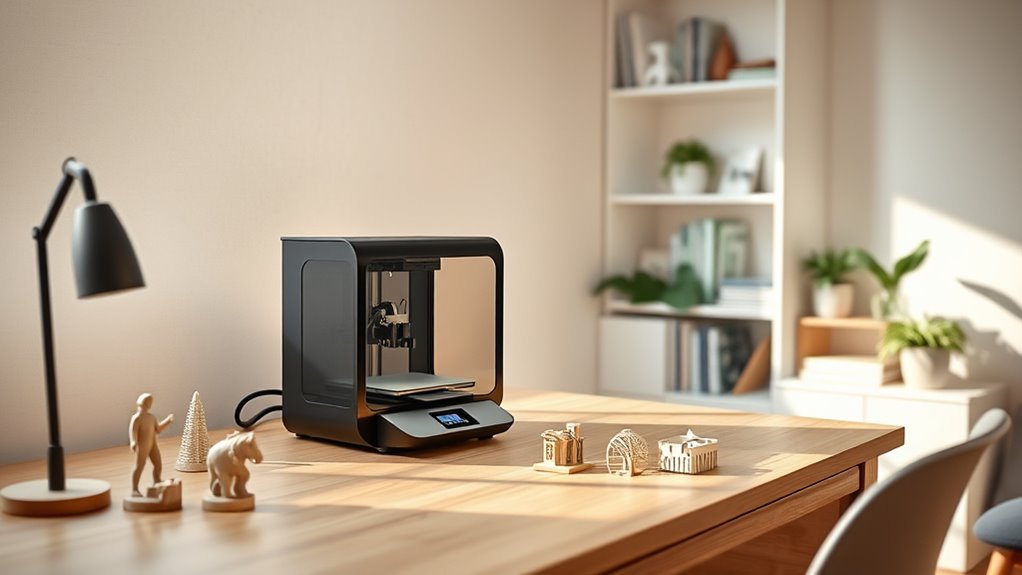
You want a 3D printer that fits tight spaces, runs quietly, and sets up easily—perfect for apartment living. When you’re living in an apartment, space is limited, so having a compact machine is key.
Plus, a quiet printer means you won’t disturb your neighbors or family.
Models like the FLASHFORGE Adventurer 5M and Bambu Lab P1S offer compact, fast printing with smart features like auto-leveling and filament handling. These features make your printing experience smooth and hassle-free.
Quiet printers such as the Bambu Lab A1 Mini and Anycubic Kobra X won’t disturb your neighbors. Many printers also support multicolor printing and remote monitoring, making creativity easy and convenient.
There’s much more to explore to find your ideal fit. Whether it’s size, noise level, or functionality, the perfect 3D printer for apartment living is out there waiting for you!
FLASHFORGE Adventurer 5M High-Speed 3D Printer
Discover the FLASHFORGE Adventurer 5M, a high-speed 3D printer designed to fit seamlessly into apartment living. Its compact, all-metal frame offers durability and quiet operation, making it ideal for small spaces where noise and size matter. This printer solves the challenge of balancing speed and precision in limited areas.
With a CoreXY structure, it reaches travel speeds up to 600mm/s without compromising print quality. Automatic one-click printing and flawless bed leveling simplify setup, while the quick 35-second warm-up gets you started faster. Changing nozzles takes just three seconds, allowing you to switch materials or resolutions effortlessly.
Maintenance is straightforward but important. Regular cleaning of the nozzle and build platform ensures consistent performance. Remote monitoring through the Flash Maker app lets you keep an eye on prints from anywhere, adding convenience and peace of mind.
The Adventurer 5M suits users who need a fast, precise printer with an easy setup and compact footprint. Its limited build volume may not suit larger projects, but it excels in delivering quality prints efficiently.
Best for: Creators seeking a fast, reliable 3D printer with a compact design perfect for apartment use and versatile printing options.
What We Like:
- One-click automatic printing with precise bed leveling and quick warm-up.
- CoreXY design enabling high-speed printing up to 600mm/s.
- Quick 3-second nozzle changes for flexible material switching.
- Quiet, durable all-metal construction ideal for small spaces.
- Remote monitoring through the Flash Maker app.
Specification:
| Feature | Details |
|---|---|
| Manufacturer | FLASHFORGE |
| Dimensions | Compact (exact size not specified) |
| Weight | Not specified |
| Material | All-metal frame |
| Color Options | Not specified |
| Print Speed | Up to 600 mm/s |
| Build Volume | 220 x 220 x 220 mm |
Bambu Lab P1S Beginner-Friendly FDM 3D Printer
Experience the perfect blend of speed, precision, and simplicity with the Bambu Lab P1S 3D printer. Designed for beginners, this fully enclosed CoreXY system makes printing detailed models effortless and fast. It reaches printing speeds of up to 500mm/s, cutting down your project time without compromising quality.
Setting up the P1S is straightforward, requiring only about 15 minutes to assemble. Its automatic bed leveling ensures consistent, high-quality results, reducing the need for manual adjustments. This ease of use lets you focus more on creativity and less on technical hassles.
The printer supports a broad range of filaments such as PLA, PETG, TPU, and ABS, catering to various project needs. For those wanting to print in multiple colors, the Bambu Lab AMS accessory enables up to 16 colors, adding versatility to your designs. However, multi-color printing involves an additional cost.
Maintenance is simple thanks to its enclosed design, which also helps stabilize printing conditions. While its footprint is slightly larger than open-frame printers, this design keeps prints cleaner and safer, ideal for compact living spaces.
Best for: Beginners and hobbyists seeking a fast, reliable, and easy-to-use 3D printer with multi-material support and a compact footprint.
What We Like:
- Ultra-fast printing speeds up to 500mm/s for quick project turnaround.
- Quick 15-minute assembly paired with automatic bed leveling for hassle-free operation.
- Supports a wide range of common filaments to suit various printing needs.
- Multi-color printing capability via optional AMS accessory expands creative possibilities.
- Enclosed design enhances print quality and safety in small spaces.
Specification:
| Feature | Details |
|---|---|
| Manufacturer | Bambu Lab |
| Dimensions | Not specified |
| Weight | Not specified |
| Material Support | PLA, PETG, TPU, ABS |
| Color Options | Up to 16 with AMS accessory |
Creality Ender 3 V3 SE 3D Printer Upgrade
Experience efficient and high-quality 3D printing with the Creality Ender 3 V3 SE, designed to meet the needs of those working in limited spaces. This printer delivers fast print speeds of up to 250mm/s, helping you complete projects quickly without sacrificing detail or accuracy.
Setting up is straightforward, taking just about 20 minutes, so you can start printing sooner. The Sprite full metal dual-geared extruder handles a variety of filaments, including PLA, TPU, and PETG, providing versatility for different creative needs.
Precision is ensured by the CR Touch auto leveling system and dual Z-axis lead screws, which stabilize the printer for cleaner, more consistent results. Its compact build volume of 8.66×8.66×9.84 inches fits comfortably in small work areas, making it ideal for apartment environments.
Maintenance may be a bit more involved due to its advanced features, but these contribute to its stable and precise printing performance. The user-friendly design also includes automatic filament loading and unloading, simplifying ongoing operation.
Best for: Apartment dwellers and hobbyists seeking a compact, fast, and easy-to-use 3D printer with precise and stable printing capabilities.
What We Like:
- Fast print speeds up to 250mm/s without quality loss
- Versatile full metal dual-geared extruder compatible with multiple filaments
- Easy 20-minute setup with CR Touch auto leveling for precision
- Compact size fits well in small spaces
- Convenient auto filament loading and unloading features
Specification:
| Feature | Details |
|---|---|
| Manufacturer | Creality |
| Build Volume | 8.66 x 8.66 x 9.84 inches |
| Print Speed | Up to 250 mm/s |
| Extruder | Sprite full metal dual-geared |
| Auto Leveling | CR Touch |
| Dimensions | Compact design suitable for small spaces |
Bambu Lab A1 Beginner-Friendly Quiet 3D Printer
The Bambu Lab A1 Beginner-Friendly Quiet 3D Printer offers a smooth introduction to 3D printing for beginners, kids, and hobbyists. It solves common startup frustrations by combining speed, precision, and quiet operation in one compact device. This printer helps users create detailed models quickly without complex setup.
Designed with user convenience in mind, the A1 features full-auto calibration and active flow rate compensation, ensuring consistent print quality with minimal maintenance. Its quiet operation, enhanced by active motor noise canceling, makes it ideal for home or apartment use where noise is a concern.
The printer supports fast acceleration up to 10,000 mm/s², reducing print times without compromising detail. Its 1-Clip quick swap nozzle system simplifies upkeep and material changes. For those interested in multi-color printing, the optional AMS lite accessory expands creative possibilities with ease.
While it uses FDM technology suitable for most hobby projects, it may not deliver the ultra-fine detail of resin printers. Advanced users might find its beginner-focused design less customizable for complex tasks. Overall, the Bambu Lab A1 balances ease of use with quality output.
Best for: Beginners, kids, and hobbyists seeking a quiet, fast, and easy-to-use 3D printer with reliable precision and color options.
What We Like:
- High-speed printing with quick acceleration for detailed results.
- Full-auto calibration ensures hassle-free setup and consistent quality.
- Quiet operation keeps your environment peaceful.
- Easy nozzle swaps simplify maintenance and filament changes.
- Optional multi-color printing expands creative flexibility.
Specification:
| Specification | Details |
|---|---|
| Manufacturer | Bambu Lab |
| Dimensions | Compact, suitable for desks |
| Weight | Lightweight for portability |
| Printing Technology | FDM |
| Noise Level | Low, with active noise canceling |
| Acceleration | Up to 10,000 mm/s² |
| Color Options | Multi-color with AMS lite accessory |
Anycubic Kobra X Multicolor 3D Printer
Experience the power of multicolor 3D printing in a compact design with the Anycubic Kobra X Multicolor. This printer solves the challenge of creating vibrant, detailed models without the need for multiple machines. Its native 4-color printing, expandable up to 19 colors, lets you bring complex, colorful ideas to life with ease.
The spacious build volume of 260mm³ accommodates a wide range of projects, while the fast printing speed of up to 600mm/s cuts down production time significantly. Precise LeviQ 3.0 auto-leveling ensures your prints start perfectly aligned, reducing setup frustration and improving overall print quality.
Maintenance is straightforward thanks to the hardened steel nozzle, which handles various materials and minimizes wear. Smart features like AI camera monitoring and remote control through the Anycubic App keep you connected and informed, even when away from the printer.
Designed for both beginners and professionals, this quiet 3D printer fits well in small workspaces or apartments. While the multicolor expansion may require additional setup, its versatility and smart controls make it a valuable tool for diverse creative needs.
Best for: creators and educators seeking a compact, fast, and versatile multicolor 3D printer with intelligent features for detailed and efficient projects.
What We Like:
- Supports 4-color printing native, expandable to 19 colors for versatile designs.
- High-speed printing up to 600mm/s with reliable LeviQ 3.0 auto-leveling.
- AI camera monitoring and app-based remote control enhance user convenience.
- Hardened steel nozzle ensures material compatibility and durability.
- Quiet operation at 45dB suits noise-sensitive environments.
Specification:
| Feature | Details |
|---|---|
| Manufacturer | Anycubic |
| Build Volume | 260 mm × 260 mm × 260 mm |
| Printing Speed | Up to 600 mm/s |
| Color Capability | 4 colors native, expandable to 19 colors |
| Auto-Leveling | LeviQ 3.0 |
| Nozzle Material | Hardened Steel |
| Noise Level | 45 dB |
Creality K2 Combo 3D Printer with Smart Camera
Experience the freedom to create with the Creality K2 Combo 3D Printer with Smart Camera, designed to bring multicolor printing to your fingertips. This printer supports up to 16 colors through its innovative 4 CFS units, making complex, vibrant projects easier and eliminating the need for extra painting steps.
Its spacious 260×260×260mm build volume accommodates a variety of models, while the next-gen direct drive extruder ensures precise filament control. Setup is straightforward with 95% pre-assembly and a plug-and-play design, allowing you to start printing faster.
Maintenance is simplified by smart auto-leveling and real-time print monitoring via an AI camera, reducing guesswork and print failures. Quiet operation is maintained with silent mode and step-servo motors, even at high speeds up to 600mm/s, so it won’t disrupt your workspace or home environment.
While the multicolor system offers great versatility, it may require some initial learning to optimize use. The build volume is ideal for most projects but may limit larger prints.
Best for: hobbyists and professionals seeking detailed, multicolor 3D prints with smart features and quiet performance.
What We Like:
- Supports 16 colors with innovative 4 CFS units
- Smart auto-leveling and AI camera for precise and monitored printing
- Quiet operation even during high-speed printing
- Large build volume suitable for diverse projects
- Easy startup with mostly pre-assembled design
Specification:
| Feature | Specification |
|---|---|
| Manufacturer | Creality |
| Build Volume | 260 × 260 × 260 mm |
| Color Support | Up to 16 colors (4 CFS units) |
| Extruder Type | Next-gen direct drive |
| Setup | 95% pre-assembled, plug and play |
| Printing Speed | Up to 600 mm/s |
| Special Features | Smart auto-leveling, AI camera, silent mode |
ELEGOO Neptune 3 Pro 3D Printer with Auto Leveling
The ELEGOO Neptune 3 Pro is designed for those who need a quiet yet powerful 3D printer suitable for small living spaces. Operating at noise levels as low as 47dB, it allows you to print without disturbing your environment. Its compact size makes it an excellent fit for apartments and shared spaces.
This printer simplifies the printing process with a 36-point auto bed leveling system, eliminating the need for manual adjustments. You can expect consistent and precise first layers every time, reducing print failures and saving time. The quick assembly design means you can get started with your projects faster.
Maintenance is easier thanks to the dual-gear direct drive extruder and upgraded nozzle system, which work together to minimize clogs and ensure smooth filament feeding. Features like filament runout detection and power-loss resume add reliability, so your prints can continue seamlessly after interruptions.
With a build volume of 225x225x280 mm, the Neptune 3 Pro handles everyday projects well, though it may be limited for very large prints. Its balance of quiet operation, precision, and user-friendly features makes it a practical choice for hobbyists and apartment dwellers.
Best for: apartment dwellers and hobbyists seeking a quiet, reliable 3D printer with auto-leveling and efficient filament management.
What We Like:
- Quiet operation at noise levels as low as 47dB, ideal for small spaces.
- 36-point auto bed leveling ensures hassle-free setup and consistent results.
- Dual-gear direct drive extruder reduces clogs and enhances filament feeding.
- Filament runout detection and power-loss resume increase print reliability.
Specification:
| Feature | Details |
|---|---|
| Manufacturer | ELEGOO |
| Build Volume | 225 x 225 x 280 mm |
| Noise Level | As low as 47 dB |
| Auto Bed Leveling | 36-point system |
| Extruder Type | Dual-gear direct drive |
| Key Safety Features | Filament runout detection, Power-loss resume |
| Dimensions (approx.) | Compact for apartment use |
Bambu Lab A1 Mini Combo 3D Printer & AMS
Experience precision and speed in a compact design with the Bambu Lab A1 Mini Combo 3D Printer & AMS. This printer solves the challenge of fitting advanced 3D printing into small spaces without compromising quality or performance. It delivers detailed prints quickly, making it ideal for creators who need both efficiency and accuracy.
The built-in AMS lite system expands your creative options by enabling multi-color prints with ease. This feature opens up new possibilities without complicating the printing process. Setup and maintenance are straightforward thanks to full-auto calibration and a 1-Clip quick swap nozzle, reducing downtime and hassle.
Designed to operate quietly under 48 dB, it ensures a peaceful environment whether at home or in a shared workspace. Its compact footprint and high acceleration of 10,000 mm/s² make it a powerful tool for hobbyists and professionals who demand reliability and speed from a smaller machine.
Best for: users needing a compact, high-speed 3D printer with multi-color capabilities and simple upkeep.
What We Like:
- High-speed printing with precise detail at 10,000 mm/s² acceleration
- Easy multi-color printing via the AMS lite system
- Convenient full-auto calibration and quick-swap nozzle
- Quiet operation keeps noise below 48 dB
- Compact size fits limited workspaces
Specification:
| Feature | Details |
|---|---|
| Manufacturer | Bambu Lab |
| Dimensions | Compact (specific size not provided) |
| Weight | Not specified |
| Material | Not specified |
| Color Options | Not specified |
Creality Ender 3 V3 SE 3D Printer with Auto-Leveling
The Creality Ender 3 V3 SE is designed for those who want a compact and efficient 3D printer without sacrificing quality. It delivers rapid printing speeds up to 250mm/s, helping you complete projects faster while maintaining sharp detail. This printer’s advanced motion control system ensures smooth and reliable performance, reducing the time spent troubleshooting.
Setup is straightforward, with a quick 20-minute assembly and the intuitive CR Touch auto-leveling system. This eliminates guesswork during calibration, making it ideal for beginners or busy hobbyists. The Sprite Direct Extruder supports a variety of filaments, allowing versatility for different creative needs.
Maintenance is simplified by the silent mainboard and dual Z-axis design, which enhances stability and reduces noise during printing. The flexible build plate also makes removing finished models easy, minimizing potential damage to prints. Its compact footprint fits well in smaller spaces, perfect for home or apartment use.
Best for: Creators seeking a fast, reliable, and easy-to-use 3D printer that balances quality and convenience in limited spaces.
What We Like:
- Fast printing speeds with consistent quality
- Easy assembly and hassle-free auto-leveling
- Stable dual Z-axis reduces wobble and noise
- Flexible build plate for effortless model removal
Specification:
| Feature | Details |
|---|---|
| Manufacturer | Creality |
| Dimensions | Compact design (specific size not provided) |
| Weight | Not specified |
| Material | Various filament types supported by Sprite Direct Extruder |
| Color Options | Not specified |
Entina Tina2 Mini 3D Printer for Beginners
Discover the Entina Tina2 Mini 3D Printer, designed to make 3D printing accessible and enjoyable for beginners. Its compact size and fully assembled setup let you start printing immediately, eliminating technical barriers that often discourage new users.
This printer’s automatic bed leveling and magnetic build plate simplify the preparation and cleanup process, reducing frustration during model removal. The included Wiibulider slicer software and offline printing via MicroSD card offer straightforward operation without needing a constant computer connection.
With a sturdy dual Z-axis design, the machine delivers precise prints within a 100x105x100mm build volume, ideal for small creative projects. Its lightweight and safe construction make it a perfect choice for children, educators, or anyone exploring 3D printing at home.
Maintenance is minimal thanks to the printer’s reliable components, although the limited build size may restrict larger creations. The basic 2.4-inch LCD screen provides essential controls but lacks advanced interface features. Users with technical skills can benefit from its open-source compatibility to expand printing options.
Best for: Beginners, kids, and educators seeking a compact, user-friendly 3D printer for creative projects and learning.
What We Like:
- Fully assembled with automatic bed leveling for hassle-free setup
- Magnetic build plate eases model removal
- Offline printing supported via MicroSD and Wiibulider software
- Dual Z-axis design enhances print accuracy and stability
- Lightweight, safe, and portable for home or classroom use
Specification:
| Feature | Details |
|---|---|
| Manufacturer | Entina |
| Build Volume | 100 x 105 x 100 mm |
| Display | 2.4-inch LCD |
| Software | Wiibulider slicer |
| Connectivity | MicroSD card (offline) |
| Design | Dual Z-axis, magnetic build plate |
| Weight | Lightweight |
FLASHFORGE AD5M 3D Printer with Auto Calibration
Discover the convenience of the FLASHFORGE AD5M 3D Printer, designed to make 3D printing effortless in compact spaces. Its 1-Click Full-Auto Calibration streamlines setup, enabling you to start printing quickly without manual adjustments or delays.
The printer’s 220×220×220mm build volume fits comfortably in apartments or small work areas. With a fast 600mm/s printing speed and precise CoreXY architecture, it delivers sharp, accurate prints efficiently, ideal for hobbyists and creators working on detailed projects.
Maintenance is straightforward thanks to the 3S Quick-Swap nozzle, allowing easy replacement and reducing downtime. The customizable enclosure minimizes noise and odors, creating a more pleasant printing environment at home.
Weighing just under 20 pounds, the AD5M balances portability with stability. It comes with 50g of filament to help you begin your projects immediately, though additional filament will be needed for larger prints.
Best for: Apartment dwellers and hobbyists seeking a compact, fast 3D printer with reliable auto calibration and high-quality output.
What We Like:
- Easy 1-Click Full-Auto Calibration saves time
- Fast and precise printing with CoreXY design
- Quick-Swap nozzle simplifies maintenance
- Compact size reduces noise and odors
- Lightweight and portable for small spaces
Specification:
| Feature | Details |
|---|---|
| Manufacturer | FLASHFORGE |
| Build Volume | 220 × 220 × 220 mm |
| Printing Speed | Up to 600 mm/s |
| Weight | ~9 kg (20 lbs) |
| Special Features | Auto Calibration, CoreXY, Quick-Swap Nozzle |
Creality SPARKX i7 3D Printer with AI Monitoring
The Creality SPARKX i7 3D Printer with AI Monitoring is designed to provide a quiet and efficient printing experience, ideal for apartment living. Its large 260×260×255mm build volume allows you to create sizable projects without compromising space. The printer’s quiet high-speed motion system minimizes noise, ensuring it won’t disturb your household or neighbors.
Setting up prints is straightforward thanks to the auto bed leveling feature and flexible PEI build plate. These elements reduce the hassle of calibration and make removing finished prints easier. Maintenance is simplified by the direct drive extruder, which supports consistent filament feeding and reduces clogging issues.
This 3D printer includes built-in AI camera monitoring and WiFi connectivity, so you can track your prints remotely and capture time-lapses. These features help you manage filament use more effectively, reducing waste. For users seeking creative options, an optional multi-color printing system is available, expanding your design possibilities.
Compact yet powerful, the Creality SPARKX i7 fits well in small spaces. While it has a moderate weight and footprint, it remains a strong choice for home makers and apartment dwellers who value quiet operation and remote monitoring.
Best for: Apartment dwellers and makers seeking a quiet, easy-to-use 3D printer with a large build volume and remote monitoring capabilities.
What We Like:
- Quiet high-speed motion system for noise-sensitive environments
- AI camera and WiFi enable remote print monitoring and time-lapse recording
- Auto bed leveling and flexible PEI plate allow effortless setup and print removal
- Direct drive extruder simplifies filament feeding and maintenance
- Optional multi-color printing expands creative options
Specification:
| Feature | Details |
|---|---|
| Manufacturer | Creality |
| Build Volume | 260 × 260 × 255 mm |
| Motion System | Quiet high-speed |
| Bed Leveling | Auto bed leveling |
| Extruder Type | Direct drive |
| Build Plate | Flexible PEI |
| Connectivity | WiFi with AI camera monitoring |
| Optional Feature | Multi-color printing (CFS Lite system) |
| Weight | Moderate (exact weight not specified) |
Creality Ender 3 V3 SE High-Speed 3D Printer
The Creality Ender 3 V3 SE is designed for those who need fast and reliable 3D printing without compromising quality. Its high-speed printing capability of up to 250mm/s lets you complete projects quickly, making it perfect for tight schedules or last-minute needs.
Setting up the printer is straightforward and takes about 20 minutes. The CR Touch auto-leveling and strain sensor simplify bed leveling, reducing the hassle and improving print accuracy. This makes it accessible even for beginners.
The printer supports a variety of materials like PLA, PETG, and TPU thanks to the Sprite Direct Extruder. Dual Z-axis and sturdy steel shafts keep the machine stable during operation, ensuring precise and consistent prints. The quiet 32-bit mainboard helps maintain smooth and silent performance.
Maintenance is easy with the flexible PC spring steel build plate, which allows for quick model removal without damage. While occasional calibration may be needed to maintain optimal print quality, the overall design balances speed, quality, and ease of use.
Best for: apartment dwellers and hobbyists seeking a fast, reliable, and easy-to-use 3D printer that delivers high-quality prints with versatile material compatibility.
What We Like:
- High-speed printing up to 250mm/s with smooth acceleration
- Easy setup with CR Touch auto-leveling and strain sensor
- Stable printing with dual Z-axis and steel linear shafts
- Quiet operation supported by a 32-bit mainboard
- Flexible spring steel build plate for easy model removal
Specification:
| Feature | Details |
|---|---|
| Manufacturer | Creality |
| Dimensions | Not specified |
| Weight | Not specified |
| Supported Materials | PLA, PETG, TPU |
| Build Plate | Flexible PC spring steel |
| Extruder Type | Sprite Direct Extruder |
| Max Print Speed | 250 mm/s |
| Control Board | Quiet 32-bit mainboard |
Flashforge Adventurer 5M Beginner 3D Printer
Discover the Flashforge Adventurer 5M, a 3D printer designed to bring speed and precision into compact spaces. Its impressive printing speed of up to 600mm/s ensures quick project completion without sacrificing detail. This makes it ideal for users who need efficiency and accuracy in confined areas.
Maintenance is simple with features like the quick-change Nozzle X and a removable MagSwitch PEI build plate. These allow for fast cleaning and part replacement, reducing downtime. The printer’s CoreXY frame and advanced auto-leveling help maintain consistent print quality with minimal user intervention.
This printer is built for versatility, supporting multi-material printing to expand your creative possibilities. Its quiet operation makes it suitable for home or educational environments where noise can be a distraction. Remote monitoring adds convenience by letting you track progress from anywhere.
While the maximum nozzle temperature of 200°C limits some advanced filaments, the Adventurer 5M offers a customizable enclosure option to help manage dust and temperature. Its advanced features may require a bit of learning but reward users with reliable, high-quality results.
Best for: hobbyists, educators, and professionals needing a fast, precise 3D printer that fits small spaces and supports multi-material projects.
What We Like:
- Fast printing speeds up to 600mm/s with ±0.1mm accuracy
- Easy maintenance with quick-change nozzle and removable build plate
- Quiet operation suitable for noise-sensitive environments
- Supports multi-material printing for diverse applications
- Remote monitoring enhances user convenience
Specification:
| Feature | Details |
|---|---|
| Manufacturer | Flashforge |
| Dimensions | Compact size (specific dimensions not provided) |
| Weight | Not specified |
| Frame | CoreXY |
| Nozzle Temperature | Up to 200°C |
| Build Plate | Removable MagSwitch PEI |
| Printing Speed | Up to 600mm/s |
| Accuracy | ±0.1mm |
| Noise Level | Silent operation |
Creality K2 SE 3D Printer with Multicolor Support
Experience the freedom of vibrant, multicolor 3D printing with the Creality K2 SE 3D Printer. Designed to bring your creative ideas to life, this printer supports up to 16 colors using multiple Color Filament Systems. It eliminates the hassle of manual filament changes, making complex, colorful prints easier and more efficient.
The K2 SE’s compact build and aerospace-grade aluminum frame reduce vibration, delivering precise and smooth prints. Its direct-drive extruder ensures reliable filament feeding, minimizing jams and maintenance needs. Smart auto-calibration and input shaping technologies cut setup time, so you can start printing faster.
Ideal for desktop use, the 220×215×245mm build volume suits a variety of projects without taking up much space. While the Color Filament Systems are sold separately, their modular design allows for flexible upgrades. This printer balances speed and quality, although high-speed printing might require some fine-tuning for optimal results.
Best for: Beginners, educators, and makers who want a versatile, user-friendly 3D printer capable of producing detailed, multicolor models.
What We Like:
- Supports up to 16 colors with multicolor filament systems
- Aerospace-grade aluminum frame reduces vibration for precise prints
- Smart auto-leveling and touchscreen simplify operation
- Direct-drive extruder enhances filament reliability
- Compact design fits well in limited spaces
Specification:
| Feature | Details |
|---|---|
| Manufacturer | Creality |
| Build Volume | 220 × 215 × 245 mm |
| Frame Material | Aerospace-grade aluminum |
| Color Support | Up to 16 colors (via CFS) |
| Extruder Type | Direct-drive |
| Dimensions | Compact desktop design |
Factors to Consider When Choosing a 3D Printer for Apartment
You’ll want to pick a 3D printer that fits your apartment’s space without making too much noise.
Considering air quality and ventilation is key to keeping your living area comfortable and safe.
Also, look for easy maintenance and features like remote control to make your printing experience hassle-free.
Printer Size and Footprint
When choosing a 3D printer for your apartment, consider its size and footprint carefully to make the most of limited space. Smaller footprint printers usually measure less than 20 inches in each dimension, fitting easily on desks or shelves without crowding your area.
Look for compact designs with integrated enclosures or minimal external parts to reduce clutter. Foldable or modular models offer the advantage of easy storage when you’re not printing, saving valuable space.
Don’t forget to check the printer’s height and width to ensure it fits comfortably in your chosen spot. Selecting a lightweight printer also helps, as you can move it around your apartment effortlessly, giving you flexible placement options without hassle.
Noise Level Considerations
After finding a 3D printer that fits your apartment’s space, consider how much noise it makes during operation. Noise levels in 3D printers are measured in decibels (dB), and quieter models operate below 50 dB, which is ideal for apartment living.
Stepper motors, fans, and extruder movements produce most of the noise. So, look for printers with silent stepper drivers and noise reduction features.
Many modern models keep noise at or below 48 dB by using active noise canceling technology. Also, keep in mind that print speed affects noise—higher speeds mean louder operation.
Choosing a printer with adjustable speed settings lets you balance print time and sound. A low-noise 3D printer helps prevent disturbing neighbors and keeps your living space comfortable during long prints.
Air Quality and Ventilation
Since 3D printing releases fumes and particles, maintaining good air quality and ventilation is essential in an apartment setting. You should choose a 3D printer that includes HEPA or activated carbon filters to reduce airborne pollutants and odors effectively.
Opting for an enclosed printer with built-in air filtration helps trap volatile organic compounds (VOCs), improving indoor air quality considerably. Besides the printer’s filtration, ensure your space has adequate airflow—using window fans or dedicated air purifiers can prevent harmful emissions from accumulating.
Ease of Maintenance
Although 3D printing can be a rewarding hobby, you’ll want a printer that’s easy to maintain to keep your apartment hassle-free. Look for models with removable or flexible build plates—they make cleaning fast and reduce downtime.
Automatic bed leveling and nozzle cleaning features save you from frequent manual calibration and clogs. Enclosed frames or dust covers protect internal parts from debris, cutting maintenance needs.
Choose printers with user-friendly interfaces that offer clear troubleshooting guides, so you can quickly handle minor repairs yourself. Also, low-noise operation and fewer moving parts mean less wear and tear, reducing repair frequency.
Prioritizing these maintenance-friendly features helps you enjoy 3D printing without constant interruptions or complicated upkeep, perfect for apartment living.
Connectivity and Remote Control
Keeping maintenance simple helps you spend more time printing and less time fiddling with your machine. Connectivity and remote control play a key role here.
Choose a 3D printer that supports Wi-Fi or Ethernet so you can monitor and manage prints from anywhere. Companion apps or software let you receive real-time status updates, adjust settings, and get notifications straight to your smartphone or computer.
Models with built-in cameras offer remote visual monitoring, so you can check progress without being next to the printer. Look for features like remote pausing, resuming, or canceling prints to handle issues quickly.
Also, ensure the printer’s connectivity meets your home network’s security standards to keep your projects safe from unauthorized access. It’s all about making your printing experience smoother and more secure!
Frequently Asked Questions
How Do I Safely Dispose of 3D Printing Waste in an Apartment?
You should separate plastic scraps and failed prints, then recycle them according to local guidelines. Avoid burning or flushing waste.
Use sealed bins to contain dust, and ventilate your space to reduce fumes while printing. It really helps keep your apartment safe and clean.
Can 3D Printers Be Used Near Pets Without Health Risks?
Think of your 3D printer like a tiny dragon—its fumes can be harmful. You shouldn’t run it near pets unless you use proper ventilation and air filters.
This way, you keep your furry friends safe from invisible risks. It’s all about making sure the air stays clean while you print.
What Are the Best Non-Toxic Filaments for Indoor Printing?
You’ll want PLA, PETG, or TPU filaments since they emit fewer harmful fumes. Look for brands advertising non-toxic, low-odor materials.
And always print in a well-ventilated area to keep your indoor air safe and clean. It’s just a simple step that makes a big difference!
How Do I Manage 3D Printer Odors in Small Spaces?
Back in the days of quills, managing 3D printer odors meant good ventilation. You should use activated carbon filters, enclosures with HEPA filters, and print near open windows to keep your apartment smelling fresh and your air clean.
It’s all about moving the air around and filtering out the smells. Think of it like opening a window when you cook something strong — it just helps keep things from sticking around too long. Using these simple tricks can make a big difference in small spaces.
Are There Noise Regulations for 3D Printers in Apartment Buildings?
You usually won’t find specific noise regulations for 3D printers, but general apartment noise rules apply. It’s smart to check your lease and local ordinances.
Then, pick quieter models or use soundproof enclosures to keep the peace.
Conclusion
Choosing the right 3D printer for your apartment is like finding the perfect pair of shoes—it needs to fit your space, style, and needs just right. Whether you want speed, quiet operation, or multicolor options, there’s a model here that suits you.
Keep factors like size, noise, and ease of use in mind. You’ll be creating amazing projects without sacrificing your living comfort.
Your ideal 3D printer for apartment living is waiting to bring your ideas to life! With the right choice, you can enjoy efficient printing, minimal noise, and a compact design that fits perfectly in your space. So go ahead, explore the best 3D printers for apartment living, and turn your creative visions into reality with ease and convenience.