13 Best 3D Printers for Adult Beginners to Try in 2026
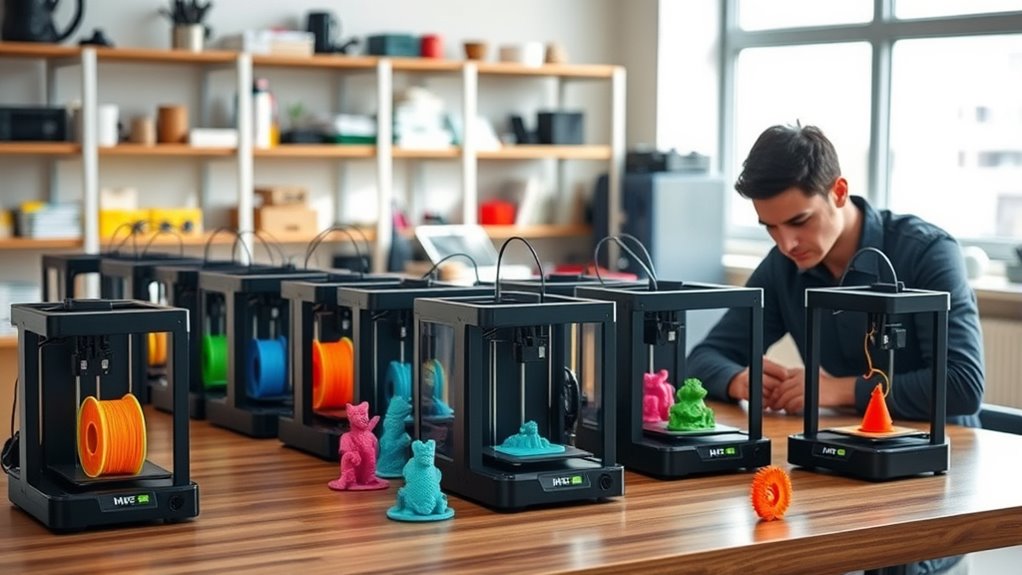
If you’re an adult beginner eager to dive into the world of 3D printing, picking the right 3D printer is key. You’ll want models that are easy to set up, reliable, and versatile enough to handle a variety of projects without overwhelming you.
Printers like the FLASHFORGE Adventurer 5M, Creality Ender 3 V3 SE, and Bambu Lab P1S fit the bill perfectly. They offer fast printing speeds, auto bed leveling, and support for multiple materials. These features help ensure your experience is smooth and enjoyable, even if you’re just starting out.
With these user-friendly 3D printers, you can create quality results and bring your creative ideas to life without frustration. Keep exploring the options, and you’ll soon find the perfect fit for your 3D printing journey.
FLASHFORGE Adventurer 5M 3D Printer CoreXY
Experience the ease of fast, reliable 3D printing with the FLASHFORGE Adventurer 5M CoreXY. Designed for adult beginners, this printer simplifies your workflow with one-click automatic printing and a quick 35-second warm-up. These features help you start projects faster and reduce setup frustrations.
The advanced CoreXY motion system enables smooth, high-speed printing up to 600mm/s. This means you can complete prints efficiently without sacrificing precision. Its quick-change nozzle system swaps out nozzles in just 3 seconds, adapting easily to different materials and project needs.
Maintaining print quality is straightforward with a dual-sided PEI platform and direct extruder. These elements support flexible filaments and ensure consistent results. However, regular cleaning of the nozzle and platform is needed to keep performance optimal.
Remote monitoring through the Flash Maker app allows you to keep track of prints from anywhere, adding convenience and peace of mind. While the build volume is moderate at 220x220x220mm, it suits most hobbyist projects well.
Best for: adult beginners and hobbyists who want a user-friendly, high-speed CoreXY 3D printer with versatile filament support and remote control.
What We Like:
- Simple one-click printing and rapid 35-second warm-up
- High-speed CoreXY design with precise acceleration
- Quick 3-second nozzle changes for flexible printing options
- Dual-sided PEI platform ensures quality with flexible filaments
- Remote monitoring via Flash Maker app for convenience
Specification:
| Feature | Details |
|---|---|
| Manufacturer | FLASHFORGE |
| Dimensions | Not specified |
| Build Volume | 220 x 220 x 220 mm |
| Printing Speed | Up to 600 mm/s |
| Warm-up Time | 35 seconds |
| Nozzle Change Time | 3 seconds |
| Platform | Dual-sided PEI |
| Extruder Type | Direct extruder |
| Connectivity | Flash Maker app (remote) |
Creality Ender 3 V3 SE High-Speed 3D Printer
The Creality Ender 3 V3 SE High-Speed 3D Printer is designed to speed up your creative projects without sacrificing quality. With printing speeds up to 250mm/s, it helps you complete models faster, reducing wait times significantly. Its quick setup process, including a simple three-step assembly and CR Touch auto-leveling, gets you printing in about 20 minutes.
This printer’s Sprite Direct Extruder smoothly handles common filaments like PLA, PETG, and TPU, making it versatile for various design needs. Dual Z-axis lead screws and steel linear shafts provide enhanced stability and precision, ensuring your prints come out clean and accurate. The silent 32-bit mainboard keeps noise levels low, so you can work comfortably at any time.
Maintenance is straightforward thanks to the flexible PC spring steel build plate, which allows you to easily remove finished prints without damage. Its reliable construction and user-friendly features make it a solid choice for both beginners and hobbyists seeking efficiency and quality in one package.
Best for: Beginners and hobbyists looking for a fast, reliable 3D printer with easy setup and versatile filament compatibility.
What We Like:
- Fast printing speeds up to 250mm/s for efficient project completion
- Easy assembly and hassle-free auto-leveling with CR Touch
- Stable, precise prints thanks to dual Z-axis lead screws and steel shafts
- Quiet operation powered by a 32-bit mainboard
- Flexible build plate simplifies print removal
Specification:
| Feature | Details |
|---|---|
| Manufacturer | Creality |
| Printing Speed | Up to 250 mm/s |
| Assembly Time | Approximately 20 minutes |
| Extruder Type | Sprite Direct Extruder |
| Supported Filaments | PLA, PETG, TPU |
| Build Plate | PC spring steel, flexible |
| Frame Stability | Dual Z-axis lead screws, steel linear shafts |
| Control Board | Silent 32-bit mainboard |
Bambu Lab A1 Mini 3D Printer with LED Lamp Kit
Experience hassle-free 3D printing with the Bambu Lab A1 Mini 3D Printer with LED Lamp Kit. This compact printer is designed to make 3D creation accessible, especially for beginners. Its full-auto calibration removes the guesswork, allowing you to start printing quickly and smoothly.
The printer’s quiet operation keeps noise under 48 dB, making it ideal for home or studio environments without distractions. Its lightweight and small footprint fit comfortably on any desk, saving space while delivering quality prints. Integration with the MakerWorld model library through the Bambu Handy app opens up easy access to creative projects.
Maintenance is straightforward, thanks to its smart flow rate compensation that ensures consistent print quality. While its smaller build volume limits large projects, this design keeps it simple and user-friendly. The LED lamp adds visibility, helping you monitor prints closely during production.
Best for: Beginners and hobbyists seeking a compact, quiet 3D printer for creative and functional projects without complicated setup.
What We Like:
- Automatic calibration for quick and easy setup
- Quiet printing operation suitable for shared spaces
- Seamless app integration with a vast model library
- Compact design ideal for limited workspace
- LED lamp enhances print monitoring
Specification:
| Feature | Details |
|---|---|
| Manufacturer | Bambu Lab |
| Dimensions | Compact (exact size not specified) |
| Weight | Lightweight (exact weight not specified) |
| Color Options | Not specified |
| Included Features | LED lamp, MakerWorld app integration |
Bambu Lab P1S High-Speed FDM 3D Printer
The Bambu Lab P1S High-Speed FDM 3D Printer delivers fast and precise printing ideal for creators eager to bring multi-material designs to life. Its CoreXY enclosed design ensures stability and accuracy, especially when working with advanced filaments, making it easier to achieve professional-quality results.
This printer supports up to 16 colors through the AMS system, allowing users to produce vibrant, complex models without switching materials manually. With print speeds reaching 500mm/s, it significantly reduces project times while maintaining detail.
Setting up the P1S is straightforward thanks to its automatic bed leveling and quick assembly, which takes about 15 minutes. Maintenance is simple, and it accommodates common filaments such as PLA, PETG, and TPU for versatile use. However, it is not designed for carbon or glass fiber reinforced polymers, so users should avoid these to prevent damage.
Best for: Adult beginners and hobbyists looking for a fast, versatile 3D printer capable of multi-color and multi-material projects.
What We Like:
- Supports up to 16 colors with AMS for diverse, colorful prints
- High-speed printing up to 500mm/s with reliable CoreXY mechanics
- Easy 15-minute setup with automatic bed leveling
- Compatible with popular filaments like PLA, PETG, and TPU
Specification:
| Feature | Details |
|---|---|
| Manufacturer | Bambu Lab |
| Printer Type | High-Speed FDM 3D Printer |
| Dimensions | Not specified |
| Weight | Not specified |
| Supported Filaments | PLA, PETG, TPU |
| Max Print Speed | 500 mm/s |
| Color Support | Up to 16 colors (AMS) |
| Design | Enclosed CoreXY |
Anycubic Kobra X Multicolor 3D Printer
The Anycubic Kobra X Multicolor 3D Printer brings vibrant, multi-material printing into your workspace with ease. It lets you create complex, colorful models faster than many alternatives, printing at speeds up to 600mm/s. This means you can complete large projects quickly without sacrificing detail.
Its generous 260x260x260mm build volume gives you plenty of room for expansive designs. Supporting up to 19 colors and various filaments like PLA, TPU, and ASA, it adjusts extrusion force to ensure smooth transitions between materials. This flexibility solves the challenge of producing multi-color prints without manual intervention.
Setup and maintenance are straightforward thanks to LeviQ 3.0 automatic bed leveling and plug-and-play operation. Quiet performance and AI-powered monitoring enhance reliability while keeping the printing environment comfortable and safe.
While expanding to the full 19 colors requires additional hardware, and some filaments need lower temperatures than the 300°C max nozzle can provide, the printer remains approachable for beginners willing to learn multi-material techniques.
Best for: hobbyists, educators, and beginners seeking a fast, versatile 3D printer for multi-material and multi-color projects with professional-grade features.
What We Like:
- High-speed printing with large build volume for detailed, sizable models
- Supports up to 19 colors with adaptive extrusion for smooth material transitions
- Easy setup with automatic bed leveling and AI monitoring for dependable prints
- Quiet operation and safety features ideal for home or classroom use
Specification:
| Feature | Details |
|---|---|
| Manufacturer | Anycubic |
| Build Volume | 260 x 260 x 260 mm |
| Max Print Speed | 600 mm/s |
| Max Nozzle Temperature | 300°C |
| Supported Filaments | PLA, TPU, ASA |
| Color Capacity | Up to 19 colors (with expansion) |
| Bed Leveling | LeviQ 3.0 Automatic |
Anycubic Kobra X Multicolor 3D Printer
The Anycubic Kobra X Multicolor 3D Printer is designed to elevate your creative projects with vibrant, multicolor prints. Its ability to print with four colors natively—and expand up to 19 colors—helps you bring complex designs to life without complicated setups. This makes it an ideal solution for those looking to add color depth and detail effortlessly.
Its spacious 260mm³ build volume accommodates a variety of project sizes and materials, including PLA and TPU. The printer adapts easily to different needs, whether you’re crafting prototypes, educational models, or hobbyist items. The LeviQ 3.0 auto bed leveling system simplifies setup, ensuring your prints start perfectly every time without manual adjustments.
Maintenance is straightforward thanks to the reliable auto-leveling and sturdy build, reducing downtime and filament waste. The included AI camera monitoring and remote control via the app keep you connected to your print jobs, offering convenience and peace of mind during long print sessions. While the advanced multicolor system may require some initial learning, it offers unmatched creative freedom.
Best for: makers, educators, and hobbyists who want an easy-to-use multicolor 3D printer with precise printing and smart features.
What We Like:
- Native 4-color printing expandable up to 19 colors for detailed multicolor models
- LeviQ 3.0 auto bed leveling ensures consistent first layers
- AI camera monitoring and remote app control for convenient print management
Specification:
| Feature | Details |
|---|---|
| Manufacturer | Anycubic |
| Build Volume | 260 x 260 x 260 mm |
| Color Capability | 4 colors native, up to 19 |
| Supported Materials | PLA, TPU |
| Max Nozzle Temperature | 300°C |
| Weight | Not specified |
Creality Ender 3 V3 SE 3D Printer Upgrade
Experience fast, precise 3D printing with the Creality Ender 3 V3 SE. Designed to cut print times significantly, this model reaches speeds up to 250mm/s, letting you complete projects quicker without losing detail. Its straightforward 20-minute setup means less waiting and more creating.
The Ender 3 V3 SE features a Sprite full metal dual-geared extruder, enabling smooth printing with PLA, TPU, and PETG filaments. Auto leveling using CR Touch and dual Z-axis lead screws provide consistent accuracy, reducing wobble for high-quality results. These features help solve common printing challenges like uneven layers and filament jams.
Maintenance is simplified but should be noted with flexible filaments like TPU, which may require occasional care to keep the extruder performing well. The printer supports a stable build volume of 8.66 x 8.66 x 9.84 inches, suitable for many hobbyist projects, though larger prints might need alternative solutions.
This 3D printer is ideal for users who value speed and precision along with ease of use. Its auto filament loading and quick assembly make it accessible for both beginners and professionals, improving workflow efficiency without complex setup.
Best for: Hobbyists and professionals seeking a fast, reliable, and easy-to-assemble 3D printer with high precision and versatile filament compatibility.
What We Like:
- High-speed printing up to 250mm/s reduces project time.
- Auto leveling with CR Touch and dual Z-axis lead screws enhance print precision.
- User-friendly design includes quick assembly and auto filament loading.
- Full metal extruder supports a variety of filaments smoothly.
Specification:
| Feature | Details |
|---|---|
| Manufacturer | Creality |
| Build Volume | 8.66 x 8.66 x 9.84 inches |
| Printing Speed | Up to 250 mm/s |
| Extruder Type | Sprite full metal dual-geared |
| Filament Types | PLA, TPU, PETG |
| Auto Leveling | CR Touch |
| Assembly Time | Approximately 20 minutes |
FLASHFORGE Adventurer 5M High Precision 3D Printer
Experience a new level of efficiency and precision with the FLASHFORGE Adventurer 5M High Precision 3D Printer. Designed to tackle long print times, this printer uses a Core XY all-metal frame to cut printing durations by over 70%, freeing up your time for other tasks. Its rapid speed and acceleration deliver smooth, accurate results without sacrificing quality.
Maintenance is simple thanks to the one-click automatic bed leveling, which ensures your prints start perfectly aligned every time. Dual-channel cooling fans maintain optimal temperatures, reducing errors and enhancing detail. The extruder, capable of reaching 280°C, supports a broad range of filaments, allowing you to experiment with different materials effortlessly.
The printer’s compact build volume of 220x220x220mm suits most hobby and professional projects, although very large prints may require alternative solutions. For convenience, the Flash Maker app enables remote monitoring and control, especially when paired with the optional camera kit, keeping you connected to your print jobs from anywhere.
Its thoughtful design balances ease of use with advanced features, making it ideal for adult beginners and hobbyists looking for a reliable, fast, and versatile 3D printing experience.
Best for: Adult beginners and hobbyists who want a fast, precise 3D printer with flexible material options and remote monitoring capabilities.
What We Like:
- Core XY structure significantly reduces print times.
- One-click automatic bed leveling simplifies setup and maintenance.
- Supports various nozzle sizes and filament types for versatile printing.
- Dual-channel cooling fans improve print quality and reliability.
- Remote monitoring available via app with optional camera kit.
Specification:
| Specification | Details |
|---|---|
| Manufacturer | FLASHFORGE |
| Build Volume | 220 x 220 x 220 mm |
| Max Print Speed | Up to 600 mm/s |
| Max Extruder Temp | 280°C |
| Frame Material | All-metal Core XY |
| Cooling System | Dual-channel fans |
| Connectivity | Flash Maker app support |
Creality SPARKX i7 3D Printer with AI Camera
The Creality SPARKX i7 3D Printer with AI Camera offers a smart solution for those seeking fast, reliable printing with minimal hassle. Its auto bed leveling eliminates manual adjustments, ensuring accurate prints from the start. This feature saves time and reduces frustration, especially for beginners.
Designed with a large 260×260×255mm build volume, it supports bigger and more complex projects. The flexible PEI build plate and tool-free hotend swap make maintenance quick and straightforward. You can switch parts easily without specialized tools, keeping your printer running smoothly.
The built-in AI camera adds unique value by enabling remote monitoring, early error detection, and time-lapse recording. This lets you keep an eye on prints from anywhere, reducing wasted material and unexpected failures. WiFi control enhances convenience, letting you manage prints without being tethered to the machine.
Optional multi-color printing expands creative possibilities, though it requires additional accessories. Weighing nearly 30 pounds, the printer balances stability with portability but may be less convenient to move frequently.
Best for: Adult beginners and hobbyists who want an easy-to-use 3D printer with reliable performance and remote monitoring features.
What We Like:
- Auto bed leveling simplifies setup and improves print accuracy.
- AI camera supports remote print monitoring and error detection.
- Large build volume accommodates bigger projects.
- Tool-free hotend swap and flexible build plate ease maintenance.
- WiFi control adds user convenience.
Specification:
| Feature | Details |
|---|---|
| Manufacturer | Creality |
| Build Volume | 260 × 260 × 255 mm |
| Weight | Approximately 13.6 kg (30 lb) |
| Build Plate | Flexible PEI |
| Connectivity | WiFi |
| Special Features | AI Camera, Auto Bed Leveling |
ELEGOO Neptune 3 Pro 3D Printer with Touchscreen
The ELEGOO Neptune 3 Pro 3D printer offers a quiet and efficient printing experience perfect for adult beginners. Its silent stepper motors keep noise levels low at just 47dB, allowing you to work comfortably without distractions. The printer’s design focuses on easy use and smooth operation, making it ideal for those new to 3D printing.
Setup is straightforward with a removable touchscreen and 36-point auto bed leveling, which reduce the hassle of calibration. This means you spend less time adjusting the machine and more time creating. The dual-gear direct drive extruder enhances filament feeding, helping to prevent clogs and ensure consistent print quality.
Maintenance is manageable thanks to its thoughtful build, but users may need some practice during initial assembly and calibration. The 225x225x280 mm build volume suits most hobby projects, though larger prints will require alternative options.
With built-in safety features like a filament runout sensor and power-loss resume, this printer helps avoid common printing failures, making it a reliable companion for everyday use.
Best for: Adult beginners and hobbyists who want a quiet, user-friendly 3D printer with reliable performance and versatile filament support.
What We Like:
- Quiet operation with noise levels as low as 47dB
- Easy calibration via 36-point auto bed leveling
- Smooth filament feeding with dual-gear direct drive extruder
- User-friendly removable touchscreen for control
- Safety features reduce print failure risks
Specification:
| Feature | Details |
|---|---|
| Manufacturer | ELEGOO |
| Build Volume | 225 x 225 x 280 mm |
| Noise Level | 47 dB |
| Extruder Type | Dual-gear direct drive |
| Bed Leveling | 36-point auto bed leveling |
| Control Interface | Removable touchscreen |
FLASHFORGE Adventurer 5M High-Speed 3D Printer
The FLASHFORGE Adventurer 5M High-Speed 3D Printer is designed to make 3D printing fast and accessible. Its quick 10-minute setup combined with a full-auto one-click bed leveling system removes common startup frustrations. This allows users to focus more on creating and less on preparation.
With printing speeds reaching up to 600mm/s, it delivers smooth, high-quality results thanks to vibration compensation and precise extrusion technology. The direct extruder supports a wide range of filaments up to 280°C, offering versatility for different projects.
Maintenance is straightforward with features like filament run-out detection and power loss recovery, which help prevent print failures and save materials. Its compact open design with a 220x220x220mm build volume fits comfortably in well-ventilated spaces, though larger projects may require alternative options.
This printer suits beginners and hobbyists looking for an easy-to-use machine that balances speed, quality, and filament flexibility. The open frame encourages airflow but may limit placement choices due to ventilation needs.
Best for: Beginners and hobbyists seeking a fast, reliable 3D printer with versatile material compatibility.
What We Like:
- Quick 10-minute setup with one-click auto bed leveling
- High-speed printing up to 600mm/s with smooth, precise output
- Filament run-out sensor and power loss recovery reduce print failures
- Supports various filaments up to 280°C for versatile applications
- Compact design fits well in ventilated spaces
Specification:
| Feature | Details |
|---|---|
| Manufacturer | FLASHFORGE |
| Build Volume | 220 x 220 x 220 mm |
| Printing Speed | Up to 600 mm/s |
| Extruder Type | Direct extruder |
| Max Extruder Temp | 280°C |
| Design | Open frame |
Creality Ender 3 V3 SE 3D Printer Bundle
The Creality Ender 3 V3 SE 3D Printer Bundle is designed to make 3D printing accessible and efficient for adult beginners. It combines speed and precision, enabling prints at up to 250mm/s without compromising on quality. This helps users complete projects faster while maintaining detailed results.
Its upgraded Sprite full metal dual-gear direct extruder supports a range of materials like PLA, TPU, and PETG. This ensures smooth and reliable filament feeding, reducing print failures and material waste. Automated features like the CR Touch sensor and strain sensor simplify setup by handling leveling and Z-offset adjustments.
The printer’s dual Z-axis screws and steel linear shafts enhance stability, minimizing vibrations during longer prints. This design reduces the need for constant monitoring and improves overall print consistency. Included in the bundle are four vibrant PLA filament packs, chosen to reduce warping and unpleasant odors, making it easier to start printing right away.
Maintenance is straightforward due to its robust build and user-friendly components, ideal for those new to 3D printing. However, the printer’s larger frame may require ample workspace, and while automation helps, some learning is still needed to master its full capabilities.
Best for: Adult beginners and hobbyists looking for a fast, reliable 3D printer with automated leveling and versatile material compatibility.
What We Like:
- Fast printing speeds up to 250mm/s with consistent quality
- Reliable filament feeding via upgraded full metal dual-gear extruder
- Automated leveling with CR Touch and strain sensor for easy setup
- Enhanced stability from dual Z-axis screws and steel linear shafts
- Starter pack includes four PLA filaments with low warp and odor
Specification:
| Feature | Details |
|---|---|
| Manufacturer | Creality |
| Dimensions | Not specified |
| Weight | Not specified |
| Material | Metal and steel components |
| Filament Compatibility | PLA, TPU, PETG |
| Color Options | Not specified |
Creality SPARKX i7 Combo Multi-Color 3D Printer
Experience the freedom to print in multiple colors and materials with the Creality SPARKX i7 Combo Multi-Color 3D Printer. Designed to simplify complex projects, this printer helps you achieve vibrant, detailed prints without the usual hassle of multi-material setups. Its large 260×260×255mm build volume offers ample space for creative ideas to come to life.
Maintenance is straightforward thanks to the quick-swap hotend and direct drive extruder, which ensure smooth filament feeding and easy nozzle changes. The auto bed leveling and smart calibration features reduce setup time, so you can spend more time printing and less time adjusting.
This printer supports a wide range of filaments including PLA, PETG, and TPU, making it ideal for crafting cosplay props, prototypes, or artistic models. The integrated AI camera and WiFi connectivity offer real-time remote monitoring, giving you peace of mind while your projects print.
While the multi-color capabilities enhance creativity, users should expect a modest learning curve to master the full potential of this technology. Its size may also require a dedicated workspace.
Best for: Creators and hobbyists seeking a versatile multi-color 3D printer with easy maintenance and remote monitoring capabilities.
What We Like:
- Generous build volume accommodates large and complex prints.
- Quick-swap hotend simplifies maintenance and material changes.
- AI camera with WiFi enables remote print monitoring.
- Auto bed leveling ensures hassle-free setup.
- Supports diverse filaments for versatile applications.
Specification:
| Feature | Details |
|---|---|
| Manufacturer | Creality |
| Build Volume | 260 × 260 × 255 mm |
| Extruder Type | Direct drive |
| Connectivity | WiFi with AI camera |
| Supported Materials | PLA, PETG, TPU, and more |
Factors to Consider When Choosing a 3d Printer for Adult Beginners
When choosing a 3D printer as a beginner, you’ll want to focus on ease of setup to get started quickly without frustration. It really helps to have a smooth start so you don’t get overwhelmed.
Consider printing speed and print quality too. You want to find a good balance between getting your prints done efficiently and having the detail your projects need.
Also, don’t forget about build volume and filament compatibility. These factors affect the size and variety of what you can create, so they’re pretty important to keep in mind.
Ease of Setup
Although 3D printing can seem intimidating at first, choosing a printer with an easy setup will save you time and frustration. Look for models with clear, step-by-step instructions that let you assemble the printer in 20 to 30 minutes.
Features like automatic bed leveling and auto-calibration take the hassle out of initial adjustments, so you won’t waste time fiddling with settings. Quick-start functions, such as one-click printing and rapid preheating, let you jump right into your projects with minimal configuration.
A simple control interface—like a touchscreen or intuitive app—makes loading filament and starting prints straightforward. Also, consider pre-assembled or semi-assembled printers to avoid complicated setups, especially if you’re new to 3D printing and want a smooth, hassle-free experience.
Printing Speed
Choosing a 3D printer with a fast printing speed can drastically cut down the time you spend waiting for your projects to finish. Look for printers that offer speeds of 250mm/s or higher if you want to complete models quickly.
High acceleration rates around 20,000mm/s² also help by enabling faster starts and smoother movements, boosting efficiency. Keep in mind, though, that faster speeds demand more precise hardware to avoid issues.
While rapid printing is great for prototypes or multiple items, don’t push speed too far—it can cause layer defects or lose detail. Striking a balance between speed and reliability guarantees your prints come out well without unnecessary delays, making your beginner experience smoother and more rewarding.
Print Quality
Speed matters, but print quality determines how good your final models look and feel. When choosing a 3D printer, focus on layer resolution—finer nozzles like 0.25mm deliver sharper details.
Consistent extrusion and accurate bed leveling are essential to avoid surface flaws and layer misalignments. You want a stable frame and precise motion system since any wobble or vibration can ruin your print’s finish.
Temperature control plays a big role, too; proper filament heating and cooling ensure crisp, clear features. Finally, the printer should maintain steady speeds without shaking to keep your prints accurate and smooth.
Prioritizing these factors guarantees your beginner-friendly 3D printer produces impressive, high-quality models every time.
Build Volume
One key factor to think about when picking a 3D printer is its build volume, which determines the maximum size of your projects. Larger build volumes let you print bigger objects or multiple smaller items in one go, saving time and effort.
Most beginner-friendly printers offer build volumes between 220x220x220mm and 260x260x260mm, which suits many hobbyist needs well. If you plan on creating larger models, choosing a printer with an adequate build volume helps you avoid constant resizing or splitting.
On the other hand, smaller build volumes often mean lower costs and easier calibration, but they limit project size. Consider your typical project dimensions and growth expectations so your printer matches your creative goals without unnecessary limitations.
Filament Compatibility
Many 3D printers support a range of filament types, but you’ll want to make sure your printer handles common materials like PLA, ABS, PETG, and TPU for maximum versatility. Check that the extruder temperature range matches these filaments, usually between 180°C and 280°C, so you can print various projects without limitations.
Also, verify if the hotend supports specialty filaments like flexible or composite materials, which often need higher temperatures or unique extruder features. Don’t forget to contemplate a heated build platform, as it improves adhesion and reduces warping, especially with ABS and PETG.
Look for printers with clearly stated filament compatibility and the option to expand supported materials, ensuring your printer stays useful as you explore new filament types.
Auto-Leveling Features
Although bed leveling can be tedious, having a 3D printer with auto-leveling features will save you time and frustration by ensuring the print surface is perfectly calibrated with minimal effort. These systems often use sensors like BLTouch or CR Touch to measure bed height at multiple points, providing precise calibration.
With consistent bed leveling, your prints will have better first-layer adhesion, reducing failures and warping. For beginners, this means less trial and error and a smoother printing experience.
Some advanced auto-leveling systems even adjust for bed unevenness during printing, maintaining high quality throughout long jobs. Choosing a printer with reliable auto-leveling features will simplify setup and boost your success rate as you start your 3D printing journey.
Noise Levels
When you spend hours printing, a quiet 3D printer makes a big difference in your comfort and focus. Look for models with noise levels below 50dB, as they create a distraction-free environment ideal for extended sessions.
Many beginner-friendly printers feature silent stepper motors and sound-dampening enclosures to keep noise low, making them perfect for home or classroom use. Keep in mind that noise can spike during high-speed printing or with certain filaments, so choosing a quieter printer helps maintain peace.
Excessive noise not only disrupts your workspace but can also cause fatigue, reducing your enjoyment. Prioritizing noise reduction technology ensures your 3D printing experience stays comfortable and stress-free from start to finish.
Connectivity Options
Choosing the right connectivity options can greatly simplify your 3D printing experience and improve workflow efficiency. Wi-Fi lets you print wirelessly and monitor progress in real time via mobile apps, cutting down on cable clutter.
If you need a stable, consistent connection, especially in professional or educational settings, Ethernet ports are your best bet. USB connections are great for quick file transfers and firmware updates when you’re offline or prefer direct control.
Some printers even offer cloud-based management, allowing you to access and operate your printer remotely from anywhere with an internet connection. By considering these connectivity features, you’ll find a 3D printer that fits your workflow and keeps your printing process smooth and hassle-free.
Frequently Asked Questions
What Safety Precautions Should Beginners Follow When Using 3D Printers?
You should wear gloves and goggles, keep your workspace ventilated, never touch the hot nozzle, and supervise the printer while it’s running.
Always follow the manufacturer’s safety guidelines to avoid burns or inhaling fumes. It’s really important to stay alert and cautious when you’re using a 3D printer.
How Do Different Filament Types Affect Print Quality and Durability?
Different filaments impact print quality and durability by varying in strength, flexibility, and finish. You’ll find PLA easy to use but less durable.
On the other hand, ABS or PETG offer toughness and heat resistance. This really affects your final print’s performance.
What Basic Maintenance Is Required to Keep a 3D Printer in Good Condition?
You might worry maintenance’s complicated, but you can keep your 3D printer in top shape by regularly cleaning the nozzle, lubricating moving parts, checking belt tension, and updating firmware.
It’s simple and guarantees consistent, high-quality prints. Just a little effort now saves you from bigger headaches later.
Are There Any Recommended Software Programs for Beginners to Design 3D Models?
You should try Tinkercad or Fusion 360; both are beginner-friendly and intuitive. They let you create and edit 3D models easily.
Cura is great for slicing your designs before printing, too. It’s pretty straightforward once you get the hang of it!
How Can I Troubleshoot Common Printing Errors Like Warping or Layer Shifting?
Think of your 3D printer as a garden: fix warping by leveling the “soil” (bed) and adjusting temperature.
Stop layer shifting by tightening belts and checking motor alignment.
Keep nurturing it, and your prints will bloom beautifully.
Conclusion
Choosing your first 3D printer is like planting a seed in a garden of endless creativity. Each model we’ve explored offers unique tools to help your ideas blossom into reality.
Whether you pick speed, precision, or multicolor magic, your journey starts with that first print. So, take the leap, nurture your curiosity, and watch your imagination grow layer by layer.
Remember, the best 3D printer for adult beginners is the one that fits your needs and sparks your passion. Every masterpiece begins with a single, confident step, so dive in and start creating today!