14 Best 3D Printers for Kids in 2026 That Inspire Creativity
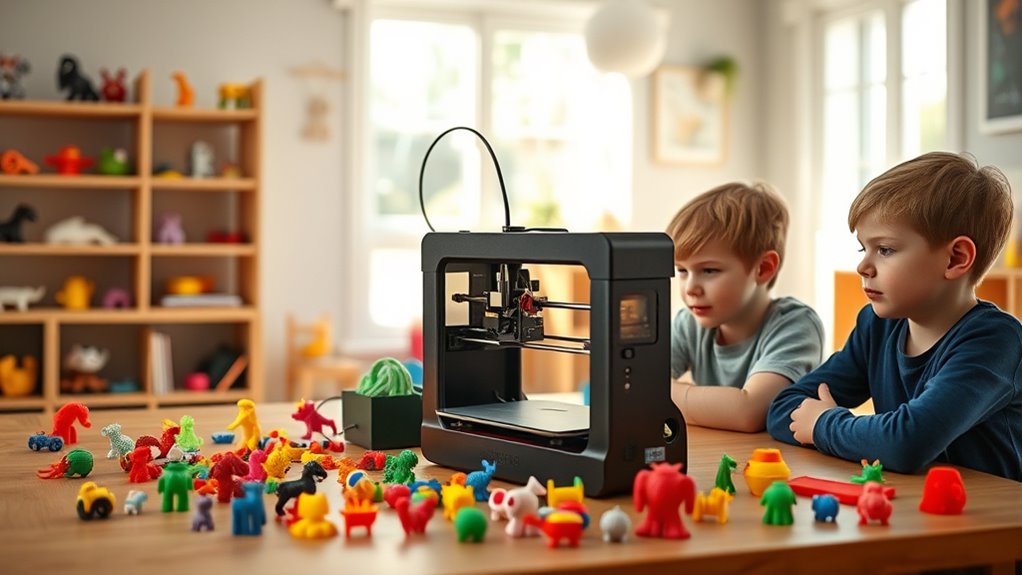
If you want a 3D printer that’s safe, easy to use, and sparks creativity, you’ll love these kid-friendly models. They come pre-assembled with simple setups and safety features like enclosures and auto-shutdown, perfect for beginners and young users.
Many include AI tools that turn sketches into 3D prints and support PLA filaments for safe use.
These printers are great for fostering STEM skills and imagination — keep exploring to discover the best fits and innovative extras. Whether your child is just starting out or ready to dive deeper into 3D printing, these options make learning fun and accessible.
Plus, the hands-on experience helps build problem-solving and design skills in a playful way.
Entina Tina2C Mini 3D Printer for Beginners
The Entina Tina2C Mini 3D Printer is an ideal choice for beginners and kids eager to explore 3D printing. Its guided setup through the Poloprint Cloud app allows users to start printing in just eight minutes, eliminating common startup frustrations. This ease of use encourages creativity without overwhelming new users.
Maintenance is straightforward thanks to the auto-leveling bed and self-cleaning nozzle. These features help reduce failed prints and simplify upkeep, making the printer reliable and hassle-free. Compact in size, it fits comfortably in homes and classrooms, offering a quiet and safe printing environment with its rounded edges and low noise operation.
Designed for educational purposes, the Entina Tina2C supports WiFi printing and offers access to a large model library. This combination fosters learning and innovation for users of all ages. However, the small print volume limits larger projects, and reliance on the Poloprint Cloud app means a stable internet connection is beneficial.
Best for: Beginners and children seeking an easy-to-use, safe, and educational 3D printing experience at home or in classroom settings.
What We Like:
- Quick guided setup via Poloprint Cloud app for fast start.
- Auto-leveling bed and self-cleaning nozzle reduce maintenance effort.
- Compact and safe design with low noise for quiet environments.
- Supports WiFi and offline printing across multiple systems.
Specification:
| Feature | Details |
|---|---|
| Manufacturer | Entina |
| Dimensions | 7.9 × 7.9 × 7.1 inches |
| Weight | 5.5 lbs (approximate) |
| Print Volume | 3.9 × 3.9 × 3.9 inches |
| Connectivity | WiFi, USB |
| Compatible OS | Windows, macOS, Linux |
Mini 3D Printer Starter Kit for Kids Beginners
Dive into the world of 3D printing effortlessly with the Mini 3D Printer Starter Kit for Kids Beginners. Designed for novices, this kit eliminates the typical setup struggles by arriving fully assembled and ready to print. You can start creating detailed models right away without any technical hassle.
Its fast printing speed of up to 250mm/s combined with a precise 0.01mm accuracy ensures your projects come out sharp and professional. The printer’s automatic nozzle cleaning and one-button auto-leveling features reduce maintenance time, making it easier to keep your machine running smoothly.
Loading filament is simple with the one-touch filament system, while the heated PEI bed helps models release cleanly without damage. This combination supports a seamless printing experience, especially suited for kids and beginners exploring 3D design.
While it includes PLA filament to start, you might need additional compatible materials for more extensive projects. The build volume is compact, which suits small creations but may limit larger prints. Advanced users may find the features basic for complex tasks.
Best for: Beginners and kids wanting a straightforward, ready-to-use 3D printing experience.
What We Like:
- Quick printing with high precision for detailed results.
- Easy maintenance with automatic nozzle cleaning and auto-leveling.
- Fully assembled kit including filament and accessories for immediate use.
- Heated bed simplifies model removal and improves print quality.
Specification:
| Feature | Details |
|---|---|
| Manufacturer | Not specified |
| Dimensions | Not specified |
| Weight | Not specified |
| Material | Not specified |
| Color Options | Not specified |
AOSEED X-Maker Joy AI+ 3D Printer for Kids
Step into the world of 3D printing with the AOSEED X-Maker Joy AI+ 3D Printer for Kids. This printer is designed to make 3D creation simple and safe for young users. Its fully enclosed, pinch-resistant design protects little hands and reduces noise, creating a calm and secure environment at home or school.
Setting up the printer is hassle-free thanks to its leveling-free platform, allowing kids and educators to start printing quickly without complicated adjustments. Changing filaments is easy and fast, helping to keep projects moving smoothly without downtime.
The AOSEED X-Maker Joy AI+ offers unique AI-powered tools like AI Doodle and AI MiniMe that transform voice commands or images into personalized 3D models. This intuitive technology encourages creativity and engages children in STEM learning through hands-on experience.
While it supports only single-color printing with PLA filament, its compact size fits well in classrooms or family spaces. The printer’s real-time monitoring system ensures projects stay on track, providing peace of mind for parents and teachers alike.
Best for: Families and educators seeking a safe, user-friendly 3D printer that inspires creativity and STEM skills in children.
What We Like:
- Enclosed, child-safe design with quiet operation
- AI-powered tools for easy, creative 3D model creation
- Leveling-free platform simplifies setup and reduces maintenance
- Quick filament changes keep printing efficient
- Compact size ideal for home or classroom use
Specification:
| Feature | Details |
|---|---|
| Manufacturer | AOSEED |
| Dimensions | Compact (exact size not specified) |
| Weight | Not specified |
| Material | Supports PLA filament only |
| Color Options | Not specified |
SCRIB3D P1 3D Printing Pen Kit with Display
Discover the joy of creating three-dimensional art with the SCRIB3D P1 3D Printing Pen Kit with Display. This pen heats up quickly in just 2-3 minutes, so users can start crafting without delay. Its easy filament loading simplifies the setup, making it accessible for both beginners and more experienced users.
Designed for versatility, it supports PLA and ABS filaments with adjustable temperature settings and a stepless speed slider. This precise control allows detailed and smooth 3D designs. The ceramic nozzle combined with anti-clogging technology ensures reliable operation and less maintenance.
The kit comes complete with starter filaments, a stencil book, and a project guide, helping users explore creative ideas right away. Safety is a priority, with features like auto-sleep mode to prevent overheating during breaks.
While primarily compatible with PLA and ABS, the pen requires a power adapter, limiting portability away from outlets. Younger children may need supervision for advanced settings. Overall, this pen offers a balance of functionality and ease for learning and creating 3D projects.
Best for: Kids and creative beginners looking to explore 3D printing with reliable features and easy handling.
What We Like:
- Fast heat-up and simple filament loading for immediate use.
- Adjustable temperature and speed for detailed design control.
- Includes creative starter kit with filaments and guides.
- Ceramic nozzle with anti-clogging technology for smooth operation.
- Safety features like auto-sleep protect the device during pauses.
Specification:
| Feature | Details |
|---|---|
| Manufacturer | SCRIB3D |
| Dimensions | Not specified |
| Weight | Not specified |
| Material | Plastic with ceramic nozzle |
| Color Options | Not specified |
Entina Tina2C Mini 3D Printer Starter Bundle
Step into the world of 3D printing with the Entina Tina2C Mini 3D Printer Starter Bundle. Designed to make 3D printing accessible, it solves common beginner challenges by arriving fully assembled and featuring automatic leveling. This means less setup frustration and more time creating.
Its compact and kid-friendly design ensures quiet operation and includes built-in LED lighting, making it ideal for family use and educational settings. The printer supports both WiFi and offline control, granting easy access to over 3,000 downloadable models and 20+ DIY modules through the Poloprint app.
Maintenance is straightforward with a magnetic build plate and a quick-swap nozzle. These features allow users to change materials and clean the printer without hassle. The bundle also comes with four colorful PLA filaments, encouraging immediate experimentation with vibrant projects.
While the printer is limited to PLA filaments and has a smaller build volume, it remains a reliable and safe choice for beginners and young creators. Its ease of use and creative potential make it a valuable tool for STEM learning and family activities.
Best for: Beginners, kids, and families seeking an easy-to-use, safe, and creative 3D printing experience for educational and recreational purposes.
What We Like:
- Fully assembled with automatic leveling and simple app setup.
- Compact, quiet, and designed with kids in mind.
- Magnetic build plate and quick-swap nozzle simplify maintenance.
- Includes four colorful PLA filaments for immediate printing.
- WiFi and offline control access a large model and module library.
Specification:
| Feature | Details |
|---|---|
| Manufacturer | Entina |
| Dimensions | Compact (exact size not provided) |
| Weight | Not specified |
| Material Compatibility | PLA filament only |
| Color Options | Included: 4 colorful PLA filaments |
AOSEED AI-Powered 3D Printer for Kids & Beginners
The AOSEED AI-Powered 3D Printer opens up a world of creativity for young makers aged 9 to 16. Its intuitive AI features transform sketches and photos into 3D models, helping kids bring their ideas to life with ease. This printer solves the challenge of complex 3D printing software by offering user-friendly tools like AI Doodle and MiniMe, making design accessible and fun.
Safety is a priority with its fully enclosed design, allowing children to explore 3D printing without risk. The touchscreen interface and one-touch nozzle replacement simplify maintenance and operation, reducing downtime and frustration. Quiet and fast printing means projects finish in about 20 minutes, keeping young users engaged.
Wireless connectivity and a vast toy catalog turn homes into creative workshops, perfect for educational play and STEM learning. While the printer uses PLA filament included in the kit, which limits material options, it remains ideal for beginners. Adult supervision may still be helpful for troubleshooting, but overall, it provides a balanced combination of safety, ease, and creativity.
Best for: Young creators aged 9 to 16 seeking a safe, easy-to-use 3D printer with AI tools that foster imagination and STEM skills.
What We Like:
- User-friendly AI features simplify 3D modeling from drawings and photos
- Fully enclosed design ensures safe operation for children
- Touchscreen controls and quick nozzle replacement streamline maintenance
- Quiet, fast printing keeps projects engaging and efficient
Specification:
| Feature | Description |
|---|---|
| Manufacturer | AOSEED |
| Dimensions | Not specified |
| Weight | Not specified |
| Material | PLA filament (included) |
| Color Options | Not specified |
Mini 3D Printer Starter Kit for Kids (Green)
Introducing the Mini 3D Printer Starter Kit for Kids (Green), designed to simplify 3D printing for young beginners. This compact printer is fully assembled and ready to use straight out of the box, eliminating the frustration of complex setup. Its user-friendly design helps kids focus on creativity instead of technical challenges.
The starter kit comes with 10 meters of PLA filament and a pre-installed microSD card containing designs and slicing software. It supports MAC, Windows, and Linux, making it versatile for various devices. Auto-leveling and a magnetic build plate ensure precise prints and easy removal, enhancing the overall experience.
Maintenance is straightforward with one-touch filament loading and a compact structure that fits neatly in small spaces. The printer’s WiFi capabilities add convenience, allowing users to print wirelessly from home, school, or dorm. However, the included filament length may require refills for extended projects, and the magnetic plate needs a compatible surface for proper sensor function.
Best for: Kids and beginners seeking an easy-to-use, compact 3D printing solution for home, school, or dormitory use.
What We Like:
- Fully assembled for quick and hassle-free setup
- Compatible with multiple operating systems and slicing software
- Auto-leveling and magnetic build plate for smooth printing and removal
- One-touch filament loading simplifies maintenance
- Compact size fits small spaces and supports wireless printing
Specification:
| Feature | Details |
|---|---|
| Manufacturer | Not specified |
| Dimensions | Compact (exact size not provided) |
| Weight | Not specified |
| Material | Not specified |
| Color Options | Green |
AOSEED 3D Printer for Kids
Discover the joy of 3D printing with the AOSEED 3D Printer for Kids, designed to make creativity accessible for young minds. This printer simplifies the complex world of 3D modeling by using AI-powered tools that turn ideas into physical objects with ease. Kids can create unique designs without any prior experience, helping them develop new skills while having fun.
The printer’s AI Doodle feature lets children design models using voice commands, text, or images, removing typical barriers in digital design. It also includes AI MiniMe, which transforms photos into playful cartoon figures, and MINIMAKIE, a tool for crafting personalized avatars and toys. These features encourage imaginative thinking and hands-on learning.
Maintenance is straightforward, with a user-friendly interface and an integrated AI Assistant providing real-time support. This ensures a smooth learning curve and reduces frustration during projects. While supervision may be needed for younger users, the device’s intuitive design promotes independence and confidence.
The AOSEED 3D Printer is ideal as an educational tool that fosters creativity and problem-solving. However, its focus on AI-supported designs may limit advanced customization compared to professional 3D printers. It stands out as a specialized, engaging way to introduce children to the world of 3D printing.
Best for: Young creators and beginners seeking an easy, interactive, and educational introduction to 3D printing and modeling.
What We Like:
- AI-powered creative tools simplify 3D design for kids
- Interactive AI Assistant offers instant help
- Converts photos into fun 3D cartoon figures
- Encourages learning through hands-on projects
- Easy maintenance suited for young users
Specification:
| Feature | Details |
|---|---|
| Manufacturer | AOSEED |
| Dimensions | 15 x 15 x 15 inches |
| Weight | 7 lbs (3.18 kg) |
| Material | Durable ABS plastic |
| Color Options | White with blue accents |
Kidoodle 3D Printer for Kids with Wi-Fi Control
Discover how the Kidoodle 3D Printer for Kids with Wi-Fi Control can transform learning and creativity at home or school. Its fully enclosed design with a child-safe lock and door pause feature keeps young users safe during operation. This thoughtful safety setup allows children to explore 3D printing with confidence.
Setting up and using the printer is straightforward thanks to the auto-leveling system and an intuitive 5-inch HD touchscreen. Kids can navigate menus easily, making independent printing simple and enjoyable. The printer’s fast speeds, reaching up to 600mm/s, deliver detailed models in about 10 minutes, keeping projects engaging and efficient.
Maintenance is designed with families in mind, though some tasks like filament replacement might still need adult help. The included starter kit with PLA filament offers a hassle-free experience but limits material variety. Wi-Fi connectivity lets parents or educators remotely manage prints, adding convenience and flexibility.
With over 1500 creative models ready to print, this printer encourages STEM learning and sparks imagination. It balances ease of use, safety, and performance, making it a practical choice for introducing kids to 3D printing technology.
Best for: Parents and educators seeking a safe, user-friendly 3D printer that fosters independent STEM learning and creativity in children.
What We Like:
- Fully enclosed with child-safe lock and automatic door pause for enhanced safety
- Fast printing speeds up to 600mm/s produce precise models quickly
- Wi-Fi control enables remote print management and access to a large model library
Specification:
| Feature | Details |
|---|---|
| Manufacturer | Kidoodle |
| Dimensions | Not specified |
| Weight | Not specified |
| Material | Plastic enclosure |
| Color Options | Not specified |
Entina Tina2 Mini 3D Printer for Beginners
The Entina Tina2 Mini 3D Printer offers an accessible entry point into the world of 3D printing. Designed with beginners in mind, it eliminates common setup frustrations through its fully assembled design and automatic bed leveling. This means users can start creating right away without technical hurdles.
Its compact and lightweight frame makes the printer easy to transport between home, school, or dorm rooms. The magnetic build plate simplifies model removal and maintenance, reducing downtime and frustration. This practical design supports frequent use in various environments.
A notable feature is the printer’s ability to resume printing after power outages, protecting projects from unexpected interruptions. This reliability helps maintain progress and reduces wasted materials. Controls are straightforward, complemented by open-source software that encourages learning and experimentation.
While its build volume is modest (100x105x100mm), this size suits small projects ideal for educational and hobbyist applications. Users seeking more advanced features or larger prints may find this model limited. Overall, the Tina2 Mini balances ease of use with essential functionality for newcomers.
Best for: Beginners, kids, educators, and hobbyists who want a portable, user-friendly 3D printer for learning and small creative projects.
What We Like:
- Fully assembled for immediate use
- Automatic bed leveling reduces setup errors
- Magnetic build plate eases print removal and cleaning
- Resume printing after power outages safeguards work
- Compact design supports easy transport and storage
Specification:
| Feature | Details |
|---|---|
| Manufacturer | Entina |
| Build Volume | 100 x 105 x 100 mm |
| Dimensions | Compact and portable size |
| Weight | Lightweight design |
| Key Features | Auto bed leveling, resume printing, magnetic build plate |
M1 Mini 3D Printer for Kids & Beginners STEM Gift
The M1 Mini 3D Printer is designed to make 3D printing accessible and enjoyable for kids and beginners. It helps users start creative projects quickly without the hassle of complex setup. With minimal assembly and pre-loaded models on an SD card, you don’t need a computer to begin printing right away.
This 3D printer features automatic 16-point bed leveling and nozzle cleaning, which simplifies maintenance and reduces the chance of print failures. Its compatibility with PLA and flexible TPU filaments allows users to create a variety of items, from toys to phone cases, at printing speeds up to 250mm/s.
Its compact and quiet design fits well in home environments, making it a practical choice for classrooms and family use. The built-in filament break detection adds reliability, ensuring prints aren’t interrupted by material issues. This printer encourages STEM learning by helping kids develop technical skills through hands-on experience.
While it focuses on ease of use and safety, the M1 Mini’s smaller build volume and limited filament options may not meet the needs of advanced users. However, it remains a strong starter tool that sparks creativity and learning.
Best for: Kids, beginners, and educators seeking a simple, safe, and fast 3D printer that supports STEM education and creative projects.
What We Like:
- Quick start with minimal assembly and no immediate computer needed
- Automatic bed leveling and nozzle cleaning reduce printing errors
- Supports PLA and flexible TPU filaments with speeds up to 250mm/s
- Quiet, compact design ideal for home or classroom use
- Filament break detection enhances print reliability
Specification:
| Feature | Details |
|---|---|
| Manufacturer | M1 |
| Dimensions | Compact size (exact size not specified) |
| Weight | Not specified |
| Supported Filaments | PLA, TPU |
| Printing Speed | Up to 250 mm/s |
| Bed Leveling | Automatic 16-point |
| Special Features | Filament break detection, nozzle cleaning |
SainSmart PrintyGo Mini 3D Printer for Kids
Introducing the SainSmart PrintyGo Mini, a 3D printer designed specifically for kids and beginners. It makes 3D printing accessible and safe, helping children explore creativity and STEM concepts with ease. The printer’s fast 600mm/s speed means projects finish quickly, reducing wait times and keeping young users engaged.
Its fully enclosed design prevents accidental contact with moving parts. The printer automatically pauses when the door opens, ensuring safety during operation. The intuitive 5″ touchscreen allows simple control without a computer, making setup and printing straightforward.
Maintenance is hassle-free thanks to the use of eco-friendly PLA filament, which is easy to load and clean. Wi-Fi and app control add flexibility, and a large, regularly updated library of over 1,500 models provides endless inspiration for new projects.
While it excels for beginners, the PrintyGo Mini’s focus on safety and simplicity means it’s limited to PLA filament and may not offer the precision or advanced features sought by experienced users.
Best for: Parents and educators seeking a safe, easy-to-use 3D printer to introduce children aged 4–12 to STEM learning and hands-on creativity.
What We Like:
- Enclosed, child-safe design with door-activated pause
- Easy 5″ touchscreen controls, no PC needed
- Wi-Fi and app connectivity with a large model library
Specification:
| Feature | Details |
|---|---|
| Manufacturer | SainSmart |
| Dimensions | Compact size (exact size not specified) |
| Weight | Lightweight (exact weight not specified) |
| Material | Uses eco-friendly PLA filament |
| Color Options | Not specified |
Geeetech Mini 3D Printer for Kids and Beginners
The Geeetech Mini 3D Printer offers a hassle-free entry into 3D printing, perfect for kids and beginners. It arrives fully assembled, eliminating setup frustration and allowing users to start creating immediately. This compact printer is designed to handle small projects efficiently with a 3.94×4.33×3.94-inch build area.
Its 16-point auto-leveling system and magnetic removable build plate work together to produce smooth, warp-free prints. These features reduce maintenance time and ensure consistent results. The printer supports PLA and TPU filaments, offering versatility for various creative projects.
Equipped with a 50W hot-end and dual-drive metal gear extruder, it delivers fast and reliable printing. The user interface is straightforward, featuring a 2.4″ color LCD and easy-to-use knob controls, making it accessible for young users and educators alike.
While the print area is limited and advanced features are minimal, this printer excels in simplicity and ease of use. It’s an ideal choice for those starting out or exploring 3D printing in educational settings.
Best for: Kids, beginners, educators, and DIY hobbyists seeking an easy-to-use, small-format 3D printer with minimal setup.
What We Like:
- Fully assembled for immediate use
- 16-point auto-leveling and magnetic build plate for smooth prints
- Supports PLA and TPU filaments with a reliable dual-drive extruder
- User-friendly interface with color LCD and simple controls
Specification:
| Feature | Details |
|---|---|
| Manufacturer | Geeetech |
| Print Area | 3.94 × 4.33 × 3.94 inches |
| Hot-end Power | 50W |
| Interface | 2.4″ color LCD with knob |
| Filament Compatibility | PLA, TPU |
| Assembly | Fully assembled |
SainSmart PrintyGo 3D Printer for Kids STEM Gift
The SainSmart PrintyGo 3D Printer invites young minds to explore STEM learning through creative hands-on projects. Designed for children aged 4 to 12, it makes 3D printing accessible and safe, encouraging curiosity and problem-solving. Its fully enclosed frame and child lock keep little users protected during operation.
This printer simplifies the 3D printing process with an intuitive 5-inch touchscreen, removing the need for extra devices. Auto-leveling ensures hassle-free setup, so kids and parents can focus on creating rather than technical adjustments. Using eco-friendly PLA filament, it supports responsible crafting.
With over 1,500 regularly updated models, including animals and puzzles, the PrintyGo keeps content fresh and engaging for young learners. While its PLA-only material limits advanced printing options, it suits beginners well. Adult supervision is recommended to manage the complexity of 3D printing.
Maintenance involves straightforward filament replacement and occasional cleaning, making it manageable for families. The printer balances safety, ease of use, and educational value, helping children develop critical thinking in a fun environment.
Best for: Parents and educators seeking a safe, easy-to-use 3D printer that fosters STEM skills for kids aged 4 to 12.
What We Like:
- Fully enclosed design with child lock for enhanced safety
- Simple 5” touchscreen interface requiring no additional devices
- Large, frequently updated library of 1,500+ educational models
- Auto-leveling feature for quick and easy setup
- Uses eco-friendly PLA filament promoting responsible use
Specification:
| Feature | Description |
|---|---|
| Manufacturer | SainSmart |
| Dimensions | Not specified |
| Weight | Not specified |
| Material | PLA filament |
| Color Options | Not specified |
Factors to Consider When Choosing a 3d Printer for a Kid
When choosing a 3D printer for a kid, you’ll want to focus on safety features to keep them protected and an easy-to-use design that won’t frustrate them.
Consider print speed and quality to keep projects fun and satisfying, plus look for printers with educational content to boost learning.
Don’t forget to check connectivity options to make setup and file transfers simple.
It’s all about making the experience enjoyable and safe while encouraging creativity and learning.
Safety Features Importance
Although 3D printing can spark creativity, you need to prioritize safety features to protect young users from burns, electrical hazards, and inhalation risks. Look for printers with enclosed designs and child locks to minimize injury risks during operation.
Auto-shutoff and power-loss recovery safeguards prevent electrical accidents, keeping kids safe even if power fluctuates. Choose models that use non-toxic, eco-friendly filaments to guarantee safe air quality and easy handling.
Smooth, rounded edges and low-noise operation help reduce physical and auditory hazards in home or classroom settings. Additionally, safety alarms and automatic pausing functions detect unsafe conditions and stop the printer immediately, preventing misuse.
These features create a secure environment for your child to explore 3D printing freely and confidently. It’s all about making sure they stay safe while having fun!
Ease of Use
How can you guarantee your child enjoys 3D printing without frustration? Choose a printer with a user-friendly interface, like a touchscreen or simple controls, to keep things straightforward.
Look for automatic features such as auto-leveling and nozzle cleaning, so your kid won’t get stuck on technical details. Pre-assembled models are a big plus—they cut down setup time, letting your child dive straight into printing.
Clear, step-by-step instructions or guided software boost confidence and make the process easier to follow. Don’t forget safety features like enclosed designs and child locks, which ensure a safe, stress-free experience.
Print Speed and Quality
Since print speed and quality directly impact your child’s experience, it’s important to find a 3D printer that balances both. Higher speeds, like 250-600mm/s, help finish small projects quickly, keeping your child engaged.
However, extremely fast printing can reduce detail, so you’ll want a printer that offers finer layer heights around 0.05-0.1mm for sharper results. Consistent extrusion and stable temperature control are essential for smooth, defect-free prints.
Features like auto-leveling make sure the first layers stick properly, improving overall print quality and minimizing failed prints. By choosing a printer that balances speed with precision, you guarantee your child enjoys creating detailed models without long waits or frustrating errors.
This balance makes the printing process both fun and rewarding.
Educational Content Availability
Beyond print speed and quality, the educational content that comes with a 3D printer can greatly enhance your child’s learning experience. You’ll want a printer that offers a thorough library of pre-designed models and educational resources to support ongoing learning.
Look for devices providing regular updates to their model collections, so your child stays inspired and engaged. Integrated tutorials, DIY modules, and STEM courses add valuable depth, helping kids grasp complex concepts through hands-on creation.
Check if the software or app includes interactive features like AI search or photo-to-print, which boost creativity and user interaction. Finally, ensure the content is curated and age-appropriate, so your child explores safely while developing skills in a fun, educational environment.
Connectivity Options
Where you connect your 3D printer can make a big difference in your child’s ease of use and overall experience. Look for printers offering multiple connectivity options like Wi-Fi, USB, and SD card support.
Wi-Fi lets you print remotely and transfer files without cables, making it simple for kids to start projects from anywhere. SD card compatibility means your child can print offline, avoiding computer dependency and streamlining the process.
Wireless apps and cloud-based management add convenience, letting users manage prints on the go. Plus, compatibility with various software platforms ensures smooth integration with slicing tools and model management.
Choosing a printer with versatile connectivity options helps your child focus on creativity rather than technical hurdles, making 3D printing more accessible and enjoyable.
Maintenance and Support
Although 3D printing can seem complex, choosing a printer with easy maintenance and strong support will keep your child’s experience smooth and frustration-free. Look for models with automatic features like auto-leveling, nozzle cleaning, and filament loading to reduce manual upkeep.
Make sure replacement parts and consumables are readily available so you won’t face long downtimes. Prioritize printers backed by thorough customer support, including warranties, technical help, and clear troubleshooting guides.
Also, check if the device offers regular software updates and firmware upgrades to enhance performance and security. Finally, consider printers with active user communities or support forums where you can find peer advice and maintenance tips.
This combination ensures your child stays inspired without unnecessary interruptions.
Frequently Asked Questions
What Types of Filament Are Safest for Children to Use?
You’ll find PLA filament safest for kids since it’s non-toxic and easy to print with. Avoid ABS due to fumes.
Always supervise, guarantee good ventilation, and choose filaments labeled food-safe or biodegradable for extra safety. It’s all about keeping things safe and fun!
How Do 3D Printing Pens Differ From 3D Printers for Kids?
Right off the bat, 3D printing pens let you draw in the air, giving more hands-on control.
Meanwhile, 3D printers build objects layer by layer automatically. You’ll find pens more tactile, printers more precise—both fun, but different beasts!
Are There Any Online Communities for Kids Learning 3D Printing?
Yes, you’ll find online communities like TinkerCAD and MyMiniFactory where kids share 3D designs, get feedback, and learn.
These platforms make 3D printing fun and social, helping you develop skills and connect with peers.
What Maintenance Is Required to Keep a Kid’s 3D Printer Running?
You’ll want to clean the nozzle regularly—it’s like a tiny clogged artery!
Lubricate moving parts, check belts for tension, and update firmware. These simple steps keep the printer humming smoothly and your kid’s projects flawless.
Can 3D Printers for Kids Be Used for School Projects?
Yes, you can definitely use 3D printers for kids on school projects. They help you bring ideas to life, improve problem-solving skills, and make learning more interactive and fun.
Just follow project guidelines carefully. This way, you’ll get the best results and maybe even impress your teachers!
Conclusion
Choosing the right 3D printer for your kid can open a world of creativity and learning. You might wonder if these printers really spark imagination or just gather dust.
The truth is, when you pick one that fits their age and interests, it becomes more than a gadget—it’s a tool that builds confidence and curiosity.
So, don’t hesitate; the right 3D printer can turn your child’s ideas into reality and inspire a lifelong passion. Investing in one of the best 3D printers for kids not only encourages creativity but also introduces them to the exciting world of design and technology. With the perfect 3D printer, your child can explore endless possibilities, develop problem-solving skills, and have fun while learning.