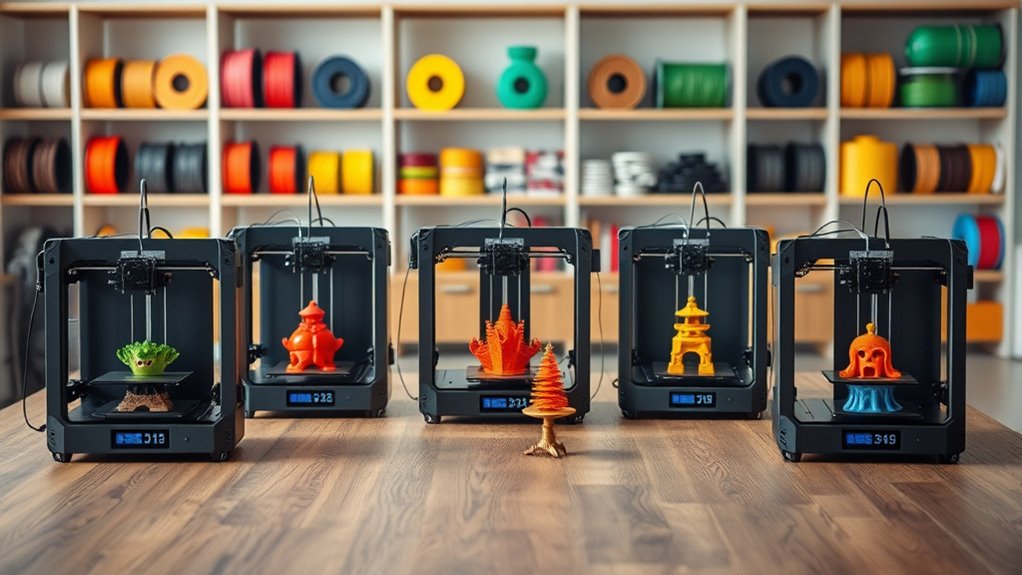
6 Best 3D Printers Under $750 for 2026 Worth Buying
You’ll find top 3D printers under $750 that combine speed, ease, and precision, making them perfect for both beginners and experienced users. For example, the FLASHFORGE Adventurer 5M stands out with its quick setup and flexible filament support, letting you start printing without hassle.
Then there’s the Creality K2 Combo, which offers high-speed multicolor printing and automatic leveling to keep things smooth and accurate.
The Ender 3 V3 SE is a solid choice for hobbyists who want consistent stability in their prints.
If you’re into detailed resin models, the ANYCUBIC Photon Mono 4 delivers crisp results.
Plus, enclosures like Creality’s L not only improve print quality but also enhance safety during printing.
Explore these options to find the perfect match for your projects and budget with confidence.
FLASHFORGE Adventurer 5M 3D Printer, High Speed
Experience faster, hassle-free 3D printing with the FLASHFORGE Adventurer 5M. Designed to simplify your workflow, it features one-click automatic printing and warms up in just 35 seconds. Changing nozzles takes only 3 seconds, minimizing downtime and keeping projects moving smoothly.
Its innovative CoreXY structure enables high-speed printing up to 600mm/s while supporting a generous 220x220x220mm build volume. This balance of speed and space helps you complete detailed models quickly without sacrificing quality.
The direct extruder heats up to 280°C, making it suitable for flexible filaments that expand your material options. Dual-fan nozzles and vibration compensation maintain precision even at high speeds, ensuring sharp, accurate prints. Remote monitoring via the Flash Maker app lets you oversee prints from anywhere.
Maintenance is straightforward but important. Regular nozzle and platform cleaning help maintain consistent performance and print quality. While the advanced features may require some learning, they provide versatile control once mastered.
Best for: Users seeking a fast, versatile 3D printer that delivers precise results with easy setup and remote management.
What We Like:
- Quick 35-second warm-up and simple 3-second nozzle swaps enhance productivity
- CoreXY design supports fast travel speeds and a roomy build area
- High-temperature extruder accommodates flexible filaments
- Dual fans and vibration control improve print accuracy
- Remote monitoring adds convenience and control
Specification:
| Feature | Details |
|---|---|
| Manufacturer | FLASHFORGE |
| Build Volume | 220 x 220 x 220 mm |
| Max Nozzle Temp | 280°C |
| Printing Speed | Up to 600 mm/s |
| Platform Material | Dual-sided PEI |
| Connectivity | Flash Maker app (remote) |
Creality K2 Combo 3D Printer with Auto Leveling
Discover the Creality K2 Combo, a 3D printer designed to simplify multicolor printing and eliminate the need for tedious post-print painting. Its four-color filament system supports up to 16 vibrant colors, making it ideal for producing intricate, eye-catching designs. The generous 260×260×260mm build volume offers ample space for detailed projects.
Setup is straightforward with 95% pre-assembly, allowing quick plug-and-play operation. The AI-powered auto-leveling system ensures precise bed calibration, reducing manual adjustments and enhancing print accuracy. Real-time monitoring adds an extra layer of reliability, while the printer’s quiet step-servo motors create a peaceful working environment.
Durability meets performance with a robust frame and dynamic torque adjustment, enabling consistent results across various materials. The high-speed printing capability of up to 600mm/s means faster production without compromising quality. Maintenance is manageable, thanks to intuitive design and automated features.
While its build volume may limit very large projects, and multicolor setup can be complex for beginners, the Creality K2 Combo remains a versatile tool for detailed multicolor prints with minimal hassle.
Best for: Makers and professionals seeking a reliable multicolor 3D printer with advanced automation and fast, precise output.
What We Like:
- Supports up to 16 colors with a 4 CFS system for vibrant, complex prints.
- AI-driven auto-leveling and real-time monitoring improve print precision.
- Quiet operation with silent step-servo motors enhances user comfort.
- High-speed printing at 600mm/s balances speed and accuracy.
- Sturdy frame and dynamic torque adjustment ensure consistent results.
Specification:
| Feature | Details |
|---|---|
| Manufacturer | Creality |
| Build Volume | 260×260×260 mm |
| Color Options | Up to 16 colors via 4 CFS units |
| Setup | 95% pre-assembly, plug-and-play |
| Printing Speed | Up to 600 mm/s |
| Leveling | AI-powered auto-leveling |
| Operation Noise | Silent step-servo motors |
Creality Ender 3 V3 SE 3D Printer Upgrade
The Creality Ender 3 V3 SE redefines efficiency in 3D printing by cutting printing times significantly. It achieves speeds up to 250mm/s and accelerations of 2500mm/s², allowing you to complete projects much faster without sacrificing quality. This makes it an excellent choice for those needing quick turnarounds.
Assembly is straightforward and takes about 20 minutes, enabling users to start printing almost immediately. The printer’s design focuses on user convenience, featuring auto filament loading and CR Touch auto leveling to ensure consistent print accuracy. These functions reduce manual adjustments and setup errors.
Its dual Z-axis lead screws and dual linear shafts provide enhanced stability and precision during prints. This setup ensures smooth handling of various filaments, supported by the Sprite full metal dual-geared extruder. The build volume of 8.66×8.66×9.84 inches suits most hobbyist and professional needs.
Maintenance is simplified through the printer’s robust construction and easy-to-access components. While the build volume may limit very large projects, the Ender 3 V3 SE balances speed, precision, and ease of use effectively. It is best suited for users familiar with 3D printing materials to maximize filament compatibility.
Best for: Hobbyists and professionals seeking a fast, reliable 3D printer with easy setup and precise, high-quality prints.
What We Like:
- Fast printing speeds reduce project completion time.
- Easy assembly with user-friendly auto filament loading and leveling.
- Stable prints ensured by dual Z-axis lead screws and linear shafts.
- Versatile extruder handles multiple filament types smoothly.
- Compact build volume ideal for most detailed projects.
Specification:
| Feature | Details |
|---|---|
| Manufacturer | Creality |
| Build Volume | 8.66 x 8.66 x 9.84 inches |
| Printing Speed | Up to 250 mm/s |
| Acceleration | 2500 mm/s² |
| Extruder | Sprite full metal dual-geared |
| Auto Leveling | CR Touch auto leveling |
| Axes | Dual Z-axis lead screws |
| Assembly Time | Approximately 20 minutes |
ANYCUBIC Photon Mono 4 Resin 3D Printer
Experience precision like never before with the ANYCUBIC Photon Mono 4 Resin 3D Printer. Its 7″ 10K Mono LCD screen delivers ultra-fine detail, making it ideal for creating smooth, intricate models. This printer addresses common issues of uneven layer lines by using the advanced LighTurbo matrix light source, ensuring consistent illumination for flawless surfaces.
Designed with usability in mind, the Photon Mono 4 offers a generous build volume of 6.04″ x 3.42″ x 6.49″, suitable for most detailed resin projects. The laser-engraved platform enhances adhesion, reducing print failures and simplifying post-print removal. Maintenance is straightforward with four-point leveling and the ability to resume prints after power interruptions, minimizing wasted materials and time.
While it excels in precision and reliability, users should note that it does not support the Anycubic APP for remote management. Additionally, the build size may limit very large prints, and initial setup requires some manual leveling. Overall, this printer balances high-quality output with user-friendly features for a smooth printing experience.
Best for: hobbyists and professionals seeking detailed resin 3D printing with fast, reliable operation and easy maintenance.
What We Like:
- High-resolution 7″ 10K Mono LCD for exceptional detail
- Uniform light source reduces layer lines and improves finish
- Four-point leveling and print resume enhance user convenience
- Laser-engraved platform boosts adhesion and ease of removal
Specification:
| Feature | Description |
|---|---|
| Manufacturer | ANYCUBIC |
| Build Volume | 6.04″ x 3.42″ x 6.49″ |
| Screen Size | 7″ 10K Mono LCD |
| Pixel Size | 17 x 17 μm |
| Printing Speed | Up to 70 mm/h |
| Platform | Laser-engraved for adhesion |
| Leveling | Four-point manual leveling |
Creality 3D Printer Enclosure L with LED Light
Create a controlled and safe environment for your 3D printing projects with the Creality 3D Printer Enclosure L with LED Light. This enclosure is designed to address common printing challenges like temperature fluctuations that cause warping and shrinkage. Its fire-resistant and waterproof construction keeps the internal conditions stable, improving print reliability.
Measuring 700 x 750 x 900mm, it offers ample space for your CR-10 Smart Pro or similar FDM printers, along with accessories. The large transparent window, combined with built-in LED lighting, lets you easily monitor print progress without opening the enclosure. This reduces noise and keeps dust away.
Maintenance is straightforward thanks to its durable materials and accessible design. The enclosure supports upgrades such as exhaust fans and heaters, allowing you to tailor airflow and temperature control to your specific needs. Ventilation holes improve air circulation but require careful management to maintain optimal printing conditions.
Best for: Users of CR-10 Smart Pro or similar FDM printers seeking a spacious, safe, and customizable enclosure that enhances print quality and workspace comfort.
What We Like:
- Fire-resistant, waterproof build provides stable printing conditions.
- Large window with LED lighting for clear, uninterrupted monitoring.
- Supports professional upgrades like exhaust fans and heaters.
- Spacious design accommodates larger printers and accessories.
Specification:
| Feature | Details |
|---|---|
| Manufacturer | Creality |
| Dimensions | 700 x 750 x 900 mm |
| Material | Fire-resistant, waterproof |
| Color Options | Not specified |
Anycubic Kobra S1 Combo Multi-Color 3D Printer
The Anycubic Kobra S1 Combo Multi-Color 3D Printer is designed to elevate your multi-color printing projects with ease and precision. Its ability to connect two ACE Pro units allows for up to 8-color printing, making it ideal for creating vibrant cosplay items and detailed decor. This setup addresses the challenge of producing complex, colorful prints without needing multiple printers.
The printer features a stable CoreXY frame, enabling high-speed printing up to 600mm/s while maintaining accuracy. Its fully enclosed chamber combined with a built-in drying system helps prevent moisture-related printing issues, ensuring better success rates and compatibility with materials like ABS. These design choices reduce maintenance and improve reliability.
Setup and upkeep are simplified with one-click auto-leveling and quick nozzle swaps. The integrated remote control app adds flexibility, allowing you to manage prints conveniently from anywhere. However, note that the ACE Pro and ACE 2 Pro units cannot run simultaneously, which may limit some configurations.
Best for: hobbyists and professionals needing a high-speed multi-color 3D printer with advanced filament management and user-friendly features for intricate, colorful projects.
What We Like:
- Supports up to 8-color printing via two connected ACE Pro units
- Stable CoreXY frame enables fast, precise printing
- Fully enclosed chamber with drying system enhances material reliability
- Easy setup with auto-leveling and quick nozzle swaps
- Remote control app adds convenience
Specification:
| Feature | Details |
|---|---|
| Manufacturer | Anycubic |
| Dimensions | Not specified |
| Weight | Not specified |
| Frame Type | CoreXY |
| Color Options | Up to 8 colors via dual ACE Pro units |
| Special Features | Built-in drying system, fully enclosed chamber, one-click auto-leveling, remote app control |
Factors to Consider When Choosing a 3d Printer for 750
When picking a 3D printer under $750, you’ll want to focus on print quality and build volume to match your projects. Consider what materials you plan to use and how fast you need your prints to finish.
Don’t forget to look for user-friendly features that make your printing experience smoother. After all, a printer that’s easy to use saves you time and frustration in the long run.
Print Quality Importance
How can you guarantee your 3D prints look professional and detailed without breaking the bank? Focus on print quality by considering layer resolution and nozzle diameter, as they directly affect surface smoothness and detail accuracy.
You want consistent adhesion and minimal layer defects to reduce time spent on cleanup and post-processing. Look for printers with advanced extrusion systems and stable frames, which maintain precision even during faster prints.
Remember, regular maintenance and calibration are essential to keep your printer performing at its best. Prioritizing these factors ensures your models come out sharp and reliable, whether for creative projects or professional use.
With the right focus on print quality, you’ll get impressive results from a budget-friendly 3D printer under $750.
Build Volume Needs
Although print quality is essential, you should also consider build volume to guarantee your 3D printer meets your project size demands. Aim for a build volume of at least 220x220x220mm to handle most projects comfortably within your $750 budget.
If you plan to print larger parts or multiple objects simultaneously, look for printers offering around 260x260x260mm. Check if the printer has adjustable or removable print beds, which can boost flexibility for various project sizes.
Remember, bigger build volumes often require sturdier frames and advanced motion systems to keep prints accurate. Balance your build volume needs with other features like speed and resolution to ensure you choose a printer that fits your project scope without overspending.
Prioritizing the right build volume helps avoid frequent print segmentation or size limitations. So, think about what you’ll be printing most often before making your choice!
Material Compatibility Range
Choosing the right build volume sets the stage for your projects, but you also need to contemplate the types of materials your 3D printer can handle. Make certain it supports common filaments like PLA, ABS, PETG, TPU, and nylon to cover a broad range of uses.
Check the extruder’s max temperature—ideally above 250°C—to print high-temp materials such as ABS and polycarbonate. If you want to experiment, confirm compatibility with specialty filaments like flexible, composite, or metal-infused types.
Also, consider the build plate surface and adhesion features; these are vital to prevent warping and guarantee prints stick well. Finally, verify that the hotend and heated bed can handle the thermal demands of various materials, so your printer won’t limit your material choices.
Speed and Efficiency
Speed and efficiency play crucial roles when picking a 3D printer under $750, especially if you want to maximize productivity. You should prioritize printers with high travel speeds around 600mm/s and optimized acceleration rates like 20,000mm/s² to guarantee rapid production without sacrificing quality.
Quick warm-up times, ideally near 35 seconds, help minimize downtime between prints. While speed matters, balancing it with precision is key to achieving great results consistently.
Additionally, look for features like automatic bed leveling and easy filament changes to streamline setup and reduce manual adjustments. Choosing a model that handles high-speed printing effectively will keep your projects moving smoothly and save you valuable time, making your investment well worth it.
User-Friendly Features
Maximizing productivity isn’t just about how fast your 3D printer runs; it also depends on how easy it is to use. Look for models with automatic bed leveling to save time on setup and ensure consistent print quality.
Intuitive touchscreens and clear interface controls make operation straightforward, even if you’re new to 3D printing. Quick-start features like rapid warm-up and one-click printing let you get going with minimal fuss.
Modular components, such as easy nozzle changes and quick filament loading, simplify maintenance and material swaps. Built-in monitoring tools provide real-time status updates, helping you troubleshoot efficiently.
Connectivity and Control
A 3D printer’s connectivity and control options play an essential role in how easily you can manage and monitor your prints. Look for printers offering multiple connection methods like Wi-Fi, Ethernet, or USB to give you the flexibility to operate remotely or directly.
Check if the printer supports mobile or desktop apps so you can receive real-time status updates and adjust settings on the fly. It’s super handy to tweak things without having to be right next to the machine.
Consider models with intuitive touchscreen displays or firmware that you can customize for smoother interaction. Having control that feels natural can make a big difference in your printing experience.
Also, compatibility with third-party control software or open-source firmware can really expand your options. You get to pick tools that fit your workflow best.
Additionally, printers featuring automation tools like auto bed leveling and filament sensors that integrate with your control system will save you time and hassle during printing. These features help keep things running smoothly without constant supervision.
Maintenance and Durability
When you invest in a 3D printer under $750, keeping it well-maintained guarantees consistent print quality and longevity. Regularly cleaning the nozzle, build platform, and extruder prevents clogs and damage that could compromise your prints.
Look for models with all-metal frames and quality components, as they resist wear and deformation over time. Printers featuring enclosed chambers shield internal parts from dust, moisture, and temperature changes, extending their lifespan.
Proper cooling systems and vibration compensation reduce mechanical stress, enhancing durability. Don’t forget routine calibration and timely replacement of worn parts like belts and nozzles to avoid costly repairs.
Frequently Asked Questions
How Do I Maintain My 3D Printer for Optimal Performance?
You should regularly clean the nozzle, lubricate moving parts, and tighten screws. Also, don’t forget to update the firmware to keep everything running smoothly.
Calibrating the bed often is super important, and storing your filament properly helps avoid moisture issues. These steps make sure your 3D printer stays reliable and performs at its best.
What Software Is Compatible With These 3D Printers?
You’ve got software options galore! Most printers work with Cura, PrusaSlicer, or Simplify3D.
They’re user-friendly, powerful, and compatible with Windows, Mac, and Linux, so you’ll slice your models like a pro every time!
Can These Printers Handle Flexible Filaments?
Yes, many of these printers can handle flexible filaments like TPU, but you’ll want to check each model’s extruder type and print settings.
Direct drive extruders usually work best for flexible materials, so keep that in mind. It really helps to avoid issues like filament buckling or jamming during prints.
How Noisy Are These 3D Printers During Operation?
You won’t mistake these printers for a whispering breeze—they’re more like a polite lawnmower.
But don’t worry, they’re quieter than older models, so you can still enjoy your prints without needing earplugs every time.
What Warranty Options Are Typically Available for These Printers?
You’ll usually get a 1-year limited warranty covering defects and some parts. Some brands offer extended warranties or customer support packages, too.
It’s smart to check each printer’s policy before buying to avoid surprises. That way, you know exactly what’s covered and for how long.
Conclusion
Choosing the right 3D printer under $750 doesn’t have to be a shot in the dark. Whether you prioritize speed, multi-material capability, or precise resin printing, there’s a model here that fits your needs perfectly.
Keep your project goals and workspace in mind, and you’ll find a reliable machine that brings your ideas to life without breaking the bank. Remember, the proof of the pudding is in the printing!
With so many options, finding the best 3D printer under $750 can be simple if you know what features matter most to you. Whether you’re a beginner or looking to upgrade, these affordable 3D printers offer great value and performance.
So go ahead, choose a 3D printer that matches your budget and creative ambitions, and start turning your designs into reality today!