11 Best Cameras for Podcasting in 2027 to Boost Your Show Quality
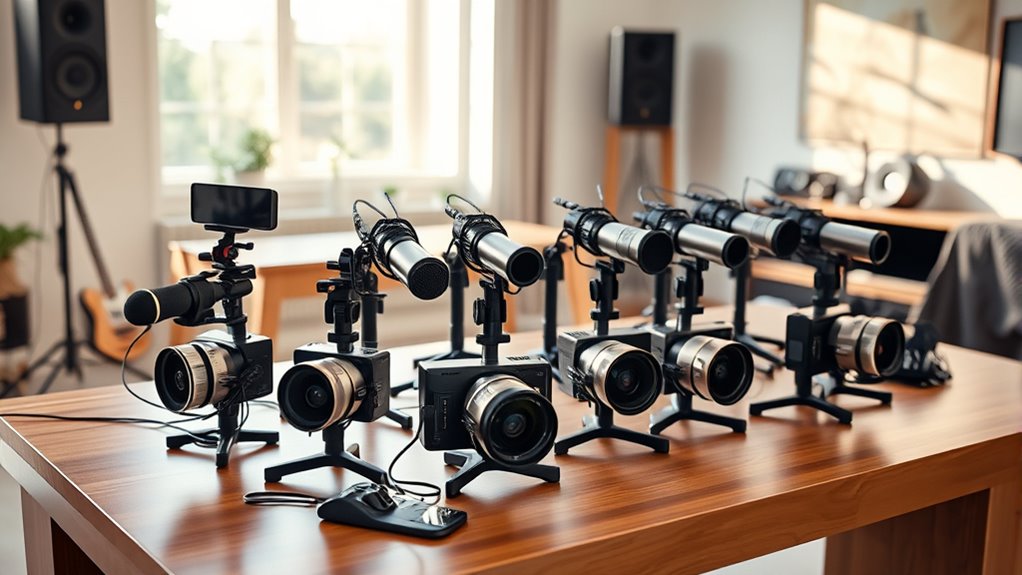
To boost your podcast’s quality in 2027, choosing the right camera is key. Cameras designed specifically for podcasting can dramatically enhance your video clarity and overall production value.
Whether you want AI-driven features or crisp 4K resolution, there’s something for every podcaster.
Consider options like the AI-driven EMEET PIXY or OBSBOT Tiny 2 Lite, which offer seamless tracking and stunning 4K clarity. They help keep you perfectly in frame, even when you move around.
Logitech Brio 101 and C920x deliver reliable Full HD video with great autofocus, making them excellent choices for consistent quality.
If smart framing and crisp audio matter most, check out the Insta360 Link 2 Pro and Hollyland Lyra. These compact and versatile cameras come packed with advanced features that make your content stand out.
Keep exploring to find the perfect fit for your setup and style.
EMEET PIXY Dual-Camera AI-Powered PTZ Camera 4K with Tripod, AI Tracking
Experience effortless framing with the EMEET PIXY Dual-Camera AI-Powered PTZ Camera designed for dynamic video content. This camera intelligently tracks your movements, so you stay perfectly centered without manual adjustments. Its AI face detection combined with a 4K Sony sensor ensures your video remains sharp and well-exposed, even as you move around.
The camera’s wide 310° pan and 180° tilt angles provide flexible shooting positions, adapting smoothly to different room layouts. Gesture control simplifies operation—just show an open palm to start tracking. The included tripod offers stability and easy setup for various shooting environments.
Maintenance is straightforward thanks to its robust design and included EMEET Studio software, which allows quick angle adjustments and preset configurations. This reduces setup time and ensures consistent professional framing every time. USB connectivity makes it compatible with most devices, though it uses USB 2.0, which may affect data transfer speeds.
Overall, the EMEET PIXY supports hands-free, high-quality video recording, improving the production value of podcasts, live streams, and content creation with minimal effort.
Best for: podcasters and live streamers who need reliable AI tracking and crisp 4K video for hands-free filming.
What We Like:
- Smooth AI-powered face tracking with gesture control
- Crisp 4K video quality with PDAF autofocus
- Flexible pan and tilt range for versatile framing
- User-friendly tripod and software for quick setup
Specification:
| Feature | Details |
|---|---|
| Manufacturer | EMEET |
| Dimensions | Not specified |
| Weight | Not specified |
| Material | Not specified |
| Color Options | Not specified |
Logitech Brio 101 Full HD 1080p Webcam for Streaming and Meetings – Black
Experience sharp and clear video with the Logitech Brio 101 Full HD 1080p Webcam, designed to enhance your streaming and meeting quality. It tackles common video issues like poor lighting by using auto-light correction, so you always appear professional and well-lit.
The webcam’s zoom and framing options are easily controlled through the Logi Options+ app, allowing you to customize your view without hassle. Its built-in microphone captures clear audio, reducing the need for extra equipment.
This device connects via USB-A, making setup straightforward for most computers. The sleek, eco-friendly design includes a privacy shutter, giving you control over when the camera is active and protecting your privacy.
Maintenance is simple; the durable build and easy-to-clean surface ensure your webcam stays in top condition. The fixed focus lens with a 60-degree viewing angle suits most video calls, although it may not fit all framing preferences.
Best for: Podcasters, streamers, and remote workers seeking a reliable, high-quality webcam that performs well in low light and offers easy customization.
What We Like:
- Crisp Full HD 1080p video with auto-light correction
- Adjustable zoom and framing via Logi Options+ app
- Built-in microphone for clear audio capture
- Privacy shutter for enhanced security
Specification:
| Feature | Details |
|---|---|
| Manufacturer | Logitech |
| Resolution | Full HD 1080p |
| Connection Type | USB-A |
| Viewing Angle | 60 degrees |
| Color | Black |
Logitech C920x HD Pro PC Webcam Full 1080p/30fps Video – Black
Experience clearer video calls and content creation with the Logitech C920x HD Pro webcam. It delivers full HD 1080p video at 30fps, ensuring your visuals are sharp and vibrant. This webcam automatically adjusts to lighting conditions and focuses precisely, even in dim environments, so you always look your best without manual tweaks.
Designed for ease of use, the C920x features dual stereo microphones that capture natural, clear audio. This makes it ideal for podcasts, meetings, or streaming where sound quality matters. The included capture software and a 3-month XSplit VCam license allow you to edit videos and customize backgrounds effortlessly, enhancing your production value.
Its compact design fits neatly into any workspace and works seamlessly with Windows 11. While it lacks a physical privacy shutter, it offers software-based privacy controls to help protect your camera when not in use. Maintenance is simple—just keep the lens clean for the best image quality.
Best for: content creators, remote workers, and streamers seeking reliable 1080p video with user-friendly features and software support.
What We Like:
- Crisp Full HD 1080p video with autofocus and automatic lighting correction
- Dual stereo microphones for clear, natural audio capture
- Includes capture software and XSplit VCam license for easy editing and background customization
- Compact, easy to integrate in various setups
- Software-based privacy controls for secure use
Specification:
| Feature | Details |
|---|---|
| Manufacturer | Logitech |
| Video Resolution | 1080p at 30fps |
| Microphones | Dual stereo |
| Compatibility | Windows 11 |
| Color | Black |
| Dimensions | Compact design (approx. 3.7 x 1.1 x 2.7 inches) |
| Weight | Around 162 grams |
OBSBOT Tiny 2 Lite 4K Webcam for PC, AI Tracking PTZ Streaming Camera
Experience professional-grade streaming with the OBSBOT Tiny 2 Lite 4K Webcam, designed to simplify your content creation. This webcam uses advanced AI-powered tracking to follow your movements smoothly, ensuring you stay perfectly framed without manual adjustments. It’s ideal for creators who want effortless, dynamic video capture.
Delivering sharp 4K video at 30 FPS, this camera enhances your streams and podcasts with crystal-clear quality. The AI tracking responds to upper body and hand gestures, allowing you to zoom and focus hands-free. This feature removes distractions and keeps your audience engaged.
Setup is straightforward thanks to its plug-and-play USB-C connectivity. The webcam automatically adjusts framing and supports multiple shooting modes, making it versatile for different streaming environments. Its lightweight design also makes it easy to reposition or carry.
Maintenance is minimal since the camera’s digital image stabilization and automatic adjustments reduce the need for constant tweaking. However, note that it requires a modern PC setup and a USB-C port, which may limit compatibility with older systems.
Best for: Content creators, streamers, and esports professionals seeking high-quality 4K video with AI-powered tracking and gesture control for seamless, dynamic broadcasting.
What We Like:
- AI tracking with upper body and hand gesture controls enable hands-free zoom and focus
- Supports 4K video capture at 30 FPS with digital image stabilization
- Plug-and-play USB-C connectivity for easy setup and versatile shooting modes
- Lightweight and compact design for portability and easy repositioning
Specification:
| Feature | Details |
|---|---|
| Manufacturer | OBSBOT |
| Dimensions | Compact, lightweight design |
| Video Resolution | 4K at 30 FPS, 1080P at 60 FPS |
| Connectivity | USB-C |
| AI Features | Upper body and hand gesture tracking |
EMEET C960 4K Webcam for PC, PDAF Auto Focus, Dual Omni Mics, 73° FOV
Experience crystal-clear video with the EMEET C960 4K Webcam, designed to deliver sharp focus and vivid detail. Its PDAF autofocus ensures your image stays crisp, even when you move. This webcam enhances your online presence by capturing smooth 4K video at 30fps, making every meeting and stream look professional.
The dual omnidirectional microphones pick up natural sound, reducing background noise for clearer conversations and recordings. This feature is especially useful for podcasts and remote meetings, where audio clarity is crucial. The 73° field of view offers a focused frame, ideal for individual use or small groups.
Setup is straightforward with USB-A plug-and-play compatibility—no extra drivers or software needed. The webcam’s auto light correction adapts to different lighting conditions, so you always look your best. For privacy, a physical cover easily slides over the lens when the webcam is not in use.
Maintaining the EMEET C960 is simple; just keep the lens clean and store the privacy cover closed when idle. While the default resolution is 1080P, you can adjust settings to access the full 4K quality through software. Note that the fixed 73° angle may limit wider shots, and recording depends on your connected device’s storage.
Best for: Professionals and content creators needing high-definition video and clear audio for streaming, remote meetings, and podcasting.
What We Like:
- Sharp, true 4K resolution with quick PDAF autofocus
- Dual microphones capture clear, natural audio
- Easy plug-and-play USB-A setup with broad system compatibility
- Auto light correction ensures consistent video quality
- Physical privacy cover for added security
Specification:
| Feature | Details |
|---|---|
| Manufacturer | EMEET |
| Resolution | 4K UHD (3840 x 2160) at 30fps |
| Autofocus | PDAF (Phase Detection) |
| Microphones | Dual Omnidirectional |
| Field of View (FOV) | 73° |
| Connectivity | USB-A Plug-and-Play |
| Compatibility | Windows, macOS, others |
| Privacy Cover | Physical sliding cover |
Insta360 Link 2 4K PTZ Webcam with AI Tracking
Experience stunning 4K video quality with the Insta360 Link 2 4K PTZ Webcam, designed to bring clarity and precision to your recordings. Its HDR and PDAF autofocus work together to provide sharp, true-to-life visuals, making every frame crisp and engaging. Whether you’re recording solo or in groups, the AI-powered pan and tilt tracking ensures you stay perfectly framed without manual adjustments.
This webcam is built to simplify your workflow with gesture control that lets you manage settings remotely. Compact and sleek, it fits seamlessly into any setup while offering privacy protection by automatically tilting down when inactive. The advanced noise-canceling microphone enhances audio clarity, minimizing background distractions during calls or recordings.
Specialized modes like DeskView and Whiteboard cater to various content needs, making it easier to showcase documents or presentations clearly. It’s compatible with both PC and Mac and supports popular platforms such as Zoom and Twitch, ensuring broad usability.
Maintenance is straightforward thanks to its durable design, requiring minimal care to keep it functioning optimally. However, note that it is not compatible with ARM-based Windows systems or Windows Hello Face Recognition, and its digital zoom may not match optical zoom quality.
Best for: Podcasters, content creators, and professionals who require high-quality 4K video with AI tracking and advanced features for streaming, video calls, and online presentations.
What We Like:
- True-to-life 4K HDR video with PDAF for professional-quality visuals
- AI-powered pan and tilt tracking with intuitive gesture control
- Specialized modes like DeskView and Whiteboard for versatile content creation
- Compact design with privacy features and noise-canceling microphone
Specification:
| Feature | Details |
|---|---|
| Manufacturer | Insta360 |
| Dimensions | Compact size (exact not specified) |
| Weight | Lightweight (exact not specified) |
| Color Options | Black |
| Compatibility | PC and Mac, major platforms (Zoom, Twitch) |
EMEET C60E 4K Webcam with Tripod, Streaming Camera with PDAF Autofocus
Experience sharp, clear video like never before with the EMEET C60E 4K Webcam. Designed to enhance your streaming and conferencing, this webcam adapts effortlessly to different setups, giving you full control over your shot.
The included tripod adjusts from 6.7 to 18.5 inches and rotates 360°, allowing you to capture close-ups or wider angles with ease. This versatility solves common framing challenges, making it perfect for dynamic podcasting or professional presentations.
Equipped with a 4K sensor and fast PDAF autofocus, the camera maintains crisp, natural images even when you move. Two built-in microphones pick up clear audio within 8 feet, ensuring your voice is heard without background noise. The physical privacy cover adds peace of mind when the webcam is not in use.
Setup is simple with plug-and-play USB connectivity—no drivers or WiFi needed. While the fixed 73° field of view limits very wide shots and it lacks wireless options, the sturdy tripod and privacy features make it an excellent choice for quality and security.
Best for: Content creators, streamers, and professionals seeking a versatile, high-resolution webcam with flexible mounting and secure privacy features.
What We Like:
- Adjustable tripod height and 360° swivel for versatile positioning
- Ultra 4K video at 30FPS with fast PDAF autofocus for sharp images
- Dual built-in microphones deliver clear audio within 8 feet
- Physical privacy cover protects your lens when not in use
Specification:
| Feature | Details |
|---|---|
| Manufacturer | EMEET |
| Dimensions | Tripod height: 6.7–18.5 in |
| Weight | Not specified |
| Material | Not specified |
| Color Options | Not specified |
Sony ZV-1F Content Creator Kit with Accessories
Capture your best moments with the Sony ZV-1F Content Creator Kit, designed to meet the needs of vloggers and podcasters. This compact camera brings professional 4K video quality into a lightweight, easy-to-use package. It helps you create sharp, cinematic footage without the hassle of bulky gear.
Equipped with a 20MP 1-inch sensor and fast Real-time Eye Autofocus, the camera ensures your subject stays in focus even during dynamic shots. The 3-inch tiltable touchscreen makes framing and reviewing your shots straightforward, enhancing your shooting experience.
The kit solves common content creation challenges by including a condenser microphone for clear audio, an LED light for consistent lighting, and a tripod plus grip for stable footage. Wireless connectivity and 64GB internal storage simplify file transfer and remote control.
Maintenance is simple with reliable battery life and user-friendly controls, although heavy use may require occasional recharging and offloading. Its limited zoom range and digital image stabilization may affect some shooting styles, but overall, it’s a versatile tool for polished videos.
Best for: Content creators, vloggers, and podcasters seeking a compact, all-in-one camera kit that delivers professional 4K video and high-quality audio with ease of use.
What We Like:
- Includes condenser mic, LED light, tripod, and grip for complete setup
- Fast Real-time Eye Autofocus and large sensor for sharp footage
- 4K video capture for professional-quality content
- Wireless connectivity with 64GB internal storage for easy file management
Specification:
| Feature | Details |
|---|---|
| Manufacturer | Sony |
| Sensor | 20MP 1-inch CMOS |
| Video Resolution | 4K |
| Screen | 3-inch tiltable touchscreen |
| Zoom | 2.9x optical zoom |
| Storage | 64GB internal |
| Connectivity | Wireless |
| Included Accessories | Condenser mic, LED light, tripod, grip |
Insta360 Link 2 Pro 4K PTZ Webcam
Experience professional-grade video quality with the Insta360 Link 2 Pro 4K PTZ Webcam, designed to keep you perfectly framed during calls and streams. Its 4K resolution and large sensor deliver sharp, detailed images with natural DSLR-like bokeh, enhancing your visual presence without complicated setups. This webcam addresses common video frustrations by providing smooth, intelligent tracking that follows your movements effortlessly.
The advanced AI-powered pan and tilt ensure you stay centered, whether you’re presenting at your desk or sharing a whiteboard. Specialized modes like DeskView adjust the camera angle to capture your workspace clearly, improving collaboration and presentations. Gesture controls and a smartphone remote give you quick, hands-free adjustments, adding convenience to your workflow.
Maintaining the Insta360 Link 2 Pro is simple thanks to its sturdy design and USB-C connection, though users with older devices may need adapters. Dual beamforming microphones reduce background noise, delivering clear audio that complements the crisp video. While it’s not compatible with ARM-based Windows systems or Windows Hello Face Recognition, its broad platform support makes it a versatile tool for many users.
Best for: Professionals, content creators, and remote workers seeking high-quality 4K video with intelligent AI tracking and versatile modes for enhanced video conferencing and streaming.
What We Like:
- Sharp 4K video with large sensor and natural bokeh
- AI tracking with pan and tilt for dynamic framing
- DeskView and Whiteboard modes enhance presentations
- Dual beamforming mics provide clear, noise-reduced audio
- Convenient gesture controls and smartphone remote
Specification:
| Feature | Details |
|---|---|
| Manufacturer | Insta360 |
| Resolution | 4K (3840 x 2160) |
| Sensor Size | 1/1.3” CMOS |
| Connectivity | USB-C |
| Microphones | Dual beamforming |
| Compatible OS | Windows, macOS (excludes ARM Windows) |
| Dimensions | Not specified |
| Weight | Not specified |
| Color Options | Black |
Elgato Facecam 4K, 4K60 Studio Webcam, DSLR-Like Control
Experience crystal-clear video like never before with the Elgato Facecam 4K. This webcam solves the common problem of blurry and dull streaming by delivering sharp 4K resolution at 60 frames per second. Every detail and color comes to life, making your content stand out with professional quality.
The Facecam 4K is designed for seamless customization. Its Sony STARVIS 2 CMOS sensor works with a Prime Lens to provide DSLR-like sharpness. You can easily adjust your visuals with 49mm lens filters and the user-friendly Elgato Camera Hub software. This ensures you have full control over your look without complicated setups.
Built with eco-friendly materials, this webcam supports sustainable use while maintaining stable performance. Its built-in flash memory remembers your settings, so you don’t waste time reconfiguring before each session. Maintenance is simple, focusing on durability and consistent output for studio environments.
Ideal for podcasters, streamers, and content creators who demand ultra HD video and versatile control, the Facecam 4K enhances any professional setup. While it requires compatible hardware and is best suited for desktop use, it delivers reliability and creative freedom.
Best for: Content creators and podcasters seeking high-quality 4K video with customizable DSLR-like controls and dependable performance.
What We Like:
- Captures sharp 4K video at 60 FPS with vivid, true-to-life colors.
- Offers easy customization through lens filters and intuitive software.
- Eco-conscious design with built-in memory for quick setup.
- Stable and reliable streaming ideal for professional use.
Specification:
| Feature | Details |
|---|---|
| Manufacturer | Elgato |
| Resolution | 4K (3840 x 2160) at 60 FPS |
| Sensor | Sony STARVIS 2 CMOS |
| Lens | Prime Lens, 49mm filter size |
| Weight | Approximately 0.3 kg (0.66 lb) |
| Color Options | Black |
Hollyland Lyra 4K Webcam with AI Tracking
Experience flawless video quality and effortless subject tracking with the Hollyland Lyra 4K Webcam with AI Tracking. This webcam transforms your live streams and recordings by delivering crystal-clear 4K visuals that stay sharp, even in challenging lighting. Its intelligent AI tracking ensures you remain perfectly framed, no matter how much you move.
The large 1/1.5″ CMOS sensor and 50MP lens work together to capture vibrant, detailed images at 30fps. This means your presentations and virtual productions look professional without extra lighting setups. Plus, the AI-powered autofocus responds quickly to keep your image sharp during dynamic scenes.
Background distractions are minimized thanks to the advanced green screen algorithm, which removes backgrounds with fine precision. Pairing it with Hollyland’s LARK A1 wireless microphone guarantees clear, noise-free audio, enhancing the overall production quality.
Maintenance is straightforward, with the HollyStudio app offering easy image tuning and creative overlays to customize your appearance. Designed for Windows and MacOS users, this webcam fits perfectly in professional and creative environments where quality and reliability matter.
Best for: Content creators and professionals needing high-quality 4K video with smart AI tracking for live streaming and virtual presentations.
What We Like:
- True 4K at 30fps with a large sensor for clear low-light imaging
- AI auto-framing and rapid autofocus for seamless subject tracking
- Advanced green screen with detailed background removal
- Compatible with Hollyland’s wireless microphone for clean audio
- Easy image tuning via HollyStudio app
Specification:
| Feature | Details |
|---|---|
| Manufacturer | Hollyland |
| Sensor Size | 1/1.5″ CMOS |
| Lens Resolution | 50MP |
| Video Resolution | 4K at 30fps |
| Compatibility | Windows, MacOS |
| Microphone Support | Yes, with LARK A1 wireless |
| Software | HollyStudio app |
Factors to Consider When Choosing a Camera for Podcasting
You’ll want to focus on video quality essentials and autofocus accuracy to keep your podcast looking sharp. Don’t overlook audio integration and how well the camera adapts to different lighting conditions.
Plus, make sure the connectivity options match your setup for a smooth recording experience. It’s all about making sure everything works together seamlessly so you can focus on creating great content.
Video Quality Essentials
Choosing the right camera for podcasting hinges on several key video quality factors that directly impact your show’s professionalism. You want a camera offering at least 1080p resolution, or even 4K, to capture crisp, detailed visuals that engage your audience.
A frame rate of 30fps or higher is vital for smooth, natural motion, preventing distracting choppiness during recordings. Features like HDR and auto-light correction help maintain consistent image quality, even if your lighting conditions change.
Look for strong low-light performance and image stabilization to keep your video steady and clear. While autofocus is essential, we’ll cover that next.
Focusing on these video essentials ensures your podcast looks polished and keeps viewers coming back for more.
Autofocus Accuracy
Beyond video resolution and lighting, autofocus accuracy plays a big role in keeping your podcast visually sharp. When you move or shift position, precise autofocus guarantees your face stays crisp and clear, which keeps viewers engaged.
Cameras with fast Phase Detection Auto Focus (PDAF) can lock focus in under 0.2 seconds, cutting down on any blurry moments. If you host a dynamic or multi-person podcast, reliable autofocus becomes even more important to maintain a professional look.
Look for models with real-time eye autofocus, which keeps your eyes perfectly sharp throughout recording. Plus, consistent autofocus means you won’t have to fiddle with manual focus mid-shoot, letting you focus on delivering your best content naturally and seamlessly.
Audio Integration
A camera’s audio integration can make or break your podcast’s overall quality. You want a camera with built-in microphones or support for external audio devices to guarantee clear sound recording.
Webcams featuring dual omnidirectional microphones or microphone arrays capture natural, immersive audio, enhancing your listener’s experience. Noise-canceling features or sound modes that reduce background noise help maintain professional-quality sound.
It’s essential to verify your camera’s compatibility with audio recording software or platforms to synchronize video and sound seamlessly. Additionally, look for models with adjustable audio settings or integrated audio controls so you can fine-tune sound levels during recording.
Prioritizing these features will elevate your podcast’s audio quality and make your show stand out effortlessly.
Lighting Adaptability
While clear audio captures your listeners’ attention, visuals play an equally important role in keeping viewers engaged. Choosing a camera with excellent lighting adaptability ensures your video stays sharp in any setting.
Look for models with auto white balance and brightness adjustment to maintain consistent quality without constant tweaking. If you prefer control, cameras offering manual exposure and ISO settings let you fine-tune lighting when conditions get tricky.
Low-light performance is vital, so prioritize cameras with larger sensors and advanced image processing to avoid grainy footage. Additionally, HDR technology helps balance bright and dark areas in high-contrast scenes, making your visuals clearer and more professional.
Connectivity Options
Since your camera needs to connect smoothly with your recording or streaming setup, you should prioritize reliable USB, HDMI, or Ethernet options. Make sure the camera is compatible with your computer’s operating system and popular streaming platforms to avoid frustrating connectivity problems.
If you want more flexibility, consider cameras offering wireless connections like Wi-Fi or Bluetooth. These help reduce cable clutter and allow easier placement.
Also, check if the camera supports stable power sources, such as USB power delivery or external adapters. This ensures uninterrupted recording during long sessions.
Finally, verify that the camera has secure mounting options and ports suitable for your setup. That way, you can maintain steady, adjustable angles that enhance your podcast’s video quality.
Portability and Size
When you need to move your podcasting setup frequently, choosing a camera that’s small and lightweight makes transportation and setup much easier. Compact cameras with foldable or detachable parts fit snugly into backpacks or carrying cases, saving valuable space.
You’ll appreciate models with built-in batteries or USB power options, letting you record remotely without hunting for outlets. A smaller form factor also means you can quickly adjust and reposition the camera during dynamic recording sessions.
Plus, travel-friendly designs are discreet, reducing setup time and minimizing the risk of damage when you’re on the go. By prioritizing portability and size, you ensure your podcasting gear stays flexible and efficient, no matter where your show takes you.
Software Compatibility
Because your camera needs to work smoothly with your recording or streaming setup, you should verify its compatibility with popular software like OBS, Streamlabs, or Zoom. Check if the camera supports plug-and-play via USB or if it requires installing drivers or additional software.
Make sure its features—like auto-focus or background removal—are supported by your editing or broadcasting platforms. Confirm the camera works seamlessly with your operating system, whether that’s Windows, macOS, or Linux.
Also, consider if the camera’s control software allows customization that fits your workflow, such as preset positions or exposure settings. Ensuring these compatibility factors upfront will save you from technical headaches and help you maintain a professional-quality podcast without interruptions.
Budget Considerations
Ensuring your camera fits well with your software is just one piece of the puzzle; keeping your budget in check is equally important. Start by defining your budget range and focus on features that truly matter to avoid overspending on extras you won’t use.
Don’t forget to factor in accessories like tripods, microphones, or lighting, as these can quickly increase your total cost. Strike a balance between affordability and quality—your camera should deliver clear video without breaking the bank.
While higher-priced webcams offer better resolution, autofocus, and low-light performance, set realistic expectations based on whether your podcast is casual or professional. This way, you’ll choose a camera that maximizes value and supports your podcasting goals effectively.
Frequently Asked Questions
How Do Lighting Conditions Affect Podcast Video Quality?
Lighting conditions directly impact your podcast video quality by affecting clarity, color accuracy, and mood. Poor lighting causes shadows and graininess.
On the other hand, good lighting highlights your features and creates a professional, engaging look your audience will appreciate. It really makes a difference in how your video comes across!
Can I Use a Smartphone Instead of a Dedicated Camera for Podcasting?
You can absolutely use a smartphone for podcasting—it’s like having a Swiss Army knife in your pocket.
Modern smartphones shoot high-quality video, are easy to use, and often offer great audio when paired with external mics.
What Are the Best Audio Accessories to Pair With These Cameras?
You’ll want a quality shotgun mic, like the Rode VideoMic, plus a lavalier for mobility.
Pair these with an audio interface such as the Focusrite Scarlett to guarantee clear, professional sound that complements your video perfectly.
How Do I Live Stream My Podcast Using These Cameras?
You’ll connect your camera to a capture card, then link it to your computer. Use streaming software like OBS or StreamYard.
Configure your audio and video settings, and hit “Go Live” to start broadcasting your podcast. It’s pretty straightforward once you get the hang of it!
Are There Budget-Friendly Camera Alternatives for Beginners?
You might find budget-friendly cameras coincidentally waiting on sale shelves, perfect for beginners. Don’t worry; you’ll get decent video quality without breaking the bank.
This way, your podcast looks sharp while staying wallet-friendly.
Conclusion
If you want to boost your podcast quality, choosing the right camera is key. Did you know that podcasts with high-quality video see up to 30% more viewer engagement?
Whether you pick the AI-powered EMEET PIXY or the sleek Elgato Facecam, investing in a great camera can make your show stand out.
So, don’t settle for less—upgrade your setup and watch your audience grow! Picking one of the best cameras for podcasting can truly transform your show’s look and feel. It’s not just about video quality; it’s about connecting better with your viewers and creating a professional vibe.
In 2027, with so many options available, finding the perfect camera tailored to your podcast needs has never been easier. Boost your podcasting experience by choosing a camera that enhances both image clarity and overall production value.